- Clasificación por edad4+
- CategoríaUtilidades
- DesarrolladorNAM KYUNG YEO
- IdiomasInglés+ 1 más
- Tamaño43,3 MB
Es posible que HusKyBoard no esté disponible en App Store en este momento
No se pudo acceder a la ficha de la tienda en nuestra última comprobación. El enlace sigue llevando a la página oficial de App Store.
Capturas de pantalla

Acerca de
El desarrollador no ha proporcionado este texto en tu idioma.
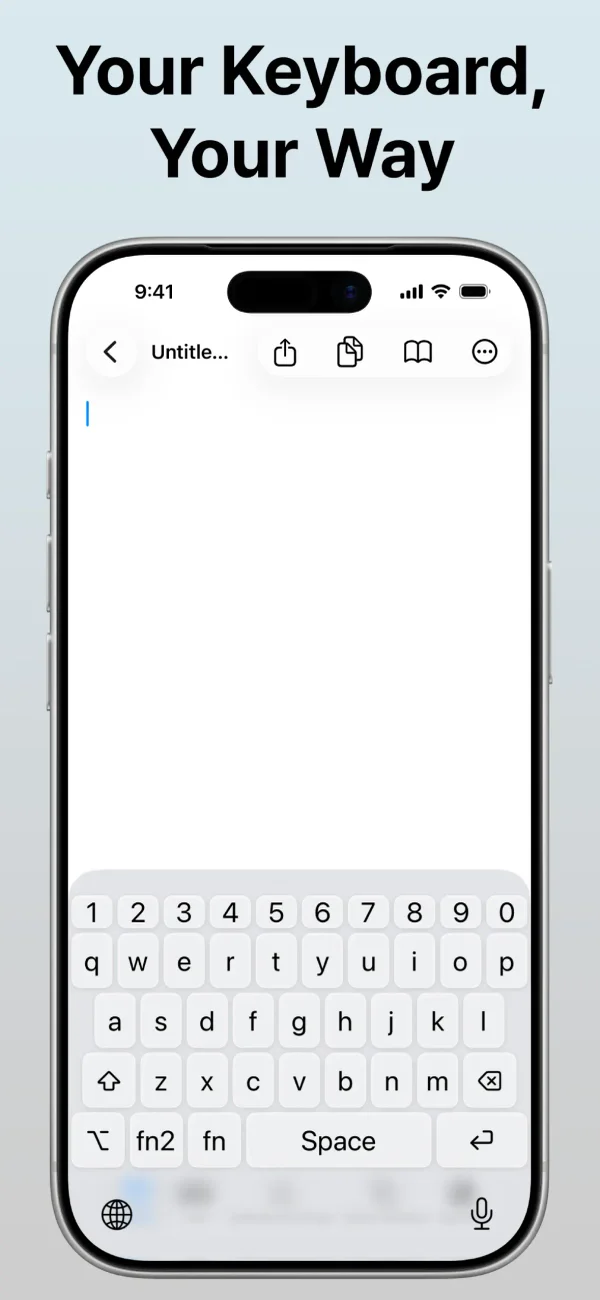
Bring the layout your fingers know to your iPad and iPhone.
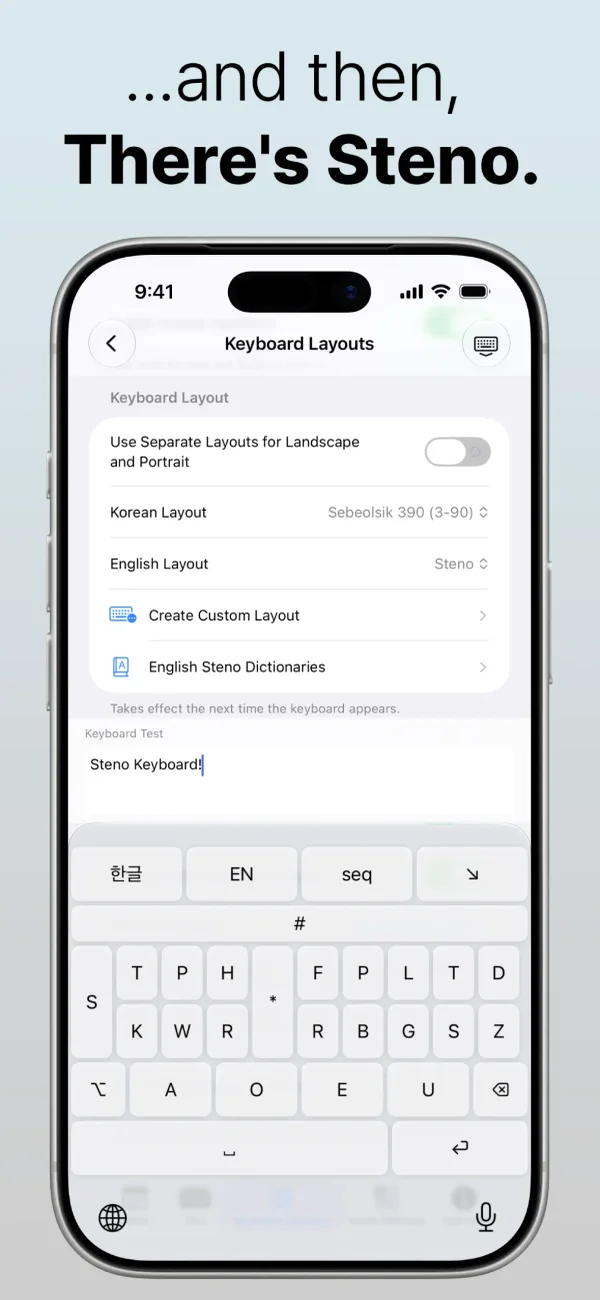
HusKyBoard supports two-set and three-set Korean layouts, chorded input, and English stenography.
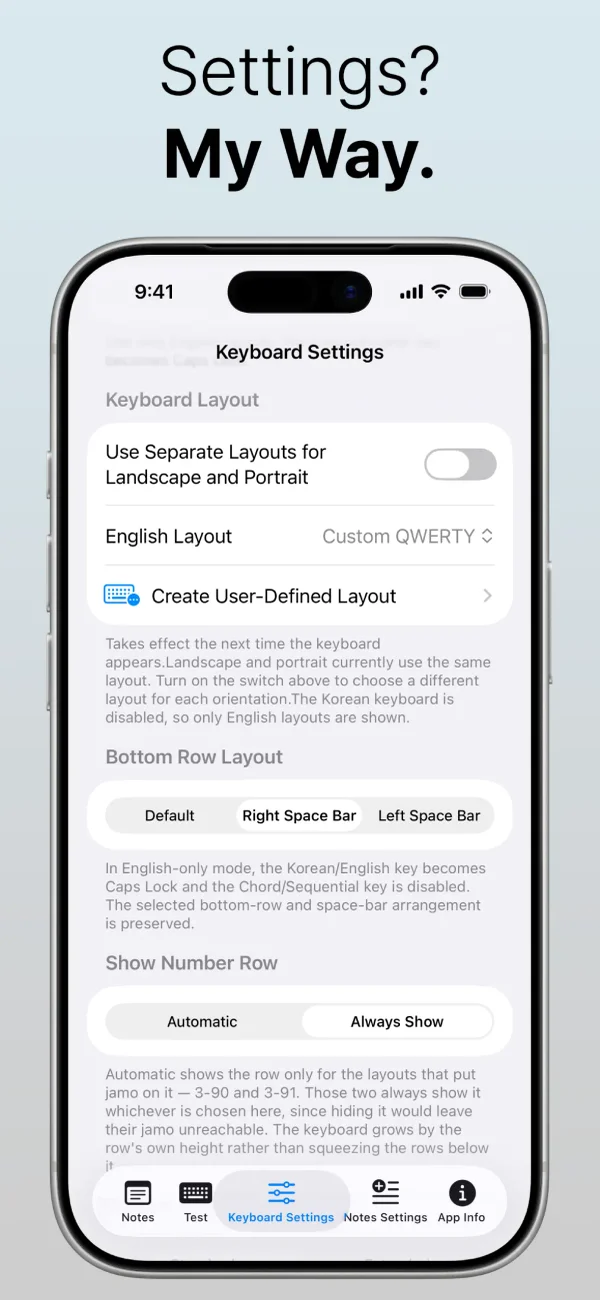
Make it your own with adjustable layouts, key sizes, themes, and typing settings.
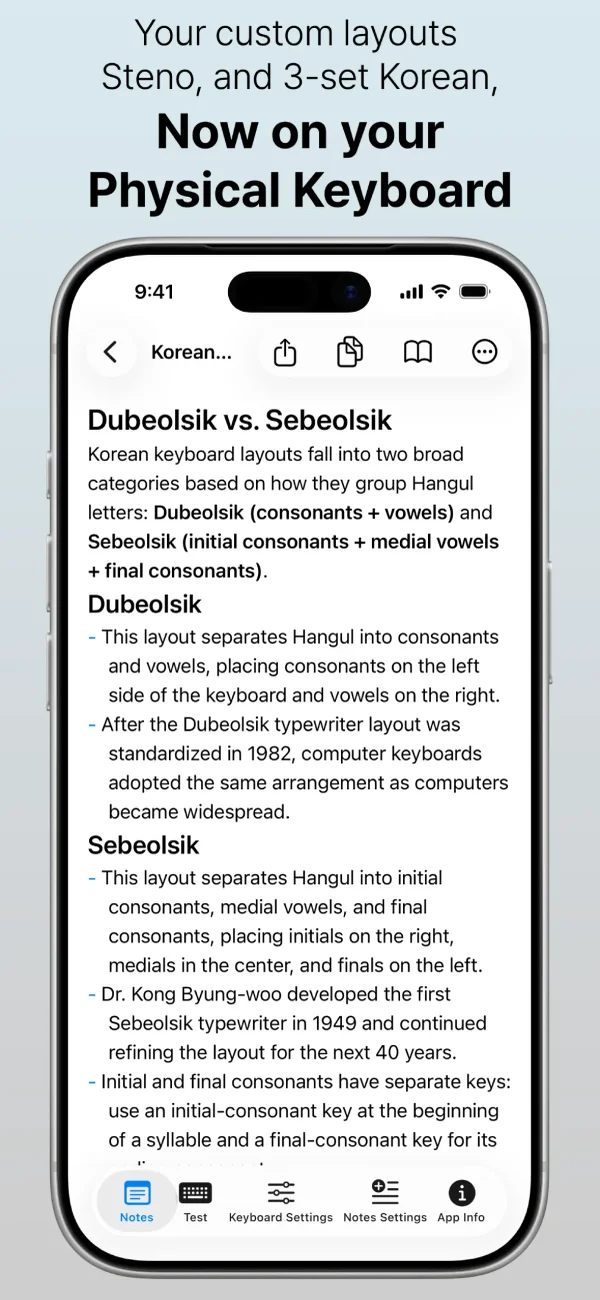
Use your chosen layout with a physical keyboard in the app’s notepad and the typing preview in Settings.
Supported Layouts
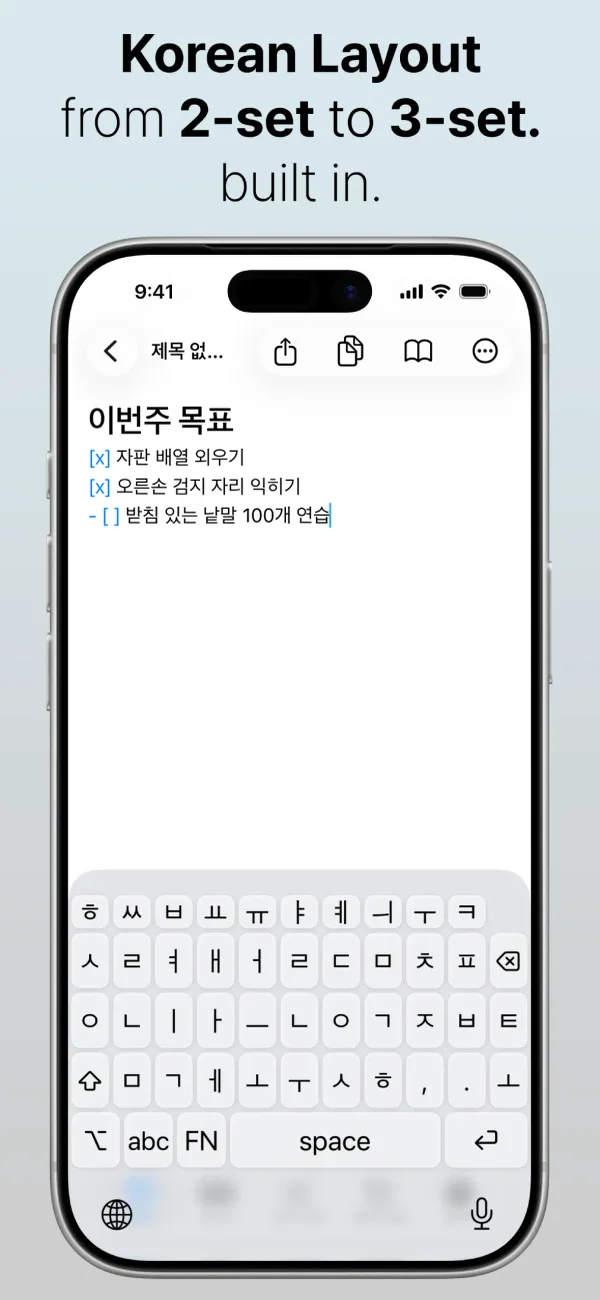
· Korean two-set: Standard Dubeolsik, Danmoeum, Dugeobi, and chorded Dubeolsik
· Korean three-set: Sebeolsik 3-90, Final (3-91), and Sinsebeolsik P2
· Semo-e 2018, Semo-e Mobile
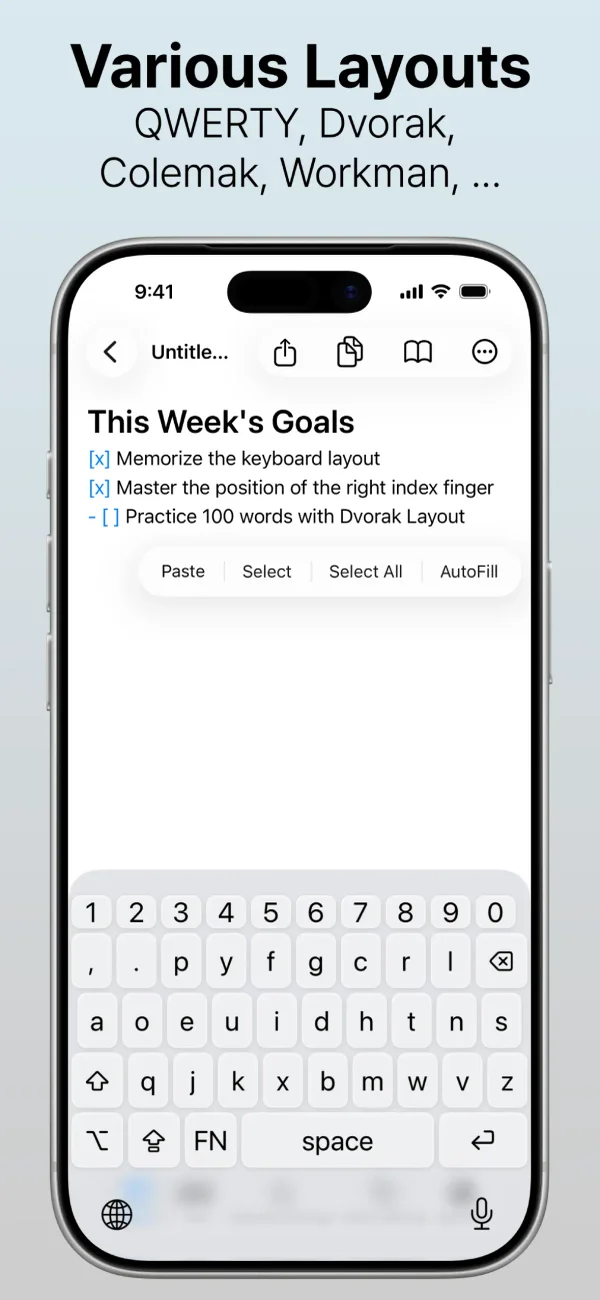
· QWERTY, Dvorak, Colemak, Workman, Steno, and more
One-Handed and Split Modes
· Swipe left or right on the space bar for one-handed mode. Available in portrait on iPhone and in either orientation on a full-width iPad keyboard. Steno layouts do not support this mode.
· Drag the empty area to adjust the width. On iPad, you can also adjust the position.
· Place two fingers on the space bar and spread them apart to split the keyboard. Available in landscape on iPhone and on supported iPad keyboard designs.
· Choose whether to keep the keyboard’s height in each mode.
Keyboard Designs
· Familiar Layout: Based on the standard iPad keyboard.
· Physical Keyboard Sizing: Based on a physical keyboard’s key sizes and layout.
· Full Key Layout: Keeps all keys in the standard ANSI layout visible, regardless of screen size.
· Three iPhone designs: iPhone-style, a uniform 11-column grid, or a grid with Backspace on the bottom row.
· Save separate keyboard heights for portrait and landscape.
VIA-Style Customization
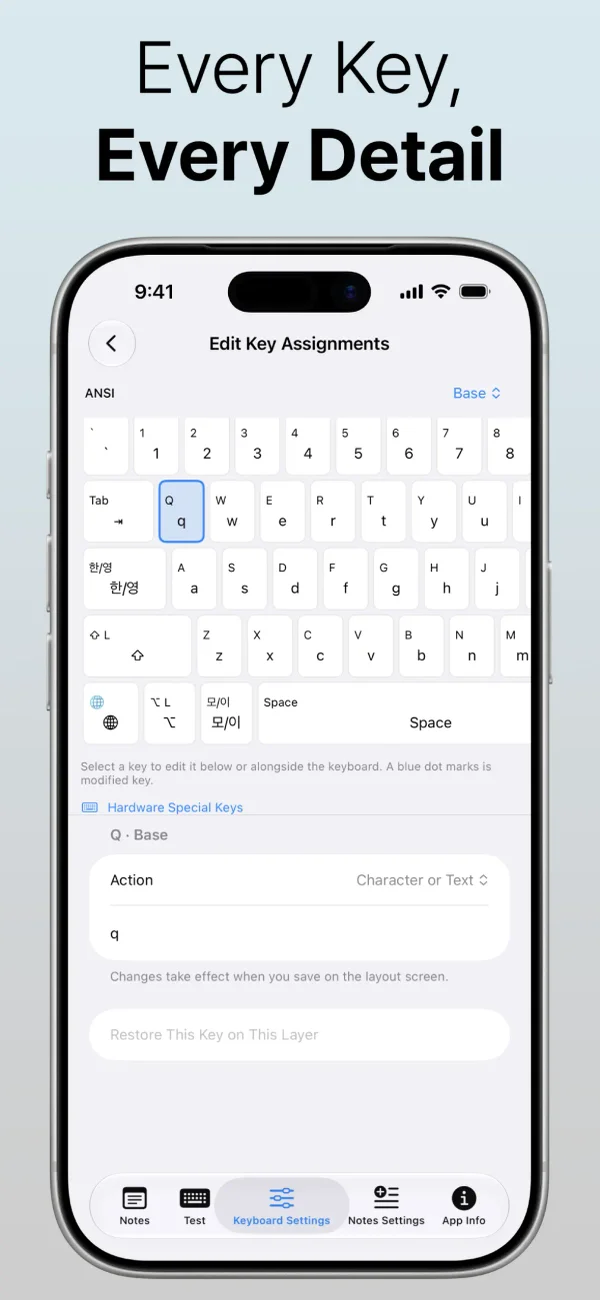
· Edit keys with an editor inspired by VIA.
· Save up to 20 custom layouts.
· Assign characters or functions across Base, Shift, Fn, Option, and custom layers.
· Copy an Option layer preset, then edit individual keys.
· Customize Korean composition rules and chord timing per layout. Semo-e layouts also support symbol extension and medial/final Shift editing, plus custom abbreviations.
· Export and import layouts to back them up or share them.
Appearance and Themes
· Choose from three built-in themes and five custom theme slots.
· Adjust keyboard and key backgrounds, borders, shadows, and label colors and font weight.
· Adjust secondary label size, color, and opacity.
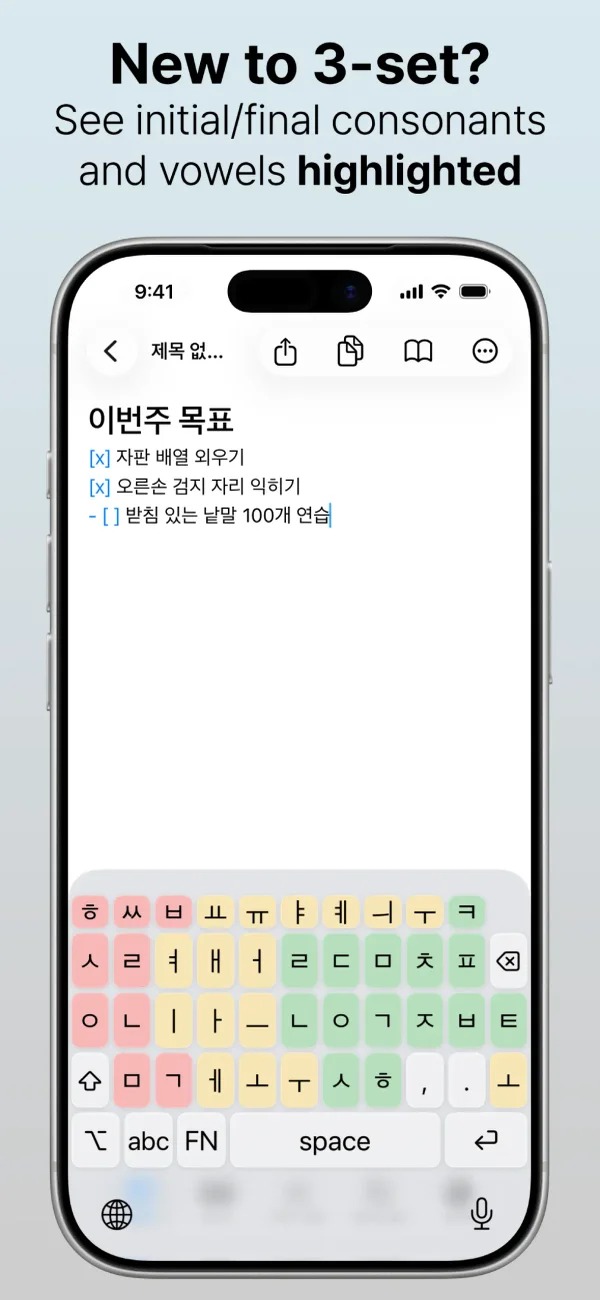
· Give initial consonant, vowel, and final consonant keys different background colors to help learn a three-set Korean layout.
· Set each theme to light, dark, or automatic mode.
Keyboard Sounds (Experimental)
· Choose iOS clicks or mechanical keyboard sounds.
· Set sounds by key type and preview them.
Physical Keyboard Support
· Use custom layouts in the notepad and the typing preview in Settings.
· By default, Caps Lock switches Korean/English, Control switches chorded/sequential input, Option activates the Option layer, and Option + Backspace deletes a word.
· Assign layer switching or other functions to special keys such as Control and Option.
Markdown Notepad
· Save notes as .md files in a folder you choose, including iCloud Drive.
· Markdown syntax is highlighted as you type.
· Customize styles for individual Markdown elements.
Typing Settings
· Choose different layouts for portrait and landscape.
· Switch between chorded and sequential input on supported layouts.
· Swipe in four directions: choose a layer for each direction and set actions per key in custom layouts.
· Adjust chord timing to match your typing speed.
· Delete Korean text by character, individual letter (jamo), or a mix of both.
· Turn key repeat and Option + Backspace word deletion on or off separately.
· Adjust repeat speed, layer hold timing, label size, number row visibility, and the bottom row.
· Open the typing preview with the keyboard button in Settings to try your changes.
· Use two English steno layouts and Plover JSON dictionaries to turn chords into words.
Novedades
Versión 1.4.1 · 8/10/2026
Version 1.4.1 adds new features, improves existing ones, and introduces support for iPhone Duo.
New Features
· Added support for iPhone Duo, using the existing iPhone keyboard designs.
· Added keyboard sounds (experimental): Choose iOS keyboard clicks or mechanical keyboard sounds. This feature is currently in beta and may not always work as expected.
· Added in-app announcements for update news and important notices.
· Added a two-column view for keyboard settings on iPhone in landscape, iPhone Duo when unfolded, and iPad.
Improvements
· When hold-to-switch is off, a short tap on the Korean/English key switches languages, and a long press opens the system keyboard list. Hold-to-switch is off by default. If you turn off the keyboard list option in Settings, languages switch as soon as you press the key.
· Updated several default settings to feel more familiar to users of the standard iOS keyboard:
· Number row: Automatic → Always visible
· Option key label: ⌥ → 123
· Korean text deletion: By character → Mixed
· Double-tap Space to insert a period: Off → On
· Hold-to-switch on the Korean/English key: On → Off
· Swipe threshold: 18 pt → 60 pt
· Mobile Option layer: Closes after one character → Stays open like the system keyboard
· You can now turn off key repeat when holding a key.
· You can now turn off word deletion with Option + Backspace.
· You can now copy Option layer presets and customize them.
· Removed the keyboard test tab. To test the keyboard, use the button in the upper-right corner of Settings.
· When you copy a built-in layout, the list now scrolls to the new copy.
· Improved how modification times appear in the notes list.
· Added separate options to keep the keyboard’s height in one-handed and split modes. Both are available under Keyboard Appearance and are off by default, preserving the previous behavior.
· On iPhone, you can now drag the empty area left or right in one-handed mode to adjust the keyboard’s width in real time. The adjusted width is saved to the One-Handed Width setting.
Bug Fixes
· Fixed missed or delayed input from keys near the edges of the screen.
· Fixed slow language switching when repeatedly tapping the Korean/English key with the keyboard list option turned off.
· Fixed an issue in sequential mode with the Semo-e engine where typing a number during Korean composition could replace the preceding character.
· Fixed keys remaining pressed after using a system gesture while typing.
· Fixed errors when assigning Display P3 colors to keyboard themes.
· Fixed a crash when using the Fn key in the Sebeolsik 12-Key layout.
· Fixed an issue where selecting a custom English layout changed the Korean composition timeout.
· Fixed various other bugs and script errors affecting usability.
Privacidad de la aplicación
Lo que NAM KYUNG YEO declara en App Store sobre cómo esta aplicación gestiona los datos.
-
No se recopilan datos
El desarrollador no recopila ningún dato de esta aplicación.
Las prácticas de privacidad pueden variar, por ejemplo, según las funciones que uses o tu edad.
Información
- Vendedor
- NAM KYUNG YEO
- Categoría
- Utilidades
- Versión
- 1.4.1
- Actualizado
- 8/10/2026
- Publicado
- 31/8/2026
- Tamaño
- 43,3 MB
- Requiere
- iOS 17.6 o posterior
- Clasificación por edad
- 4+
- Idiomas
- Inglés, Coreano
- Copyright
- © 2026 FarmBera