IntervuMate - Interview AI
Live Copilot & Mock Practice
Entwickelt für iPhone, iPad, Mac
Kostenlos · In-App-Käufe
- Altersfreigabe4+
- KategorieProduktivität
- EntwicklerSushil Kumar
- SprachenEnglisch
- Größe26,3 MB
Verlinkt auf die offizielle App Store-Seite
Download.org hostet keine Datei von IntervuMate - Interview AI. Die Schaltfläche öffnet die App-Seite bei App Store, wo Sushil Kumar die App veröffentlicht. Eintrag zuletzt geprüft am 23.11.2026.
Screenshots


Info
Der Entwickler hat diesen Text nicht in Ihrer Sprache bereitgestellt.
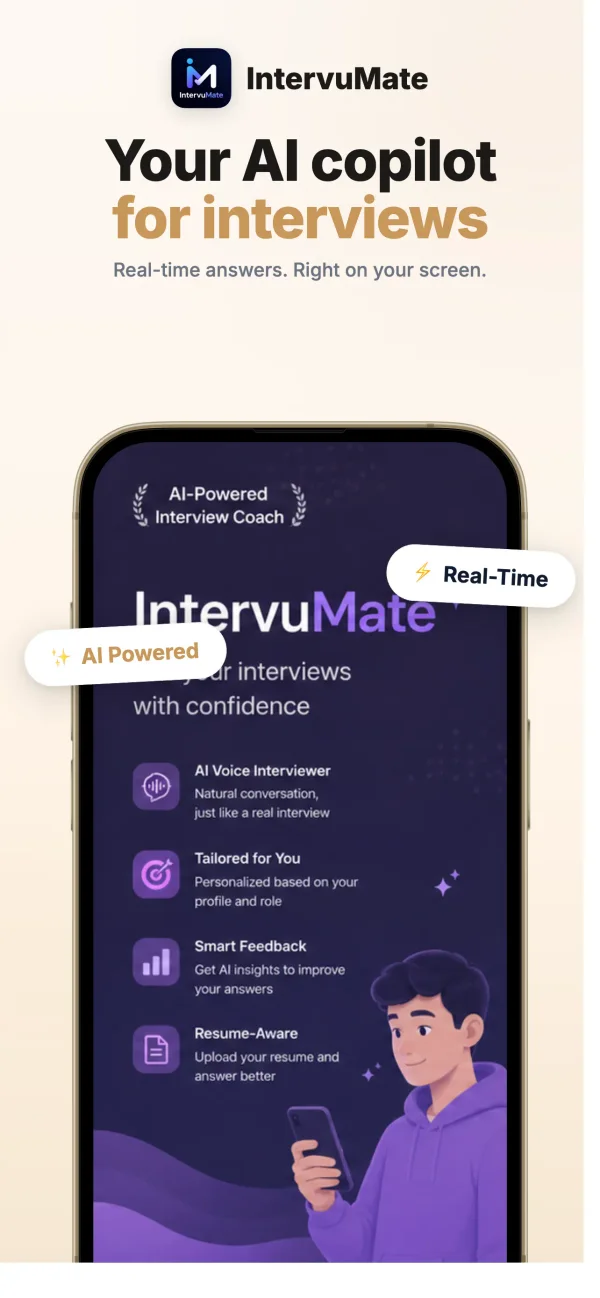
Prepare for job interviews with personalized AI guidance, mock interview practice, behavioral answer frameworks, coding support, and structured technical interview preparation.
IntervuMate helps you organize your thinking when interview pressure makes it difficult to find the right words. Practice common questions, prepare answers around your own experience, and review previous sessions before your next opportunity.
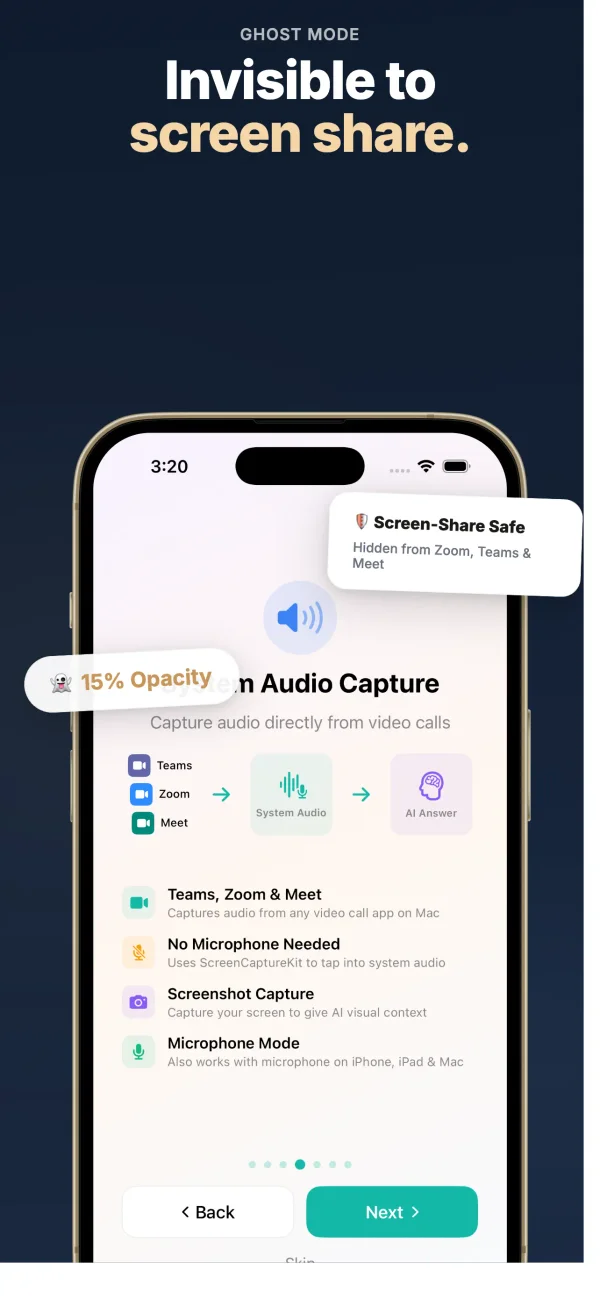
MAC Only: Transparent floating guidance overlay completely hidden from Teams/Zoom/Google Meet
HOW INTERVUMATE WORKS
1. Create your interview profile
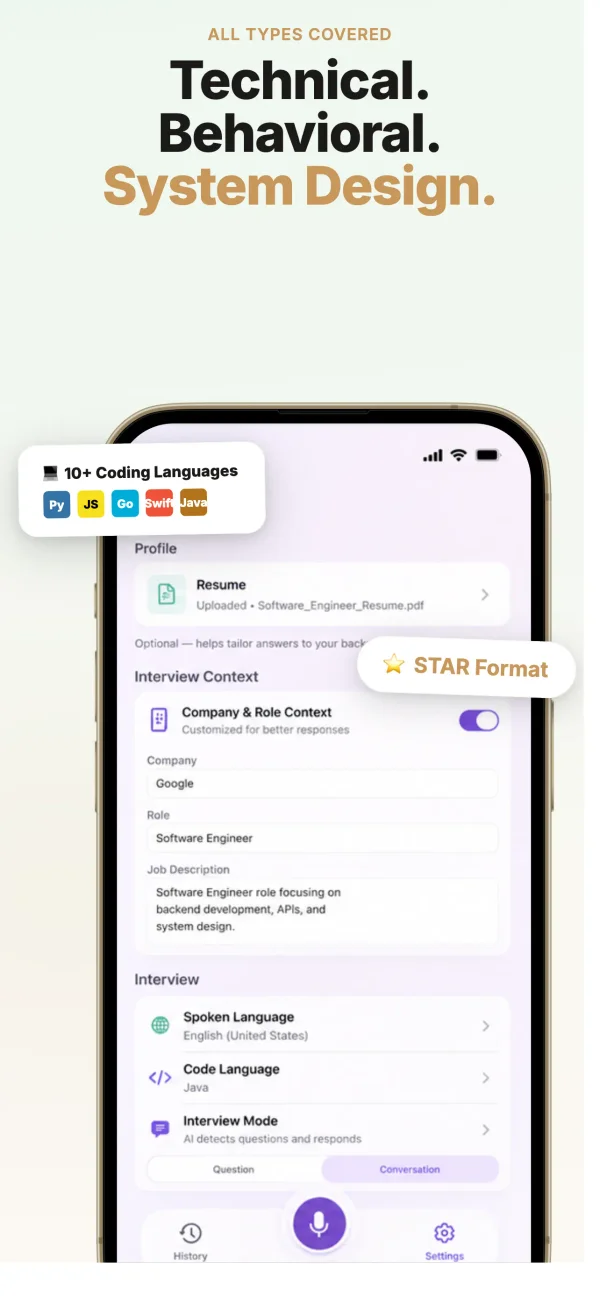
Add your role, skills, resume, target company, job description, spoken language, and coding preferences.
2. Start a interview session
Speak naturally or type an interview question. IntervuMate identifies the question and prepares structured guidance.
3. Review a clear answer
Get concise, interview-ready guidance designed for behavioral, technical, coding, system design, and role-specific questions.
4. Improve with every session
Review your interview history, refine your stories, and practice difficult questions again.
LIVE INTERVIEW GUIDANCE
- Convert spoken interview questions into structured text
- Receive clear guidance and suggested answer structures
- Maintain context across related follow-up questions
- Edit or type questions when you want more control
- Automatically use the best available supported AI model
BEHAVIORAL AND STAR INTERVIEW PRACTICE
Prepare for questions about leadership, teamwork, conflict, failure, difficult projects, and professional growth.
IntervuMate organizes behavioral guidance into easy-to-read sections:
- Situation
- Task
- Action
- Result
This helps you practice answers that are focused, specific, and easier for an interviewer to understand.
TECHNICAL AND CODING INTERVIEW PREP
Practice technical communication across popular programming languages, including:
- Swift
- Java
- Python
- JavaScript
- TypeScript
- Go
- Rust
- C++
- C#
- Kotlin
Prepare for coding questions, algorithms, architecture discussions, debugging scenarios, and system design interviews.
RESUME-AWARE PREPARATION
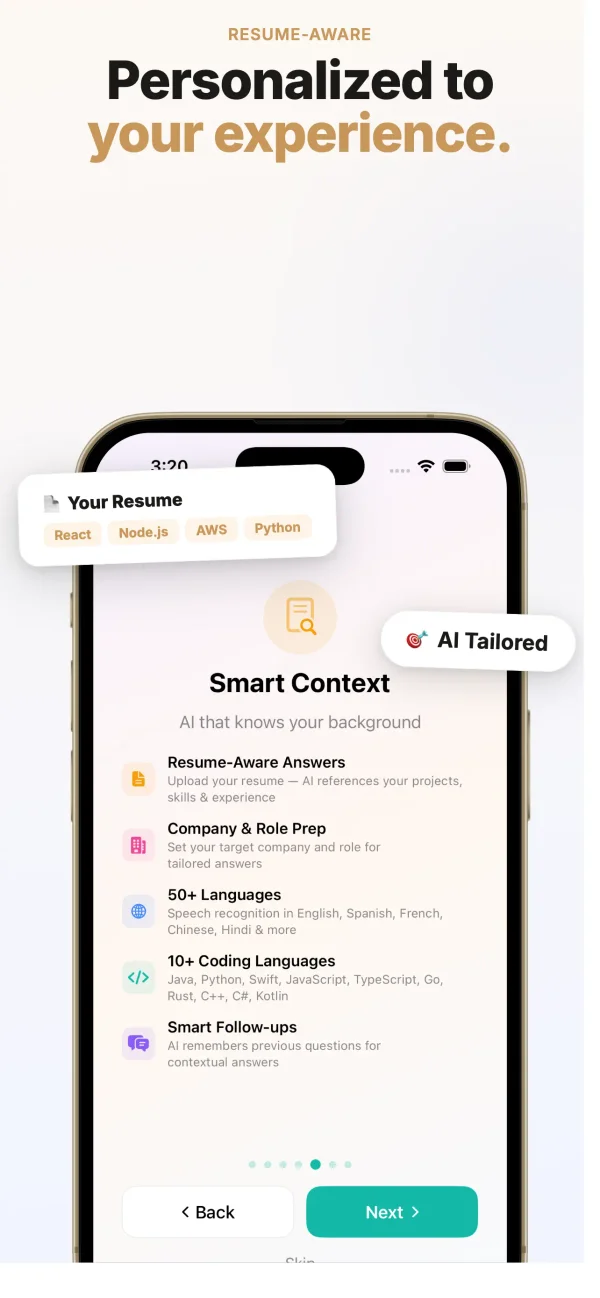
Upload your resume to make practice more relevant to your actual background.
IntervuMate can use:
- Your technical skills
- Projects and achievements
- Work experience
- Target role
- Target company
- Job description
Your Profile keeps this context organized and available for future sessions.
MULTILINGUAL INTERVIEW PREPARATION
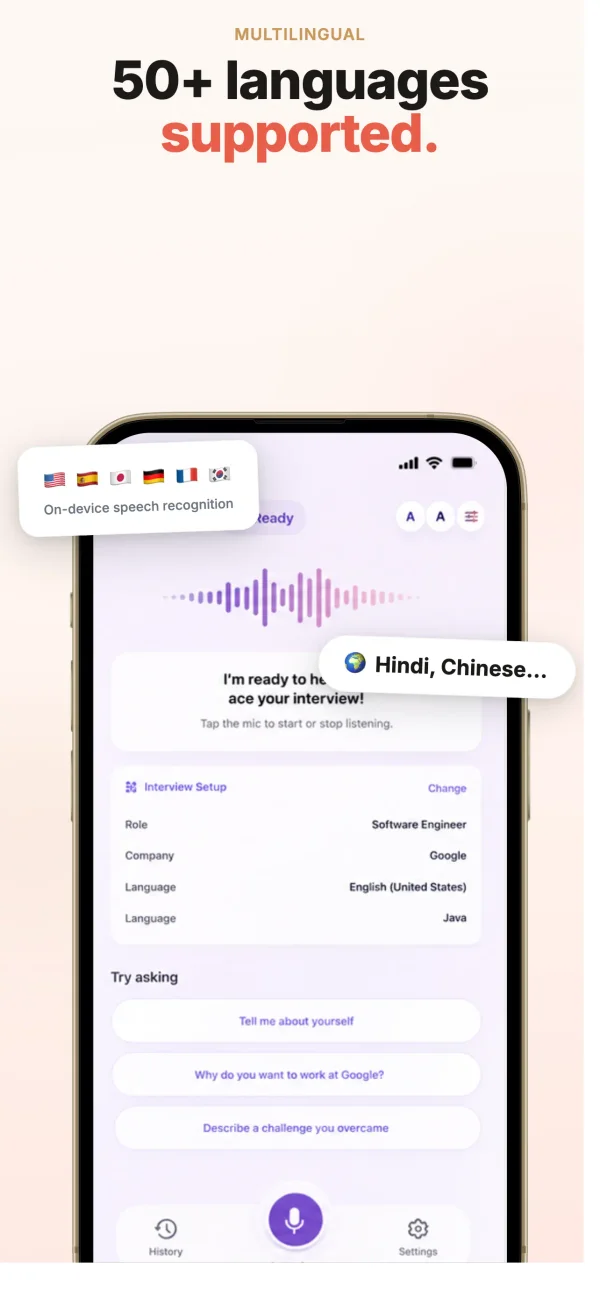
Practice spoken interview questions in multiple supported languages. Configure your preferred spoken language and coding language from your Profile.
INTERVIEW HISTORY AND PROGRESS
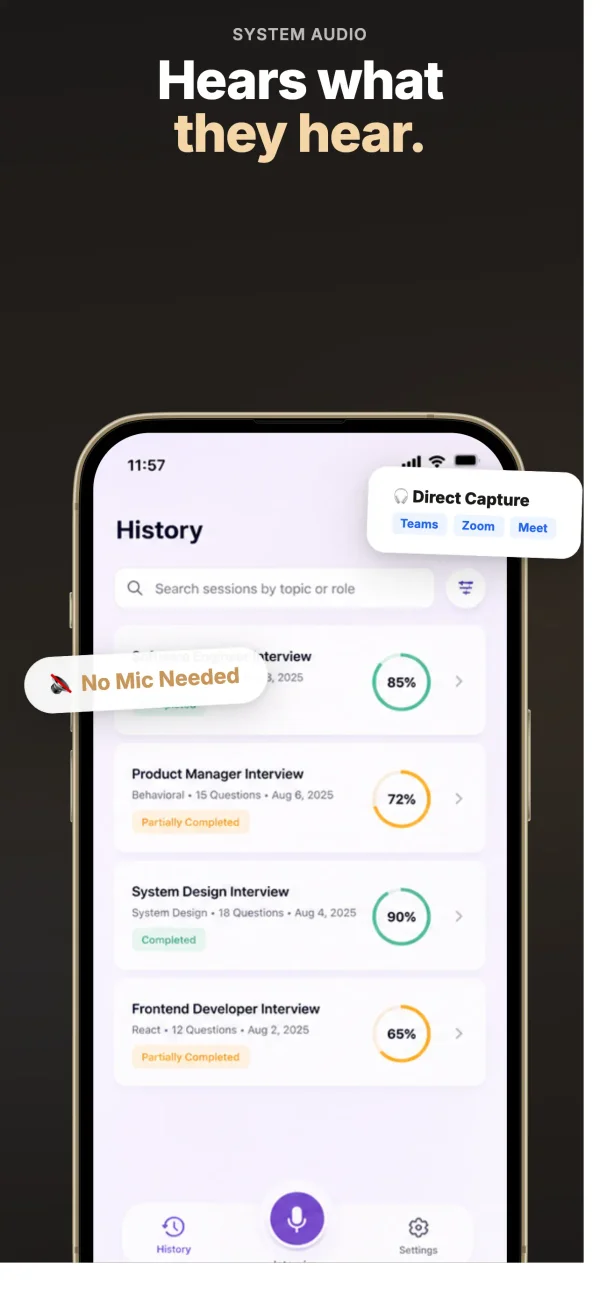
- Review previous practice sessions
- Revisit complete questions and AI-generated guidance
- Keep signed-in profile and session information synchronized across supported devices
BUILT FOR IPHONE AND IPAD
- Personalized interview Profile
- Voice and typed question input
- Structured, readable answer cards
- Adaptive layouts for portrait and landscape
- Native Apple navigation and accessibility support
BUILT FOR MAC
- Transparent floating guidance overlay completely hidden from Teams/Zoom/Google Meet
- Adjustable opacity and always-on-top behavior
- Microphone and supported system-audio capture
- Structured answers designed for quick scanning
- Ghost Mode for discreet, low-opacity viewing
- Designed to stay out of supported screen-capture workflows
PRIVACY AND SECURITY
- AI requests are processed through secured cloud services
- Firebase Authentication and App Check protect supported cloud requests
- You control your resume, profile, and account data
- Account deletion is available from Settings
Subscriptions automatically renew unless cancelled at least 24 hours before the end of the current period. You can manage or cancel your subscription through your Apple Account settings.
Privacy Policy:
https://sasilabs.github.io/intervumate/privacy
Terms of Service:
https://sasilabs.github.io/intervumate/terms
Support:
saslabs.corp@gmail.com
Neue Funktionen
Version 3.2 · 19.11.2026
NEW: RESUME STUDIO
• Build your resume and cover letter with 14 templates, custom themes and PDF export
• Edit everything right in the Resume Builder, with a photo editor to crop and adjust your picture
• AI Refine tailors your resume and cover letter to each job posting
• Match & AI Fit shows which skills match and how your resume was adapted
• Track job applications on a board: Draft, Sent, Interview, Offer
• Apply in-app with auto-fill that attaches your tailored resume — you always click Submit
• Secure career-site logins in your Keychain, now including Naukri, Glassdoor, Wellfound, Dice and more
SMARTER INTERVIEW ANSWERS
• Shorter, to-the-point answers you can read in seconds
• A TL;DR at the top of every answer
• Comparison tables, architecture diagrams and syntax-highlighted code
• "Say this" and "Key point" highlights, plus STAR cards for behavioral questions
• Continue long answers and tap "Go deeper" for follow-ups
• Faster responses
MAC OVERLAY
• New keyboard shortcuts that work from any app: ⌃⌥O overlay, ⌃⌥I interview, ⌃⌥G ghost mode, ⌃⌥S send now
• Choose a solid or gradient overlay background
• Menu bar now always shows the correct overlay state
ALSO
• Redesigned sign-in screen
• Layout improvements for iPhone and iPad
• Bug fixes and performance improvements
App-Datenschutz
Was Sushil Kumar im App Store zum Umgang dieser App mit Daten angibt.
-
Mit Ihnen verknüpfte Daten
Können erfasst und mit Ihrer Identität verknüpft werden.
- Kontaktinformationen
-
Nicht mit Ihnen verknüpfte Daten
Können erfasst werden, sind aber nicht mit Ihrer Identität verknüpft.
- Nutzungsdaten
- Diagnose
Die Datenschutzpraktiken können variieren, zum Beispiel je nach den von Ihnen verwendeten Funktionen oder Ihrem Alter.
Informationen
- Anbieter
- Sushil Kumar
- Kategorie
- Produktivität
- Version
- 3.2
- Aktualisiert
- 19.11.2026
- Veröffentlicht
- 27.08.2026
- Größe
- 26,3 MB
- Erfordert
- iOS 16.0 oder neuer
- Altersfreigabe
- 4+
- Preis
- Kostenlos
- In-App-Käufe
- Ja
- Sprachen
- Englisch
- Copyright
- © SAS ILabs
Das könnte Ihnen auch gefallen
-
 Mynote AI- Live Interview HelpProduktivität
-
 GPT Realtime AssistantMeetings, Sprache, Übersetzung
-
 SubcueAI: Interview-AssistentKI-Vorstellungsgespräch üben
-
 Shoulder Surf: Meeting AIProduktivität
-
 Daily Routine - Habit TrackerProduktivität
-
 Habits Planner CustomProduktivität
-
 TellMeMo: AI Meeting AssistantProduktivität
-
 Minbi – Deine ErinnerungsboxNotizen, Sprachmemos & Musik
-
 ShineBooking - CRM & BookingProduktivität
-
 TraderFlowProduktivität