IntervuMate - Interview AI
Live Copilot & Mock Practice
iPhone, iPad, Mac向けに設計
無料 · アプリ内課金
- 対象年齢4+
- カテゴリ仕事効率化
- 開発元Sushil Kumar
- 言語英語
- サイズ26.4 MB
App Storeの公式ページにリンクしています
Download.orgはIntervuMate - Interview AIのファイルを一切ホストしていません。ボタンを押すと、Sushil Kumarが公開しているApp Storeのアプリページが開きます。ページの最終確認:2026/11/29。
スクリーンショット


概要
開発元はこのテキストをお使いの言語で提供していません。
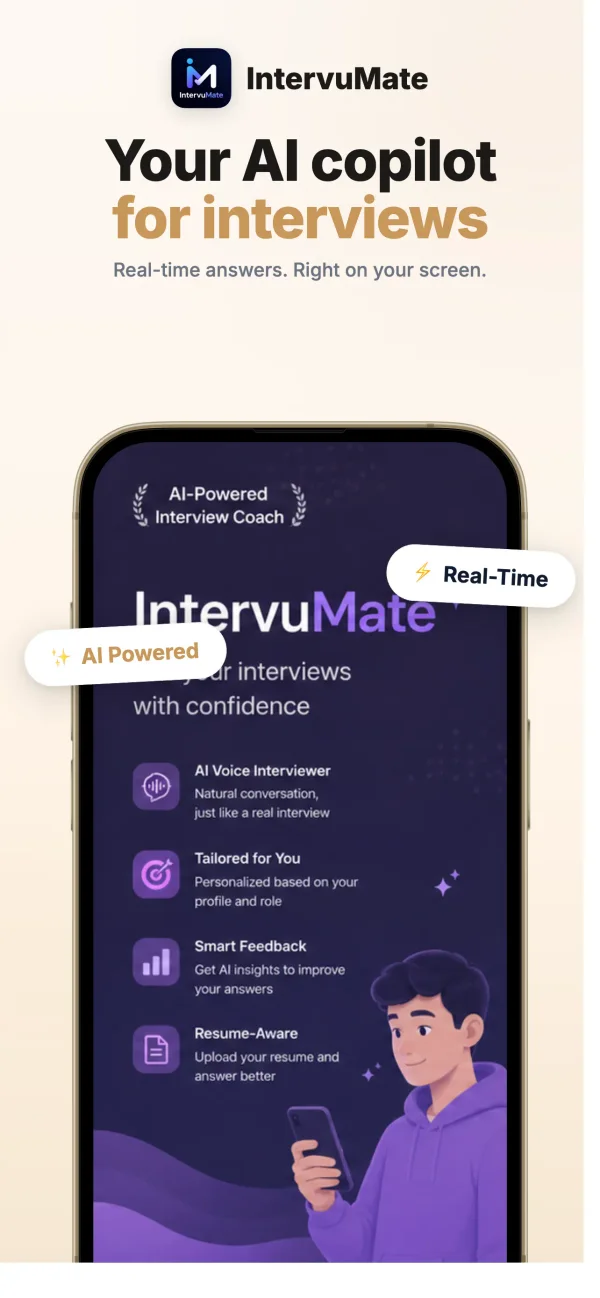
Prepare for job interviews with personalized AI guidance, mock interview practice, behavioral answer frameworks, coding support, and structured technical interview preparation.
IntervuMate helps you organize your thinking when interview pressure makes it difficult to find the right words. Practice common questions, prepare answers around your own experience, and review previous sessions before your next opportunity.
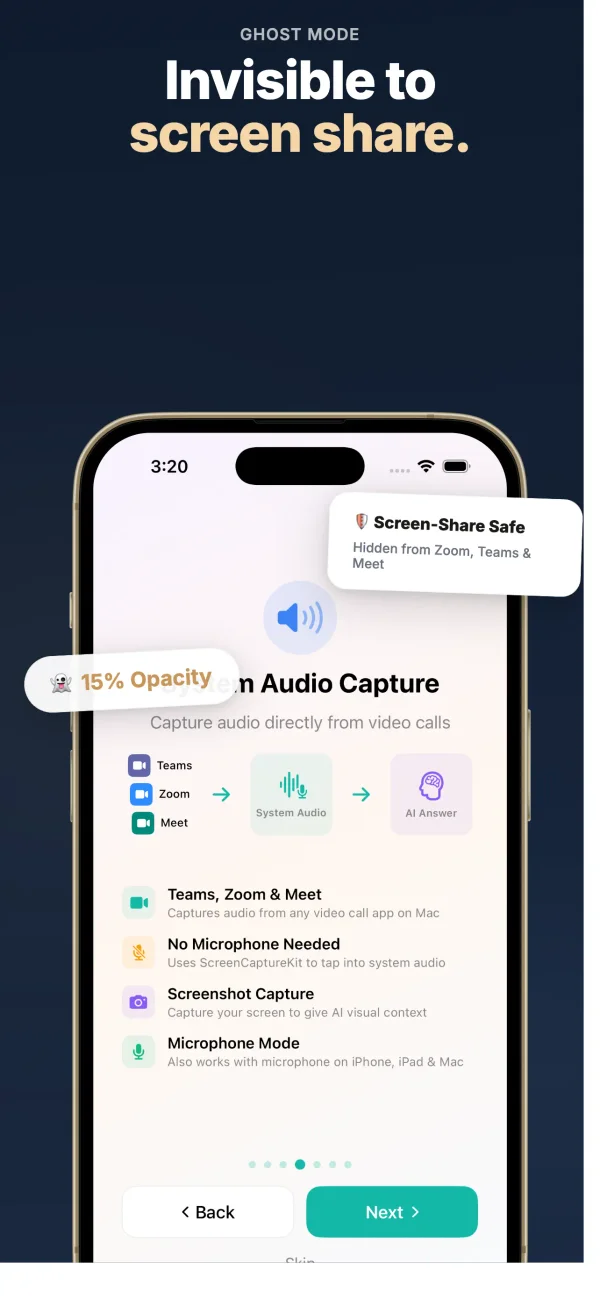
MAC Only: Transparent floating guidance overlay completely hidden from Teams/Zoom/Google Meet
HOW INTERVUMATE WORKS
1. Create your interview profile
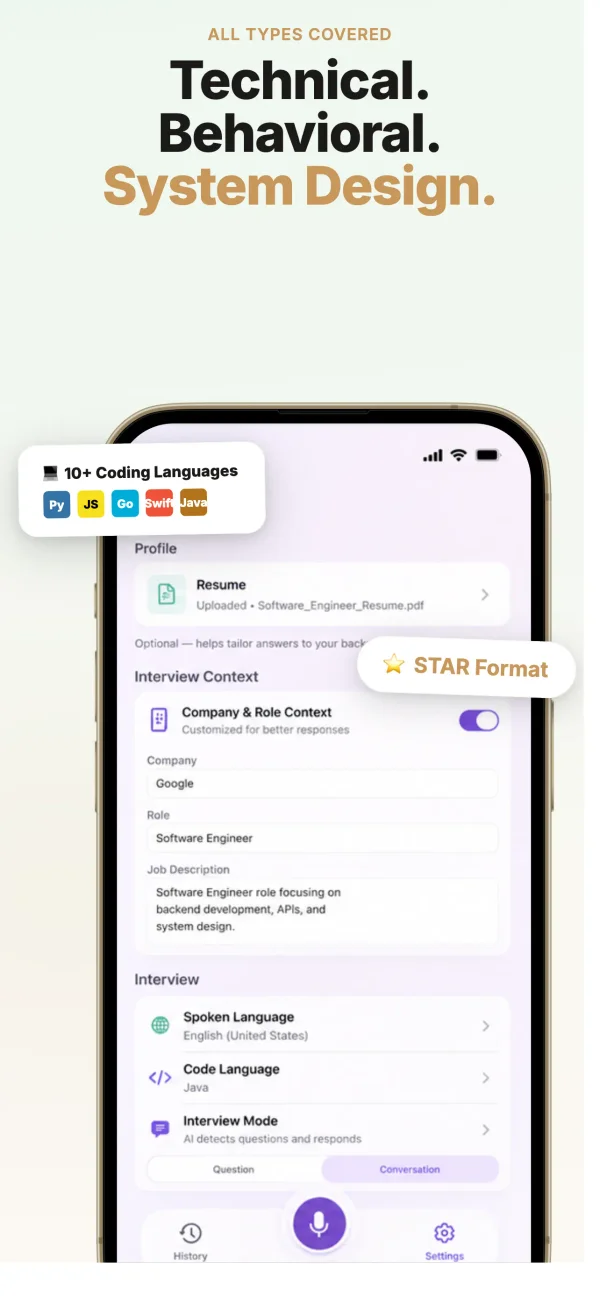
Add your role, skills, resume, target company, job description, spoken language, and coding preferences.
2. Start a interview session
Speak naturally or type an interview question. IntervuMate identifies the question and prepares structured guidance.
3. Review a clear answer
Get concise, interview-ready guidance designed for behavioral, technical, coding, system design, and role-specific questions.
4. Improve with every session
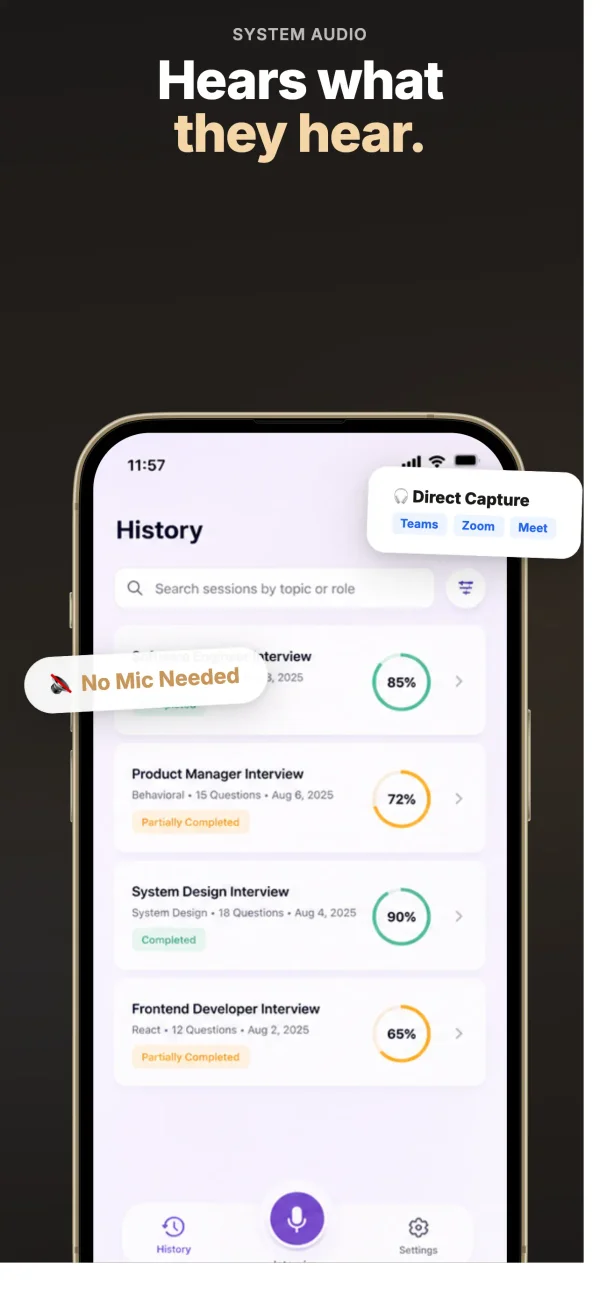
Review your interview history, refine your stories, and practice difficult questions again.
LIVE INTERVIEW GUIDANCE
- Convert spoken interview questions into structured text
- Receive clear guidance and suggested answer structures
- Maintain context across related follow-up questions
- Edit or type questions when you want more control
- Automatically use the best available supported AI model
BEHAVIORAL AND STAR INTERVIEW PRACTICE
Prepare for questions about leadership, teamwork, conflict, failure, difficult projects, and professional growth.
IntervuMate organizes behavioral guidance into easy-to-read sections:
- Situation
- Task
- Action
- Result
This helps you practice answers that are focused, specific, and easier for an interviewer to understand.
TECHNICAL AND CODING INTERVIEW PREP
Practice technical communication across popular programming languages, including:
- Swift
- Java
- Python
- JavaScript
- TypeScript
- Go
- Rust
- C++
- C#
- Kotlin
Prepare for coding questions, algorithms, architecture discussions, debugging scenarios, and system design interviews.
RESUME-AWARE PREPARATION
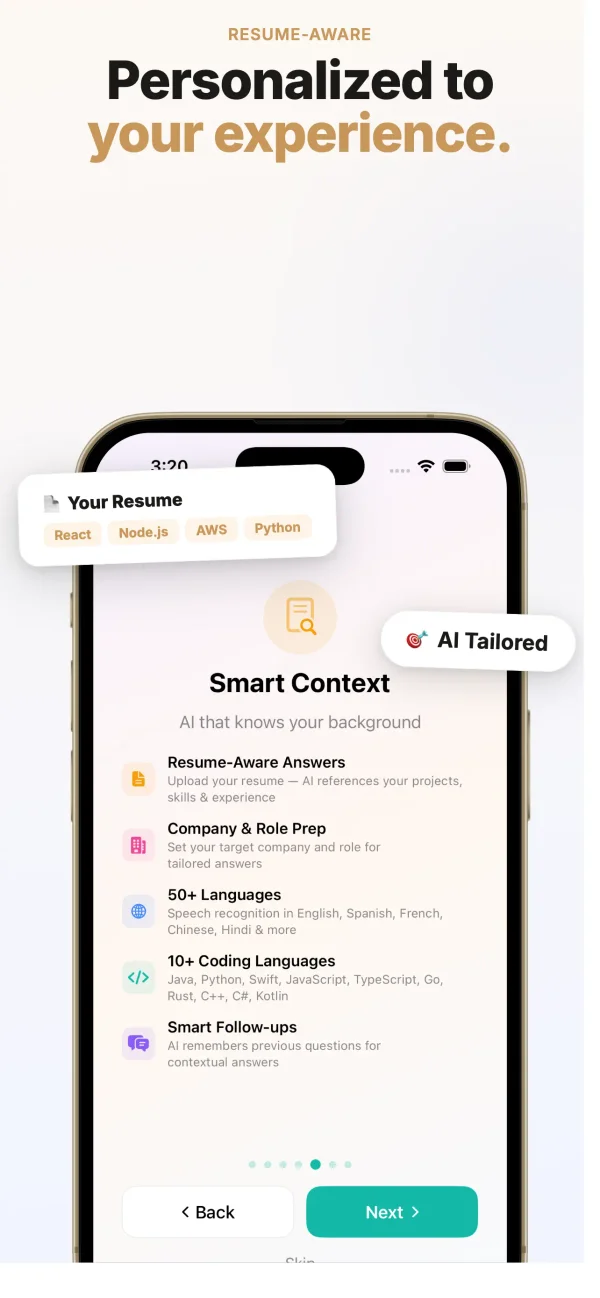
Upload your resume to make practice more relevant to your actual background.
IntervuMate can use:
- Your technical skills
- Projects and achievements
- Work experience
- Target role
- Target company
- Job description
Your Profile keeps this context organized and available for future sessions.
MULTILINGUAL INTERVIEW PREPARATION
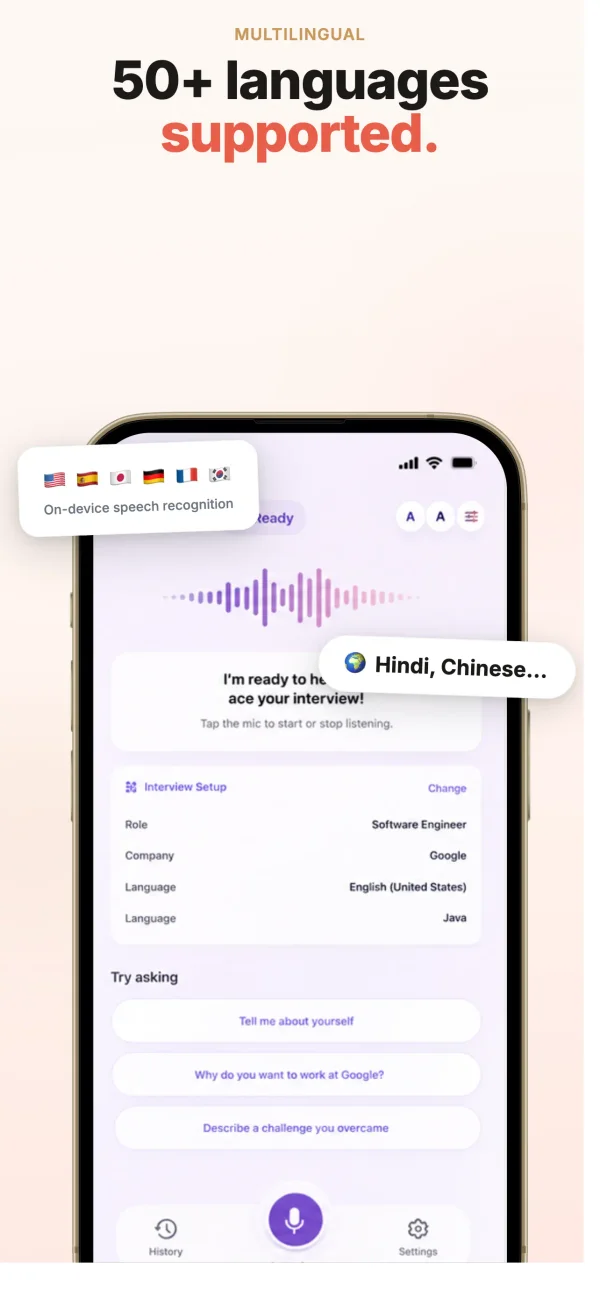
Practice spoken interview questions in multiple supported languages. Configure your preferred spoken language and coding language from your Profile.
INTERVIEW HISTORY AND PROGRESS
- Review previous practice sessions
- Revisit complete questions and AI-generated guidance
- Keep signed-in profile and session information synchronized across supported devices
BUILT FOR IPHONE AND IPAD
- Personalized interview Profile
- Voice and typed question input
- Structured, readable answer cards
- Adaptive layouts for portrait and landscape
- Native Apple navigation and accessibility support
BUILT FOR MAC
- Transparent floating guidance overlay completely hidden from Teams/Zoom/Google Meet
- Adjustable opacity and always-on-top behavior
- Microphone and supported system-audio capture
- Structured answers designed for quick scanning
- Ghost Mode for discreet, low-opacity viewing
- Designed to stay out of supported screen-capture workflows
PRIVACY AND SECURITY
- AI requests are processed through secured cloud services
- Firebase Authentication and App Check protect supported cloud requests
- You control your resume, profile, and account data
- Account deletion is available from Settings
Subscriptions automatically renew unless cancelled at least 24 hours before the end of the current period. You can manage or cancel your subscription through your Apple Account settings.
Privacy Policy:
https://sasilabs.github.io/intervumate/privacy
Terms of Service:
https://sasilabs.github.io/intervumate/terms
Support:
saslabs.corp@gmail.com
新機能
バージョン 3.3 · 2026/11/28
- More reliable answers during interviews, with faster automatic fallback and a Continue option if a connection drops.
- Screenshots and photos now go through at a usable size.
- Better recognition of names and technical terms from your resume.
- Answers no longer auto-scroll while you read, with a new setting in case you prefer it.
- "Go deeper" buttons now wrap so all of them are visible.
- Resume Studio fixes: more accurate job matching, safer auto-fill, clearer errors, and saved logins protected by your device lock.
アプリのプライバシー
このアプリのデータの取り扱いについて、Sushil KumarがApp Storeで申告している内容です。
-
ユーザーに関連付けられたデータ
収集され、ユーザーの識別情報に関連付けられる場合があります。
- 連絡先情報
-
ユーザーに関連付けられないデータ
収集される場合がありますが、ユーザーの識別情報には関連付けられません。
- 使用状況データ
- 診断
プライバシーの取り扱いは、ご利用の機能やお客様の年齢などに応じて異なる場合があります。
情報
- 販売元
- Sushil Kumar
- カテゴリ
- 仕事効率化
- バージョン
- 3.3
- 更新日
- 2026/11/28
- リリース
- 2026/8/27
- サイズ
- 26.4 MB
- 必要条件
- iOS 16.0以降
- 対象年齢
- 4+
- 価格
- 無料
- アプリ内課金
- あり
- 言語
- 英語
- 著作権
- © SAS ILabs
こちらもおすすめ
-
 Mynote AI- Live Interview Help仕事効率化
-
 GPT Realtime Assistantリアルタイム翻訳・文字起こし・会議メモ
-
 SubcueAI:AI面接アシスタント模擬面接で面接練習・面接対策・自己紹介、本番の回答も支援
-
 Shoulder Surf会議のAIコパイロット
-
 Daily Routine - Habit Tracker仕事効率化
-
 Habits Planner Custom仕事効率化
-
 TellMeMo: AI Meeting Assistant仕事効率化
-
 Minbi:思い出インボックス思い・ボイスメモ・音楽
-
 ShineBooking - CRM & Booking仕事効率化
-
 TraderFlow仕事効率化