
JianBox - Local Document Tool
Scan, sign, lock. No subs.
Entwickelt für iPhone, iPad
- Altersfreigabe4+
- KategorieProduktivität
- Entwickler涛 刘
- SprachenEnglisch+ 1 weitere
- Größe64,7 MB
JianBox - Local Document Tool ist bei App Store derzeit möglicherweise nicht verfügbar
Bei unserer letzten Prüfung war der Store-Eintrag nicht erreichbar. Der Link führt weiterhin zur offiziellen App Store-Seite.
Screenshots


Info
Der Entwickler hat diesen Text nicht in Ihrer Sprache bereitgestellt.
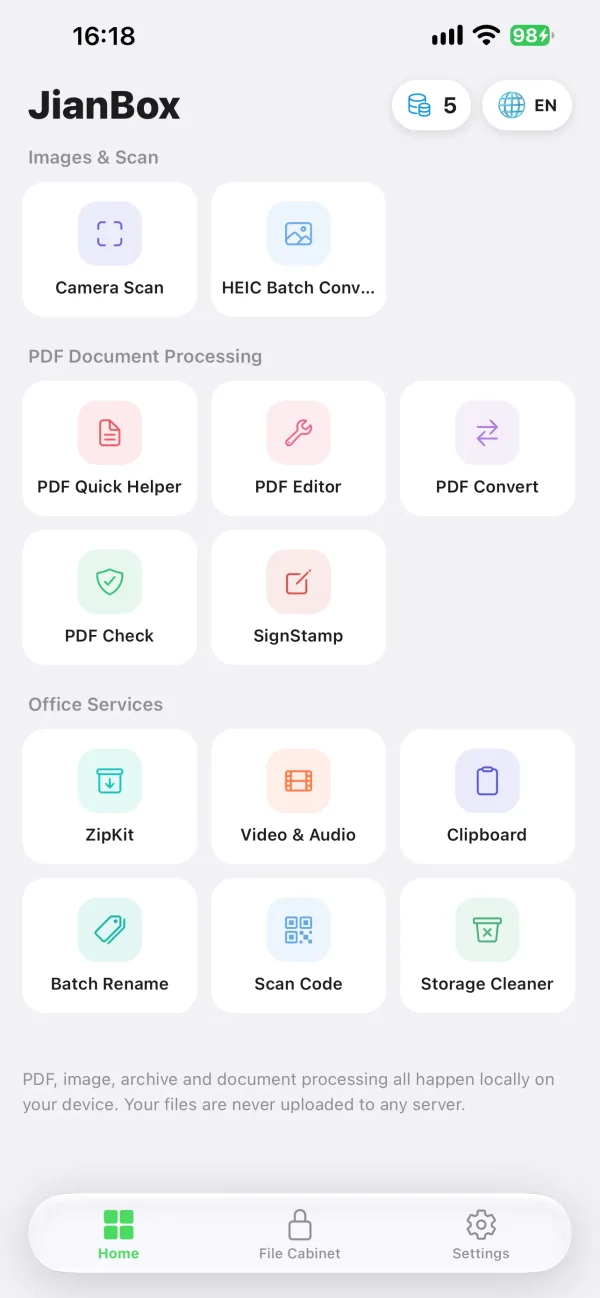
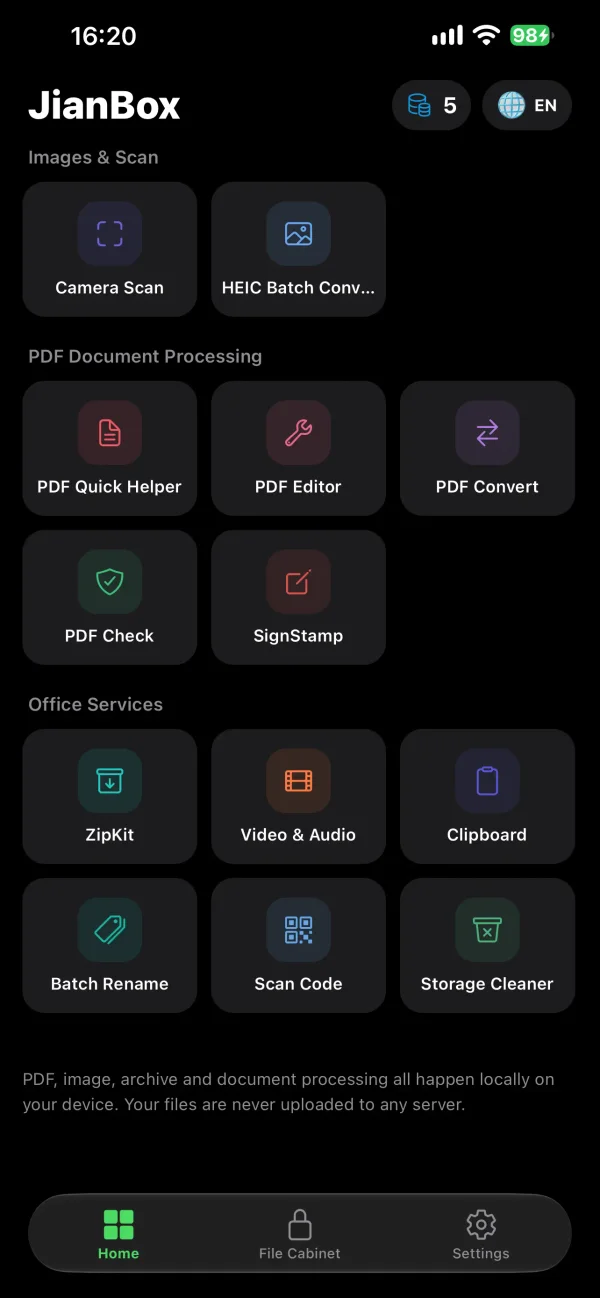
JianBox = Document Scanner + PDF Editor + File Unarchiver + Private Vault, all in one.
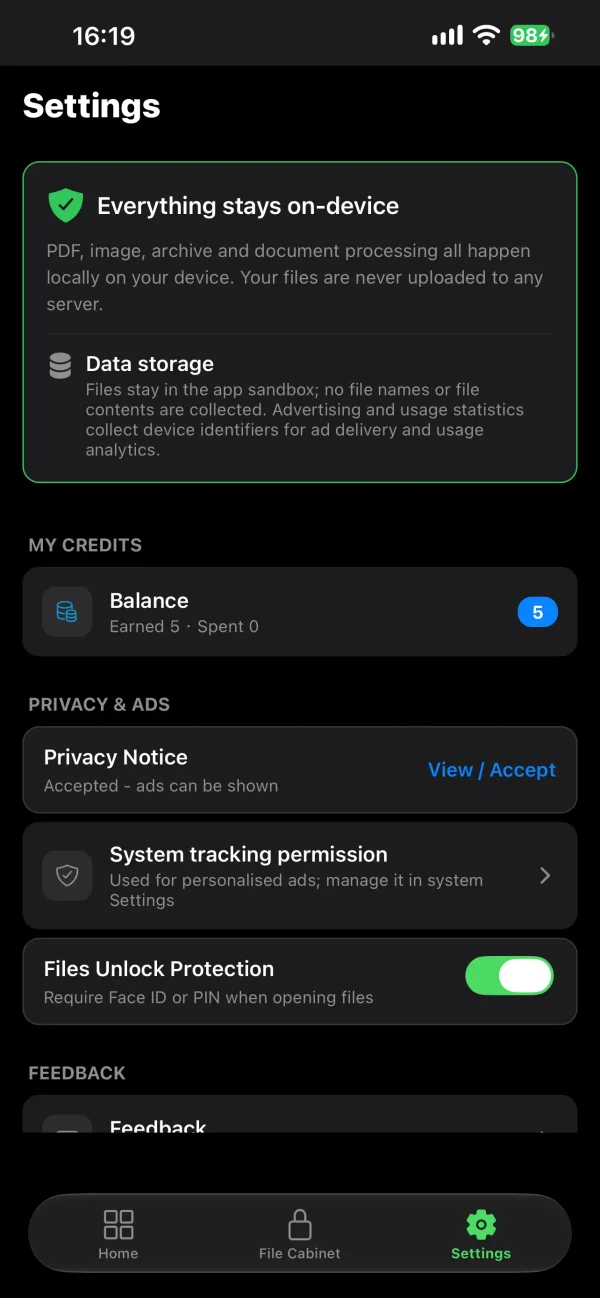
100% Local Processing. Your files never leave your device.
One app, twelve capabilities, zero cloud uploads, zero account login required. Scan documents, convert formats, edit PDFs, extract archives, free up storage, encrypt files—everything happens offline on your iPhone and iPad.
Documents & Scanning
【Camera Scanner】
Snap photos or import from album. Auto edge detection, enhancement, multi-page scanning, export as PDF. Contracts, receipts, notes, IDs—turn them into high-quality PDFs instantly.
【Image to PDF】
Select multiple images and merge them into a single PDF. Custom page sizes (A4/Letter), watermark support. Fully offline.
【PDF Editor】
Reorder, rotate, delete, or extract PDF pages with simple drag-and-drop gestures.
【PDF Verifier】
Professional PDF inspection tool: page consistency check, blank page detection, metadata viewer, SHA-256 hash verification. Auto-generates verification reports for compliance scenarios.
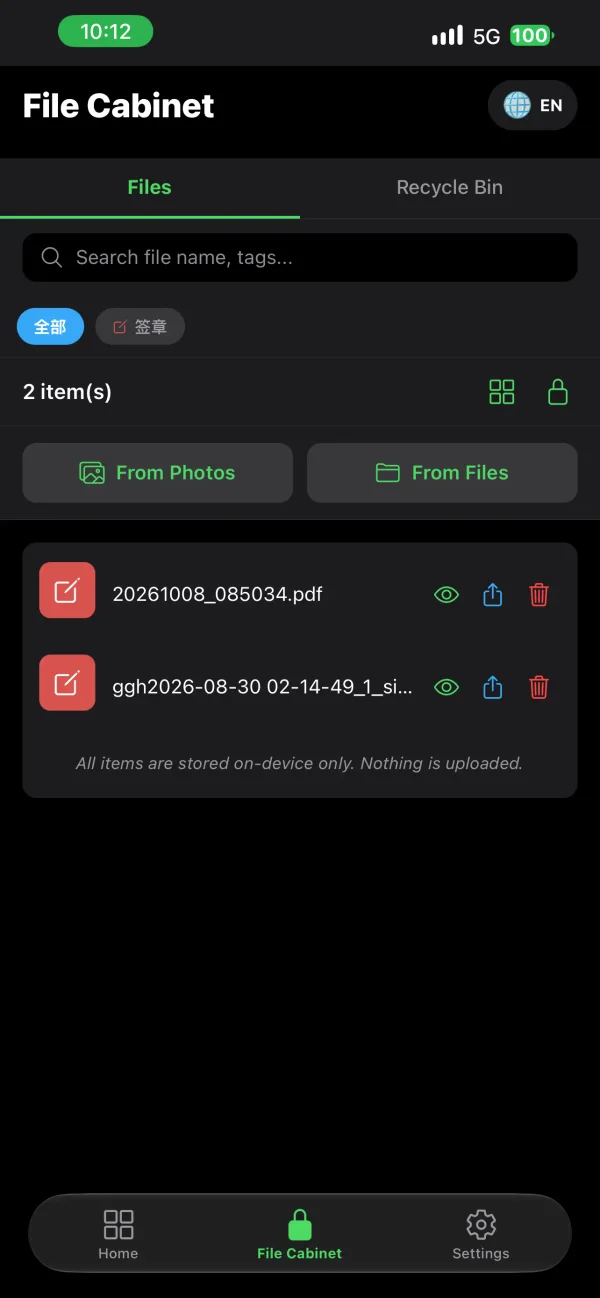
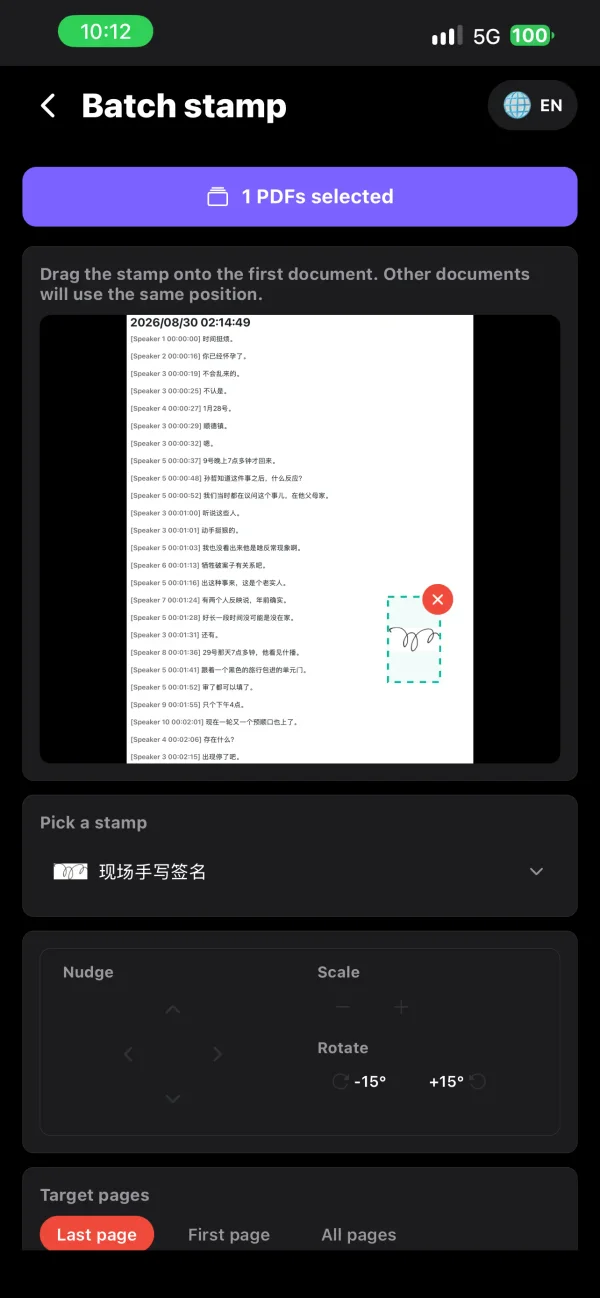
【Signature Tool】
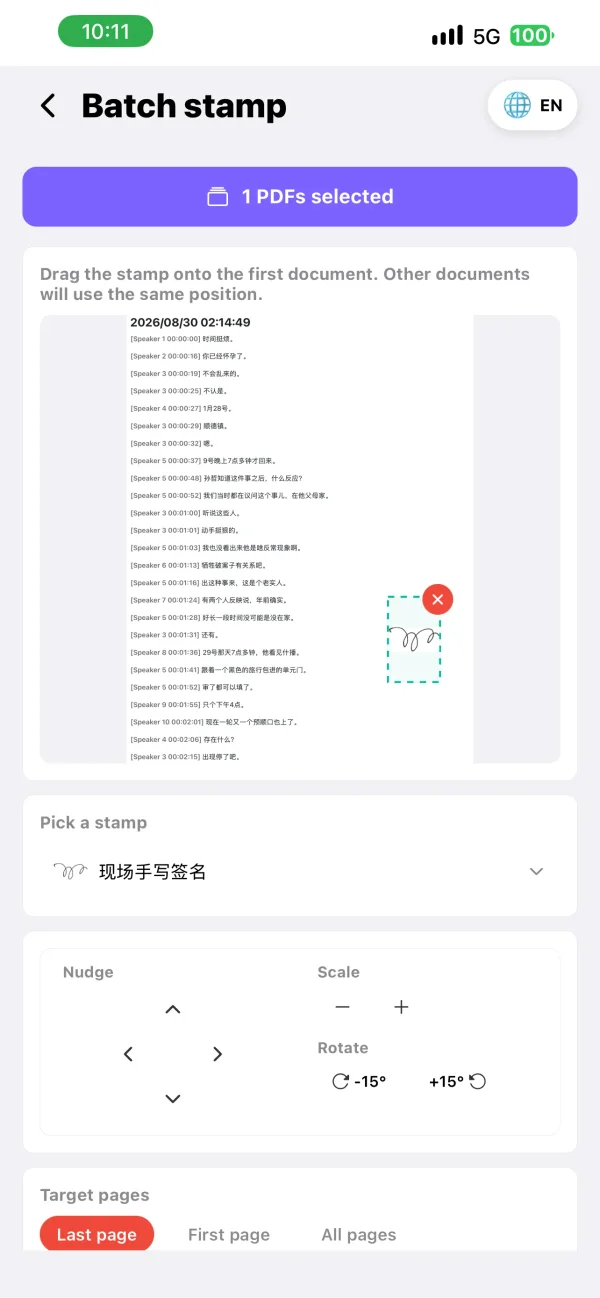
Place personal signatures or company stamps on PDFs. Drag-and-drop positioning, resize, rotate, batch signing across multiple files. Final step for contract approval and formal delivery.
Files & Compression
【HEIC Converter】
Batch convert iPhone HEIC/HEIF photos to universal JPG format. Adjustable quality and dimensions, text or image watermark support. Solves the "Windows can't open iPhone photos" problem.
【Unarchiver】
Extract ZIP, RAR, 7Z, TAR, GZIP, BZIP2, XZ. Also create password-protected ZIP archives from multiple files. Open compressed attachments directly without a computer.
【Batch Renamer】
Rename files or photos with prefix, suffix, numbering, find-replace, timestamps. Preview before applying, undo support.
【Storage Cleaner】
Scan large files, duplicate photos, and app caches. Free up space with one tap.
Media Processing
【Video & Audio Toolkit】
Convert formats, compress files, trim videos, extract audio tracks. All processing happens locally with zero data usage.
Privacy & Security
【Private Vault】
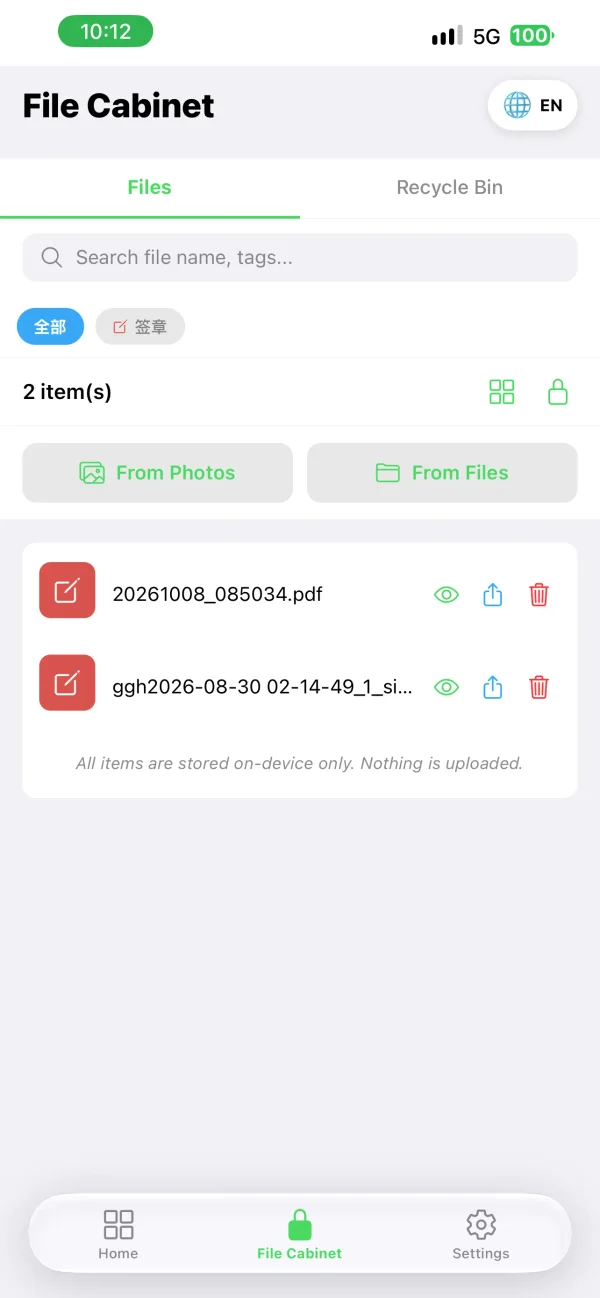
Encrypt and store sensitive files and photos. Face ID / Touch ID locked. Bank-level encryption protects your data even if your phone is lost.
Productivity Tools
【Clipboard History】
Automatically saves copied text. Pin important items, search history, categorize. Never lose a copied verification code or address again.
【QR Scanner & Generator】
Scan QR codes and barcodes, or generate custom QR codes. History auto-saved for easy reference.
Key Features
• 100% Offline — Files stay on your device, never uploaded
• 12-in-1 Toolkit — Replace 12 separate apps, save storage
• Clean and Tidy — Clean, distraction-free interface
• iPad Optimized — Full-screen support, split-view ready
• Multi-Language — English, Chinese, Japanese, Korean
Privacy & Security
JianBox respects your privacy. All file processing occurs entirely on your device. We do not collect, upload, or store any of your file contents. The Private Vault uses device-level encryption.
No account sign-up required. No usage tracking. No marketing notifications.
Pro Version
One-time purchase. iPhone + iPad universal. Lifetime access to all 12 tools. No subscription, no recurring fees, no account binding. Future updates included forever.
Questions or feedback? Contact us through the in-app support feature.
Neue Funktionen
Version 1.9 · 16.11.2026
New Features
1. Clipboard, rebuilt: text you copy is saved automatically, with capacity raised from 20 to 500 entries - automatic saving costs no credits
2. Organize and filter: filter by content type or custom groups, search, pin, edit, copy and share, with a full-text detail view
3. Recycle bin and bulk import: restore or permanently delete entries; paste multiple lines at once to import them in bulk
4. JianBox Keyboard: insert any saved text with one tap from any text field, with word segmentation, multi-select and a built-in calculator - it can even capture the clipboard inside the keyboard (add it under Settings → General → Keyboard → Keyboards)
5. Control Center shortcut (iOS 18+): open the app and capture the clipboard with a single tap
6. Ads and credits worldwide: splash and rewarded ads are now available outside China, with exactly the same credit rules
7. Reward for watching the splash ad: finish it without closing early and earn 1 credit silently - available in both regions
8. iPad layout: clipboard list and detail views are width-limited and centered for comfortable reading in both orientations
Improved
1. Ad channel is detected automatically from the device language and region - no manual setup
2. The keyboard and the app share one credit balance, so keyboard actions are never double-charged
3. Credit history distinguishes "Watched ad" from "Watched splash ad", so every point has a clear source
4. Rewarded ads are preloaded when you open My Credits, so they start the moment you tap
Fixes
1. Fixed the splash ad remaining on screen over the home page after it ended
2. Fixed the badge and credit history not refreshing immediately after credits were granted
3. Several stability and compatibility fixes
Others
1. All files and clipboard content are processed locally on your device and never uploaded; the keyboard does not collect or upload what you type
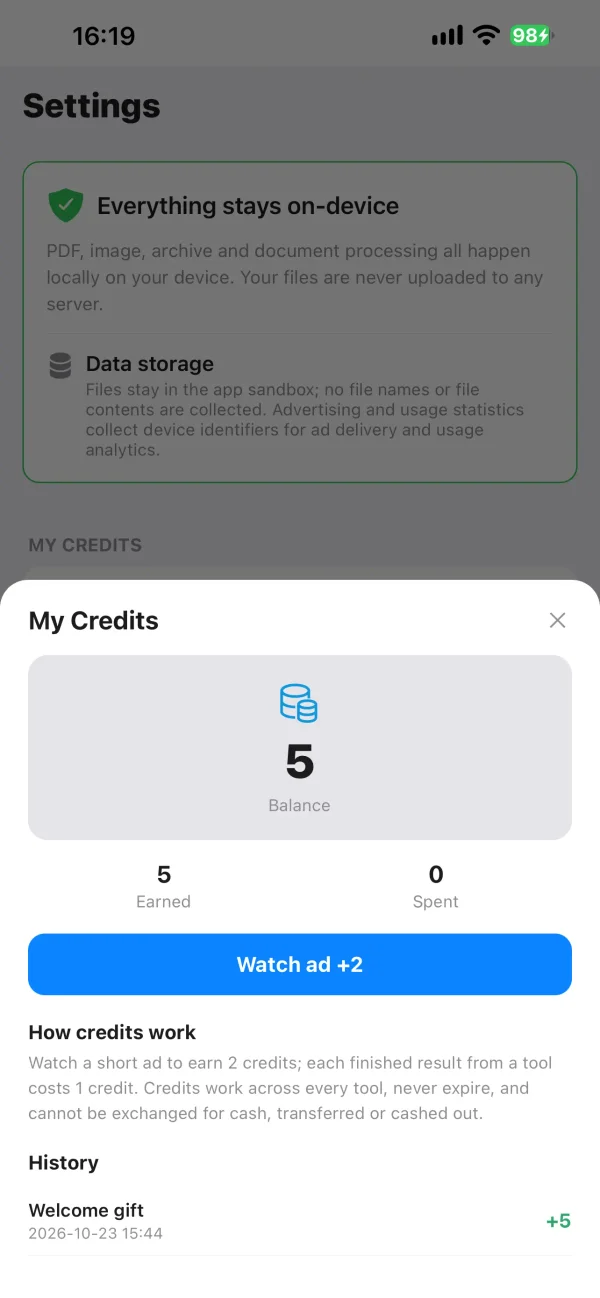
2. The credits system is unchanged: 5 welcome credits, +2 for a rewarded ad, +1 for a completed splash ad, -1 per tool action, and +2 compensation when ads fail to load (up to 3 times a day). Credits only unlock in-app features - there are no purchases, and credits cannot be exchanged for cash, transferred or redeemed
App-Datenschutz
Was 涛 刘 im App Store zum Umgang dieser App mit Daten angibt.
-
Daten, die zum Tracking Ihrer Person verwendet werden
Können verwendet werden, um Sie über Apps und Websites anderer Unternehmen hinweg zu verfolgen.
- Nutzungsdaten
-
Mit Ihnen verknüpfte Daten
Können erfasst und mit Ihrer Identität verknüpft werden.
- Nutzungsdaten
-
Nicht mit Ihnen verknüpfte Daten
Können erfasst werden, sind aber nicht mit Ihrer Identität verknüpft.
- Kennungen
- Diagnose
Die Datenschutzpraktiken können variieren, zum Beispiel je nach den von Ihnen verwendeten Funktionen oder Ihrem Alter.
Informationen
- Anbieter
- 涛 刘
- Kategorie
- Produktivität
- Version
- 1.9
- Aktualisiert
- 16.11.2026
- Veröffentlicht
- 13.07.2026
- Größe
- 64,7 MB
- Erfordert
- iOS 16.4 oder neuer
- Altersfreigabe
- 4+
- Sprachen
- Englisch, Vereinf. Chinesisch
- Copyright
- Copyright © 2026 PrismTao. All rights reserved.
Das könnte Ihnen auch gefallen
-
 Notizen & Tagebuch-HandschriftJournal mit Sperre & Stickern
-
 IEPDesk: IEP & 504 TrackerProduktivität
-
 HostLog: Damage RecordsProduktivität
-
 PutSpot: Objektfinder ZuhauseFotos, Sprachsuche, QR-Codes
-
 Dayshift: Team Time ZonesProduktivität
-
 ServeLog: Service Loan ArchiveProduktivität
-
 Summon: Meeting AlertsProduktivität
-
 DBHub - Your Life OrganizerProduktivität
-
 KeepCue: Day Planner, RoutinesProduktivität
-
 Find that Book - OCR libraryProduktivität