
JianBox - Local Document Tool
Scan, sign, lock. No subs.
Designed for iPhone, iPad
Free
- Age rating4+
- CategoryProductivity
- Developer涛 刘
- LanguagesEnglish+ 1 more
- Size64.7 MB
Links to the official App Store page
Download.org hosts no file of JianBox - Local Document Tool. The button opens its official App Store page, published by 涛 刘. Listing last checked on Nov 23, 2026.
Screenshots


About
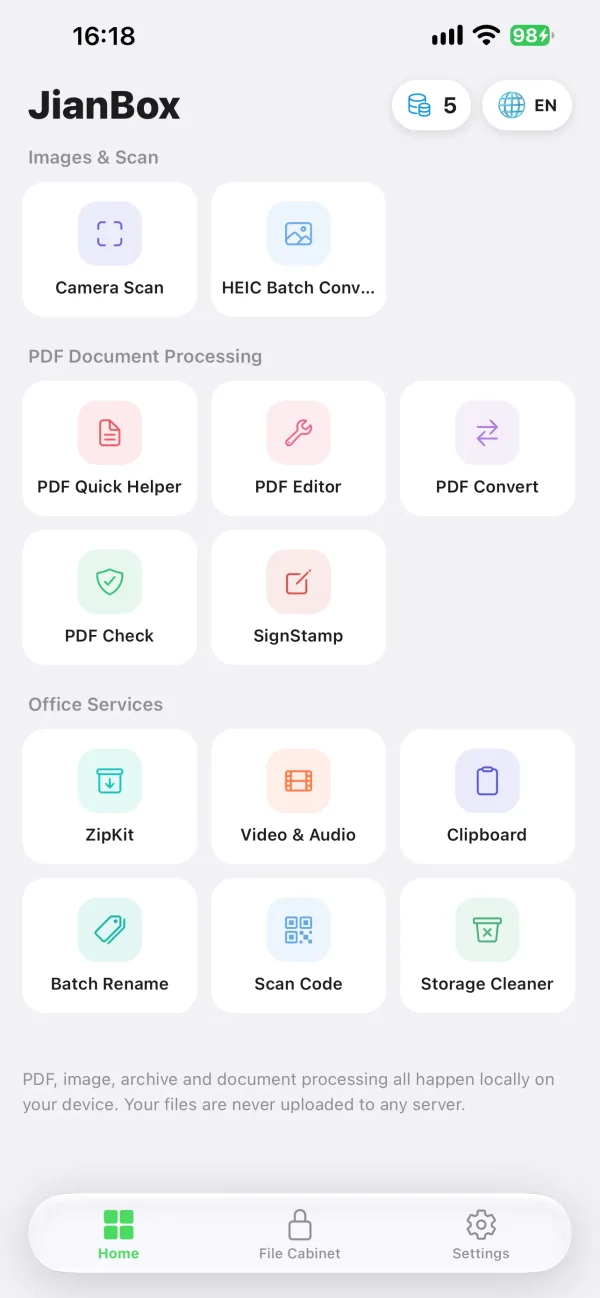
JianBox = Document Scanner + PDF Editor + File Unarchiver + Private Vault, all in one.
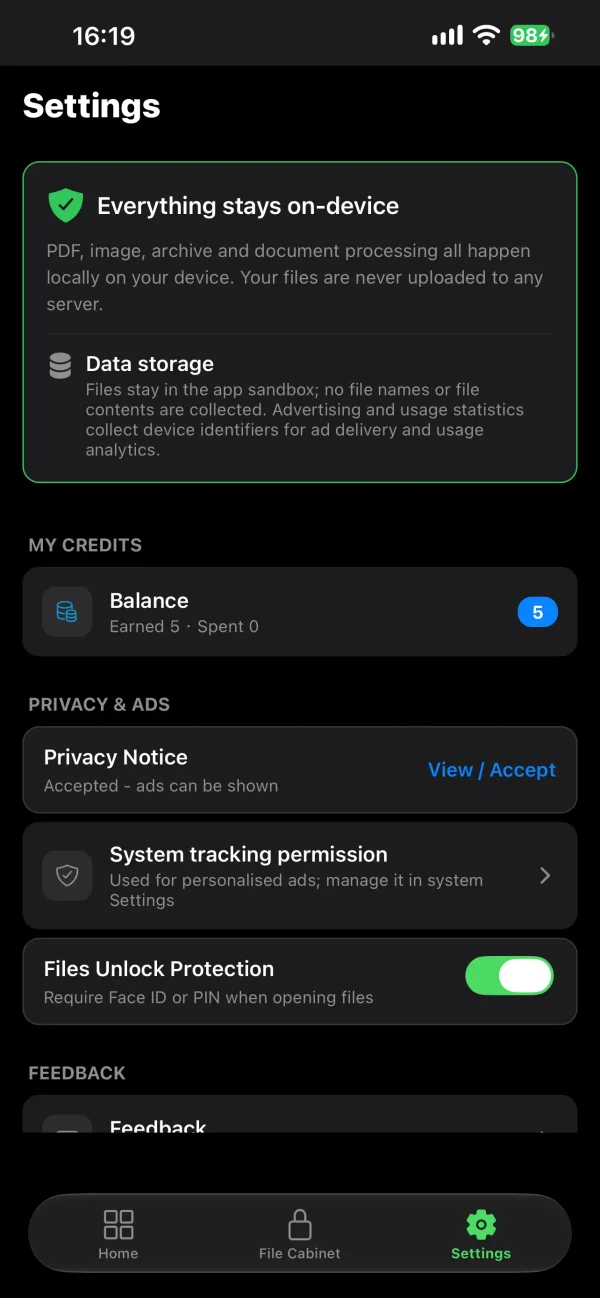
100% Local Processing. Your files never leave your device.
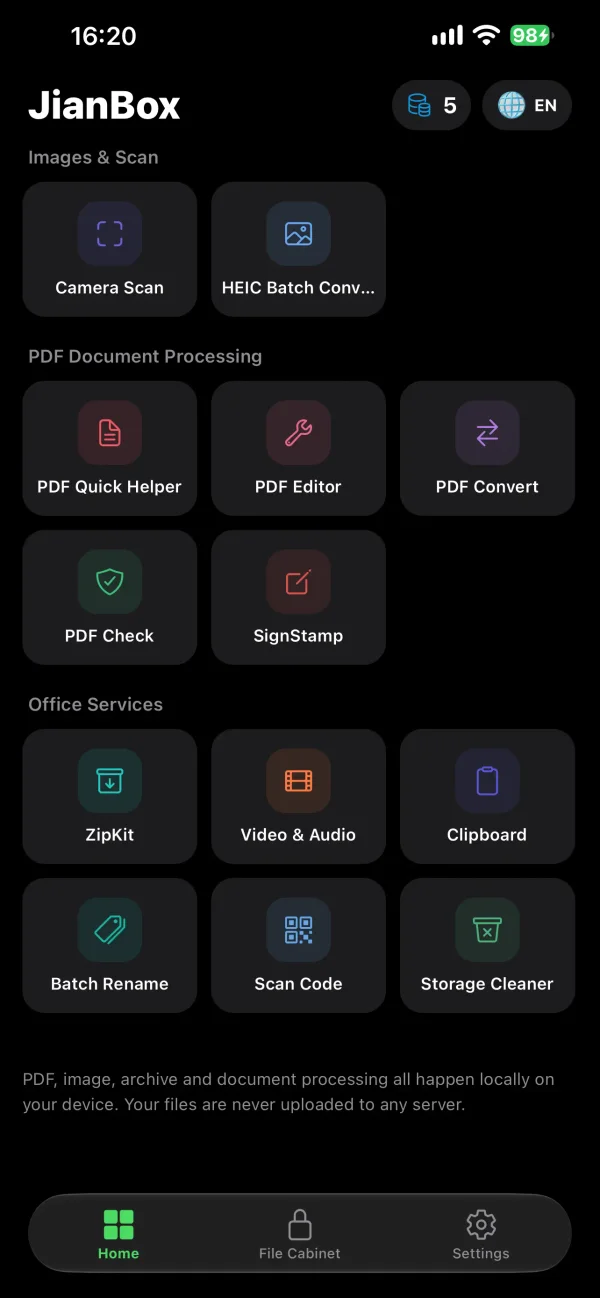
One app, twelve capabilities, zero cloud uploads, zero account login required. Scan documents, convert formats, edit PDFs, extract archives, free up storage, encrypt files—everything happens offline on your iPhone and iPad.
Documents & Scanning
【Camera Scanner】
Snap photos or import from album. Auto edge detection, enhancement, multi-page scanning, export as PDF. Contracts, receipts, notes, IDs—turn them into high-quality PDFs instantly.
【Image to PDF】
Select multiple images and merge them into a single PDF. Custom page sizes (A4/Letter), watermark support. Fully offline.
【PDF Editor】
Reorder, rotate, delete, or extract PDF pages with simple drag-and-drop gestures.
【PDF Verifier】
Professional PDF inspection tool: page consistency check, blank page detection, metadata viewer, SHA-256 hash verification. Auto-generates verification reports for compliance scenarios.
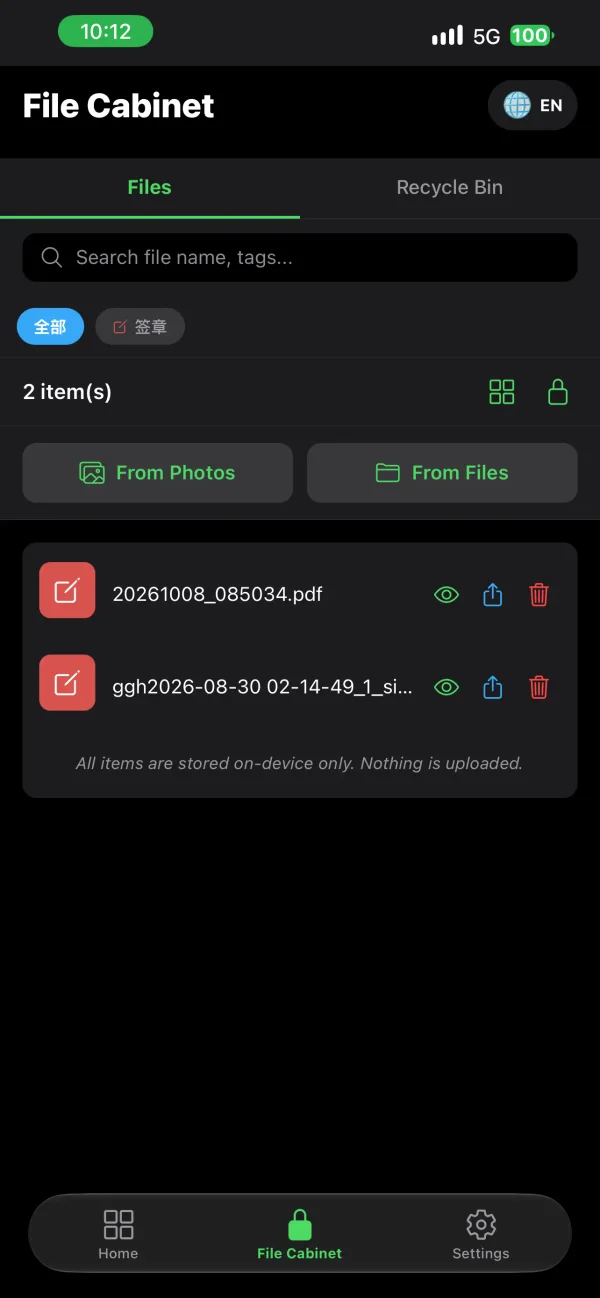
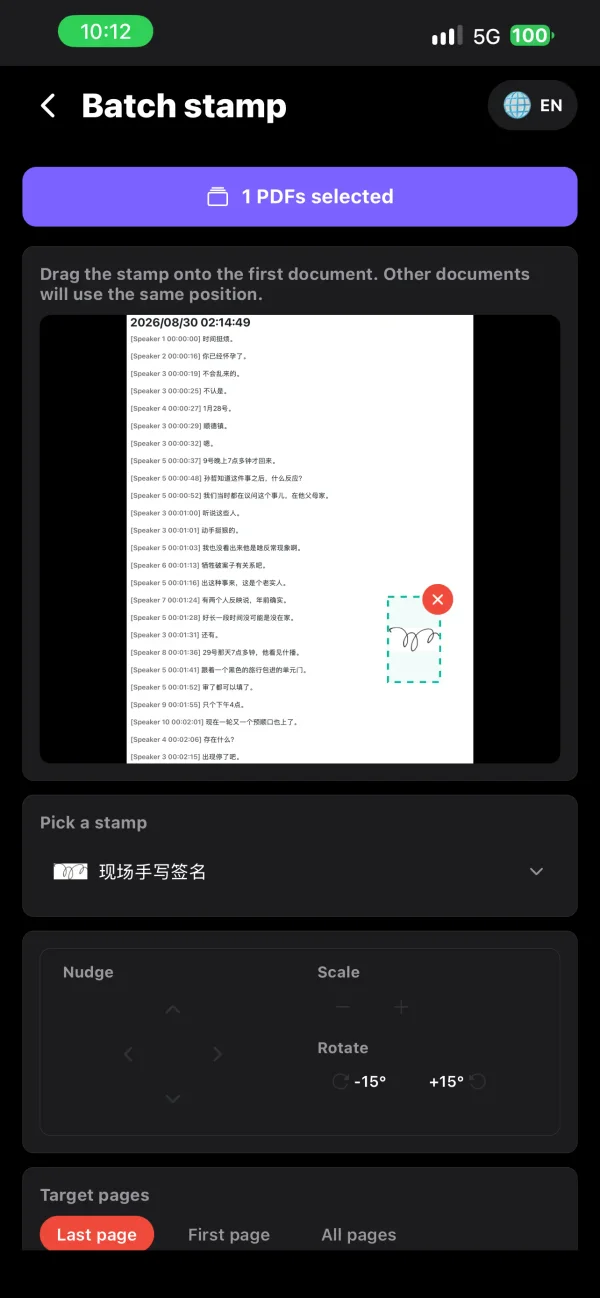
【Signature Tool】
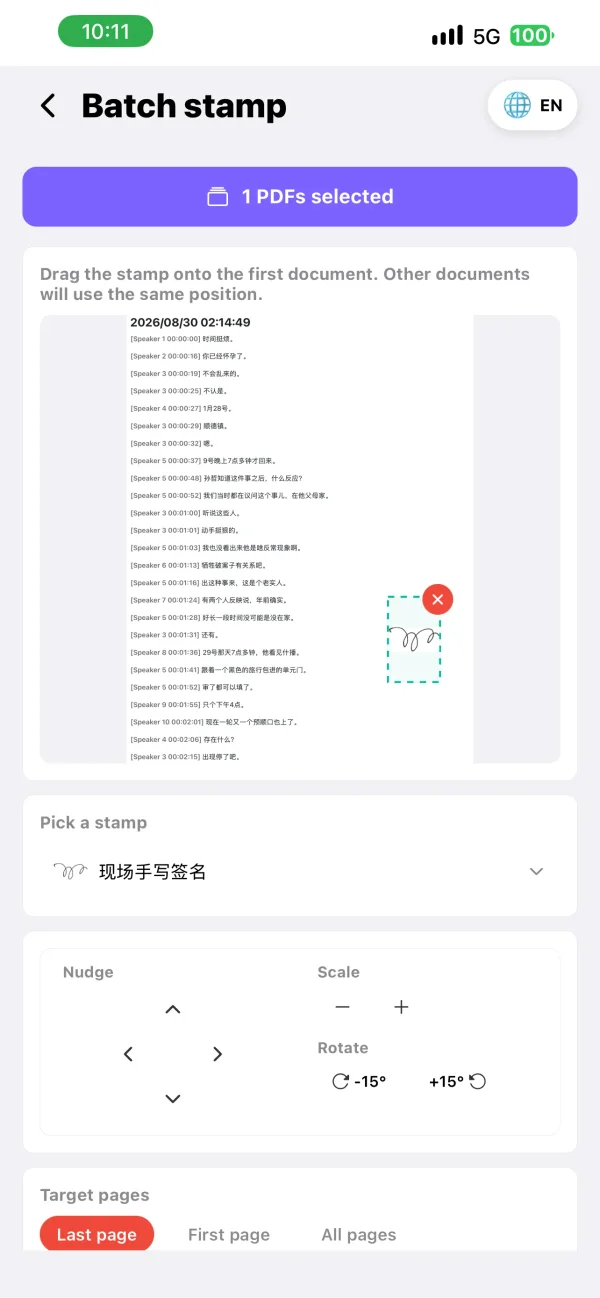
Place personal signatures or company stamps on PDFs. Drag-and-drop positioning, resize, rotate, batch signing across multiple files. Final step for contract approval and formal delivery.
Files & Compression
【HEIC Converter】
Batch convert iPhone HEIC/HEIF photos to universal JPG format. Adjustable quality and dimensions, text or image watermark support. Solves the "Windows can't open iPhone photos" problem.
【Unarchiver】
Extract ZIP, RAR, 7Z, TAR, GZIP, BZIP2, XZ. Also create password-protected ZIP archives from multiple files. Open compressed attachments directly without a computer.
【Batch Renamer】
Rename files or photos with prefix, suffix, numbering, find-replace, timestamps. Preview before applying, undo support.
【Storage Cleaner】
Scan large files, duplicate photos, and app caches. Free up space with one tap.
Media Processing
【Video & Audio Toolkit】
Convert formats, compress files, trim videos, extract audio tracks. All processing happens locally with zero data usage.
Privacy & Security
【Private Vault】
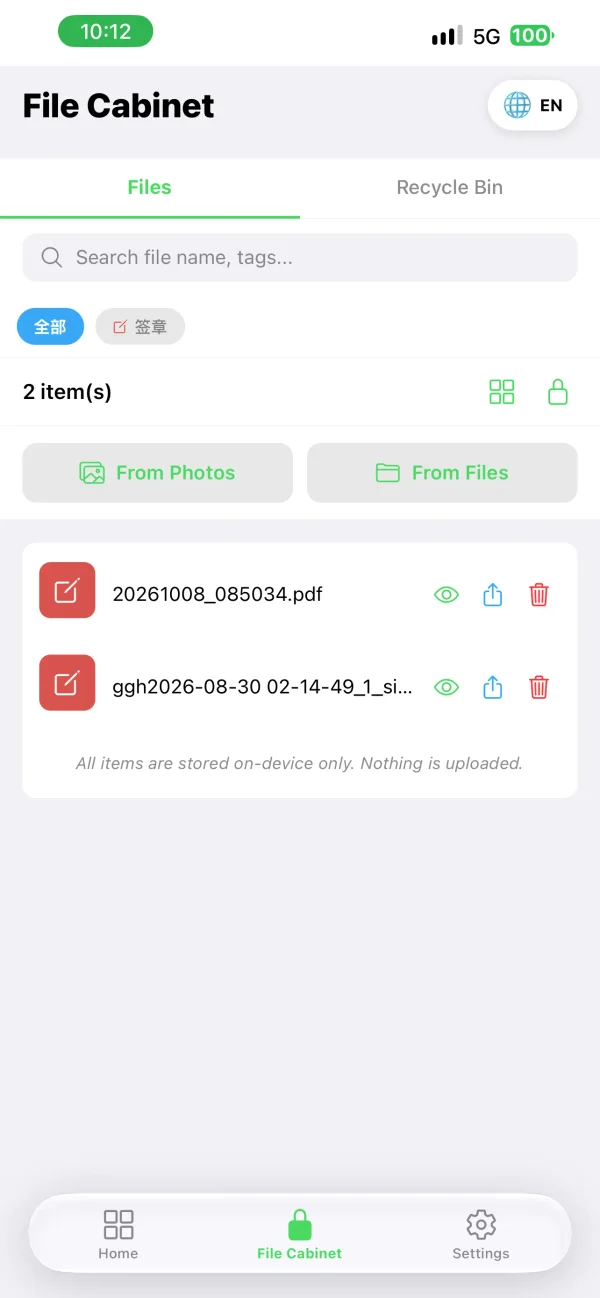
Encrypt and store sensitive files and photos. Face ID / Touch ID locked. Bank-level encryption protects your data even if your phone is lost.
Productivity Tools
【Clipboard History】
Automatically saves copied text. Pin important items, search history, categorize. Never lose a copied verification code or address again.
【QR Scanner & Generator】
Scan QR codes and barcodes, or generate custom QR codes. History auto-saved for easy reference.
Key Features
• 100% Offline — Files stay on your device, never uploaded
• 12-in-1 Toolkit — Replace 12 separate apps, save storage
• Clean and Tidy — Clean, distraction-free interface
• iPad Optimized — Full-screen support, split-view ready
• Multi-Language — English, Chinese, Japanese, Korean
Privacy & Security
JianBox respects your privacy. All file processing occurs entirely on your device. We do not collect, upload, or store any of your file contents. The Private Vault uses device-level encryption.
No account sign-up required. No usage tracking. No marketing notifications.
Pro Version
One-time purchase. iPhone + iPad universal. Lifetime access to all 12 tools. No subscription, no recurring fees, no account binding. Future updates included forever.
Questions or feedback? Contact us through the in-app support feature.
What’s new
Version 1.9 · Nov 16, 2026
New Features
1. Clipboard, rebuilt: text you copy is saved automatically, with capacity raised from 20 to 500 entries - automatic saving costs no credits
2. Organize and filter: filter by content type or custom groups, search, pin, edit, copy and share, with a full-text detail view
3. Recycle bin and bulk import: restore or permanently delete entries; paste multiple lines at once to import them in bulk
4. JianBox Keyboard: insert any saved text with one tap from any text field, with word segmentation, multi-select and a built-in calculator - it can even capture the clipboard inside the keyboard (add it under Settings → General → Keyboard → Keyboards)
5. Control Center shortcut (iOS 18+): open the app and capture the clipboard with a single tap
6. Ads and credits worldwide: splash and rewarded ads are now available outside China, with exactly the same credit rules
7. Reward for watching the splash ad: finish it without closing early and earn 1 credit silently - available in both regions
8. iPad layout: clipboard list and detail views are width-limited and centered for comfortable reading in both orientations
Improved
1. Ad channel is detected automatically from the device language and region - no manual setup
2. The keyboard and the app share one credit balance, so keyboard actions are never double-charged
3. Credit history distinguishes "Watched ad" from "Watched splash ad", so every point has a clear source
4. Rewarded ads are preloaded when you open My Credits, so they start the moment you tap
Fixes
1. Fixed the splash ad remaining on screen over the home page after it ended
2. Fixed the badge and credit history not refreshing immediately after credits were granted
3. Several stability and compatibility fixes
Others
1. All files and clipboard content are processed locally on your device and never uploaded; the keyboard does not collect or upload what you type
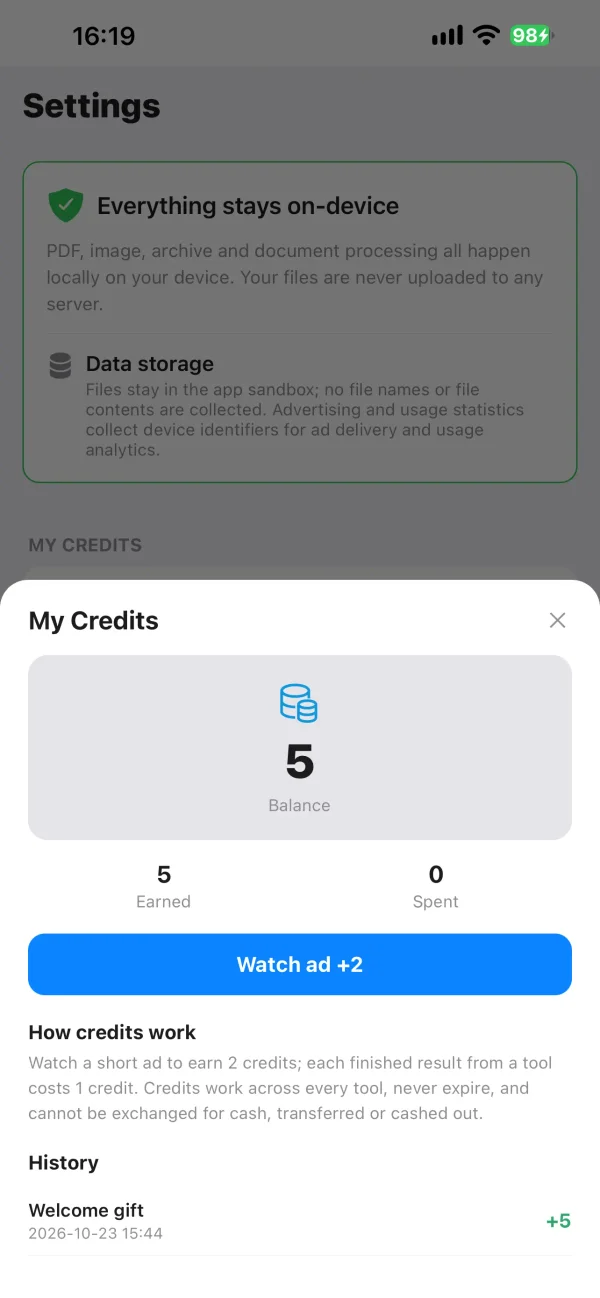
2. The credits system is unchanged: 5 welcome credits, +2 for a rewarded ad, +1 for a completed splash ad, -1 per tool action, and +2 compensation when ads fail to load (up to 3 times a day). Credits only unlock in-app features - there are no purchases, and credits cannot be exchanged for cash, transferred or redeemed
App privacy
What 涛 刘 declares on the App Store about how this app handles data.
-
Data used to track you
May be used to track you across apps and websites owned by other companies.
- Usage data
-
Data linked to you
May be collected and linked to your identity.
- Usage data
-
Data not linked to you
May be collected but is not linked to your identity.
- Identifiers
- Diagnostics
Privacy practices may vary, for example with the features you use or your age.
Information
- Seller
- 涛 刘
- Category
- Productivity
- Version
- 1.9
- Updated
- Nov 16, 2026
- Released
- Jul 13, 2026
- Size
- 64.7 MB
- Requires
- iOS 16.4 or later
- Age rating
- 4+
- Price
- Free
- Languages
- English, Simplified Chinese
- Copyright
- Copyright © 2026 PrismTao. All rights reserved.
You might also like
-
 Handwritten Digital NotesNote Taking, Journal & Lock
-
 IEPDesk: IEP & 504 TrackerPromises, services & evidence
-
 HostLog: Damage RecordsRental Evidence & Deadlines
-
 PutSpot: Home Item FinderPhotos, Voice Search, QR Tags
-
 Dayshift: Team Time ZonesFair Meetings for Remote Crews
-
 ServeLog: Service Loan ArchivePayment, ECF & servicer log
-
 Summon: Meeting AlertsJoin Meetings in One Tap
-
 DBHub - Your Life OrganizerTrack Books, Habits & Spending
-
 KeepCue: Day Planner, RoutinesVisual Timeline, To-Do Inbox
-
 Find that Book - OCR libraryPhotos & keywords recognition