
Ledge Notebook
The notebook that runs code
Entwickelt für iPhone, iPad
Kostenlos
- Altersfreigabe4+
- KategorieEntwickler-Tools
- EntwicklerDan Stevens
- SprachenEnglisch
- Größe16,4 MB
Verlinkt auf die offizielle App Store-Seite
Download.org hostet keine Datei von Ledge Notebook. Die Schaltfläche öffnet die App-Seite bei App Store, wo Dan Stevens die App veröffentlicht. Eintrag zuletzt geprüft am 23.11.2026.
Screenshots
Info
Der Entwickler hat diesen Text nicht in Ihrer Sprache bereitgestellt.
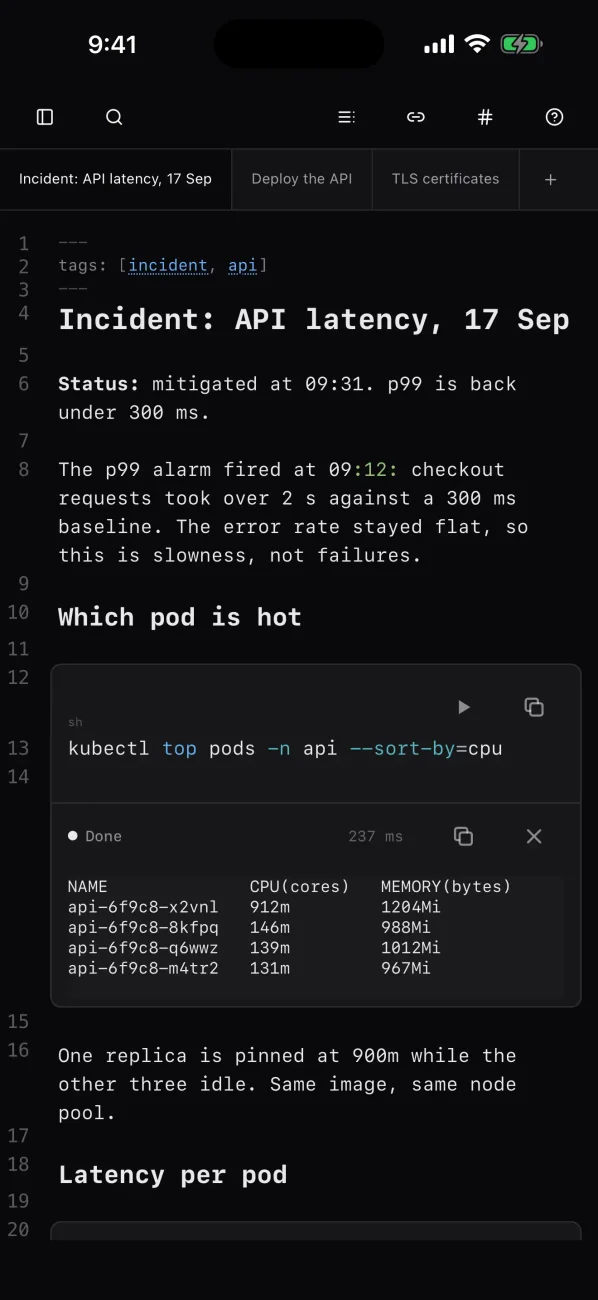
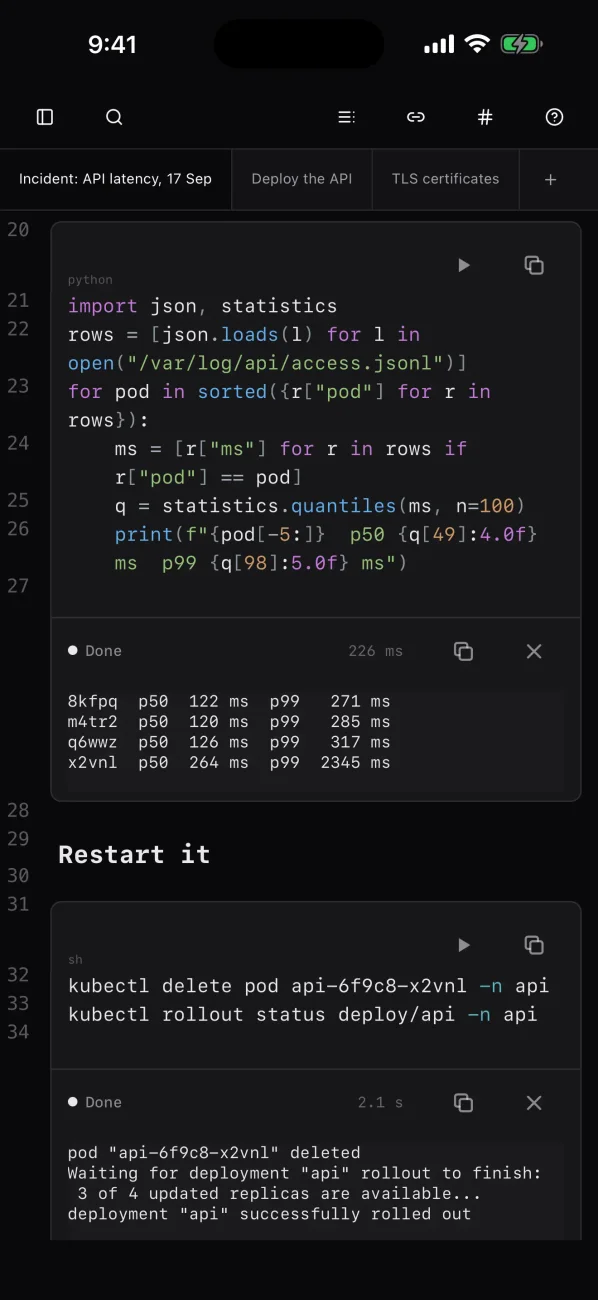
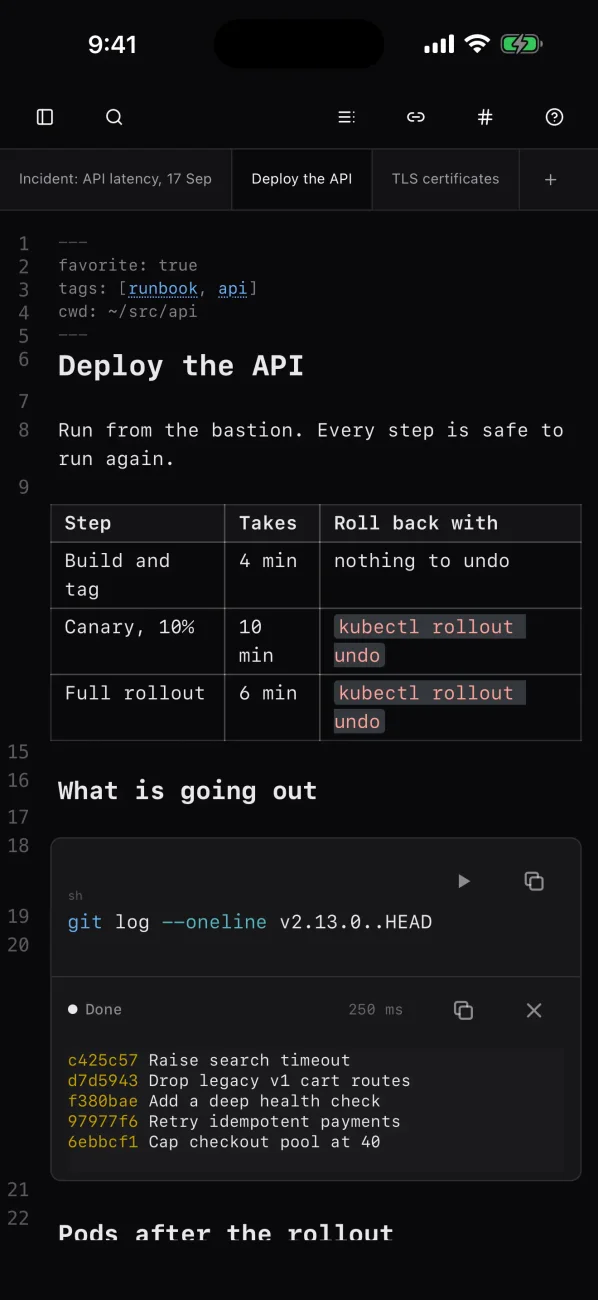
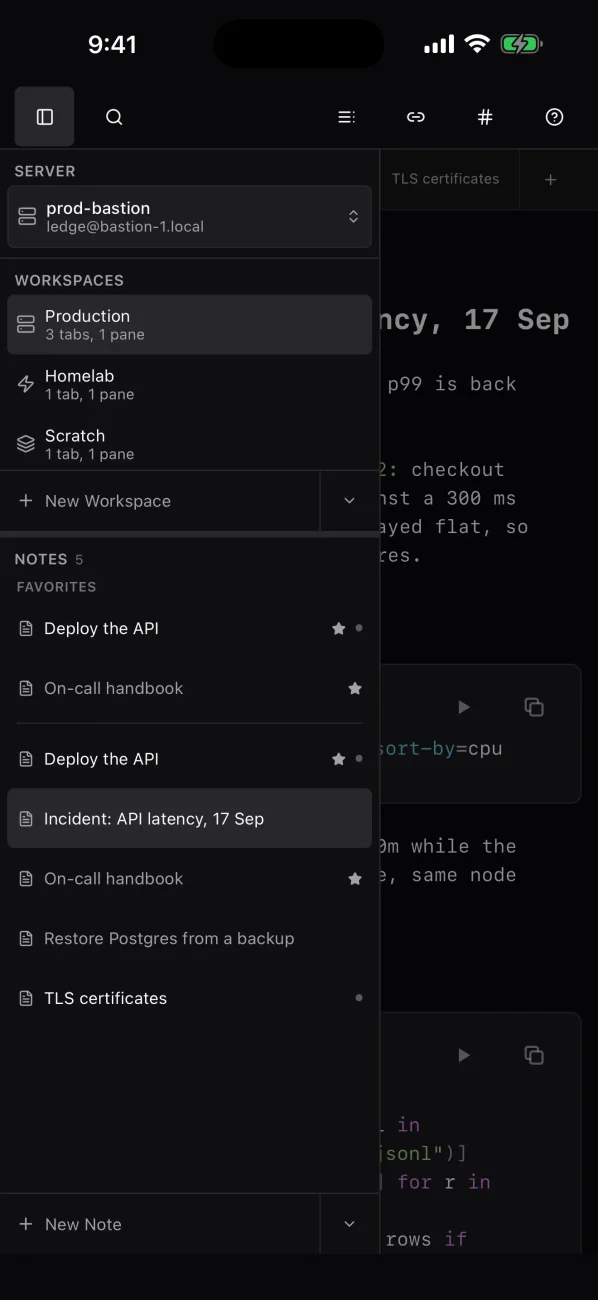
Ledge is a Markdown notebook that runs the code in your notes. Write the commands for a deploy, a fix or a setup once, with the reasoning beside them, and run each block with a tap. The output appears right under the block.
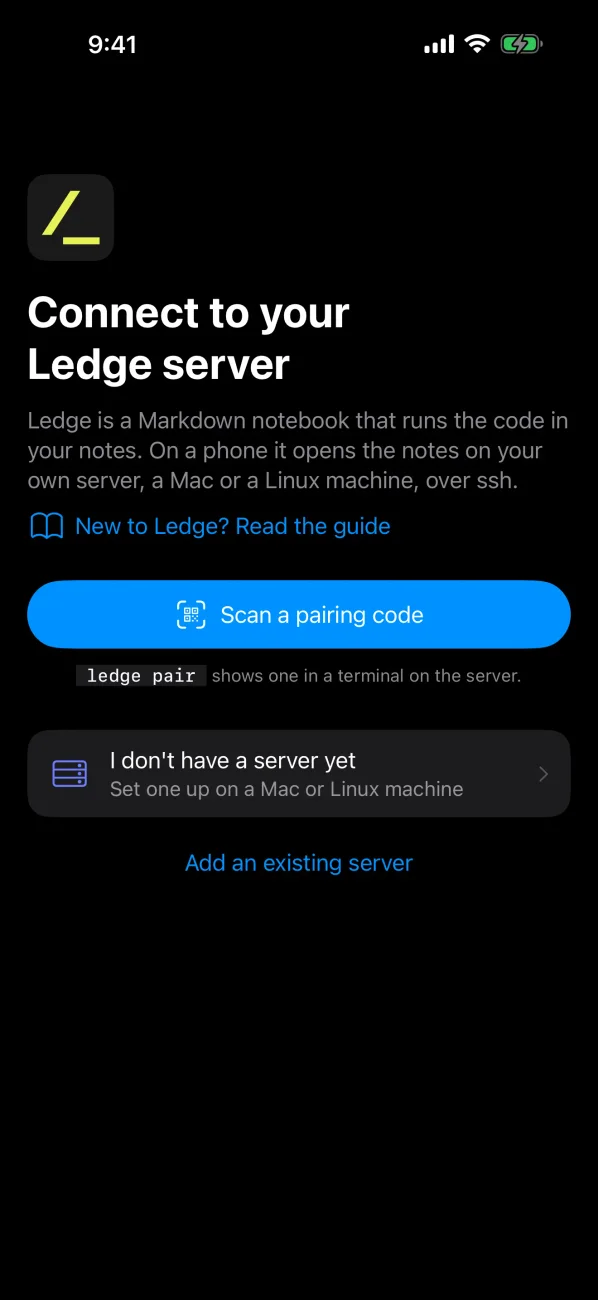
On iPhone and iPad, Ledge opens the notes on your own server: a Linux machine or a Mac running the free Ledge server, reached over SSH. Your notes, shells and commands stay on your machine.
RUN ANYTHING
• Shell, Python, Node, TypeScript, Ruby, PHP and Redis blocks run with the tools on your server
• Add SQL or any other language by naming the command that runs it, such as psql or mysql
• Prompt blocks hand a request to an AI agent on your server, such as Claude Code, which can read your notes
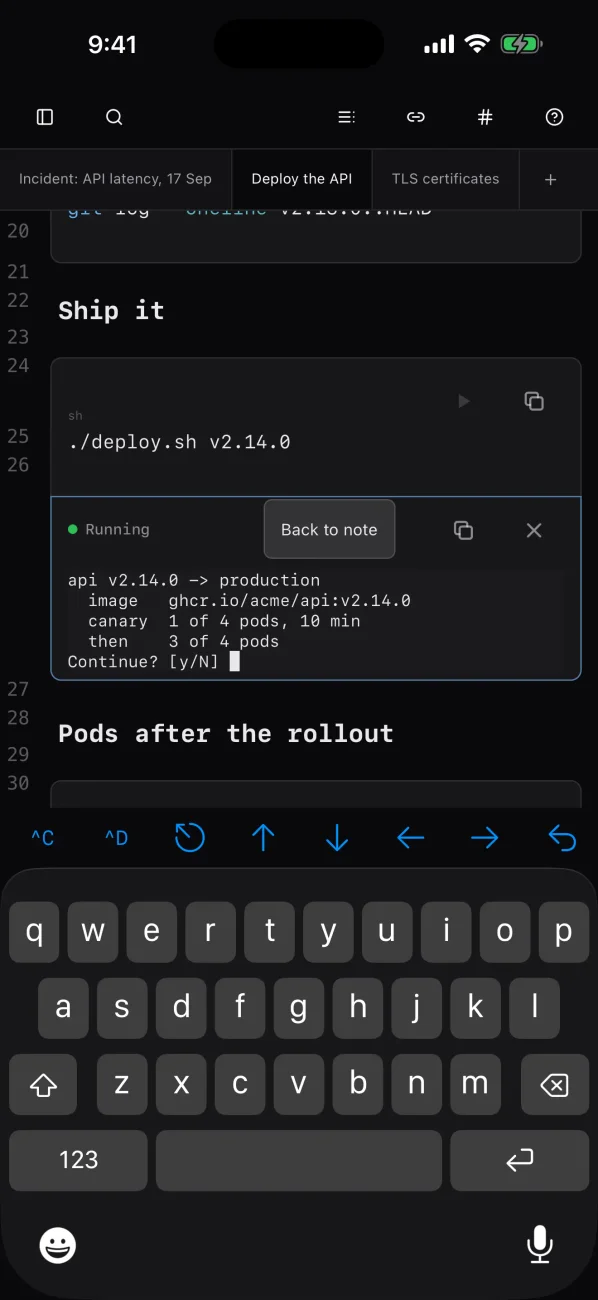
• Answer a running command's prompts by typing into its output, with ^C, ^D, Esc and arrow keys above the keyboard
• Each note keeps its own shell, so a cd or an exported variable carries into the next block
• Give a note its own working directory, environment and secrets, kept outside the note
• Run a note's blocks on another machine over SSH with one line at the top of the note
• Mark a risky block to ask before it runs
• A command keeps running on the server after you lock the phone, and its output is waiting when you come back
WRITE AND ORGANIZE
• Markdown with live preview, tables, checklists and images, including photos from the camera
• Link notes to each other, with outline, backlinks and tags panels
• Workspaces, folders, favorites and full-text search
• Use the same notes from Ledge for Mac and from every phone and iPad you pair
PRIVATE AND SECURE
• You stay in control of your notes: they live on your own machine, not on our servers or anyone else's
• No Ledge account, no sign-up and no third party in between
• Sign in with a key made in the Secure Enclave that never leaves the device, or with a password kept in the keychain
• Each server's host key is confirmed on the first connection and checked on every one after
• Lock sensitive notes with a passphrase
• Add a server by scanning the QR code it prints
WHAT YOU NEED
A Mac or a Linux machine you can reach over SSH, with the Ledge server installed. One command installs it, with no root access, no open port and no background service. The guide in the app walks you through it.
Ledge is free and open source.
Neue Funktionen
Version 0.1.11 · 18.11.2026
- Settings on iPhone and iPad: the This app tab no longer stays on "Loading…". Your phone now keeps its own copy of these settings, so you can change the editor and terminal font sizes on the phone.
- The Settings dialog now tells you when a settings file can't be read or saved.
App-Datenschutz
Was Dan Stevens im App Store zum Umgang dieser App mit Daten angibt.
-
Keine Daten erfasst
Der Entwickler erfasst keine Daten von dieser App.
Die Datenschutzpraktiken können variieren, zum Beispiel je nach den von Ihnen verwendeten Funktionen oder Ihrem Alter.
Informationen
- Anbieter
- Dan Stevens
- Kategorie
- Entwickler-Tools
- Version
- 0.1.11
- Aktualisiert
- 18.11.2026
- Veröffentlicht
- 22.09.2026
- Größe
- 16,4 MB
- Erfordert
- iOS 17.0 oder neuer
- Altersfreigabe
- 4+
- Preis
- Kostenlos
- Sprachen
- Englisch
- Copyright
- © 2026 Dan Stevens
Das könnte Ihnen auch gefallen
-
 Store ConsoleEntwickler-Tools
-
 JSON MasterAnzeigen, bearbeiten, prüfen
-
 TokenMaster: AI UsageEntwickler-Tools
-
 Read Markdown: Fast & LightEntwickler-Tools
-
 SkillPilot: AI Tool RadarEntwickler-Tools
-
 MonkeytailEntwickler-Tools
-
 PyNotebookEntwickler-Tools
-
 TerraToys - Shortcuts-AktionenPower für dich
-
 .md viewer & editor: NanoFileMarkdown öffnen und bearbeiten
-
 42 Editor: Code & Text EditorEntwickler-Tools