LightScope: Light & EV Meter
Lux, EV & Film Exposure Meter
Entwickelt für iPhone, iPad
9,99 € · In-App-Käufe
- Altersfreigabe4+
- KategorieFoto und Video
- EntwicklerByungil Park
- SprachenEnglisch+ 2 weitere
- Größe2,3 MB
Verlinkt auf die offizielle App Store-Seite
Download.org hostet keine Datei von LightScope: Light & EV Meter. Die Schaltfläche öffnet die App-Seite bei App Store, wo Byungil Park die App veröffentlicht. Eintrag zuletzt geprüft am 12.11.2026.
Screenshots
Info
Der Entwickler hat diesen Text nicht in Ihrer Sprache bereitgestellt.
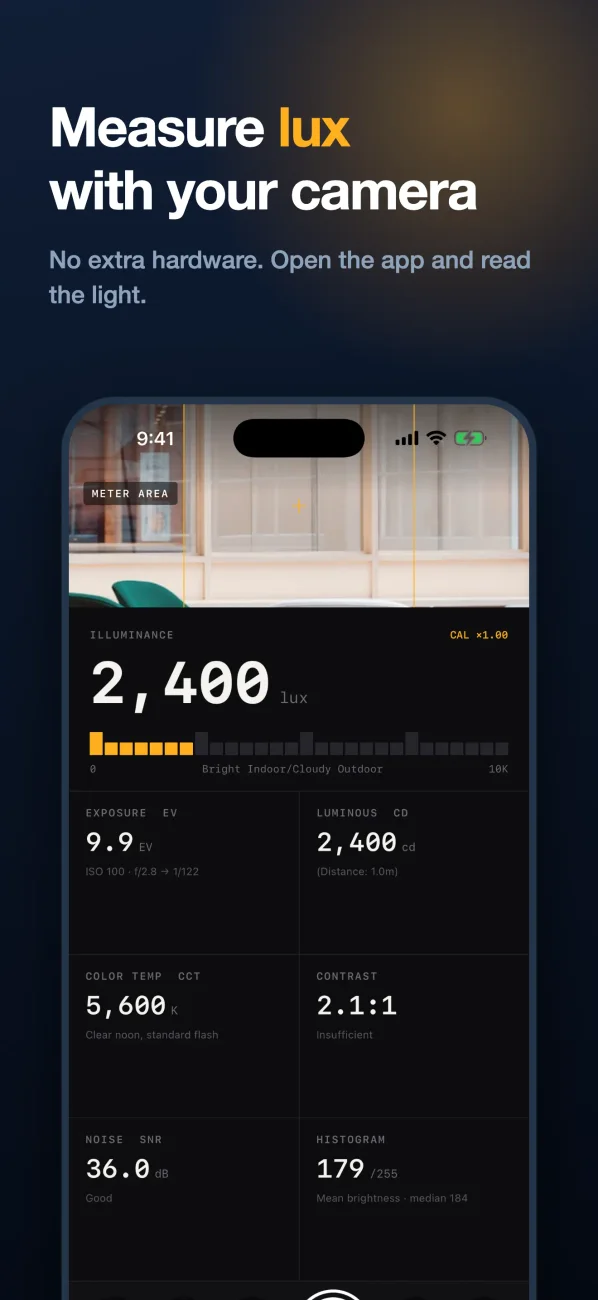
LightScope is a comprehensive solution providing professional light measurement and analysis using your iOS device's camera sensor.
【Key Measurement Features】
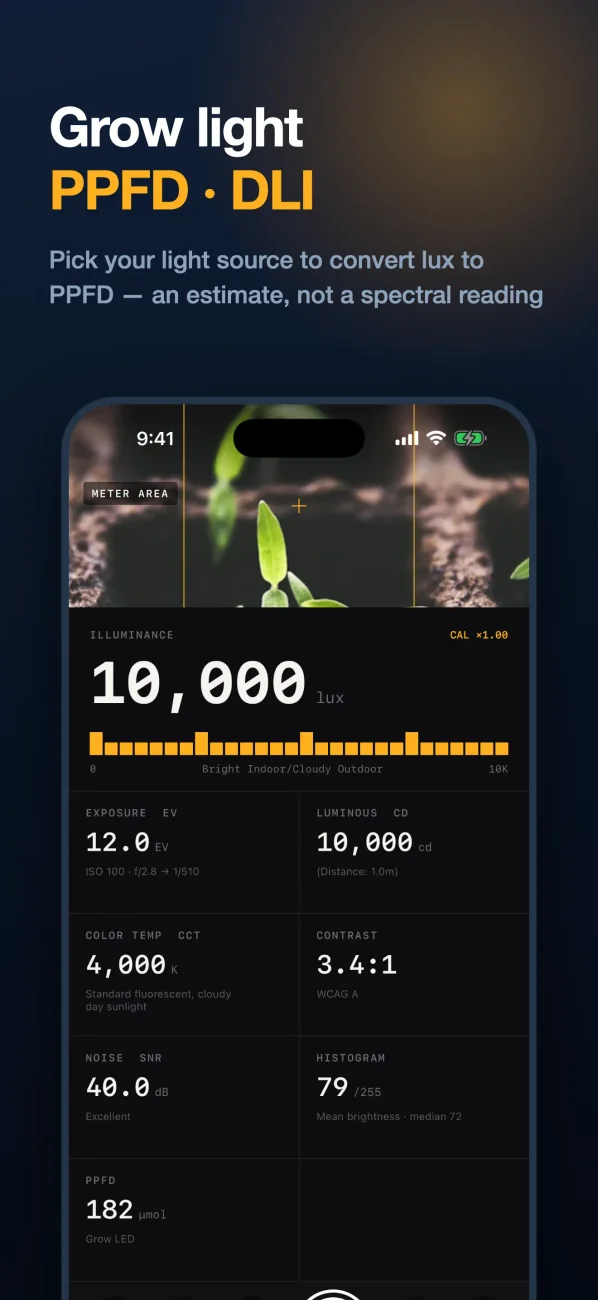
• Illuminance (lux) Measurement: Calculates accurate illuminance by analyzing EXIF data from the camera sensor. Illuminance is derived using the formula: (F-number² / (Exposure Time × ISO)) × Calibration Factor.
• Exposure (EV) Calculator: Converts measured illuminance to EV and suggests proper exposure combinations in standard stops for your ISO and aperture (or shutter) settings.
• Luminous Intensity (candela) Calculation: Automatically calculates the luminous intensity of a light source based on the set distance. Uses the formula: Illuminance (lux) × Distance².
• Color Temperature (K) & Tint Analysis: Precisely measures the light source's color temperature (1500K~15000K) and tint (green-magenta bias) by analyzing the camera's white balance sensor data — useful for identifying fluorescent and LED lighting.
• Real-time Histogram: Visualizes the balance of shadows, midtones, and highlights through 16-level brightness distribution analysis.
• Contrast Ratio Measurement: Evaluates the brightness ratio between bright and dark areas of a scene (based on 10th/90th percentiles) according to WCAG accessibility standards.
• Noise Measurement (SNR): Calculates the signal-to-noise ratio in dB to evaluate image quality in the shooting environment.
【Advanced Features】
• Image Capture and Storage: Captures camera images at the time of measurement and stores them with measurement data.
• Full-screen Image View: Zoom, pan, and rotate captured images for detailed inspection.
• Gallery Saving: Save captured images to your device's photo library.
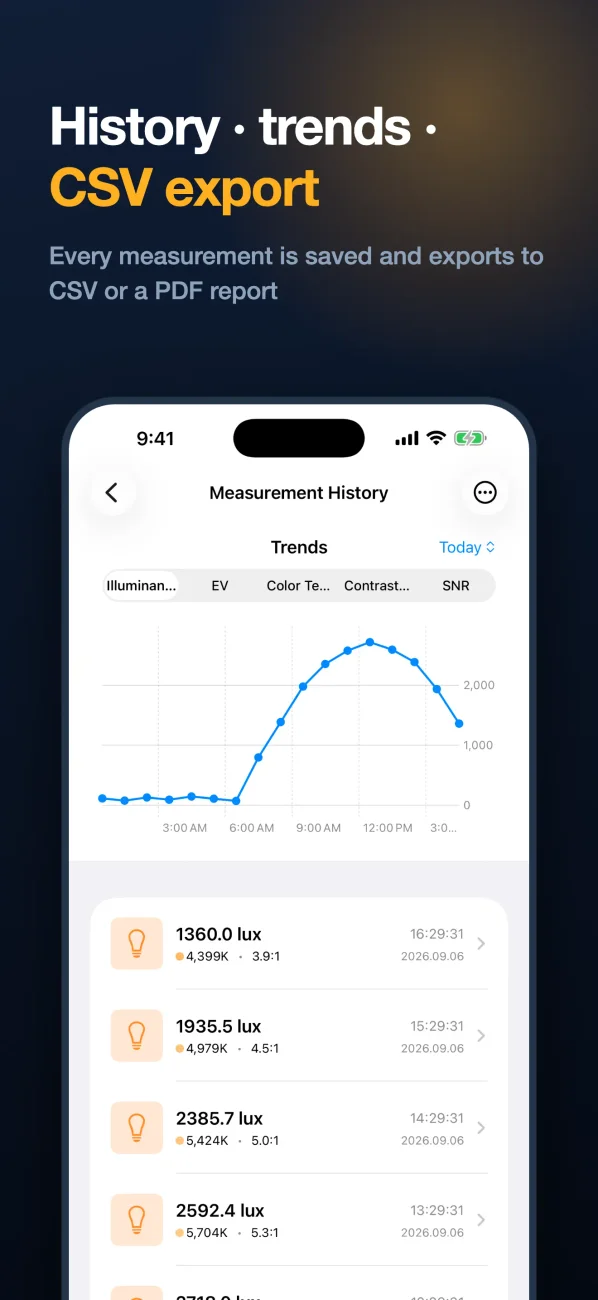
• Measurement History and Trends: Save all measurements chronologically and chart trends for lux, EV, color temperature, contrast, and SNR.
• Continuous Logging: Automatically record measurements at a set interval (1-60s) — great for lighting design and site surveys.
• Full-Resolution Image Storage: Keep captured images at original quality for detailed inspection and gallery saving.
• Export All History: Export every measurement as a CSV file or a PDF report.
• Notes & Location Tags: Attach notes to measurements and optionally save the measurement location.
• Home Screen Widget: See your last measurement (lux, color temperature, contrast, SNR) right on the home screen.
• Camera Full-screen Mode: Hide panels to focus on the camera view while checking key measurements via a mini info panel.
• Measurement Lock: Freeze exposure and white balance for stable, steady readings.
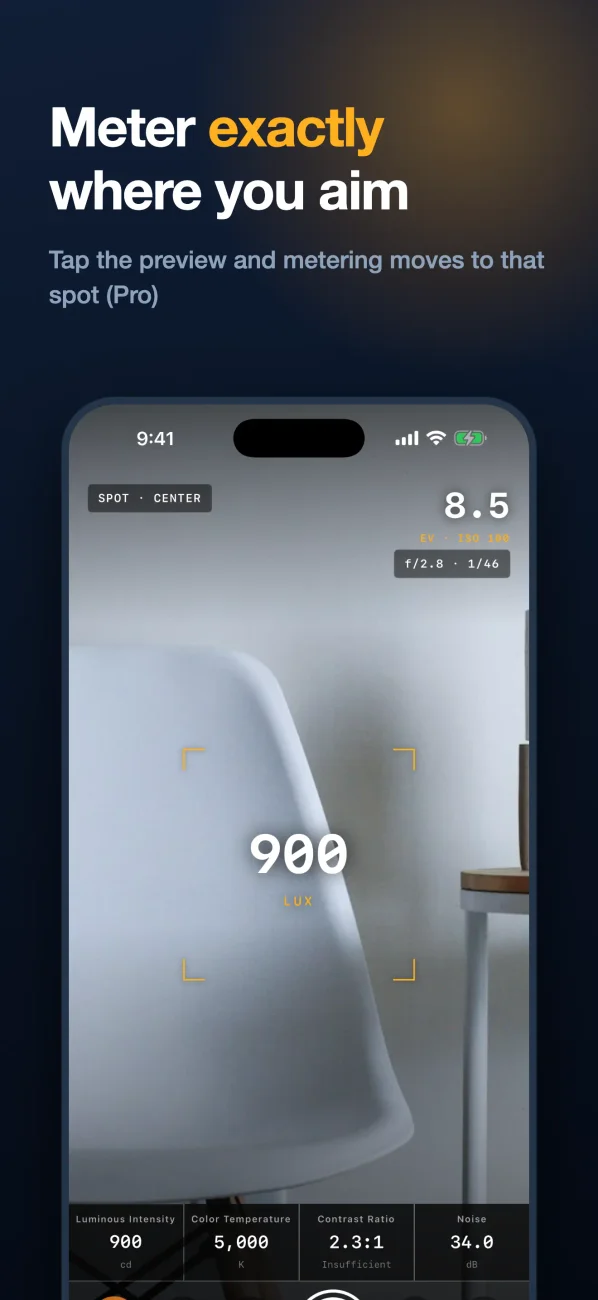
• Spot Metering: In full-screen mode, tap anywhere to meter around that point.
• Perfect Dark/Light Mode Support: All UI elements automatically adapt to the system theme.
【User Settings】
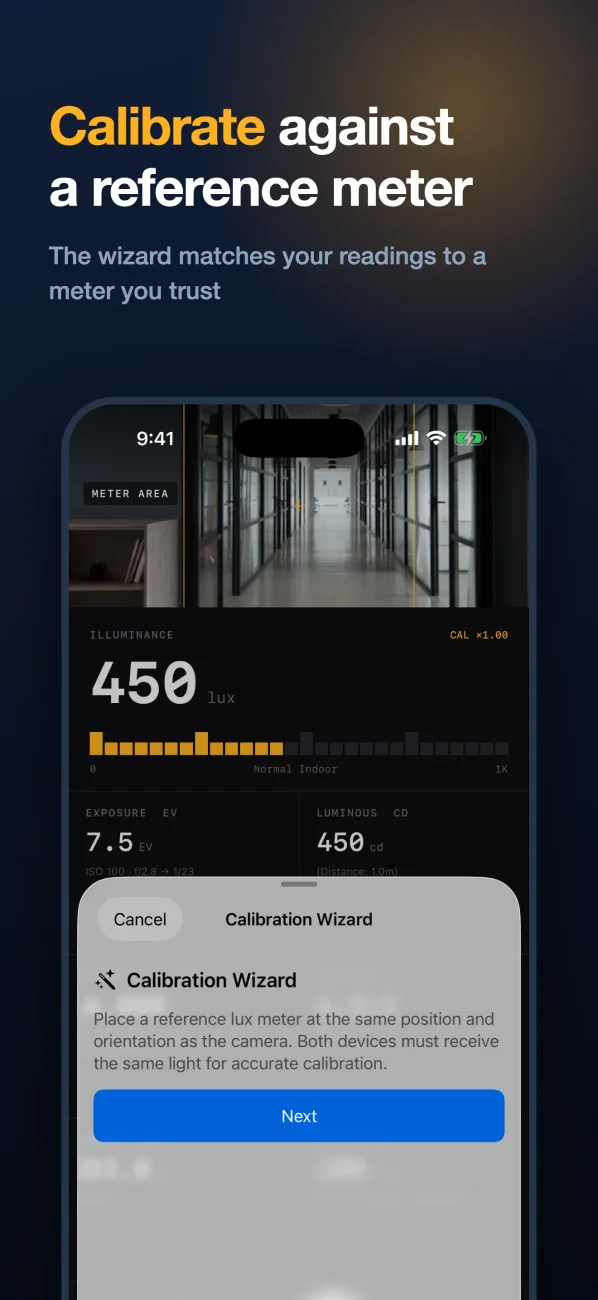
• Calibration Wizard: Enter a reading from a reference lux meter and the calibration factor is calculated automatically. Manual slider adjustment is also available.
• Distance Setting: Set the distance to the light source for precise luminous intensity (cd) calculations.
• Front/Rear Camera Selection: Choose the appropriate camera for your measurement situation.
【Technical Features】
• Support for measuring various light source types: natural light, LED, fluorescent, incandescent, etc.
• Color temperature and tint sourced directly from the camera ISP's white balance estimation for reliable readings
• 10-frame moving average filter for measurement stabilization
• Center-weighted or spot (tap-to-meter) analysis for accurate evaluation of the main subject
• Automatic exposure quality assessment based on histogram analysis
Perfect tool for photographers, videographers, lighting designers, UI/UX developers, and anyone who needs accurate light measurements.
Neue Funktionen
Version 3.4 · 07.10.2026
iPhone Duo support.
• Unfold and the screen splits in two — camera preview on the left, readings on the right. The divider follows the hinge position the device reports
• On the folded outer screen, all six readings (illuminance, exposure, luminous intensity, color temperature, contrast, noise) still fit without scrolling
The metered area is now exact.
• The rectangle on screen matches the region the camera actually measures, instead of an estimate that drifted with the screen's aspect ratio
• When the metering point sits near an edge, the rectangle is clipped just as the sampling is
• If the metered area ends up hidden behind a screen element, it turns red to tell you
Also
• Location and photo permission prompts are now translated into Korean and Japanese
App-Datenschutz
Was Byungil Park im App Store zum Umgang dieser App mit Daten angibt.
-
Keine Daten erfasst
Der Entwickler erfasst keine Daten von dieser App.
Die Datenschutzpraktiken können variieren, zum Beispiel je nach den von Ihnen verwendeten Funktionen oder Ihrem Alter.
Informationen
- Anbieter
- Byungil Park
- Kategorie
- Foto und Video
- Version
- 3.4
- Aktualisiert
- 07.10.2026
- Veröffentlicht
- 30.06.2021
- Größe
- 2,3 MB
- Erfordert
- iOS 16.6 oder neuer
- Altersfreigabe
- 4+
- Preis
- 9,99 €
- In-App-Käufe
- Ja
- Sprachen
- Englisch, Japanisch, Koreanisch
- Copyright
- © Practical Inc.
Das könnte Ihnen auch gefallen
-
 Miniature LensFoto und Video
-
 SigNote — Doodle onto PhotosFoto und Video
-
 MyCam Pro – 48MP Manual ProCamFoto und Video
-
 Shred SnapFoto und Video
-
 Background Eraser ProFoto und Video
-
 Olli by TinrocketFoto und Video
-
 Zoom 100x CameraFoto und Video
-
 Luxilux Belichtungsmesserfür analoge Kameras
-
 This: Easy Photo LabelsFoto und Video
-
 OneCam 2 (with Effects)Foto und Video