LightScope: Light & EV Meter
Lux, EV & Film Exposure Meter
Conçue pour iPhone, iPad
9,99 € · Achats intégrés
- Classification d’âge4+
- CatégoriePhoto et vidéo
- DéveloppeurByungil Park
- LanguesAnglais+ 2 de plus
- Taille2,3 Mo
Renvoie vers la page App Store officielle
Download.org n’héberge aucun fichier de LightScope: Light & EV Meter. Le bouton ouvre la page de l’application sur App Store, où Byungil Park la publie. Fiche vérifiée pour la dernière fois le 12/11/2026.
Captures d’écran
À propos
Le développeur n’a pas fourni ce texte dans votre langue.
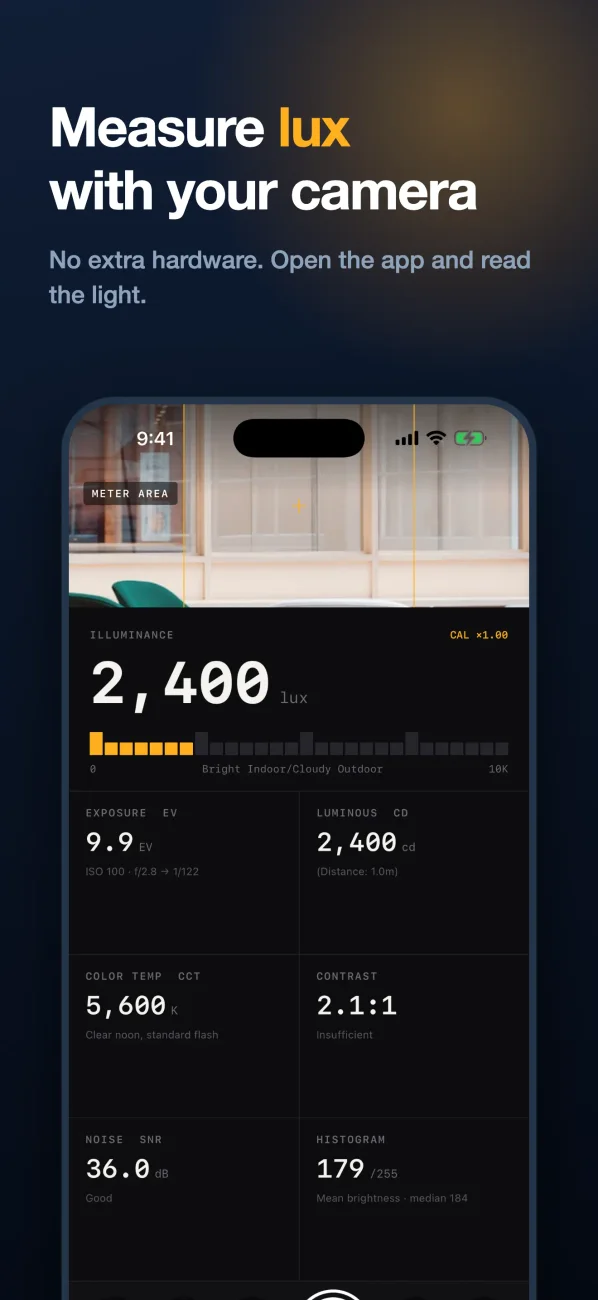
LightScope is a comprehensive solution providing professional light measurement and analysis using your iOS device's camera sensor.
【Key Measurement Features】
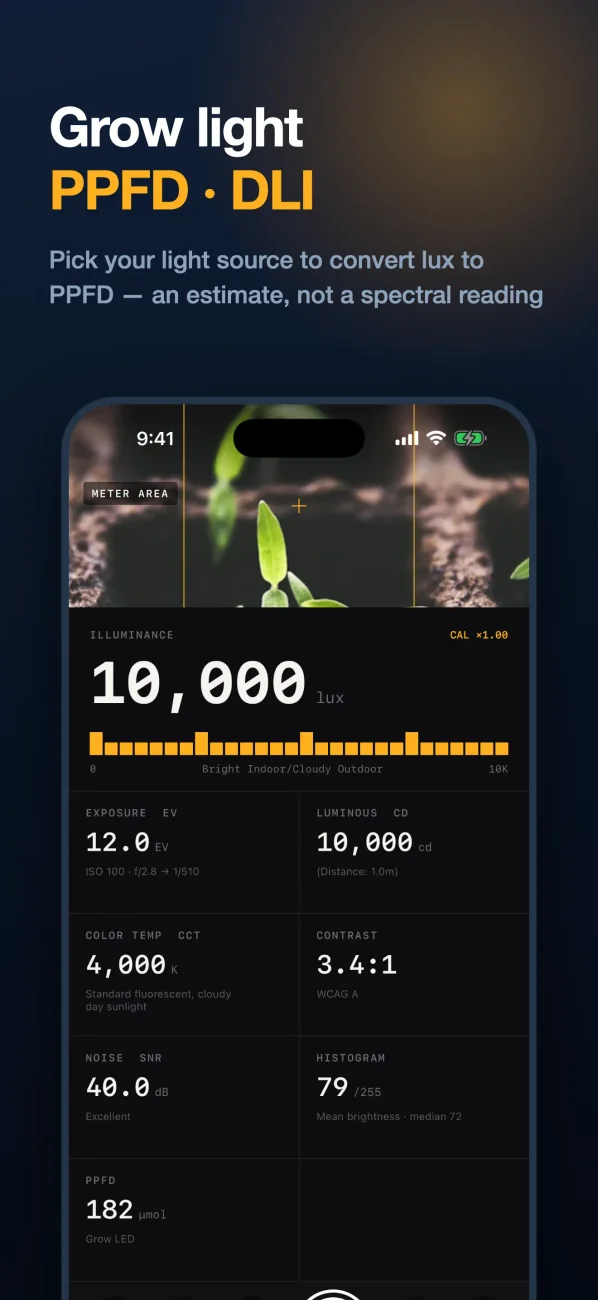
• Illuminance (lux) Measurement: Calculates accurate illuminance by analyzing EXIF data from the camera sensor. Illuminance is derived using the formula: (F-number² / (Exposure Time × ISO)) × Calibration Factor.
• Exposure (EV) Calculator: Converts measured illuminance to EV and suggests proper exposure combinations in standard stops for your ISO and aperture (or shutter) settings.
• Luminous Intensity (candela) Calculation: Automatically calculates the luminous intensity of a light source based on the set distance. Uses the formula: Illuminance (lux) × Distance².
• Color Temperature (K) & Tint Analysis: Precisely measures the light source's color temperature (1500K~15000K) and tint (green-magenta bias) by analyzing the camera's white balance sensor data — useful for identifying fluorescent and LED lighting.
• Real-time Histogram: Visualizes the balance of shadows, midtones, and highlights through 16-level brightness distribution analysis.
• Contrast Ratio Measurement: Evaluates the brightness ratio between bright and dark areas of a scene (based on 10th/90th percentiles) according to WCAG accessibility standards.
• Noise Measurement (SNR): Calculates the signal-to-noise ratio in dB to evaluate image quality in the shooting environment.
【Advanced Features】
• Image Capture and Storage: Captures camera images at the time of measurement and stores them with measurement data.
• Full-screen Image View: Zoom, pan, and rotate captured images for detailed inspection.
• Gallery Saving: Save captured images to your device's photo library.
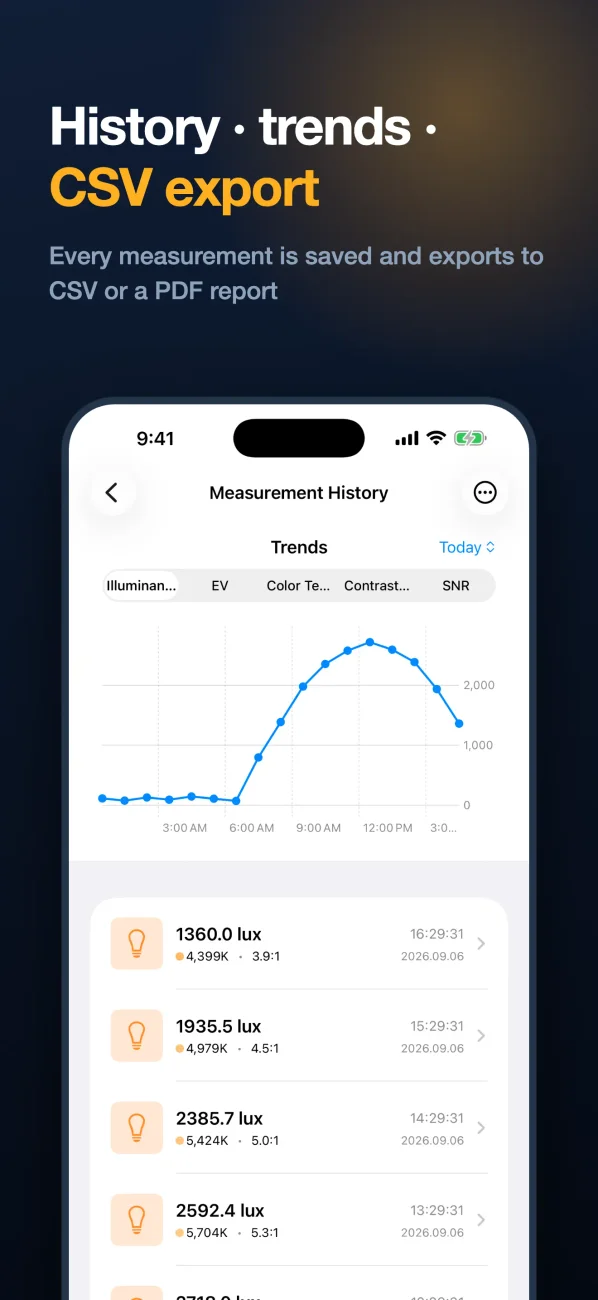
• Measurement History and Trends: Save all measurements chronologically and chart trends for lux, EV, color temperature, contrast, and SNR.
• Continuous Logging: Automatically record measurements at a set interval (1-60s) — great for lighting design and site surveys.
• Full-Resolution Image Storage: Keep captured images at original quality for detailed inspection and gallery saving.
• Export All History: Export every measurement as a CSV file or a PDF report.
• Notes & Location Tags: Attach notes to measurements and optionally save the measurement location.
• Home Screen Widget: See your last measurement (lux, color temperature, contrast, SNR) right on the home screen.
• Camera Full-screen Mode: Hide panels to focus on the camera view while checking key measurements via a mini info panel.
• Measurement Lock: Freeze exposure and white balance for stable, steady readings.
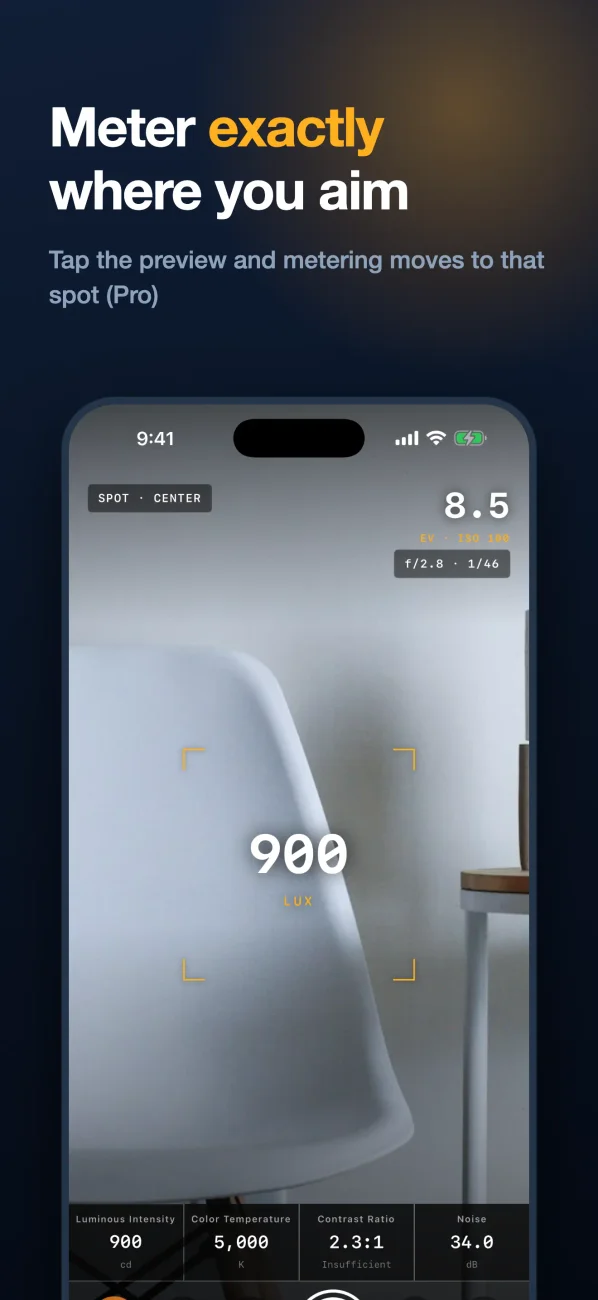
• Spot Metering: In full-screen mode, tap anywhere to meter around that point.
• Perfect Dark/Light Mode Support: All UI elements automatically adapt to the system theme.
【User Settings】
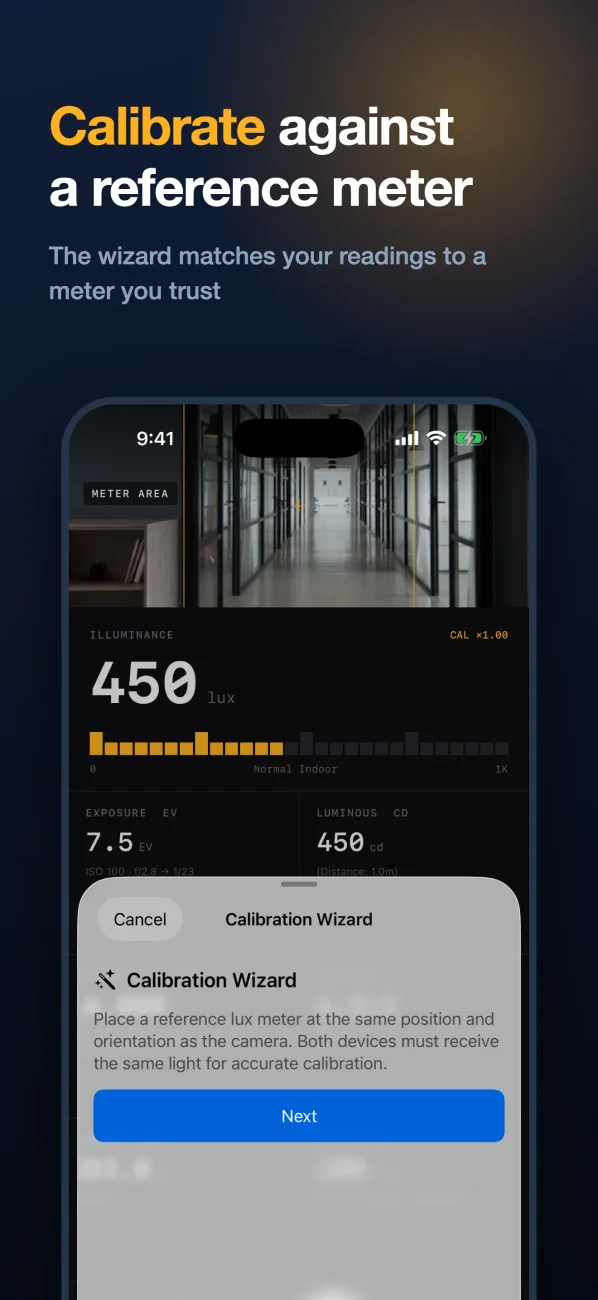
• Calibration Wizard: Enter a reading from a reference lux meter and the calibration factor is calculated automatically. Manual slider adjustment is also available.
• Distance Setting: Set the distance to the light source for precise luminous intensity (cd) calculations.
• Front/Rear Camera Selection: Choose the appropriate camera for your measurement situation.
【Technical Features】
• Support for measuring various light source types: natural light, LED, fluorescent, incandescent, etc.
• Color temperature and tint sourced directly from the camera ISP's white balance estimation for reliable readings
• 10-frame moving average filter for measurement stabilization
• Center-weighted or spot (tap-to-meter) analysis for accurate evaluation of the main subject
• Automatic exposure quality assessment based on histogram analysis
Perfect tool for photographers, videographers, lighting designers, UI/UX developers, and anyone who needs accurate light measurements.
Nouveautés
Version 3.4 · 07/10/2026
iPhone Duo support.
• Unfold and the screen splits in two — camera preview on the left, readings on the right. The divider follows the hinge position the device reports
• On the folded outer screen, all six readings (illuminance, exposure, luminous intensity, color temperature, contrast, noise) still fit without scrolling
The metered area is now exact.
• The rectangle on screen matches the region the camera actually measures, instead of an estimate that drifted with the screen's aspect ratio
• When the metering point sits near an edge, the rectangle is clipped just as the sampling is
• If the metered area ends up hidden behind a screen element, it turns red to tell you
Also
• Location and photo permission prompts are now translated into Korean and Japanese
Confidentialité de l’application
Ce que Byungil Park déclare sur l’App Store au sujet du traitement des données par cette application.
-
Données non collectées
Le développeur ne collecte aucune donnée à partir de cette application.
Les pratiques en matière de confidentialité peuvent varier, notamment en fonction des fonctionnalités que vous utilisez ou de votre âge.
Informations
- Vendeur
- Byungil Park
- Catégorie
- Photo et vidéo
- Version
- 3.4
- Mis à jour
- 07/10/2026
- Publié
- 30/06/2021
- Taille
- 2,3 Mo
- Nécessite
- iOS 16.6 ou version ultérieure
- Classification d’âge
- 4+
- Prix
- 9,99 €
- Achats intégrés
- Oui
- Langues
- Anglais, Japonais, Coréen
- Copyright
- © Practical Inc.
Vous aimerez peut-être aussi
-
 Miniature LensPhoto et vidéo
-
 SigNote — Doodle onto PhotosPhoto et vidéo
-
 MyCam Pro – 48MP Manual ProCamPhoto et vidéo
-
 Shred SnapPhoto et vidéo
-
 Background Eraser ProPhoto et vidéo
-
 Olli by TinrocketPhoto et vidéo
-
 Zoom 100x CameraPhoto et vidéo
-
 Luxilux PosemètreMesurez l'exposition parfaite
-
 This: Easy Photo LabelsPhoto et vidéo
-
 OneCam 2 (with Effects)Photo et vidéo