
Loam – Markdown Notes
Write, link, sync and share
Entwickelt für iPhone, iPad
Kostenlos · In-App-Käufe
- Altersfreigabe17+
- KategorieProduktivität
- EntwicklerRicardo Dantas Goncalves
- SprachenEnglisch
- Größe62,0 MB
Verlinkt auf die offizielle App Store-Seite
Download.org hostet keine Datei von Loam – Markdown Notes. Die Schaltfläche öffnet die App-Seite bei App Store, wo Ricardo Dantas Goncalves die App veröffentlicht. Eintrag zuletzt geprüft am 23.11.2026.
Screenshots
Info
Der Entwickler hat diesen Text nicht in Ihrer Sprache bereitgestellt.
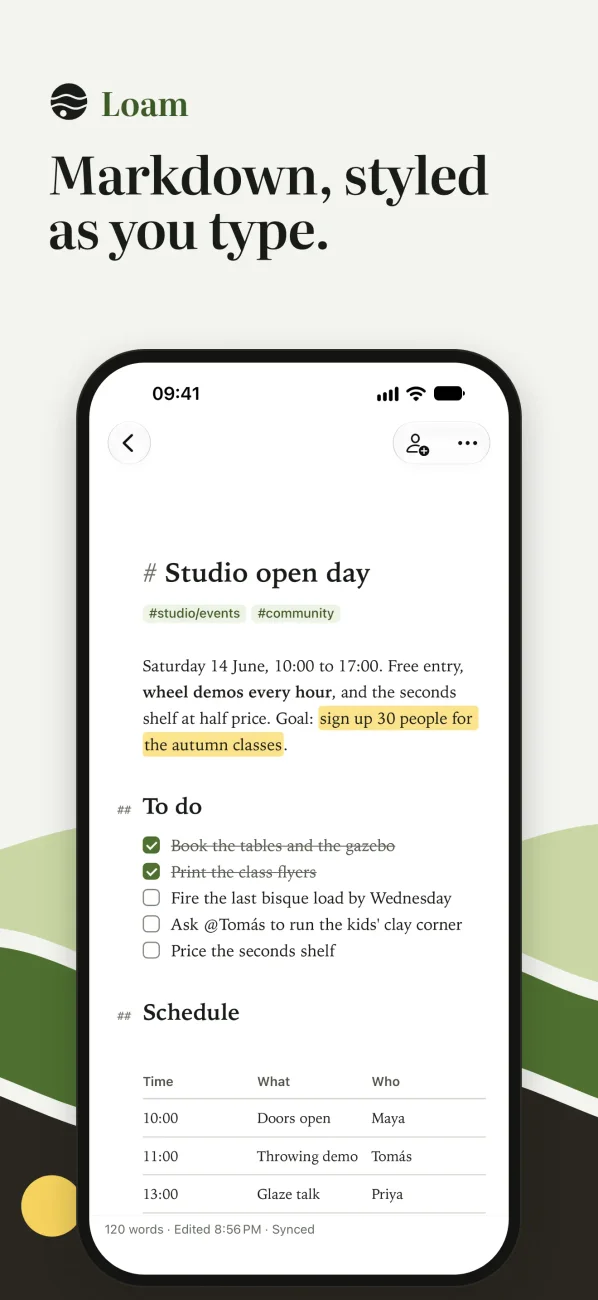
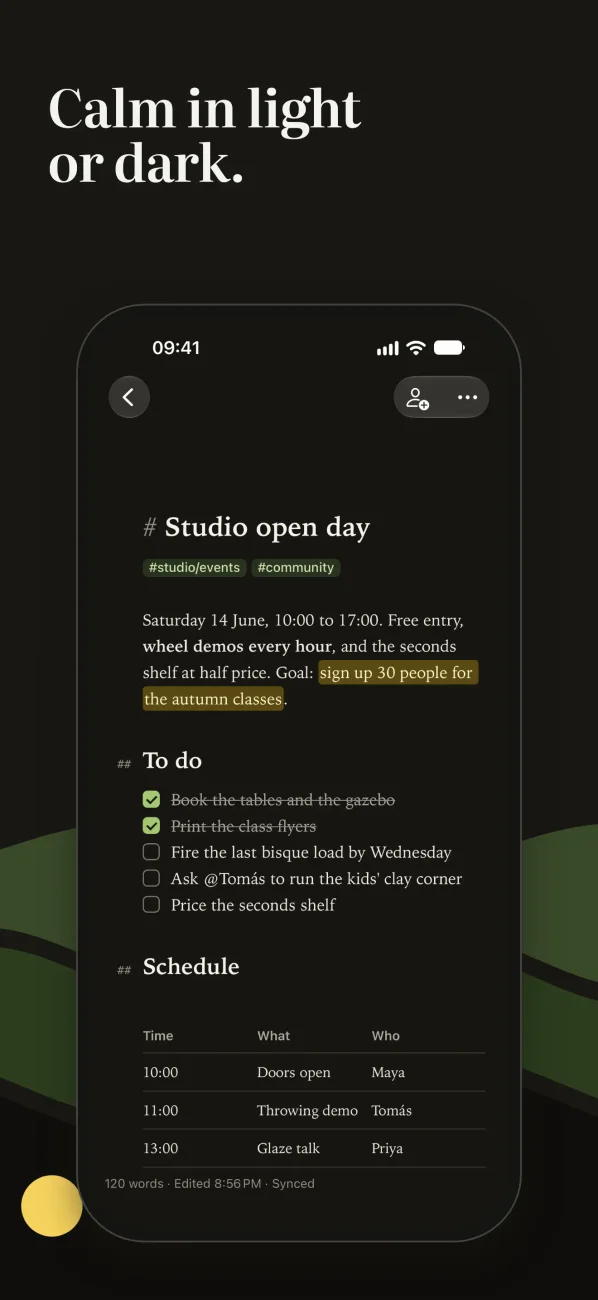
Loam is a Markdown notes app that formats as you type. Type ## and the line becomes a heading. Bold, links, tasks, tables and code render in place, and the file underneath stays plain Markdown.
WRITE
Headings hang in the margin so every line keeps the same left edge, and Markdown marks fade when your cursor moves away. Prefer to see every character? Turn that off in Settings. Pick from 22 editor themes, in light and dark, and three type sets. They are all free.
FIND
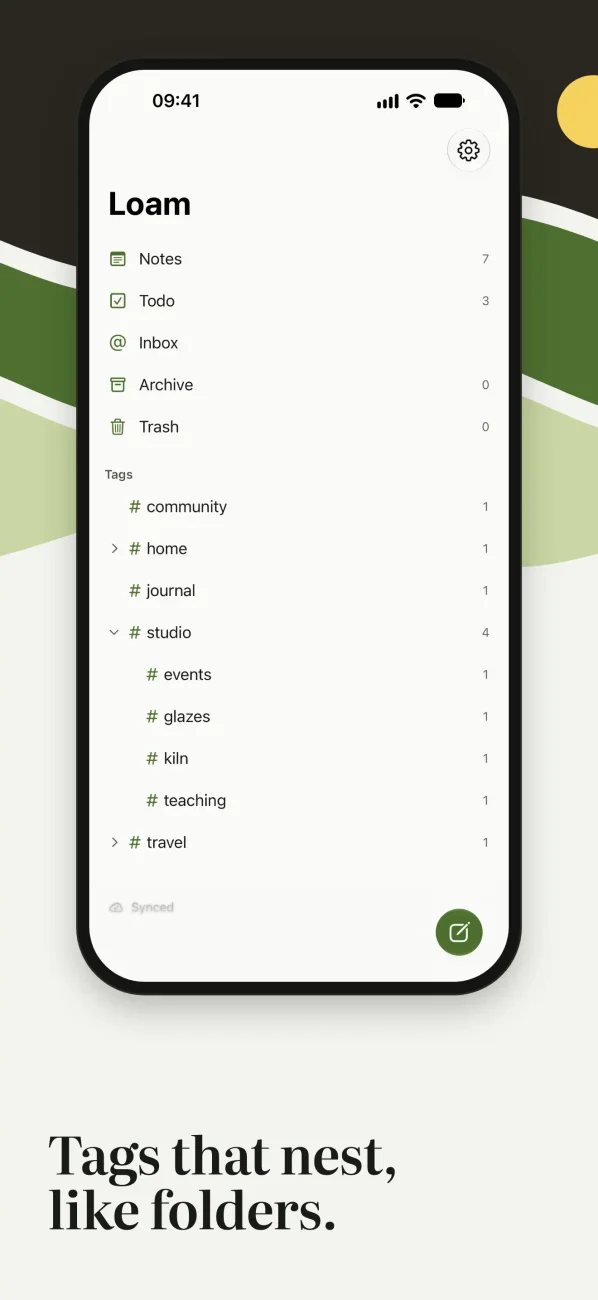
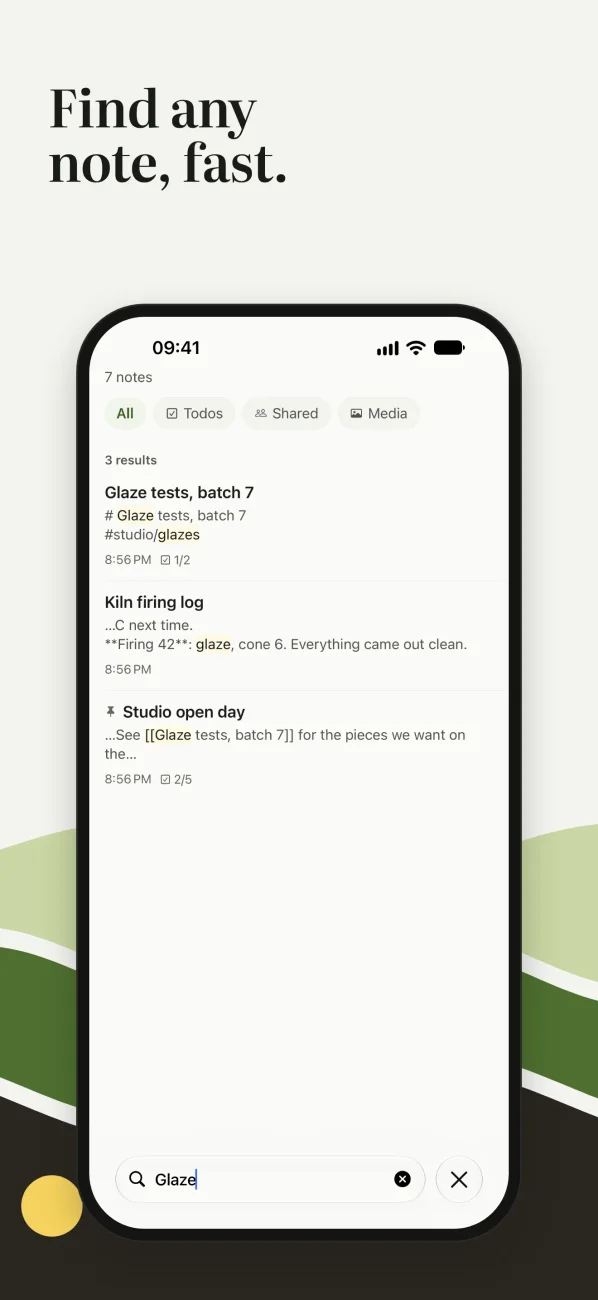
Tag a note with #tag, or nest tags like #projects/garden. Link one note to another with [[double brackets]]. Search every note from the library. Tap a link, a #tag or a [[wiki link]] to jump to it. Pin notes, archive the ones you are done with and send the rest to Trash, where you can restore them.
MADE FOR IPHONE AND IPAD
Add a Home Screen widget for your recent note, quick capture or an interactive checklist. Start a new note from a control. Send text, links and web pages to Loam from the Share sheet. On iOS 27, ask Siri to create a note, add to it, rename or pin it, or search Loam. Asking in your own words needs Apple Intelligence where Apple offers it, and phrases like "Capture a note in Loam" work too. The Shortcuts app adds actions to tag a note, open your tasks, archive a note or move it to Trash, and Loam asks before it moves a note. Spotlight finds your notes by their title, text and tags. The search index stays on your device, and you can turn it off in Settings. On iPad, the library and the note sit side by side. Export every note as Markdown files from Settings.
SHARE (PRO)
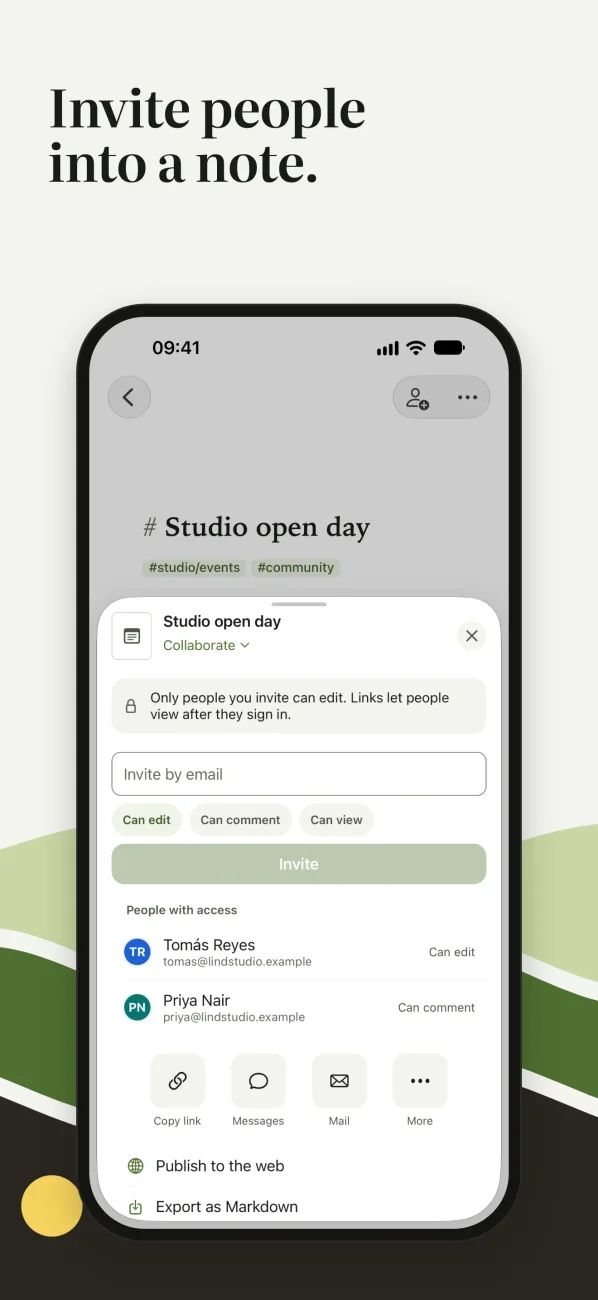
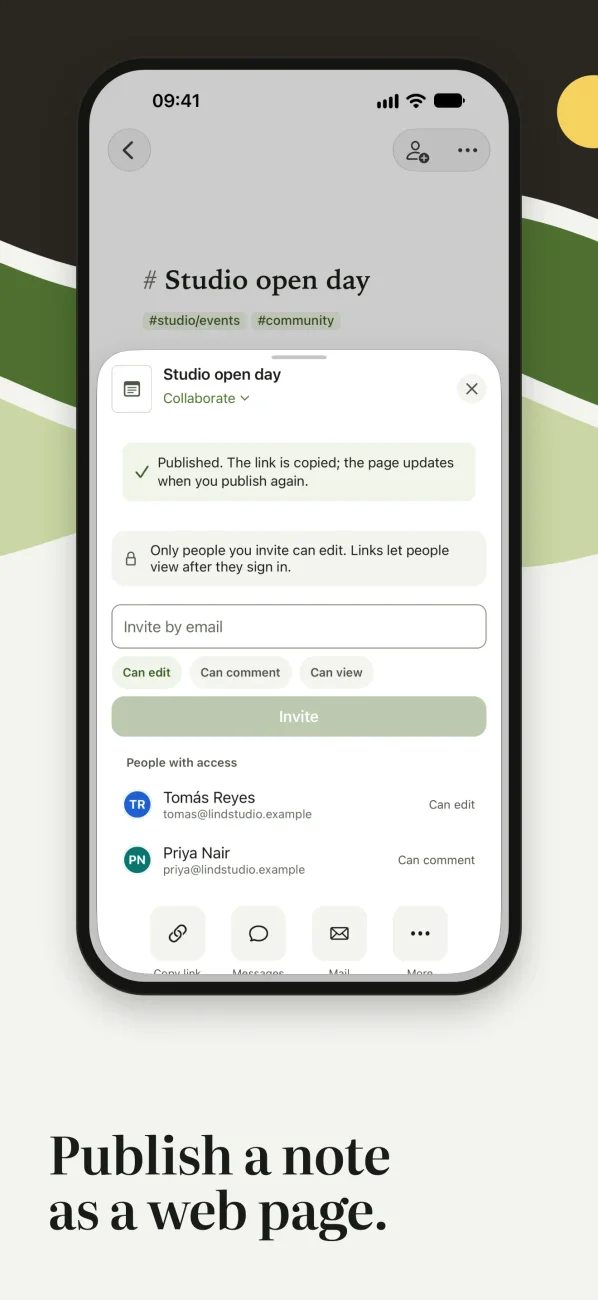
Invite people to a note by email and choose whether each person can edit, comment or only read. Publish a note as a clean web page and take it down whenever you like. Mentions and replies arrive as notifications you can answer from the Lock Screen.
AI APPS (PRO)
Connect AI apps that support MCP, the Model Context Protocol, from Settings > AI apps. You decide whether each app can read your notes, change them or manage sharing, and you can see and remove every connected app.
FREE AND PRO
Free: the full editor, all themes and type sets, tags, links and search on one device, with no time limit. Notes that other people share with you open and sync on Free too.
Pro: sync across your devices, sharing, publishing to the web and AI app access.
Loam Pro costs US$2.99 a month or US$29.99 a year, with a 14-day free trial for new subscribers. Prices vary by country and appear in your local currency at checkout. Payment is charged to your Apple Account when you confirm the purchase, or when the free trial ends. The subscription renews automatically unless you cancel at least 24 hours before the end of the current period. Manage or cancel it in Settings > Apple Account > Subscriptions.
Terms of Use: https://loamnotes.app/terms/
Privacy Policy: https://loamnotes.app/privacy/
Support: hello@loamnotes.app
Neue Funktionen
Version 1.11.2 · 20.11.2026
Loam now asks once whether you want to share usage data. It's optional and off unless you say yes.
New
- Share usage data is a new question, and a switch in Settings › Privacy. Change your answer any time.
- If you say yes, Loam sends which features you use, your app version and platform, and a country or region worked out from your network address, which is not stored.
- Loam never sends your notes, titles, tags, names, email address or account.
- The data goes to Loam's own server in Europe.
App-Datenschutz
Was Ricardo Dantas Goncalves im App Store zum Umgang dieser App mit Daten angibt.
-
Mit Ihnen verknüpfte Daten
Können erfasst und mit Ihrer Identität verknüpft werden.
- Käufe
- Kontaktinformationen
- Benutzerinhalte
- Kennungen
- Nutzungsdaten
- Diagnose
- Sonstige Daten
-
Nicht mit Ihnen verknüpfte Daten
Können erfasst werden, sind aber nicht mit Ihrer Identität verknüpft.
- Standort
Die Datenschutzpraktiken können variieren, zum Beispiel je nach den von Ihnen verwendeten Funktionen oder Ihrem Alter.
Informationen
- Anbieter
- Ricardo Dantas Goncalves
- Kategorie
- Produktivität
- Version
- 1.11.2
- Aktualisiert
- 20.11.2026
- Veröffentlicht
- 21.10.2026
- Größe
- 62,0 MB
- Erfordert
- iOS 16.4 oder neuer
- Altersfreigabe
- 17+
- Preis
- Kostenlos
- In-App-Käufe
- Ja
- Sprachen
- Englisch
- Copyright
- © 2026 Loam
Das könnte Ihnen auch gefallen
-
 Articles Read Aloud - TunereadProduktivität
-
 Ca.denceProduktivität
-
 StoreeMailProduktivität
-
 Steady: Goal & Daily PlannerProduktivität
-
 Olive Shoots: FamilienkalenderAufgabenplan und Kinder-Kiosk
-
 Spunto: Intelligente NotizenNotizen-App, die sich ordnet
-
 Tasks for PebbleProduktivität
-
 Chrona: Calendar & TasksProduktivität
-
 TimeLoop: Wochenplaner & To-doGeteilter Kalender & Routine
-
 Brizemi: Tagesplaner & To-doAufgaben, Routinen & Lernplan