
Loam – Markdown Notes
Write, link, sync and share
Diseñada para iPhone, iPad
Gratis · Compras en la aplicación
- Clasificación por edad17+
- CategoríaProductividad
- DesarrolladorRicardo Dantas Goncalves
- IdiomasInglés
- Tamaño62,0 MB
Enlaza a la página oficial de App Store
Download.org no aloja ningún archivo de Loam – Markdown Notes. El botón abre la página de la aplicación en App Store, donde la publica Ricardo Dantas Goncalves. Ficha comprobada por última vez el 23/11/2026.
Capturas de pantalla
Acerca de
El desarrollador no ha proporcionado este texto en tu idioma.
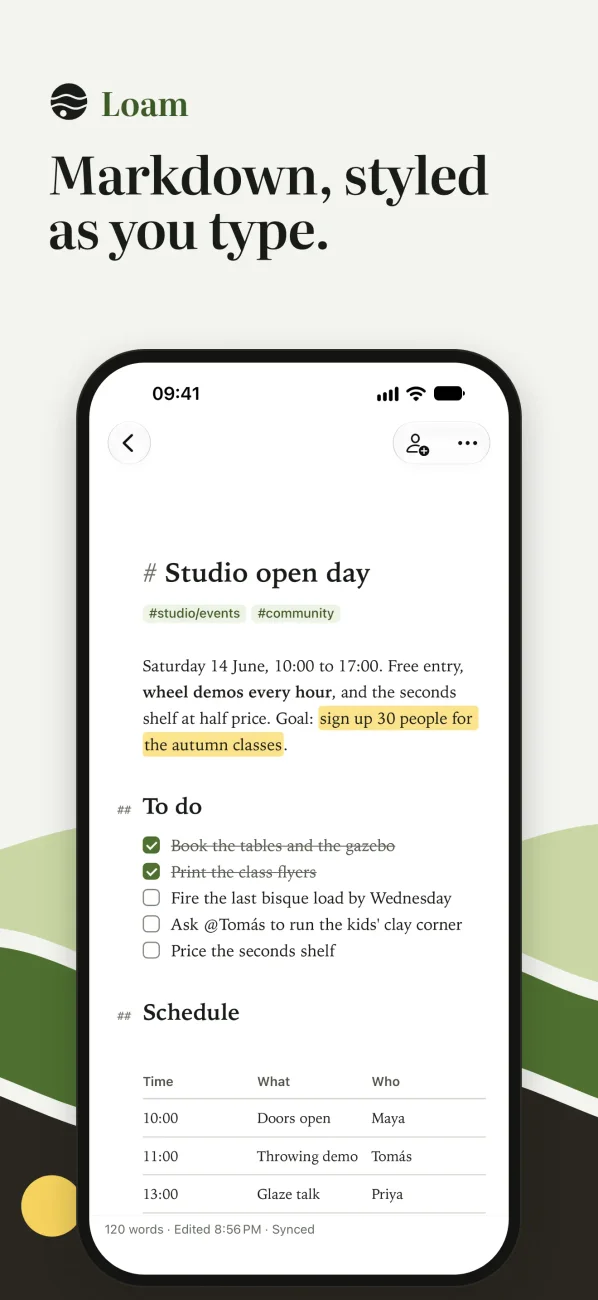
Loam is a Markdown notes app that formats as you type. Type ## and the line becomes a heading. Bold, links, tasks, tables and code render in place, and the file underneath stays plain Markdown.
WRITE
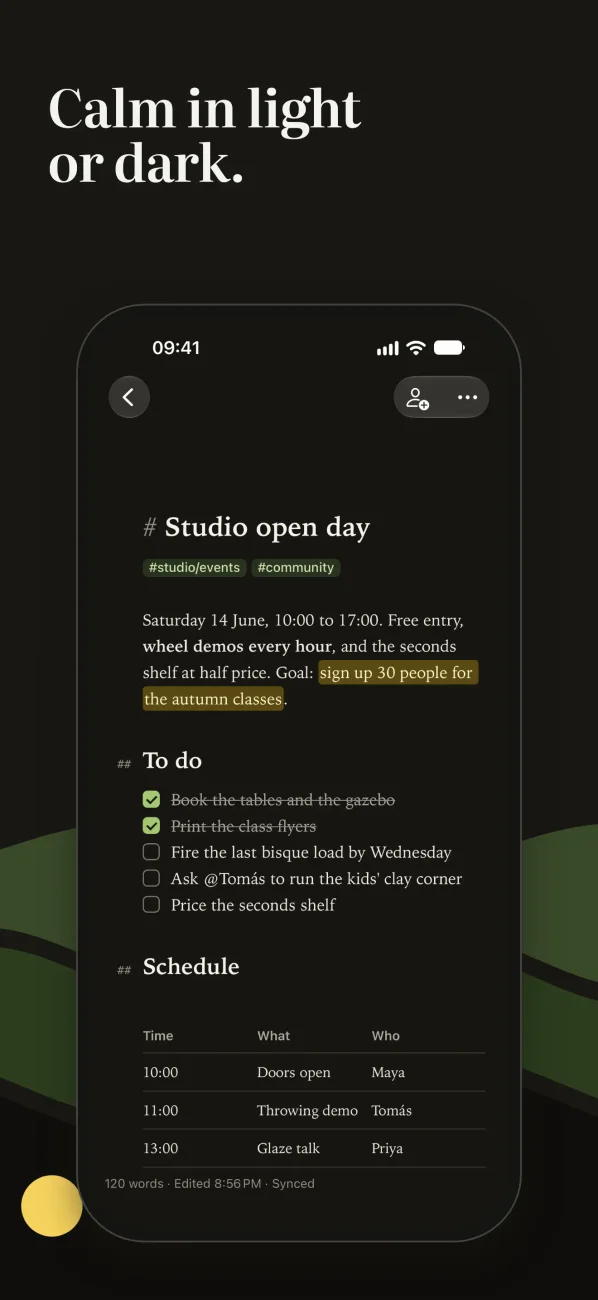
Headings hang in the margin so every line keeps the same left edge, and Markdown marks fade when your cursor moves away. Prefer to see every character? Turn that off in Settings. Pick from 22 editor themes, in light and dark, and three type sets. They are all free.
FIND
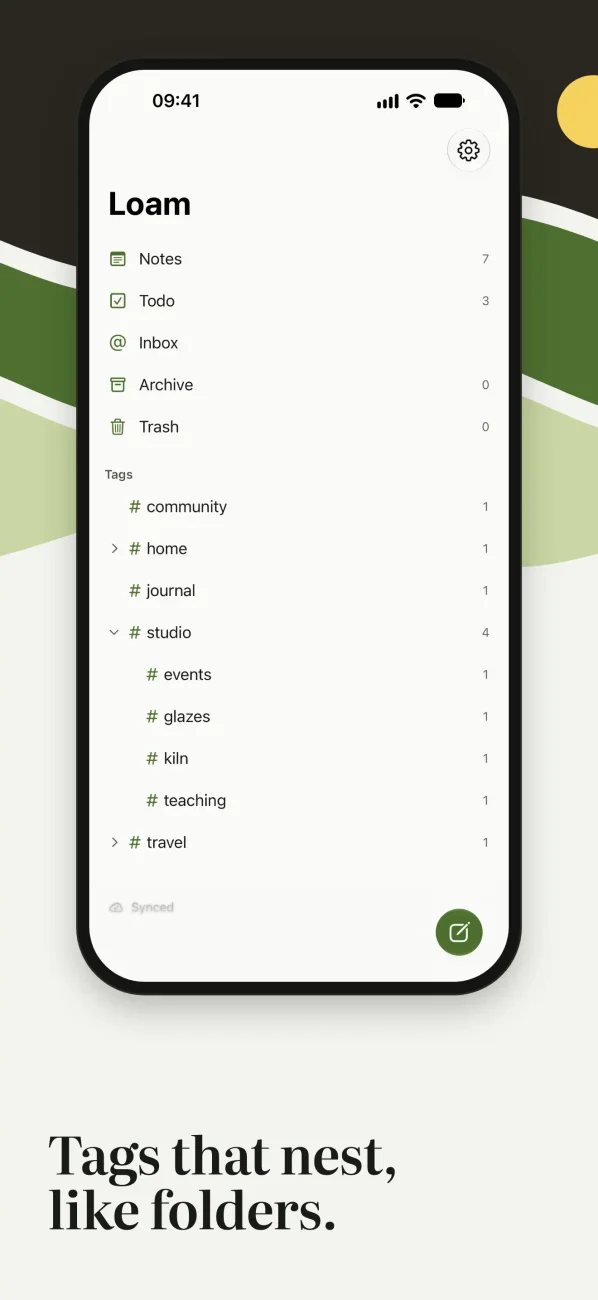
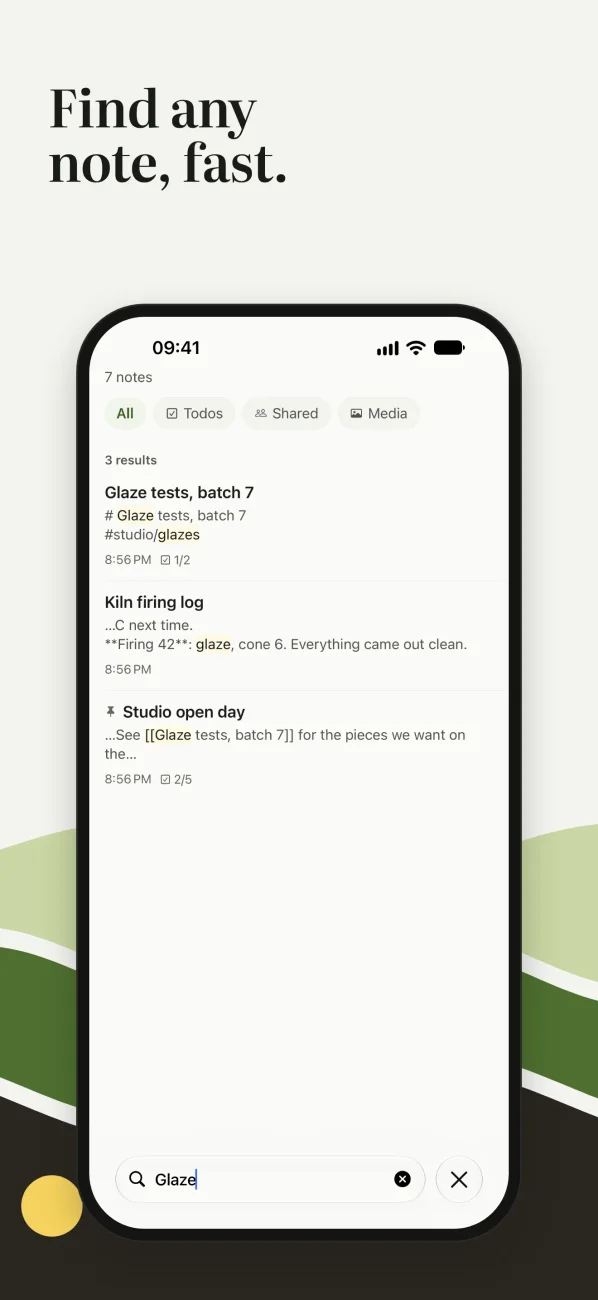
Tag a note with #tag, or nest tags like #projects/garden. Link one note to another with [[double brackets]]. Search every note from the library. Tap a link, a #tag or a [[wiki link]] to jump to it. Pin notes, archive the ones you are done with and send the rest to Trash, where you can restore them.
MADE FOR IPHONE AND IPAD
Add a Home Screen widget for your recent note, quick capture or an interactive checklist. Start a new note from a control. Send text, links and web pages to Loam from the Share sheet. On iOS 27, ask Siri to create a note, add to it, rename or pin it, or search Loam. Asking in your own words needs Apple Intelligence where Apple offers it, and phrases like "Capture a note in Loam" work too. The Shortcuts app adds actions to tag a note, open your tasks, archive a note or move it to Trash, and Loam asks before it moves a note. Spotlight finds your notes by their title, text and tags. The search index stays on your device, and you can turn it off in Settings. On iPad, the library and the note sit side by side. Export every note as Markdown files from Settings.
SHARE (PRO)
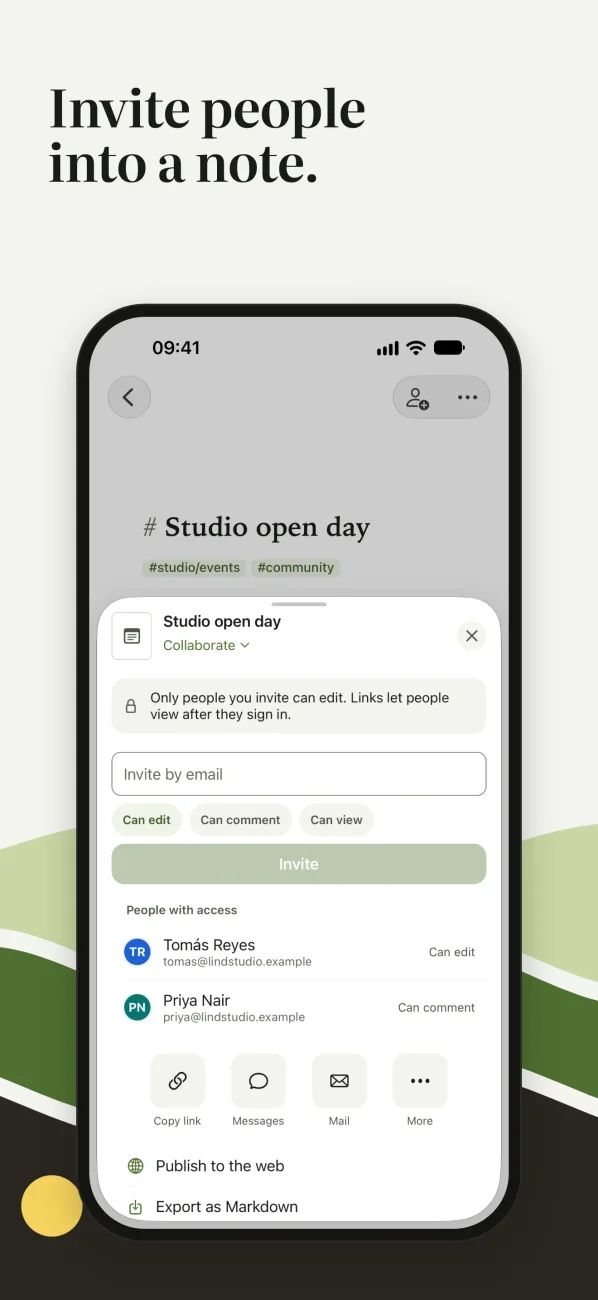
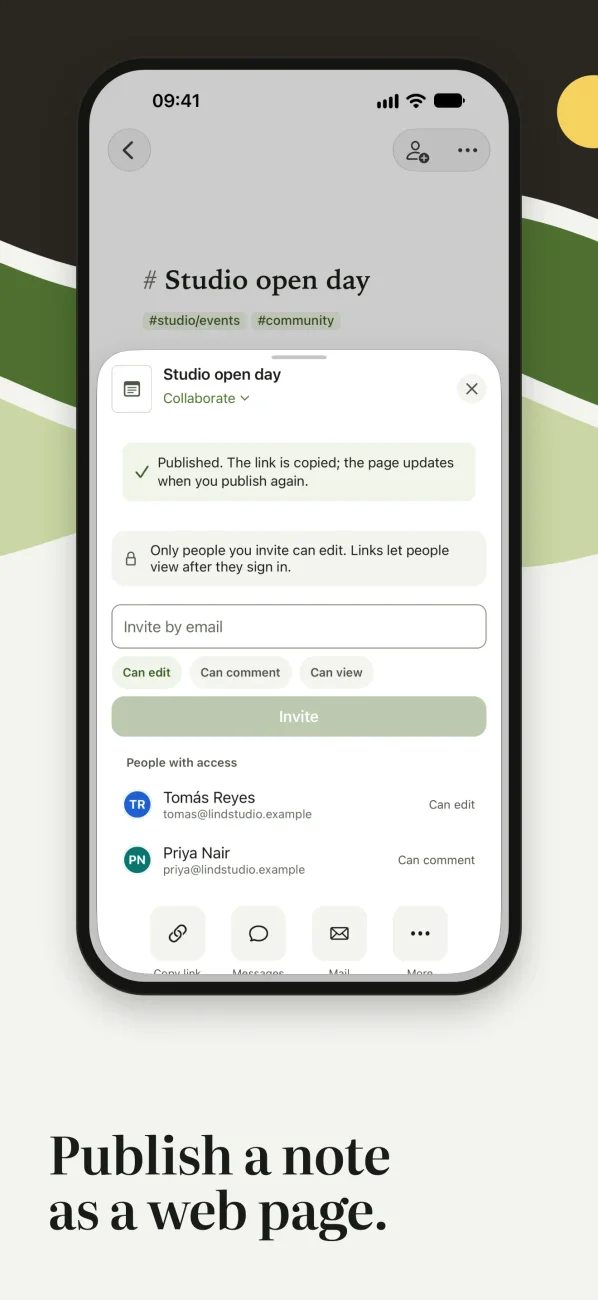
Invite people to a note by email and choose whether each person can edit, comment or only read. Publish a note as a clean web page and take it down whenever you like. Mentions and replies arrive as notifications you can answer from the Lock Screen.
AI APPS (PRO)
Connect AI apps that support MCP, the Model Context Protocol, from Settings > AI apps. You decide whether each app can read your notes, change them or manage sharing, and you can see and remove every connected app.
FREE AND PRO
Free: the full editor, all themes and type sets, tags, links and search on one device, with no time limit. Notes that other people share with you open and sync on Free too.
Pro: sync across your devices, sharing, publishing to the web and AI app access.
Loam Pro costs US$2.99 a month or US$29.99 a year, with a 14-day free trial for new subscribers. Prices vary by country and appear in your local currency at checkout. Payment is charged to your Apple Account when you confirm the purchase, or when the free trial ends. The subscription renews automatically unless you cancel at least 24 hours before the end of the current period. Manage or cancel it in Settings > Apple Account > Subscriptions.
Terms of Use: https://loamnotes.app/terms/
Privacy Policy: https://loamnotes.app/privacy/
Support: hello@loamnotes.app
Novedades
Versión 1.11.2 · 20/11/2026
Loam now asks once whether you want to share usage data. It's optional and off unless you say yes.
New
- Share usage data is a new question, and a switch in Settings › Privacy. Change your answer any time.
- If you say yes, Loam sends which features you use, your app version and platform, and a country or region worked out from your network address, which is not stored.
- Loam never sends your notes, titles, tags, names, email address or account.
- The data goes to Loam's own server in Europe.
Privacidad de la aplicación
Lo que Ricardo Dantas Goncalves declara en App Store sobre cómo esta aplicación gestiona los datos.
-
Datos vinculados a ti
Pueden recopilarse y vincularse a tu identidad.
- Compras
- Información de contacto
- Contenido del usuario
- Identificadores
- Datos de uso
- Diagnóstico
- Otros datos
-
Datos no vinculados a ti
Pueden recopilarse, pero no se vinculan a tu identidad.
- Ubicación
Las prácticas de privacidad pueden variar, por ejemplo, según las funciones que uses o tu edad.
Información
- Vendedor
- Ricardo Dantas Goncalves
- Categoría
- Productividad
- Versión
- 1.11.2
- Actualizado
- 20/11/2026
- Publicado
- 21/10/2026
- Tamaño
- 62,0 MB
- Requiere
- iOS 16.4 o posterior
- Clasificación por edad
- 17+
- Precio
- Gratis
- Compras en la aplicación
- Sí
- Idiomas
- Inglés
- Copyright
- © 2026 Loam
Quizá también te guste
-
 Articles Read Aloud - TunereadProductividad
-
 Ca.denceProductividad
-
 StoreeMailProductividad
-
 Steady: Goal & Daily PlannerProductividad
-
 Olive Shoots: Agenda familiarTareas y modo quiosco
-
 Spunto: Notas inteligentesNotas que se organizan solas
-
 Tasks for PebbleTus listas en la muñeca
-
 Chrona: Calendar & TasksProductividad
-
 TimeLoop: Agenda y organizadorHorario, calendario compartido
-
 Brizemi: Planificador diarioAgenda y lista de tareas