LoopListen: A-B Loop Player
Loop, record & read aloud
Entwickelt für iPhone, iPad
0,99 €
- Altersfreigabe4+
- KategorieBildung
- Entwickler栋 梁
- SprachenEnglisch+ 19 weitere
- Größe4,2 MB
Verlinkt auf die offizielle App Store-Seite
Download.org hostet keine Datei von LoopListen: A-B Loop Player. Die Schaltfläche öffnet die App-Seite bei App Store, wo 栋 梁 die App veröffentlicht. Eintrag zuletzt geprüft am 23.11.2026.
Screenshots




Info
Der Entwickler hat diesen Text nicht in Ihrer Sprache bereitgestellt.
LoopListen helps you listen again, shadow speech and practise a phrase. Import listening material, record your own voice, or turn a document into speech, then repeat the part you want to learn.
TAP A, TAP B
Tap A at the start and B at the end of a phrase to loop it. Drag the waveform handles or nudge them by 0.1 second. An optional A-point lead-in helps keep the first sound.
BUILT FOR PRACTICE
• Speed from 0.5x to 2.0x without changing pitch
• Shadowing pauses of 1–10 seconds, or as long as the loop
• Repeat forever or stop after a set number of passes
• Save multiple A-B loops and switch with a tap
• Remember position, loop settings and speed for each file
• Background audio with Lock Screen and Control Center controls
IMPORT AUDIO AND VIDEO
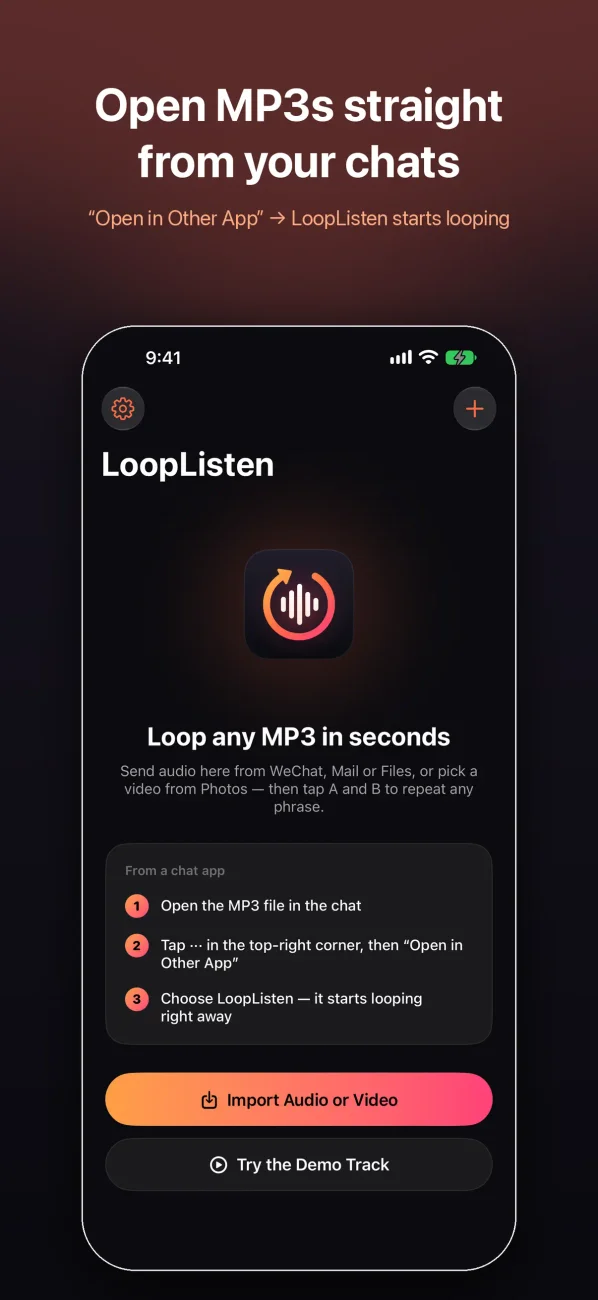
• Use Open in Other App → LoopListen from chat apps, Mail or Files
• Save to LoopListen in the share sheet accepts audio, video, TXT and DOCX. After saving, it attempts to open LoopListen; text documents enter the speech preview. If the system declines, use Open LoopListen or open the app manually
• Play MP3, M4A/AAC, ALAC, WAV, AIFF, CAF, FLAC, Opus, MP2 and M4B; some containers are converted during import
• MP4 and MOV video follows the audio through loops, speed changes and shadowing pauses
RECORD MP3
Choose + → Start Recording. Finish to save an MP3 in your library, ready for playback, loops, renaming or sharing. Microphone permission is requested on first use. An unfinished recording can be saved when you next enter recording.
TURN TEXT INTO SPEECH
Copy text in another app, then choose + → Import from Clipboard and allow pasting if iOS asks. The app does not read the clipboard at launch.
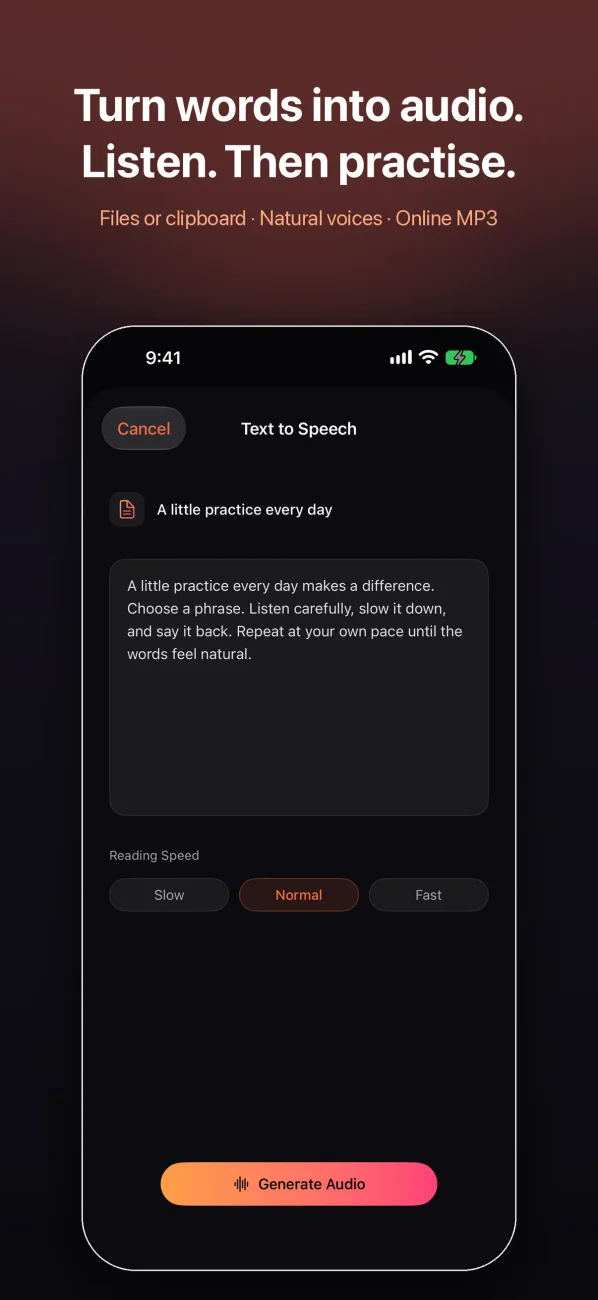
For files, Text to Speech is the last item in the + menu. Select TXT or DOCX, or open a document from another app. Scroll through the full text and choose Slow, Normal or Fast. The document language is detected on-device and a matching natural voice is selected automatically. One voice is used per document; short or mixed-language text may be misidentified. Tap Generate Audio to create an MP3 for your library, then use the same playback and loop controls.
TXT supports UTF-8, BOM-tagged UTF-16 and GB18030. DOCX extracts document text. Files are limited to 10 MB and 10,000 text characters; encrypted documents and image-only text are not supported.
An internet connection is required for generation. Only after you tap Generate Audio is the text sent to an online voice service; the source file stays on your device. If the service fails or times out, the app asks you to resubmit the file and try again later.
SIMPLE AND CLEAR
No account, advertising, in-app purchases or subscriptions. Media, microphone recordings and loop settings stay local. See the privacy policy for online text-to-speech data handling.
YOUR SCREEN, YOUR LANGUAGE
Adaptive layouts support compact and expanded screens on iPhone, iPad and Mac. Playback continues through screen-size and orientation changes. Choose Light or Dark appearance in Settings.
Interfaces are available in English, Simplified and Traditional Chinese, Japanese, Korean, Spanish, French, German, Brazilian Portuguese, Italian, Russian, Arabic, Hindi, Bengali, Indonesian, Vietnamese, Thai, Turkish, Dutch and Polish. The interface follows your system or app language; speech voice selection follows the document language.
Neue Funktionen
Version 1.0.3 · 16.11.2026
• Added 20 interface languages and on-device document-language detection for automatic speech voice selection.
• Added Light and Dark appearance options in Settings.
• Improved compact and expanded layouts, preserving playback position, A/B points, speed and pauses when the screen changes.
• Improved speech previews, recording controls and accessibility focus in smaller windows.
App-Datenschutz
Was 栋 梁 im App Store zum Umgang dieser App mit Daten angibt.
-
Keine Daten erfasst
Der Entwickler erfasst keine Daten von dieser App.
Die Datenschutzpraktiken können variieren, zum Beispiel je nach den von Ihnen verwendeten Funktionen oder Ihrem Alter.
Informationen
- Anbieter
- 栋 梁
- Kategorie
- Bildung
- Version
- 1.0.3
- Aktualisiert
- 16.11.2026
- Veröffentlicht
- 12.10.2026
- Größe
- 4,2 MB
- Erfordert
- iOS 17.0 oder neuer
- Altersfreigabe
- 4+
- Preis
- 0,99 €
- Sprachen
- Englisch, Arabisch, Bengalisch, Niederländisch, Französisch, Deutsch, Hindi, Indonesisch, Italienisch, Japanisch, Koreanisch, Polnisch + 8 weitere
- Copyright
- © 2026 liang dong
Das könnte Ihnen auch gefallen
-
 EnLoop: KI-Englisch-CoachNachsprechen mit Bewertung
-
 Niho: Echtes Japanisch lesenRomane, Wörterbuch, JLPT N5 N4
-
 100X Player-3/5/10/20/50/100XNachschlagewerke
-
 优课学院Bildung
-
 舒尔特方格训练 - 注意力训练提升脑力Bildung
-
 自考考题库-成人自考本科专升本考试真题库Bildung
-
 英语三级考试聚题库-英语三级专业备考神器Nachschlagewerke
-
 AR学生地球仪Bildung
-
 自考王者Bildung
-
 日语单词-日语学习必备智能刷词APPBildung