Loopwheel: Beat & Loop Maker
Drum Machine, Synth & Guitar
Entwickelt für iPhone, iPad
Kostenlos · In-App-Käufe
- Altersfreigabe4+
- KategorieMusik
- EntwicklerJesse Hudson
- SprachenEnglisch
- Größe19,0 MB
Verlinkt auf die offizielle App Store-Seite
Download.org hostet keine Datei von Loopwheel: Beat & Loop Maker. Die Schaltfläche öffnet die App-Seite bei App Store, wo Jesse Hudson die App veröffentlicht. Eintrag zuletzt geprüft am 25.11.2026.
Screenshots
Info
Der Entwickler hat diesen Text nicht in Ihrer Sprache bereitgestellt.
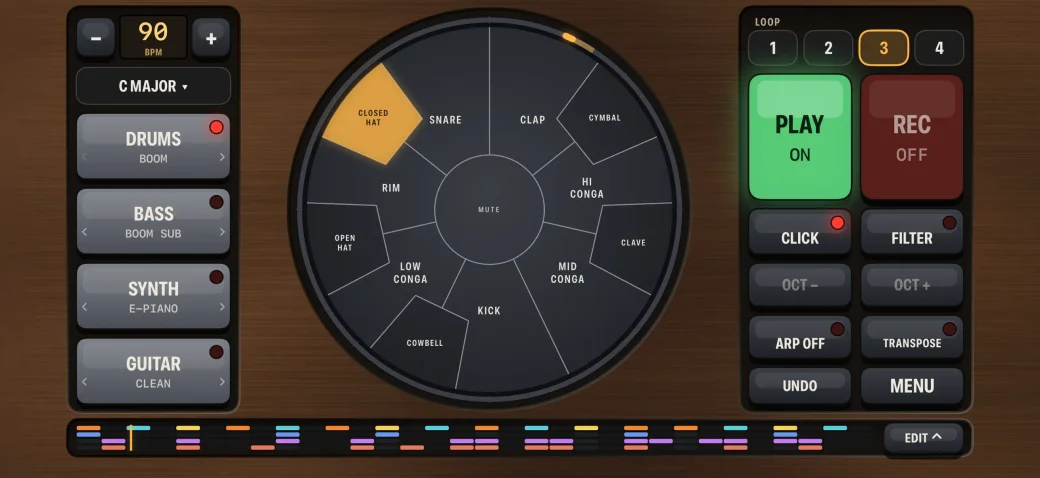
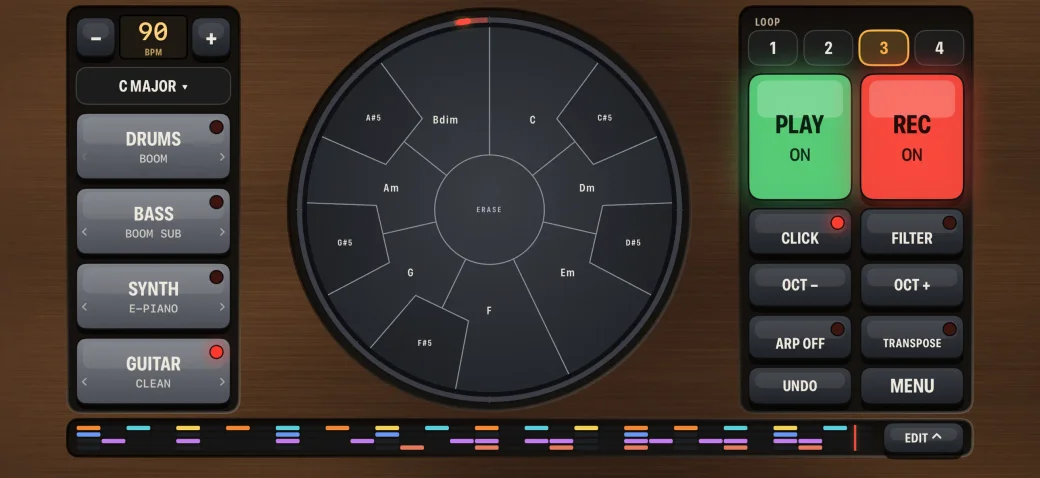
Loopwheel is a beat maker and loop machine you play with your fingers. Pick an instrument, tap the round wheel of pads and press REC: what you play goes round and round in a two-bar loop while you add the next part on top.
FOUR INSTRUMENTS, ONE WHEEL
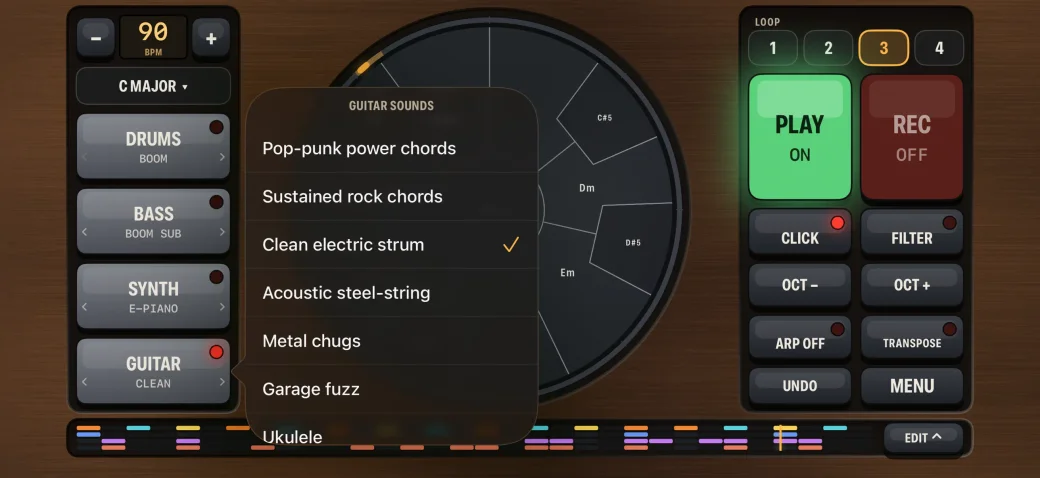
• DRUMS, BASS, SYNTH and GUITAR share the loop
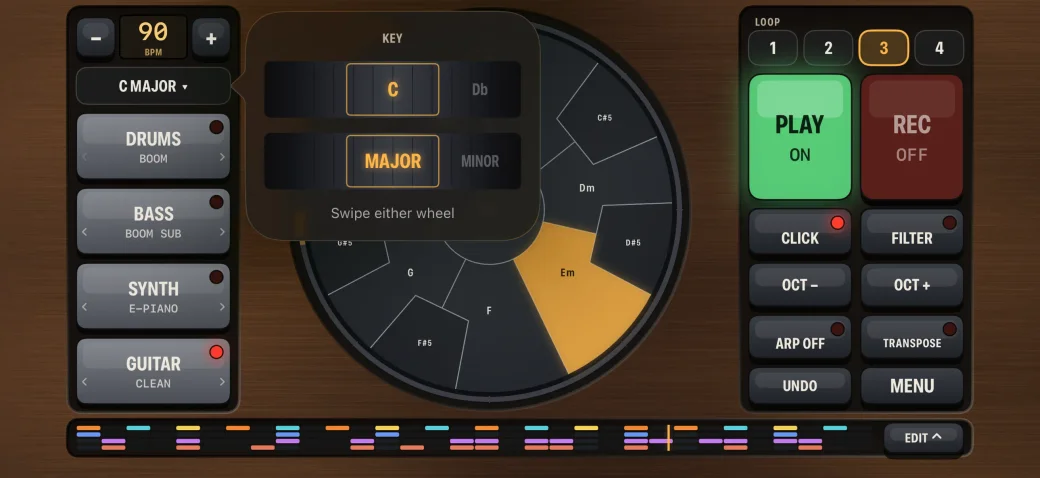
• The pads always play in your key: choose a root note and a scale, and every pad fits
• GUITAR plays whole chords, and ARP turns a held note into a pattern
• Slide from pad to pad, or use several fingers at once
RECORD BY PLAYING
• A count-in and a click, and every tap lands on the beat
• Stack take on take; UNDO takes back the last one
• Four LOOP slots for a verse, a chorus and a breakdown, switchable while the loop plays
• Hold FILTER for a sweep, hold TRANSPOSE to shift the whole loop, drag across the ruler to stutter
• Save your loops to the library and load them back any time
REAL SOUNDS
• Drum kits, basses, keys and guitars sampled from real instruments, plus chiptune, glitch and synth sounds
• Calibrate the timing for Bluetooth speakers and headphones
MADE FOR EVERY SCREEN
• iPhone: everything under your thumbs, the wheel in the middle
• iPad: the whole panel with the full loop on screen
• iPhone Duo: open it like a laptop for the wheel on top and the step editor below
THE FULL VERSION (one-time purchase, no subscription)
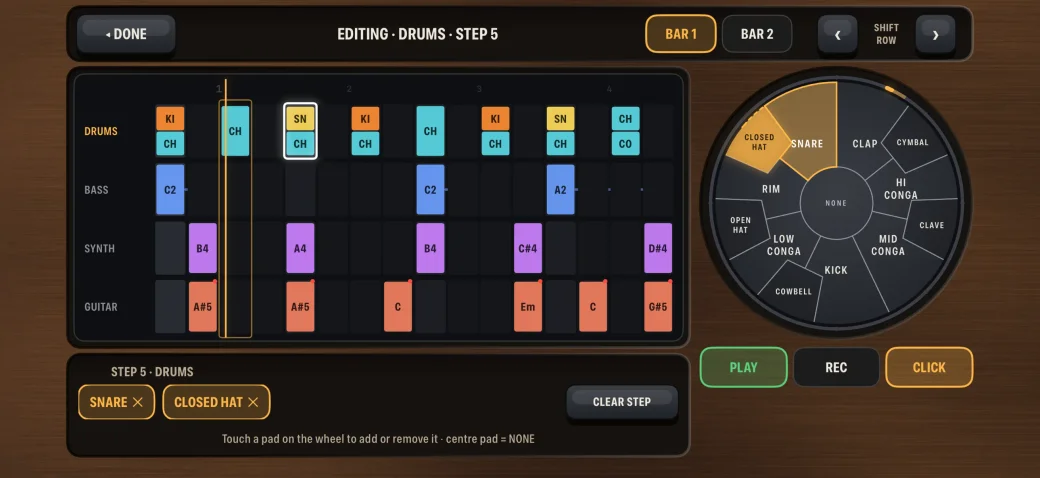
• The step editor: touch any step and choose what plays there, move hits, slide a take into time
• All ten sounds of every instrument (the free version has three of each)
• Your own samples: record sounds with the microphone, or import audio files, and play them on the wheel
• MIDI export, to finish your loops in any music app
No ads, no accounts, no tracking. Your loops and samples stay on your device.
Neue Funktionen
Version 1.0.1 · 23.11.2026
• ARP CHUG: hold a pad and the whole chord plays palm-muted on every eighth note, for instant pop-punk and metal rhythm parts. Record it like anything else, and switch any note between muted and open with PALM in the step editor.
• Snap to the beat: in Setup › General, choose whether recording snaps to 16th notes, 8th notes or beats. Two buttons snap a loop you've already recorded, and UNDO puts it back.
• Step editor: the beat numbers sit over the beats, and the wheel's names fit on the iPhone Duo's outer screen.
• Fixed: with ARP on and the beat stopped, a guitar or bass note could keep sounding after you lifted your finger.
• Notes held past the end of their recording now ring on smoothly instead of buzzing.
App-Datenschutz
Was Jesse Hudson im App Store zum Umgang dieser App mit Daten angibt.
-
Keine Daten erfasst
Der Entwickler erfasst keine Daten von dieser App.
Die Datenschutzpraktiken können variieren, zum Beispiel je nach den von Ihnen verwendeten Funktionen oder Ihrem Alter.
Informationen
- Anbieter
- Jesse Hudson
- Kategorie
- Musik
- Version
- 1.0.1
- Aktualisiert
- 23.11.2026
- Veröffentlicht
- 16.11.2026
- Größe
- 19,0 MB
- Erfordert
- iOS 17.0 oder neuer
- Altersfreigabe
- 4+
- Preis
- Kostenlos
- In-App-Käufe
- Ja
- Sprachen
- Englisch
- Copyright
- © 2026 Loveliest Village Labs