Loopwheel: Beat & Loop Maker
Drum Machine, Synth & Guitar
Diseñada para iPhone, iPad
Gratis · Compras en la aplicación
- Clasificación por edad4+
- CategoríaMúsica
- DesarrolladorJesse Hudson
- IdiomasInglés
- Tamaño19,0 MB
Enlaza a la página oficial de App Store
Download.org no aloja ningún archivo de Loopwheel: Beat & Loop Maker. El botón abre la página de la aplicación en App Store, donde la publica Jesse Hudson. Ficha comprobada por última vez el 25/11/2026.
Capturas de pantalla
Acerca de
El desarrollador no ha proporcionado este texto en tu idioma.
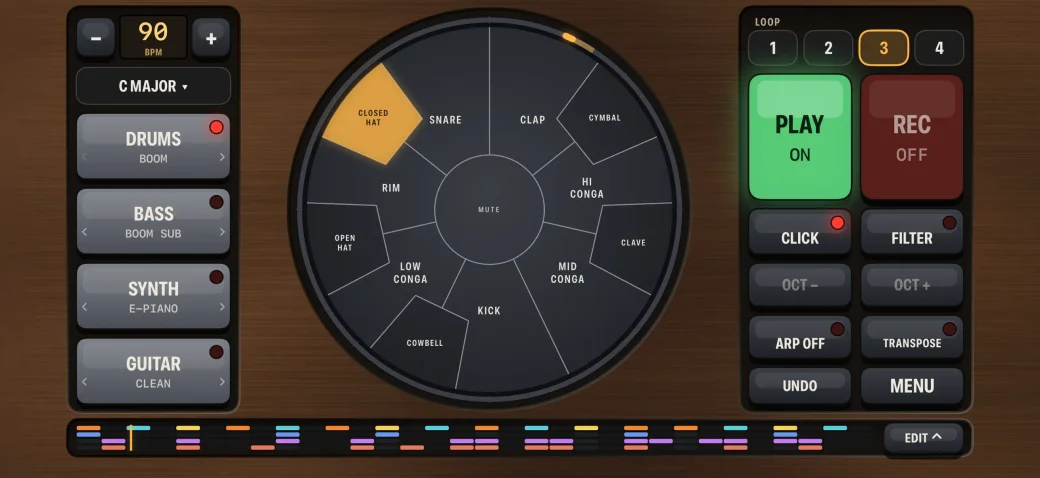
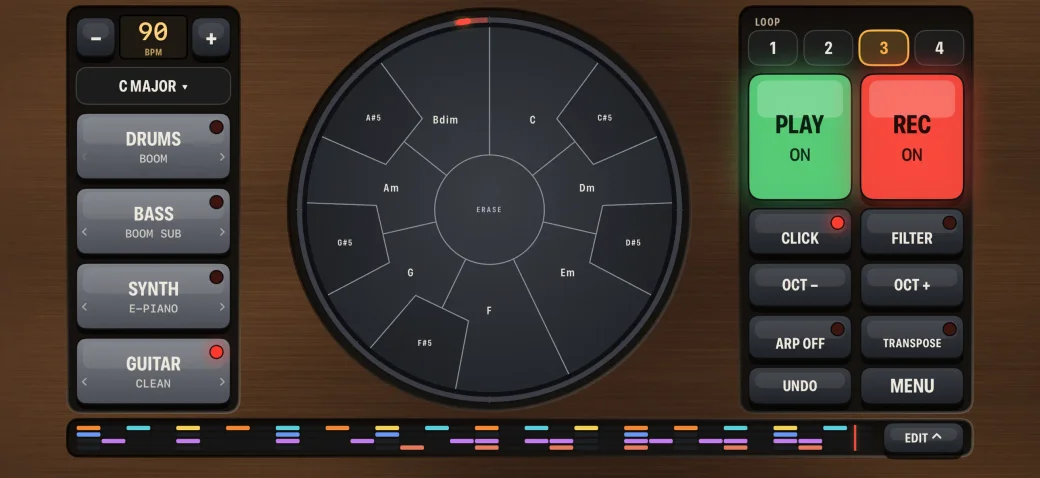
Loopwheel is a beat maker and loop machine you play with your fingers. Pick an instrument, tap the round wheel of pads and press REC: what you play goes round and round in a two-bar loop while you add the next part on top.
FOUR INSTRUMENTS, ONE WHEEL
• DRUMS, BASS, SYNTH and GUITAR share the loop
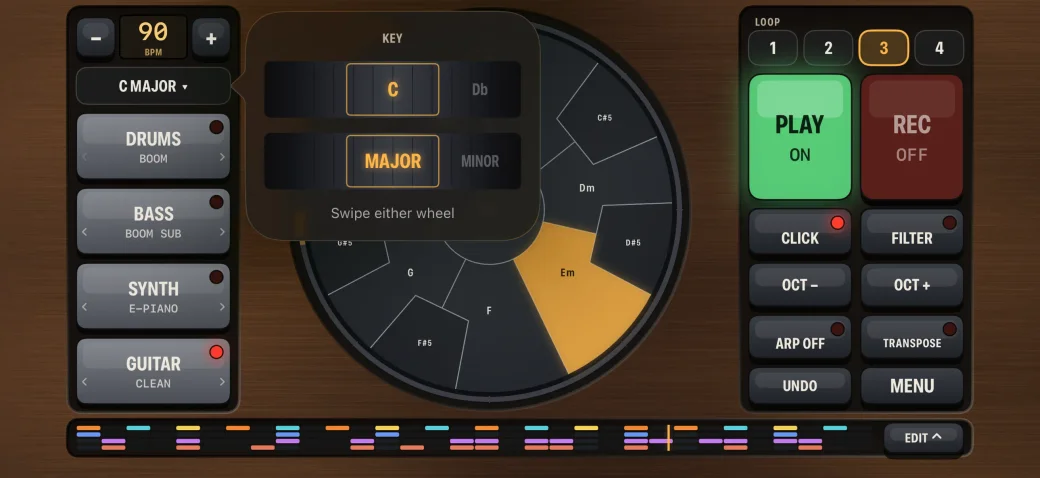
• The pads always play in your key: choose a root note and a scale, and every pad fits
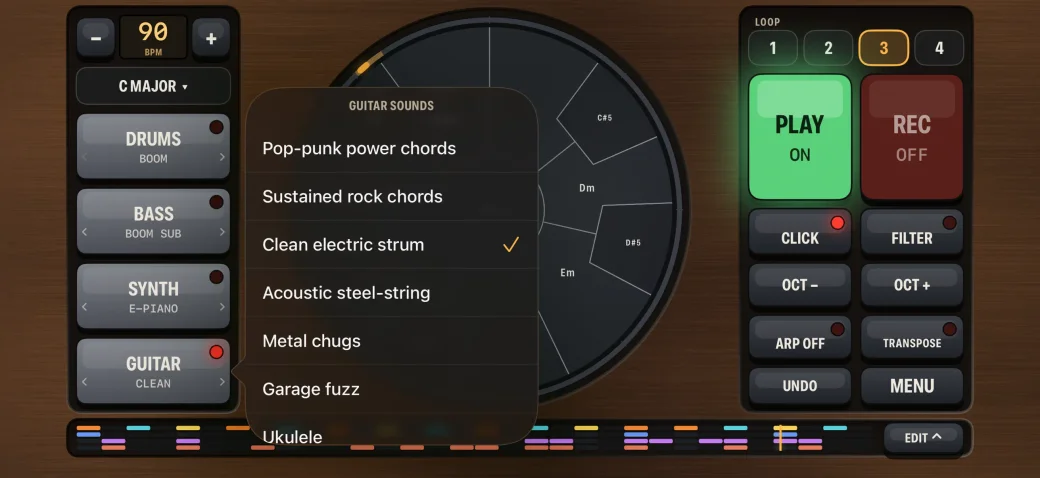
• GUITAR plays whole chords, and ARP turns a held note into a pattern
• Slide from pad to pad, or use several fingers at once
RECORD BY PLAYING
• A count-in and a click, and every tap lands on the beat
• Stack take on take; UNDO takes back the last one
• Four LOOP slots for a verse, a chorus and a breakdown, switchable while the loop plays
• Hold FILTER for a sweep, hold TRANSPOSE to shift the whole loop, drag across the ruler to stutter
• Save your loops to the library and load them back any time
REAL SOUNDS
• Drum kits, basses, keys and guitars sampled from real instruments, plus chiptune, glitch and synth sounds
• Calibrate the timing for Bluetooth speakers and headphones
MADE FOR EVERY SCREEN
• iPhone: everything under your thumbs, the wheel in the middle
• iPad: the whole panel with the full loop on screen
• iPhone Duo: open it like a laptop for the wheel on top and the step editor below
THE FULL VERSION (one-time purchase, no subscription)
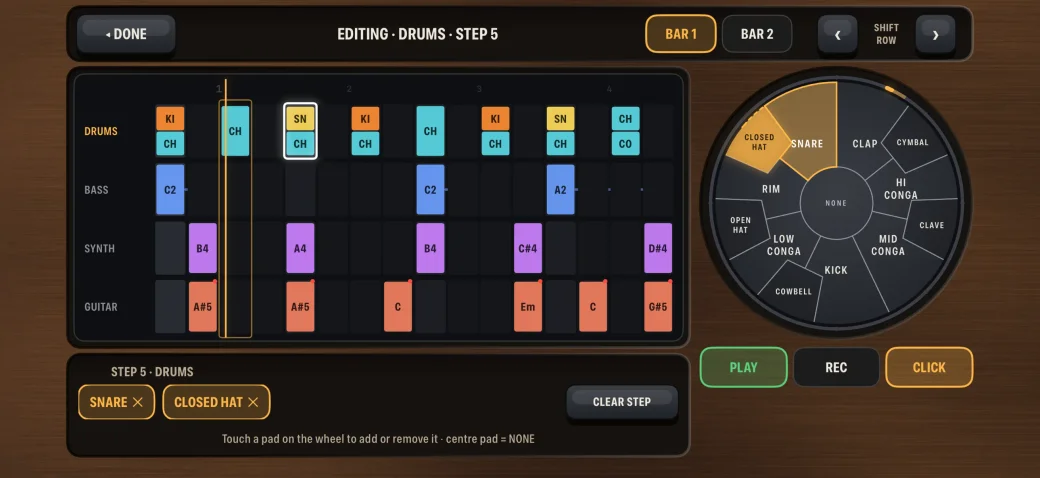
• The step editor: touch any step and choose what plays there, move hits, slide a take into time
• All ten sounds of every instrument (the free version has three of each)
• Your own samples: record sounds with the microphone, or import audio files, and play them on the wheel
• MIDI export, to finish your loops in any music app
No ads, no accounts, no tracking. Your loops and samples stay on your device.
Novedades
Versión 1.0.1 · 23/11/2026
• ARP CHUG: hold a pad and the whole chord plays palm-muted on every eighth note, for instant pop-punk and metal rhythm parts. Record it like anything else, and switch any note between muted and open with PALM in the step editor.
• Snap to the beat: in Setup › General, choose whether recording snaps to 16th notes, 8th notes or beats. Two buttons snap a loop you've already recorded, and UNDO puts it back.
• Step editor: the beat numbers sit over the beats, and the wheel's names fit on the iPhone Duo's outer screen.
• Fixed: with ARP on and the beat stopped, a guitar or bass note could keep sounding after you lifted your finger.
• Notes held past the end of their recording now ring on smoothly instead of buzzing.
Privacidad de la aplicación
Lo que Jesse Hudson declara en App Store sobre cómo esta aplicación gestiona los datos.
-
No se recopilan datos
El desarrollador no recopila ningún dato de esta aplicación.
Las prácticas de privacidad pueden variar, por ejemplo, según las funciones que uses o tu edad.
Información
- Vendedor
- Jesse Hudson
- Categoría
- Música
- Versión
- 1.0.1
- Actualizado
- 23/11/2026
- Publicado
- 16/11/2026
- Tamaño
- 19,0 MB
- Requiere
- iOS 17.0 o posterior
- Clasificación por edad
- 4+
- Precio
- Gratis
- Compras en la aplicación
- Sí
- Idiomas
- Inglés
- Copyright
- © 2026 Loveliest Village Labs