
LuNote: Notes, Tasks, Planner
Handwrite, Scan, Study with AI
Entwickelt für iPhone, iPad, Mac
Kostenlos · In-App-Käufe
- Altersfreigabe4+
- KategorieProduktivität
- EntwicklerLu Apps LLC
- SprachenEnglisch+ 10 weitere
- Größe22,6 MB
Verlinkt auf die offizielle App Store-Seite
Download.org hostet keine Datei von LuNote: Notes, Tasks, Planner. Die Schaltfläche öffnet die App-Seite bei App Store, wo Lu Apps LLC die App veröffentlicht. Eintrag zuletzt geprüft am 29.11.2026.
Screenshots
Info
Der Entwickler hat diesen Text nicht in Ihrer Sprache bereitgestellt.
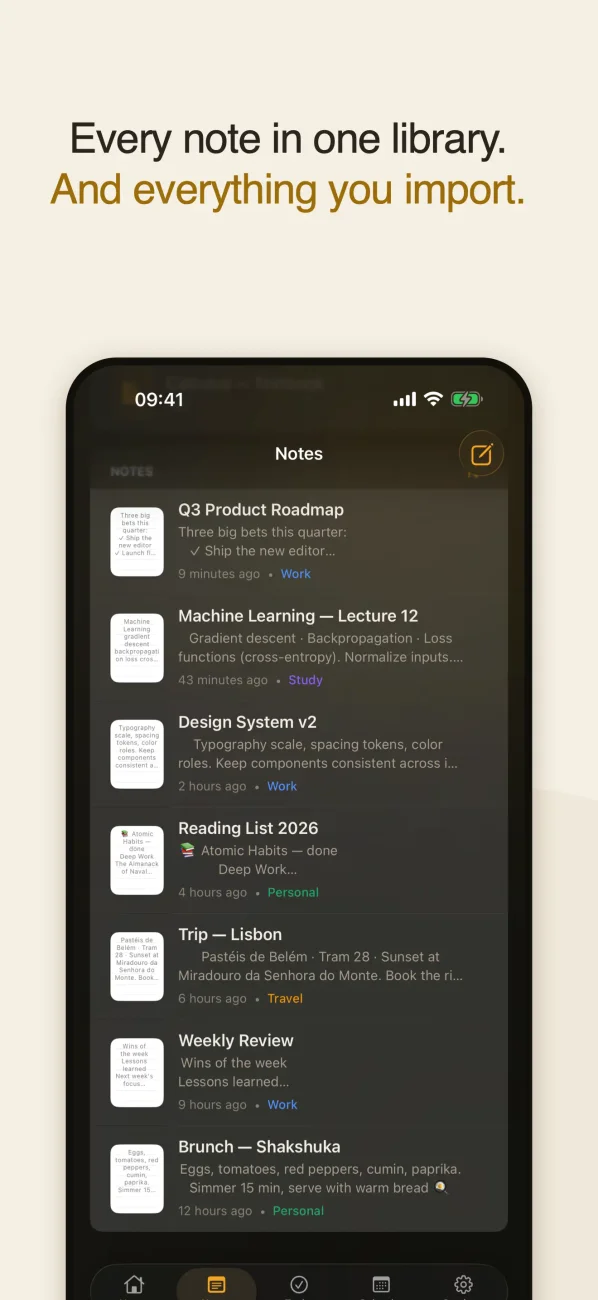
Already have years of notes in Notability or GoodNotes? Bring them with you. LuNote imports your notebooks, folders and PDFs, and your original files stay exactly where they are.
WRITE BY HAND
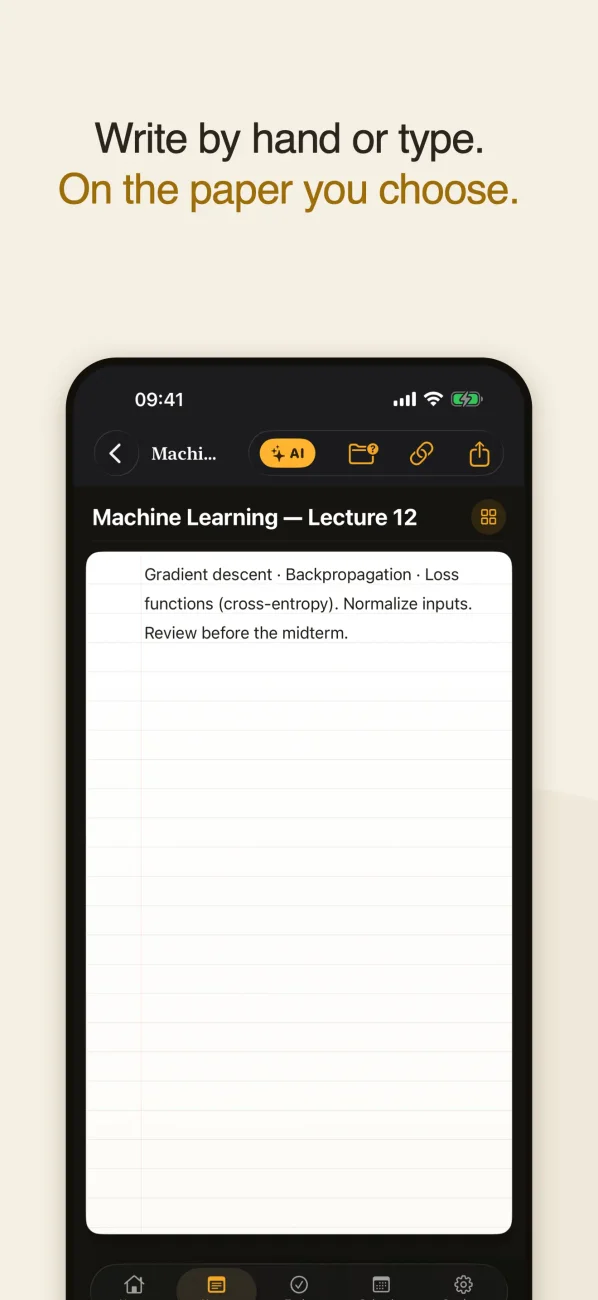
Apple Pencil on blank, lined or grid paper. Several pen tips, adjustable thickness, and handwriting that stays searchable. Mix handwriting, typed text and images on the same page.
YOUR NOTES STAY YOURS
Notes live on your device and sync through your own iCloud account. Export any page as a PDF whenever you want — if you ever leave, your work leaves with you.
WORK ON DOCUMENTS
Open PDFs, Word files, presentations and ebooks, then annotate them directly with the pencil. Scan paper to clean PDF. Read page-by-page or scroll, whichever suits you.
RECORD AND REPLAY
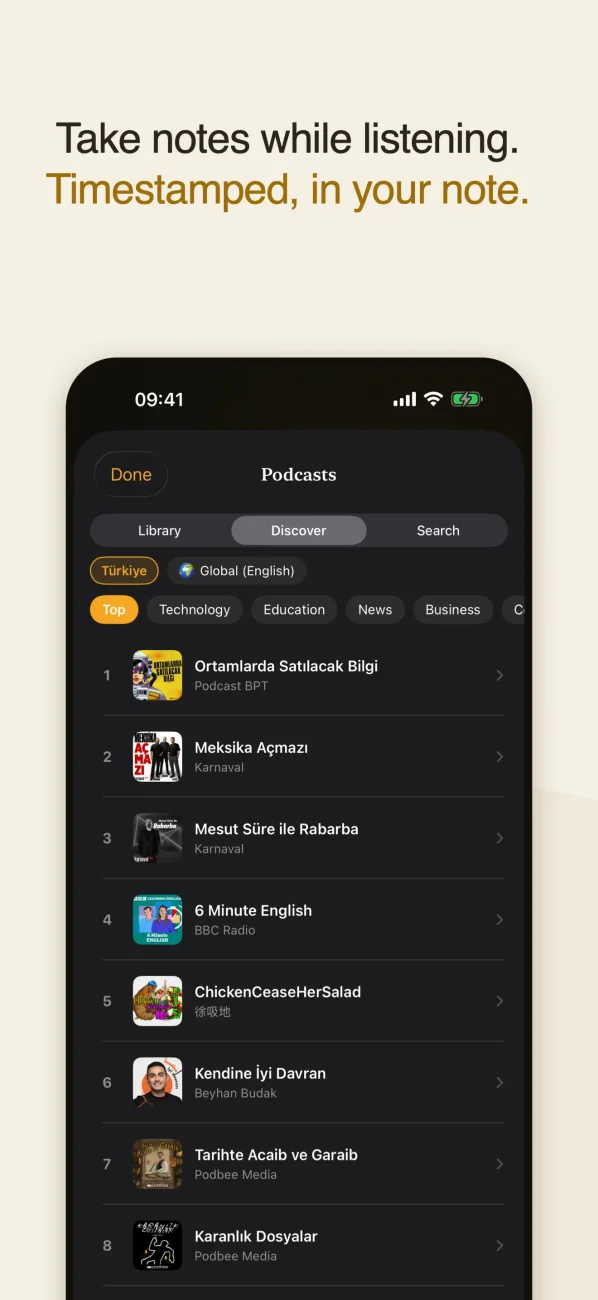
Record a lecture or meeting and drop timestamped notes as you listen. Tap any timestamp later to jump straight back to that moment.
DRAW FROM A REFERENCE
Studio turns the iPad next to your easel into a reference screen. Pin a photo and lock it so a resting palm can't nudge it. Trace on the light table. Square it up with a grid. Reduce the picture to 2-4 values to read the light and shadow. Pull out its palette, or sample any single spot. Run a pose timer that moves to the next reference on its own. Print at an exact size - 24 cm means 24 cm, tiled across sheets when the work is bigger than a page.
AI WHEN YOU WANT IT
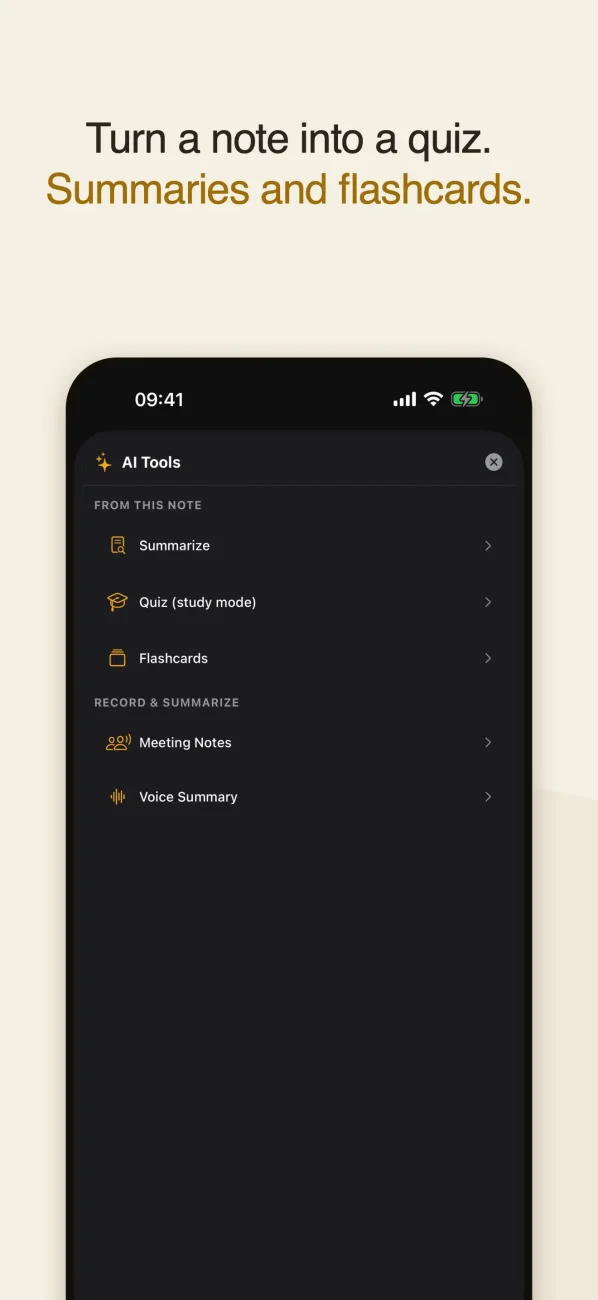
Summarise a note, ask questions about a document, or turn handwritten notes into flashcards. AI features are optional: they run only when you ask, and only the text you send is processed. Everything else stays on device.
PLAN YOUR DAY
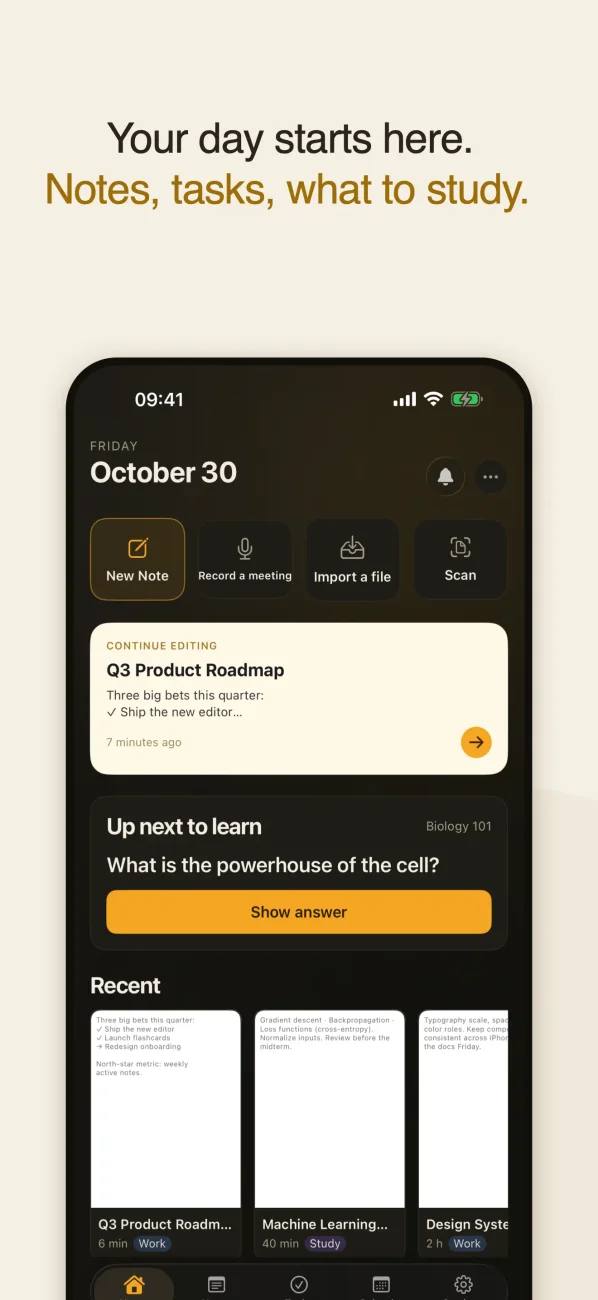
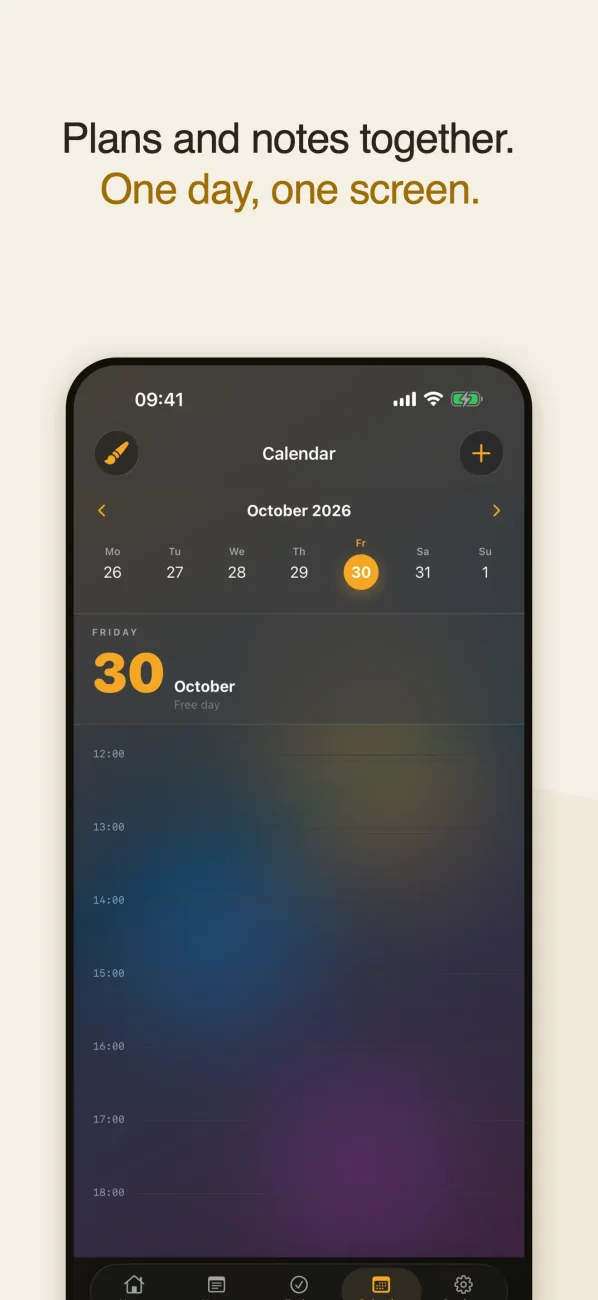
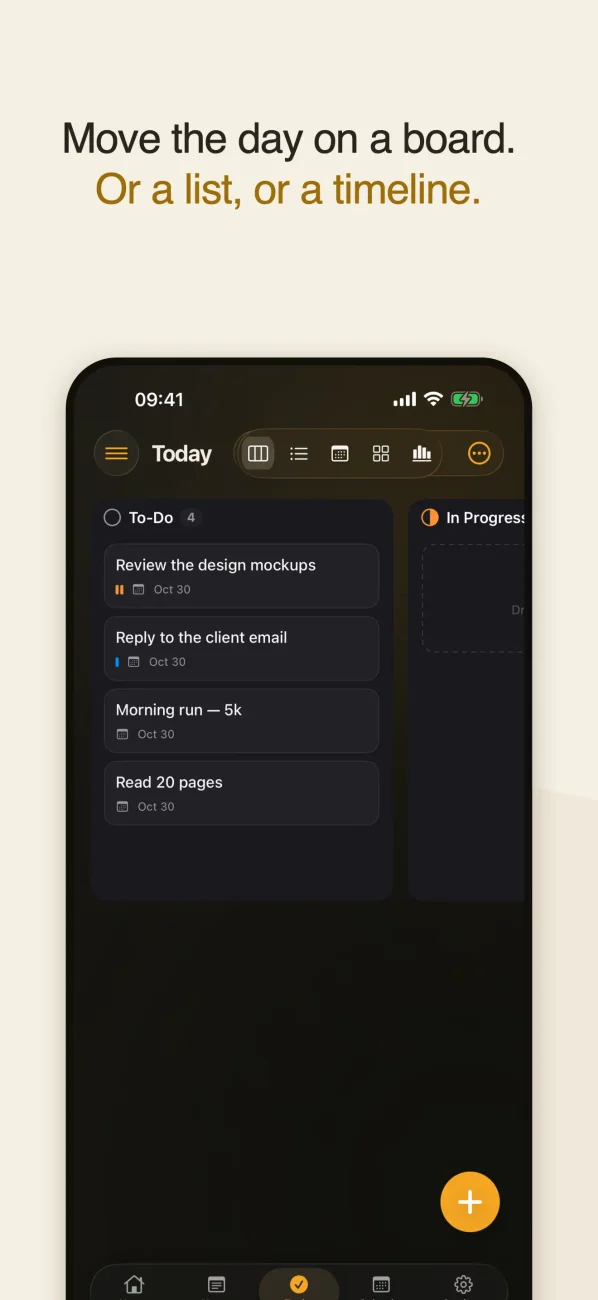
Tasks with sub-tasks and due dates, a board or list view, a calendar, reminders and recurring tasks — in the same app as the notes they belong to.
ON EVERY SCREEN
iPhone, iPad and Mac. Start a note in a lecture, finish it at your desk.
Notes, handwriting, PDFs and scanning are free and unlimited. Full access (iCloud sync across iPhone, iPad and Mac, every AI tool, scientific calculator): $3.99/month, $14.99/year or $24.99 once. Planner (iCloud sync, tasks and calendar): $1.99/month or $7.99/year. Studio Pack: $5.99 one-time, and included with Full access.
LuNote Premium is an auto-renewing subscription, offered monthly or yearly. Payment is charged to your Apple Account at confirmation of purchase. The subscription renews automatically unless cancelled at least 24 hours before the end of the current period. You can manage or cancel it any time in your Apple Account settings. Lifetime is a one-time purchase and does not renew.
Privacy Policy: https://lunote.app/privacy.html
Terms of Use (EULA): https://lunote.app/terms.html
Questions or feedback: support@lunote.app
Neue Funktionen
Version 1.48 · 28.11.2026
Cleaner reading and better documents.
- Word documents now open as real A4 pages — no more lines cut in half between pages.
- PDF covers: documents show their first page in your library.
- Document reader on iPhone: the toolbar fits the screen; extra options live in the ⋯ menu, and the tab bar steps aside while you read.
- Pen tools sit in a flat strip under the toolbar instead of floating over your page.
- A simpler Home screen: the weekly stats card is gone so your notes come first.
App-Datenschutz
Was Lu Apps LLC im App Store zum Umgang dieser App mit Daten angibt.
-
Mit Ihnen verknüpfte Daten
Können erfasst und mit Ihrer Identität verknüpft werden.
- Käufe
-
Nicht mit Ihnen verknüpfte Daten
Können erfasst werden, sind aber nicht mit Ihrer Identität verknüpft.
- Kontaktinformationen
- Kennungen
- Diagnose
Die Datenschutzpraktiken können variieren, zum Beispiel je nach den von Ihnen verwendeten Funktionen oder Ihrem Alter.
Informationen
- Anbieter
- Lu Apps LLC
- Kategorie
- Produktivität
- Version
- 1.48
- Aktualisiert
- 28.11.2026
- Veröffentlicht
- 30.06.2026
- Größe
- 22,6 MB
- Erfordert
- iOS 17.0 oder neuer
- Altersfreigabe
- 4+
- Preis
- Kostenlos
- In-App-Käufe
- Ja
- Sprachen
- Englisch, Arabisch, Französisch, Deutsch, Hindi, Italienisch, Japanisch, Portugiesisch, Vereinf. Chinesisch, Spanisch, Türkisch
- Copyright
- © 2026 Lu Apps LLC
Das könnte Ihnen auch gefallen
-
 DefterPad: Notizen von HandNotizbuch für PDF & Audio
-
 Papyrus - notes, PDFProduktivität
-
 Ideary: Voice & Text Idea NoteProduktivität
-
 Not Yaz: Voice NotesProduktivität
-
 StudyMapp: Revise Notes & PDFsProduktivität
-
 Script Studio AISkripte für Videos & Hooks
-
 nokk: Gewohnheiten & To-DoFokus auf heute. Kein Chaos.
-
 TiderlyProduktivität
-
 Dijital Planlayıcı AjandaProduktivität
-
 Arky - Your Knowledge CanvasProduktivität