
Marginalia: Markdown Editor
Live preview, LaTeX & code
Entwickelt für iPhone, iPad, Mac
- Altersfreigabe4+
- KategorieProduktivität
- EntwicklerWangyu Choi
- SprachenEnglisch+ 1 weitere
- Größe9,2 MB
Marginalia: Markdown Editor ist bei App Store derzeit möglicherweise nicht verfügbar
Bei unserer letzten Prüfung war der Store-Eintrag nicht erreichbar. Der Link führt weiterhin zur offiziellen App Store-Seite.
Screenshots

Info
Der Entwickler hat diesen Text nicht in Ihrer Sprache bereitgestellt.
Marginalia is a fast, focused, privacy-first Markdown editor for Mac, iPad, and iPhone.
Write in plain Markdown and see a clean live preview side by side. Everything runs on your device — no account, no tracking, no network required.
KEY FEATURES
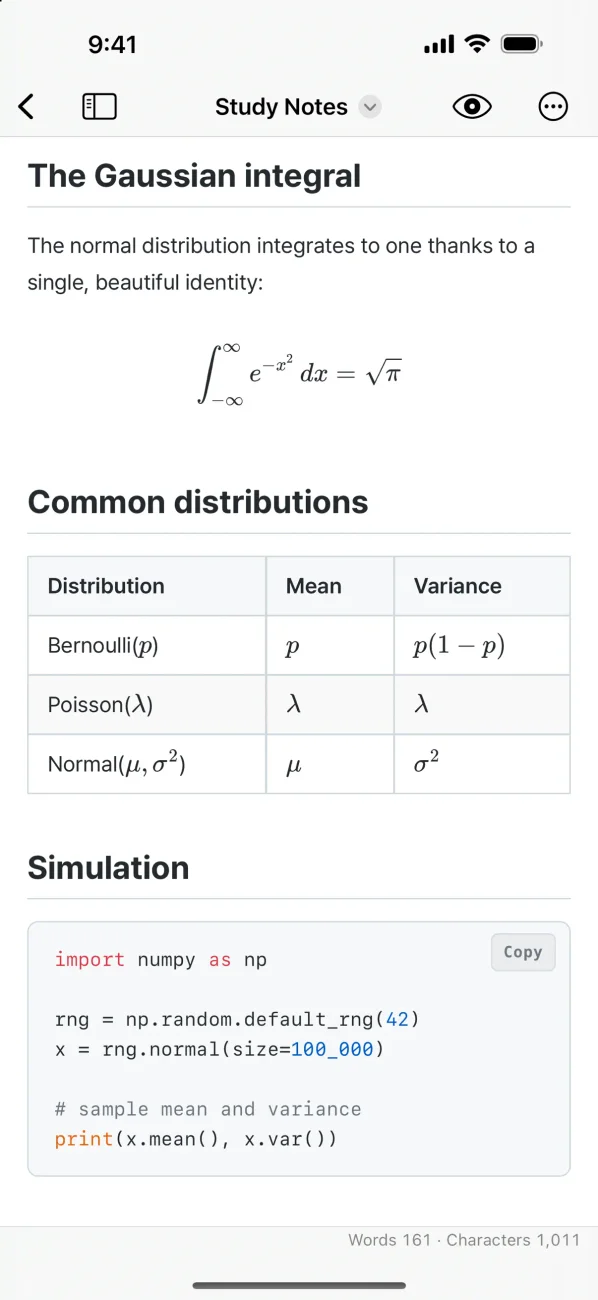
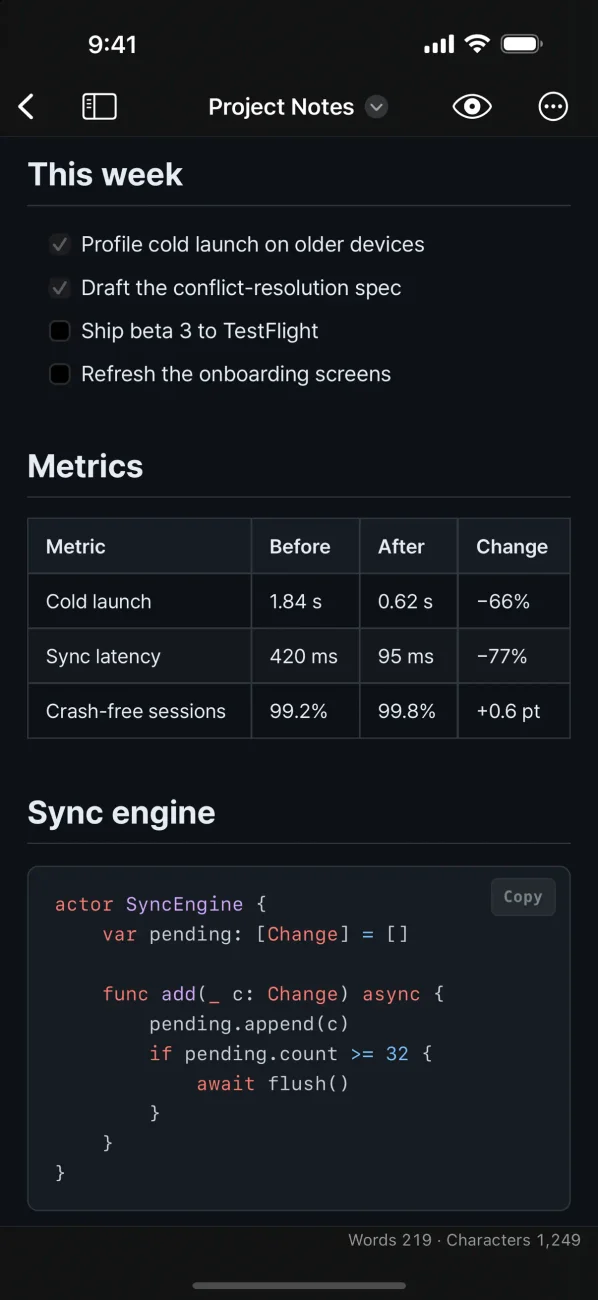
• Live preview — GitHub-flavored Markdown (tables, task lists, strikethrough, footnotes) rendered as you type, with light and dark themes. Click any block in the preview to jump to its source.
• LaTeX math — inline and display equations rendered with KaTeX.
• Code blocks — syntax highlighting for dozens of languages, with a copy button.
• Obsidian-style syntax (optional) — [[wikilinks]] between notes, ![[image embeds]], callouts, ==highlights== and %%comments%%.
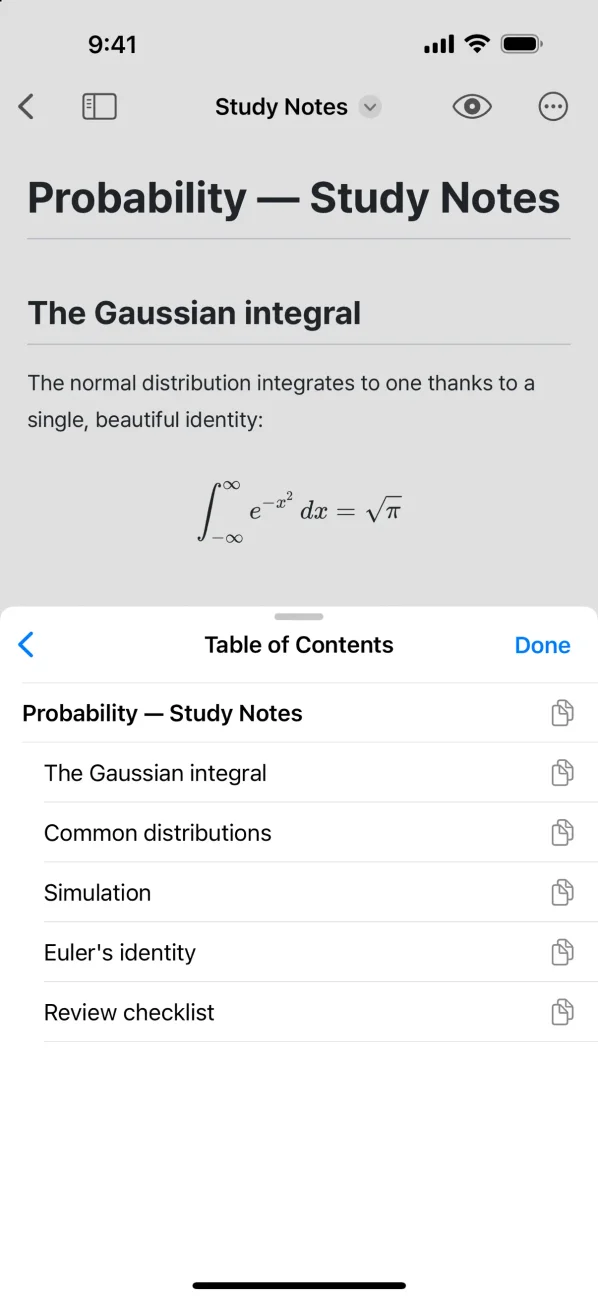
• Outline — a table of contents to jump between headings or copy a whole section.
• Images — paste or drag & drop images into your document (on iPhone and iPad you can also pick from Photos or Files). They're saved next to your document, in a folder you choose.
• File explorer — browse, search and open Markdown files in a folder you pick.
• Export & print — save or share your document as PDF or self-contained HTML, export LaTeX with its images, or print the rendered preview.
• Your files, untouched — opens UTF-8, UTF-16 and legacy encodings such as EUC-KR/CP949 and Shift-JIS, and saves them back with the same encoding and line endings.
• Built for focus — line numbers on Mac and iPad, find & replace, a live word and character count, and each window remembers its own layout. On Mac: documents open as tabs and keyboard shortcuts are customizable.
• Native on every platform — built with SwiftUI for Mac, iPad, and iPhone.
PRIVATE BY DESIGN
Marginalia collects no data. There are no analytics, no ads, and no servers. All rendering happens on-device using bundled libraries, so the app works fully offline. Your documents stay yours.
Made for writers, developers, students, and note-takers who want a clean, dependable Markdown experience.
App-Datenschutz
Was Wangyu Choi im App Store zum Umgang dieser App mit Daten angibt.
-
Keine Daten erfasst
Der Entwickler erfasst keine Daten von dieser App.
Die Datenschutzpraktiken können variieren, zum Beispiel je nach den von Ihnen verwendeten Funktionen oder Ihrem Alter.
Informationen
- Anbieter
- Wangyu Choi
- Kategorie
- Produktivität
- Version
- 1.0
- Aktualisiert
- 06.11.2026
- Veröffentlicht
- 06.11.2026
- Größe
- 9,2 MB
- Erfordert
- iOS 16.6 oder neuer
- Altersfreigabe
- 4+
- Sprachen
- Englisch, Koreanisch
- Copyright
- © 2026 Wangyu Choi
Das könnte Ihnen auch gefallen
-
 Cairn — Markdown TasksProduktivität
-
 mdisco - Markdown DiscoveryProduktivität
-
 Caliu - Notizen in MarkdownNotizbuch und Editor in einem
-
 Editor - Markdown NotesProduktivität
-
 Mobile Diary: TwoLine CalendarProduktivität
-
 EZText - Text EditorProduktivität
-
 NovoConnect AppProduktivität
-
 Inky Notes Schreib app NotizenApple pencil. Good Notes iPad
-
 ChatPDF – KI Chat für PDFFragen zu PDFs einfach lösen
-
 ChattyPDF AI - Chat w/any DocProduktivität