
Marginalia: Markdown Editor
Live preview, LaTeX & code
Được thiết kế cho iPhone, iPad, Mac
Miễn phí
- Độ tuổi4+
- Danh mụcHiệu Suất
- Nhà phát triểnWangyu Choi
- Ngôn ngữTiếng Anh+ 1 ngôn ngữ khác
- Kích thước9,2 MB
Liên kết đến trang App Store chính thức
Download.org không lưu trữ tệp nào của Marginalia: Markdown Editor. Nút này mở trang ứng dụng trên App Store, nơi Wangyu Choi phát hành ứng dụng. Trang được kiểm tra lần cuối: 12/11/2026.
Ảnh chụp màn hình

Giới thiệu
Nhà phát triển chưa cung cấp nội dung này bằng ngôn ngữ của bạn.
Marginalia is a fast, focused, privacy-first Markdown editor for Mac, iPad, and iPhone.
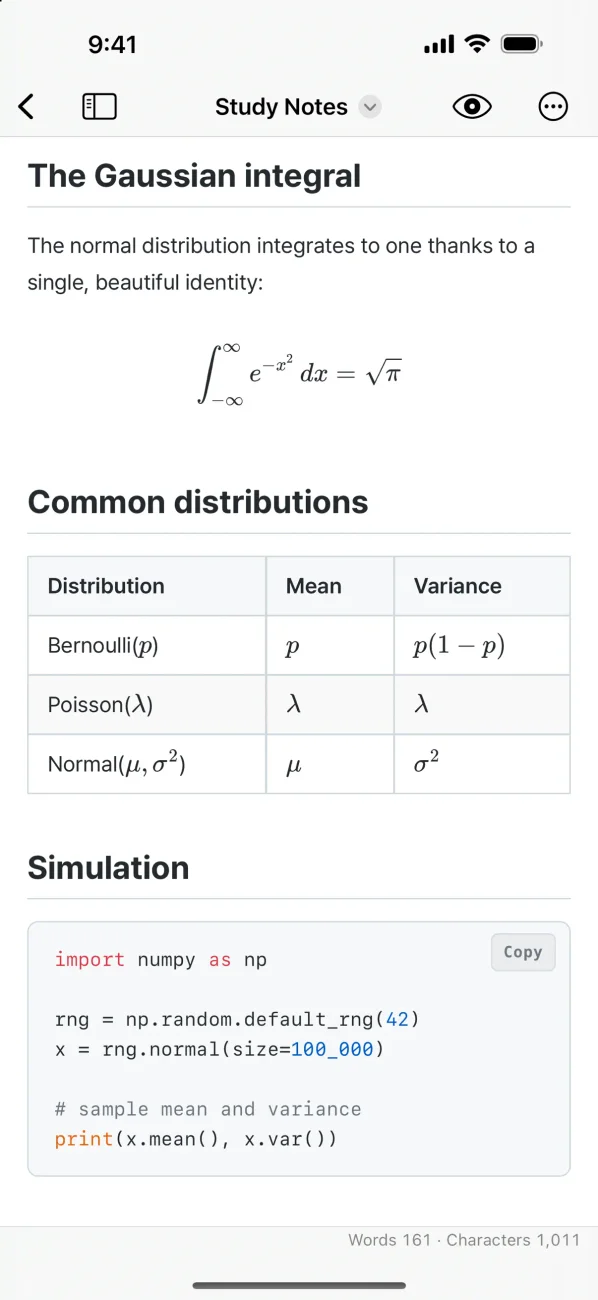
Write in plain Markdown and see a clean live preview side by side. Everything runs on your device — no account, no tracking, no network required.
KEY FEATURES
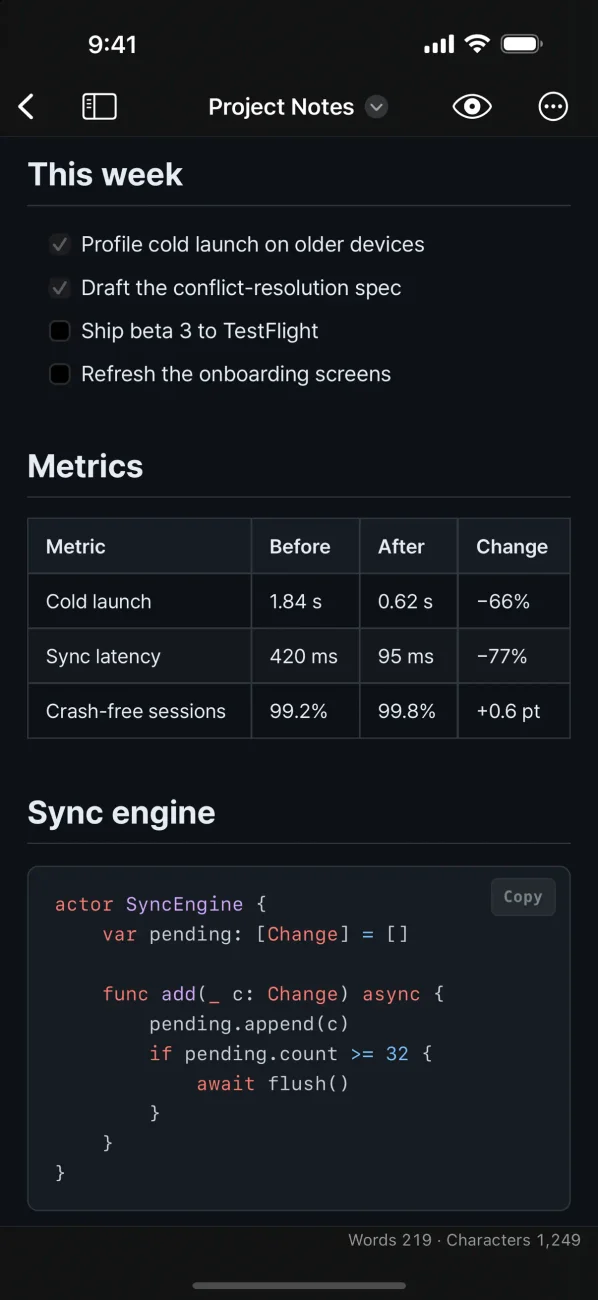
• Live preview — GitHub-flavored Markdown (tables, task lists, strikethrough, footnotes) rendered as you type, with light and dark themes. Click any block in the preview to jump to its source.
• LaTeX math — inline and display equations rendered with KaTeX.
• Code blocks — syntax highlighting for dozens of languages, with a copy button.
• Obsidian-style syntax (optional) — [[wikilinks]] between notes, ![[image embeds]], callouts, ==highlights== and %%comments%%.
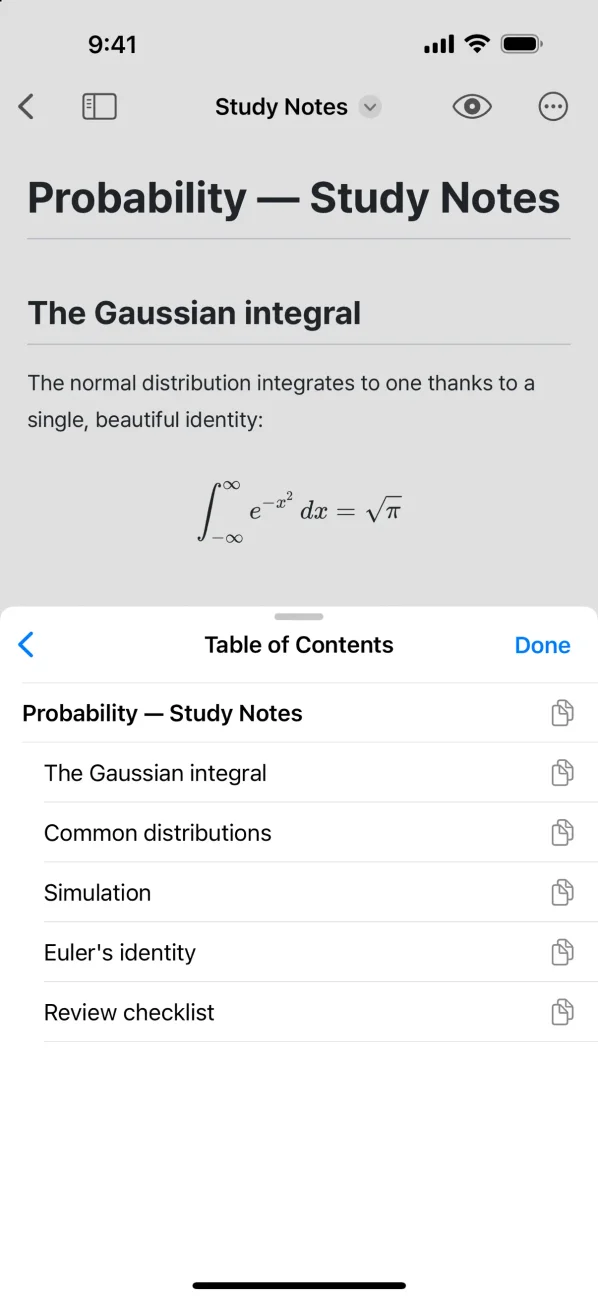
• Outline — a table of contents to jump between headings or copy a whole section.
• Images — paste or drag & drop images into your document (on iPhone and iPad you can also pick from Photos or Files). They're saved next to your document, in a folder you choose.
• File explorer — browse, search and open Markdown files in a folder you pick.
• Export & print — save or share your document as PDF or self-contained HTML, export LaTeX with its images, or print the rendered preview.
• Your files, untouched — opens UTF-8, UTF-16 and legacy encodings such as EUC-KR/CP949 and Shift-JIS, and saves them back with the same encoding and line endings.
• Built for focus — line numbers on Mac and iPad, find & replace, a live word and character count, and each window remembers its own layout. On Mac: documents open as tabs and keyboard shortcuts are customizable.
• Native on every platform — built with SwiftUI for Mac, iPad, and iPhone.
PRIVATE BY DESIGN
Marginalia collects no data. There are no analytics, no ads, and no servers. All rendering happens on-device using bundled libraries, so the app works fully offline. Your documents stay yours.
Made for writers, developers, students, and note-takers who want a clean, dependable Markdown experience.
Quyền riêng tư của ứng dụng
Những gì Wangyu Choi khai báo trên App Store về cách ứng dụng này xử lý dữ liệu.
-
Dữ liệu không được thu thập
Nhà phát triển không thu thập bất kỳ dữ liệu nào từ ứng dụng này.
Phương thức đảm bảo quyền riêng tư có thể khác nhau, chẳng hạn như tuỳ theo các tính năng bạn sử dụng hoặc độ tuổi của bạn.
Thông tin
- Người bán
- Wangyu Choi
- Danh mục
- Hiệu Suất
- Phiên bản
- 1.0
- Cập nhật
- 06/11/2026
- Phát hành
- 06/11/2026
- Kích thước
- 9,2 MB
- Yêu cầu
- iOS 16.6 trở lên
- Độ tuổi
- 4+
- Giá
- Miễn phí
- Ngôn ngữ
- Tiếng Anh, Tiếng Hàn
- Bản quyền
- © 2026 Wangyu Choi
Có thể bạn cũng thích
-
 Cairn — Markdown TasksHiệu Suất
-
 mdisco - Markdown DiscoveryHiệu Suất
-
 Caliu - Markdown NotesHiệu Suất
-
 Editor - Markdown NotesHiệu Suất
-
 Mobile Diary: TwoLine CalendarHiệu Suất
-
 EZText - Text EditorHiệu Suất
-
 NovoConnect AppHiệu Suất
-
 Inky Notes PDF ghi chú nhật kýTài liệu, bảng tính, lịch học
-
 ChatPDF - Essay & Summary AIHiệu Suất
-
 ChattyPDF AI - Chat w/any DocHiệu Suất