
Memorygraph
Same-composition photography
Entwickelt für iPhone, iPad, iPod touch
Kostenlos
- Altersfreigabe4+
- KategorieFoto und Video
- EntwicklerTomohiro Ikezaki
- SprachenEnglisch+ 1 weitere
- Größe62,2 MB
Verlinkt auf die offizielle App Store-Seite
Download.org hostet keine Datei von Memorygraph. Die Schaltfläche öffnet die App-Seite bei App Store, wo Tomohiro Ikezaki die App veröffentlicht. Eintrag zuletzt geprüft am 14.11.2026.
Screenshots

Info
Der Entwickler hat diesen Text nicht in Ihrer Sprache bereitgestellt.
This app is developed and operated by ROIS-DS Center for Open Data in the Humanities (CODH).
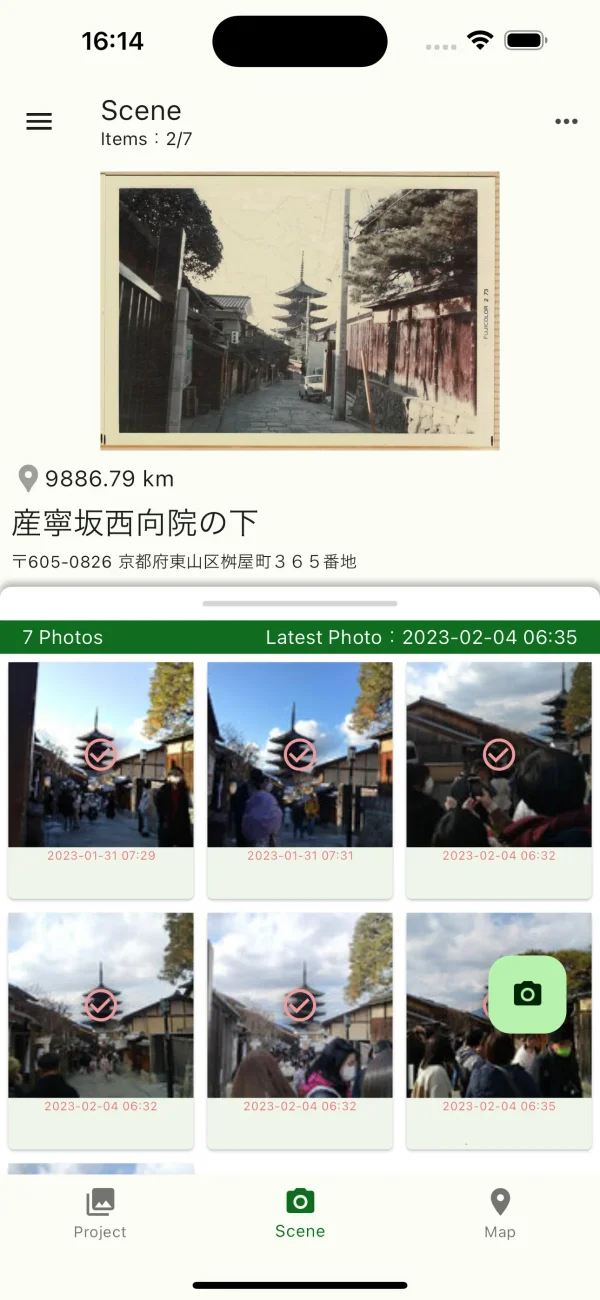
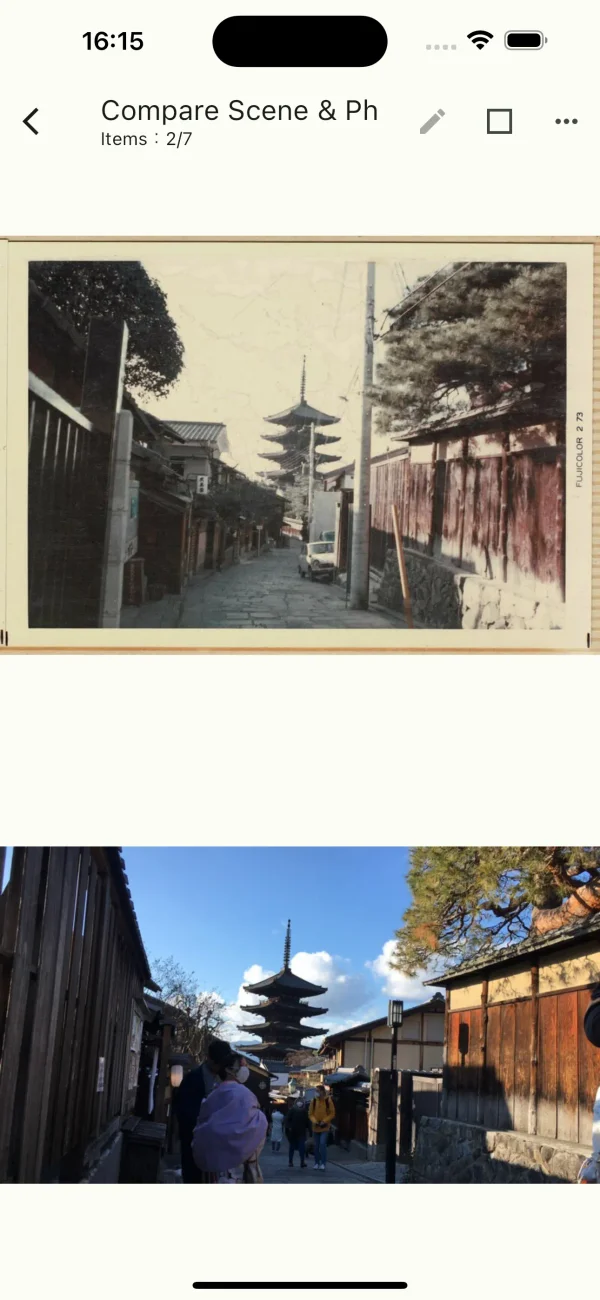
Memorygraph is a camera app that supports same-composition photography by showing the scene image semi-transparently on the viewfinder of a smartphone camera. The same-composition photography is helpful for various purposes, such as now-and-then photography, before-and-after photography, fixed-point photography, pilgrimage photography, etc., depending on how the scene images are selected.
* Now-and-then photography: Comparison of past and present
Select an old photo for the scene image. Same-composition photography of an old photo and a modern scene helps you grasp the changes that have occurred over a long period. Furthermore, it is an even more exciting experience when it leads to the discovery of small traces left behind from the past to the present day.
* Before-and-after photography: Comparison between before and after rapid changes
Select photos related to rapid changes caused by disasters for the scene image. Suppose you choose a photo taken before a disaster as the scene image. In that case, you can visualize the extent of damage caused by the disaster. Suppose you select a photo taken immediately after a disaster as the scene image. In that case, you can visualize the state of recovery from the disaster.
* Fixed-point photography: Visualization of gradual changes
Select a photo at a certain point in time for the scene image. Same-composition photography allows you to record gradual changes as time-lapse images, such as plants blooming and growing, buildings being completed, and scenery changing with the seasons.
* Pilgrimage photography: Comparison at a specific location
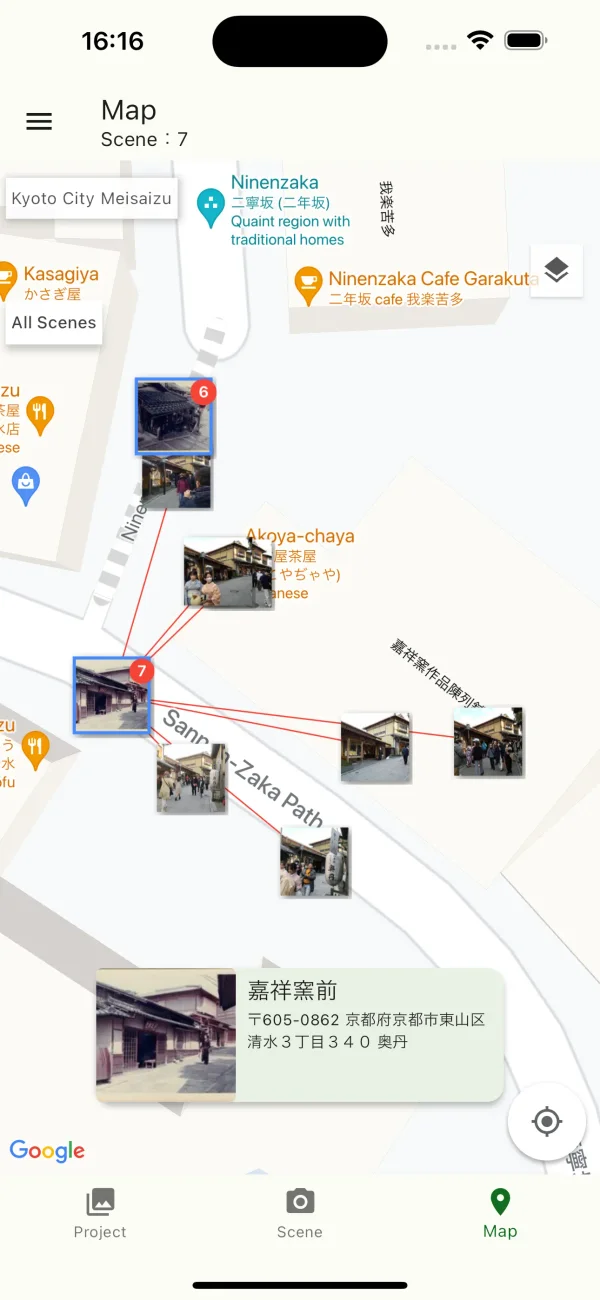
By registering images of scenes from your favorite content (manga, anime, movies, etc.) and applying same-composition photography at the places of the content, pilgrimage to sacred sites (content tourism) can become a more immersive experience. Furthermore, it is also possible to incorporate the difficulty of same-composition photography into a location game, similar to photo orienteering.
---
There are two ways to register these scene images in the app: "My Project" and "Shared Project."
* My Project
The user of the app registers scene images. User can choose their favorite scenes but cannot share the photos they have taken with others in the app.
* Shared Project
The creator of the project registers scene images, and project participants share them. It is best for events where all participants shoot the same scene with the same composition, and the photos taken can be shared within the app.
In the beginning, set your preferred image for the scene image in My Project, then carry the app to experience same-composition photography in various locations.
On the other hand, various use cases have been accumulated for Shared Projects. For example, before-and-after photography has been used to plan new sightseeing tours using old photos, citizen science projects to explore the locations where old photos were taken, and workshops to discuss urban planning based on the changes in the town over time. Before-and-after photography has also been used for on-site tours and workshops to learn about disaster recovery.
Currently, we are creating Shared Projects within the framework of collaborative research, but in the future, we would like to make it possible for anyone to create Shared Projects to further expand the use cases.
Neue Funktionen
Version 1.3.31 · 11.08.2026
What's New
- Bug fixes and performance improvements.
App-Datenschutz
Was Tomohiro Ikezaki im App Store zum Umgang dieser App mit Daten angibt.
-
Mit Ihnen verknüpfte Daten
Können erfasst und mit Ihrer Identität verknüpft werden.
- Standort
- Kontaktinformationen
- Benutzerinhalte
- Kennungen
-
Nicht mit Ihnen verknüpfte Daten
Können erfasst werden, sind aber nicht mit Ihrer Identität verknüpft.
- Diagnose
Die Datenschutzpraktiken können variieren, zum Beispiel je nach den von Ihnen verwendeten Funktionen oder Ihrem Alter.
Informationen
- Anbieter
- Tomohiro Ikezaki
- Kategorie
- Foto und Video
- Version
- 1.3.31
- Aktualisiert
- 11.08.2026
- Veröffentlicht
- 13.03.2023
- Größe
- 62,2 MB
- Erfordert
- iOS 15.6 oder neuer
- Altersfreigabe
- 4+
- Preis
- Kostenlos
- Sprachen
- Englisch, Japanisch
- Copyright
- © ROIS-DS Center for Open Data in the Humanities
Das könnte Ihnen auch gefallen
-
 PastShot: Then & Now CameraFoto und Video
-
 kasanete - Overlay CameraFoto und Video
-
 RepliCam - Replicate photosFoto und Video
-
 Easy OverlayFoto und Video
-
 前後写真合成Foto und Video
-
 構図マスターFoto und Video
-
 FrameApart: Recreate PhotosFoto und Video
-
 LayerCam - Overlay-KameraGleicher Winkel für Fotos
-
 Foto-Overlay-Kamera MemorieCamGleicher Winkel, neue Aufnahme
-
 Mikurabe | Before After PhotoFoto und Video