
Memorygraph
Same-composition photography
Được thiết kế cho iPhone, iPad, iPod touch
Miễn phí
- Độ tuổi4+
- Danh mụcẢnh & Video
- Nhà phát triểnTomohiro Ikezaki
- Ngôn ngữTiếng Anh+ 1 ngôn ngữ khác
- Kích thước62,2 MB
Liên kết đến trang App Store chính thức
Download.org không lưu trữ tệp nào của Memorygraph. Nút này mở trang ứng dụng trên App Store, nơi Tomohiro Ikezaki phát hành ứng dụng. Trang được kiểm tra lần cuối: 14/11/2026.
Ảnh chụp màn hình

Giới thiệu
Nhà phát triển chưa cung cấp nội dung này bằng ngôn ngữ của bạn.
This app is developed and operated by ROIS-DS Center for Open Data in the Humanities (CODH).
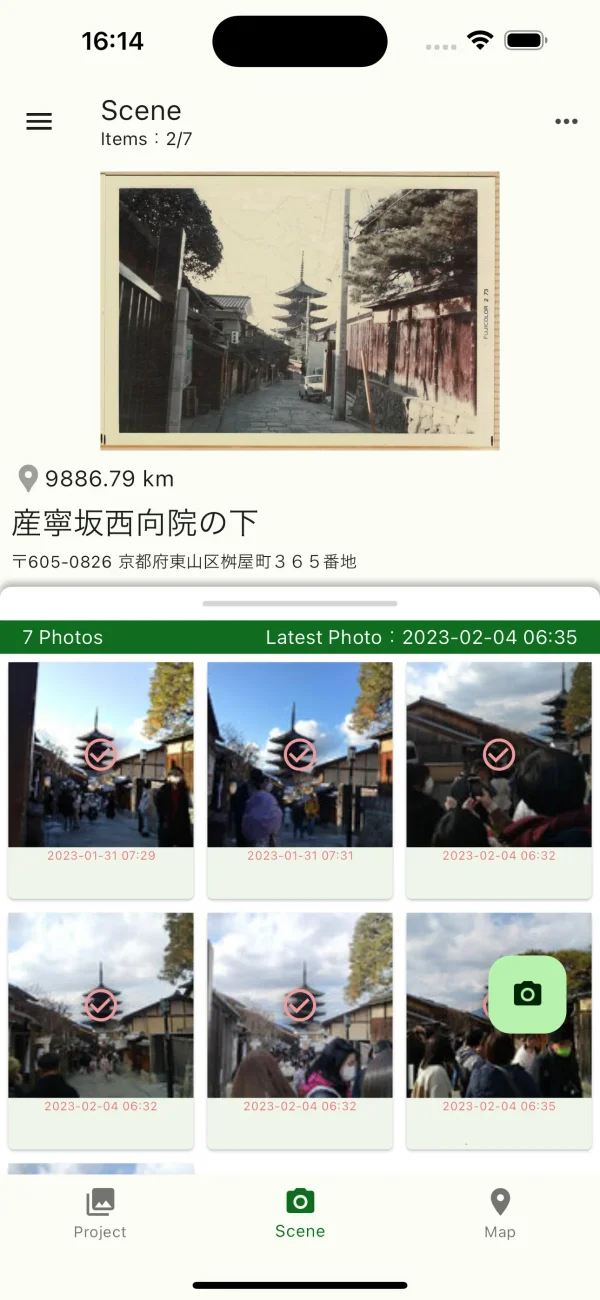
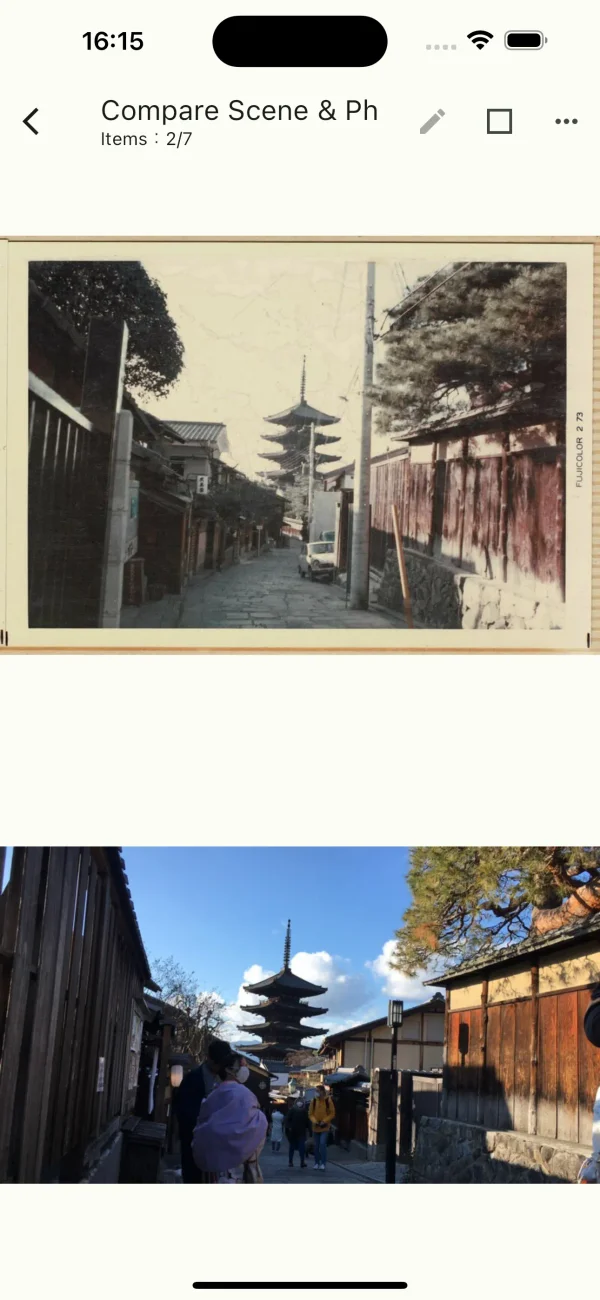
Memorygraph is a camera app that supports same-composition photography by showing the scene image semi-transparently on the viewfinder of a smartphone camera. The same-composition photography is helpful for various purposes, such as now-and-then photography, before-and-after photography, fixed-point photography, pilgrimage photography, etc., depending on how the scene images are selected.
* Now-and-then photography: Comparison of past and present
Select an old photo for the scene image. Same-composition photography of an old photo and a modern scene helps you grasp the changes that have occurred over a long period. Furthermore, it is an even more exciting experience when it leads to the discovery of small traces left behind from the past to the present day.
* Before-and-after photography: Comparison between before and after rapid changes
Select photos related to rapid changes caused by disasters for the scene image. Suppose you choose a photo taken before a disaster as the scene image. In that case, you can visualize the extent of damage caused by the disaster. Suppose you select a photo taken immediately after a disaster as the scene image. In that case, you can visualize the state of recovery from the disaster.
* Fixed-point photography: Visualization of gradual changes
Select a photo at a certain point in time for the scene image. Same-composition photography allows you to record gradual changes as time-lapse images, such as plants blooming and growing, buildings being completed, and scenery changing with the seasons.
* Pilgrimage photography: Comparison at a specific location
By registering images of scenes from your favorite content (manga, anime, movies, etc.) and applying same-composition photography at the places of the content, pilgrimage to sacred sites (content tourism) can become a more immersive experience. Furthermore, it is also possible to incorporate the difficulty of same-composition photography into a location game, similar to photo orienteering.
---
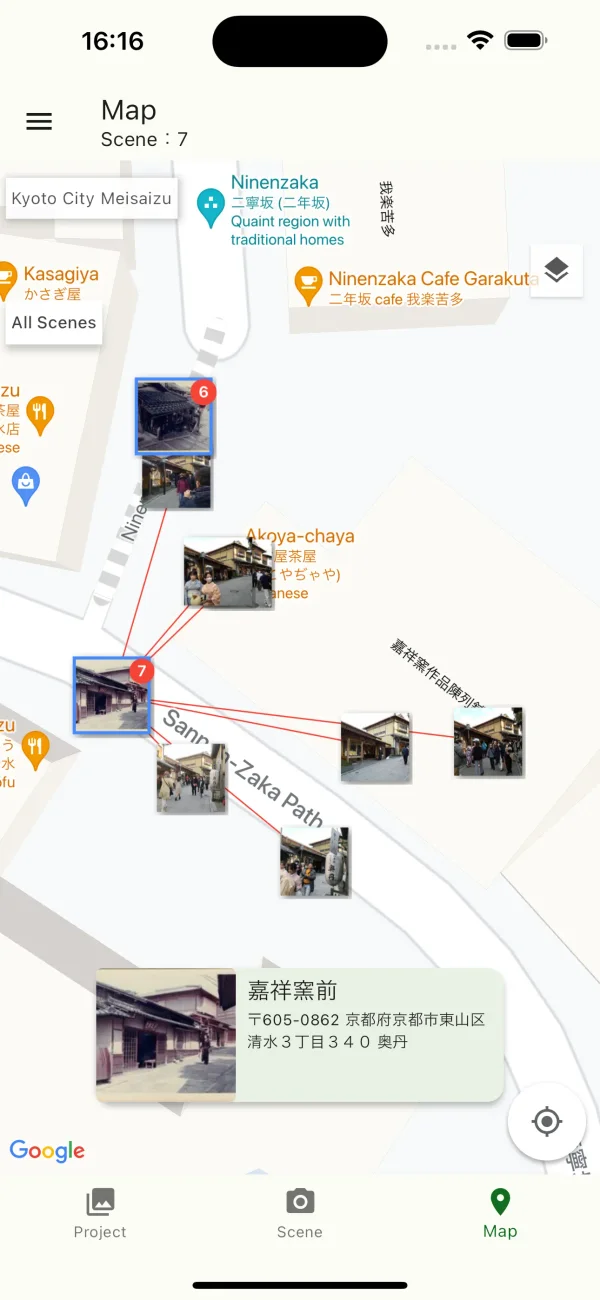
There are two ways to register these scene images in the app: "My Project" and "Shared Project."
* My Project
The user of the app registers scene images. User can choose their favorite scenes but cannot share the photos they have taken with others in the app.
* Shared Project
The creator of the project registers scene images, and project participants share them. It is best for events where all participants shoot the same scene with the same composition, and the photos taken can be shared within the app.
In the beginning, set your preferred image for the scene image in My Project, then carry the app to experience same-composition photography in various locations.
On the other hand, various use cases have been accumulated for Shared Projects. For example, before-and-after photography has been used to plan new sightseeing tours using old photos, citizen science projects to explore the locations where old photos were taken, and workshops to discuss urban planning based on the changes in the town over time. Before-and-after photography has also been used for on-site tours and workshops to learn about disaster recovery.
Currently, we are creating Shared Projects within the framework of collaborative research, but in the future, we would like to make it possible for anyone to create Shared Projects to further expand the use cases.
Có gì mới
Phiên bản 1.3.31 · 11/08/2026
What's New
- Bug fixes and performance improvements.
Quyền riêng tư của ứng dụng
Những gì Tomohiro Ikezaki khai báo trên App Store về cách ứng dụng này xử lý dữ liệu.
-
Dữ liệu liên kết với bạn
Có thể được thu thập và liên kết với danh tính của bạn.
- Vị trí
- Thông tin liên hệ
- Nội dung của người dùng
- Mã định danh
-
Dữ liệu không liên kết với bạn
Có thể được thu thập nhưng không liên kết với danh tính của bạn.
- Chẩn đoán
Phương thức đảm bảo quyền riêng tư có thể khác nhau, chẳng hạn như tuỳ theo các tính năng bạn sử dụng hoặc độ tuổi của bạn.
Thông tin
- Người bán
- Tomohiro Ikezaki
- Danh mục
- Ảnh & Video
- Phiên bản
- 1.3.31
- Cập nhật
- 11/08/2026
- Phát hành
- 13/03/2023
- Kích thước
- 62,2 MB
- Yêu cầu
- iOS 15.6 trở lên
- Độ tuổi
- 4+
- Giá
- Miễn phí
- Ngôn ngữ
- Tiếng Anh, Tiếng Nhật
- Bản quyền
- © ROIS-DS Center for Open Data in the Humanities
Có thể bạn cũng thích
-
 Máy ảnh chồng lớp: Khớp cảnhChồng ảnh & tái tạo tư thế
-
 kasanete - Overlay CameraẢnh & Video
-
 RepliCam - Replicate photosẢnh & Video
-
 Easy OverlayẢnh & Video
-
 前後写真合成Ảnh & Video
-
 構図マスターẢnh & Video
-
 FrameApart: Recreate PhotosẢnh & Video
-
 LayerCam - Overlay CameraẢnh & Video
-
 Photo Overlay Aid - MemoryLensẢnh & Video
-
 Mikurabe | Before After PhotoẢnh & Video