
- Altersfreigabe4+
- KategorieProduktivität
- EntwicklerMindsight
- Größe22,7 MB
Verlinkt auf die offizielle App Store-Seite
Download.org hostet keine Datei von Mindsight Anchor. Die Schaltfläche öffnet die App-Seite bei App Store, wo Mindsight die App veröffentlicht. Eintrag zuletzt geprüft am 17.11.2026.
Screenshots
Info
Der Entwickler hat diesen Text nicht in Ihrer Sprache bereitgestellt.
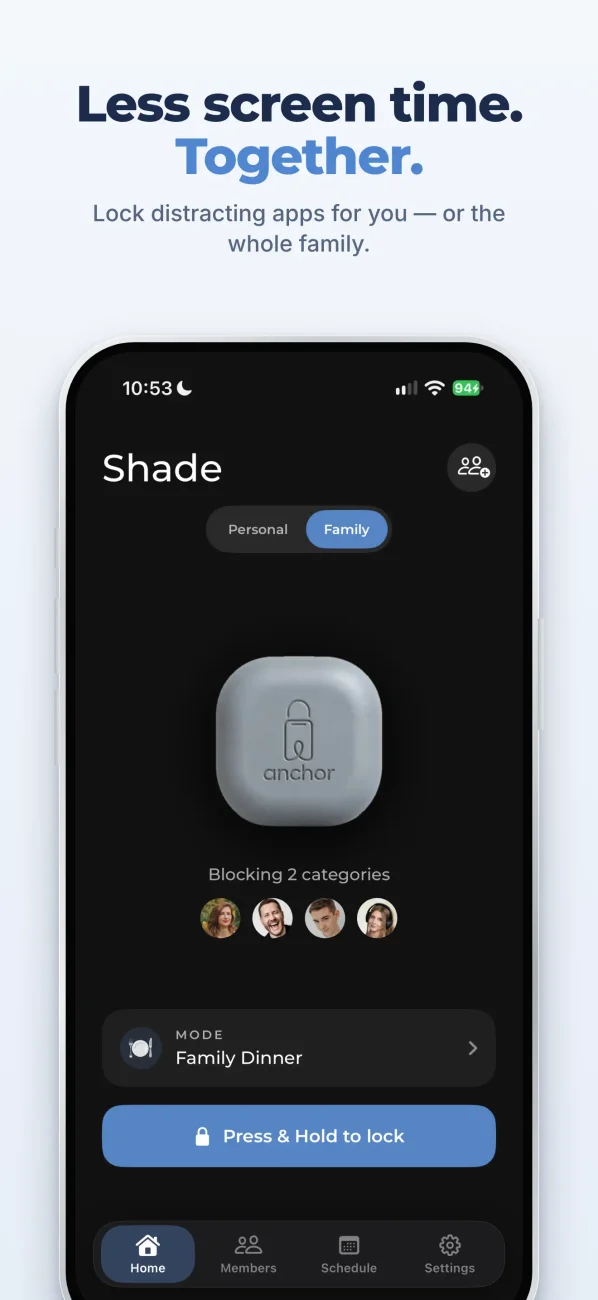
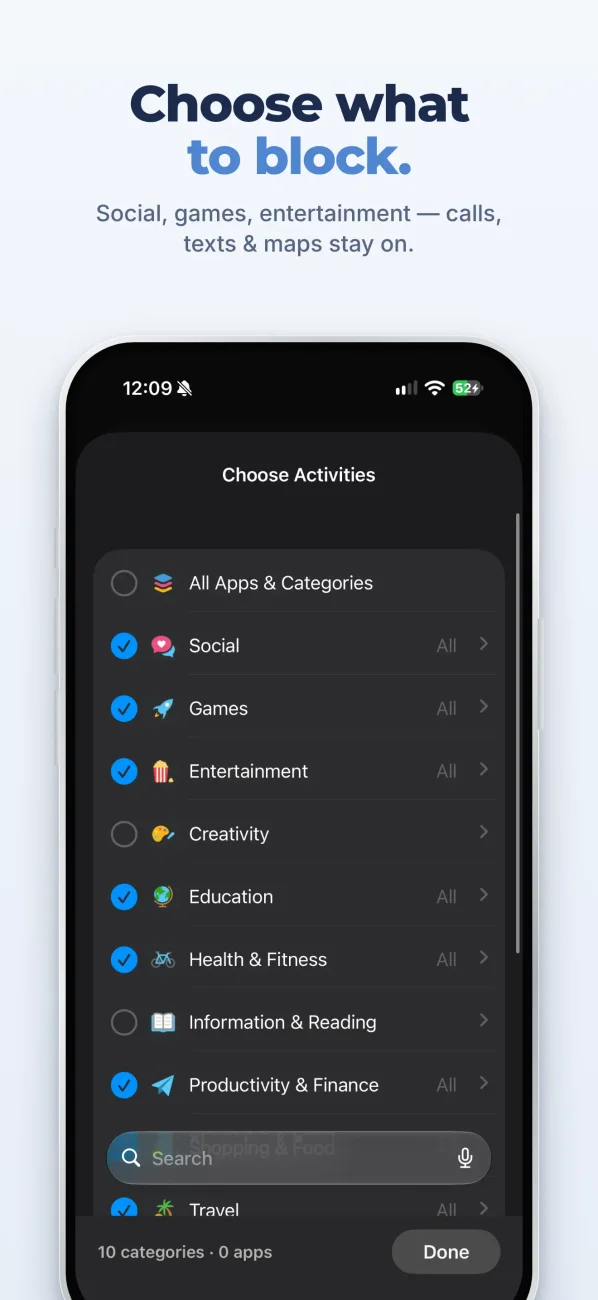
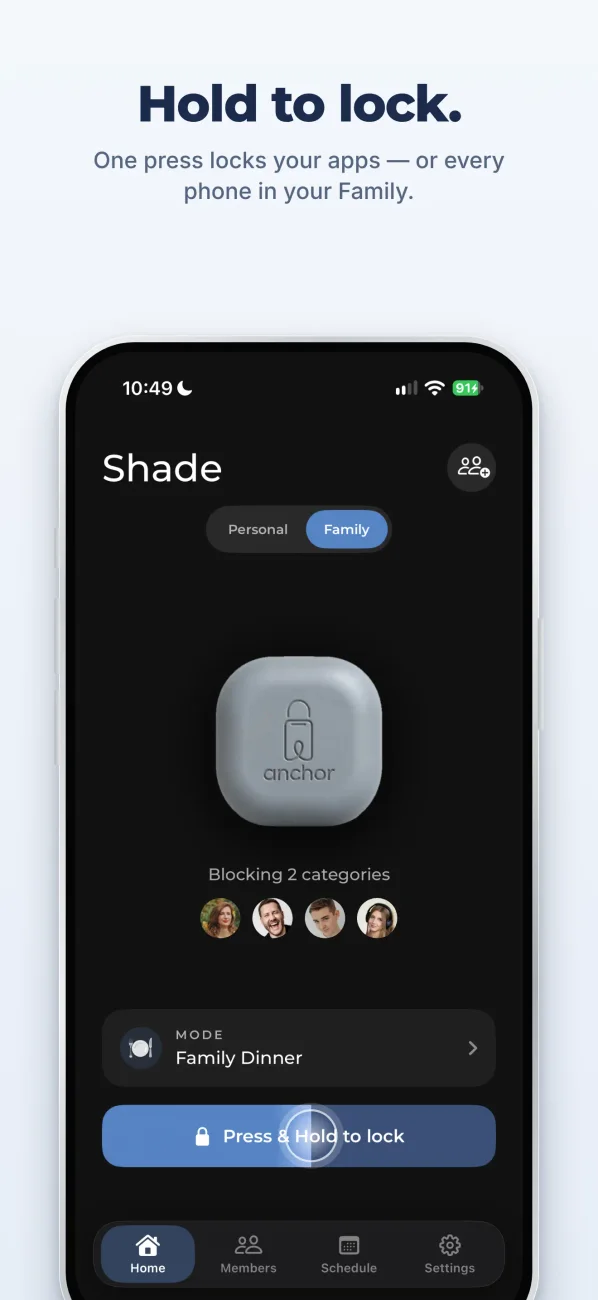
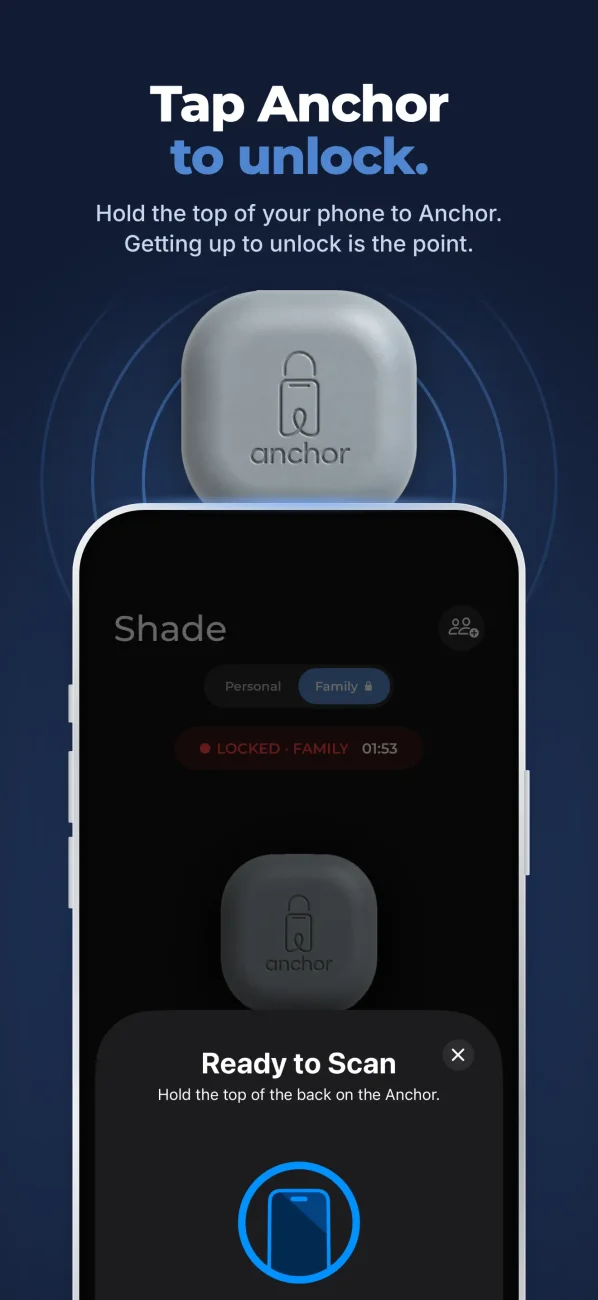
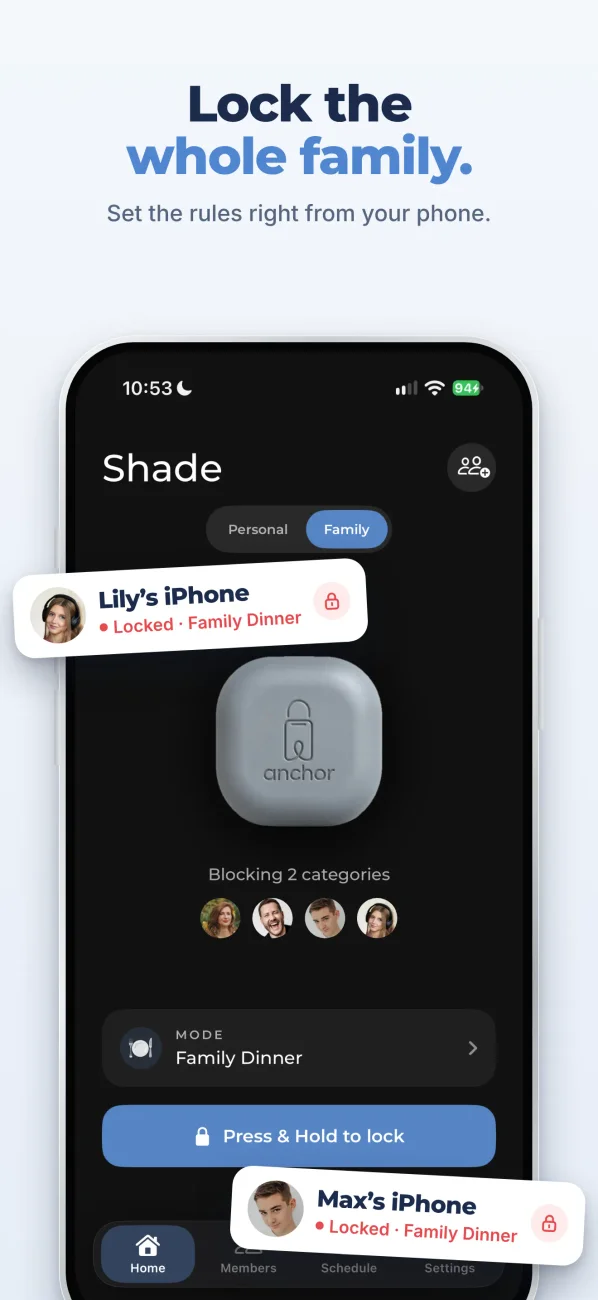
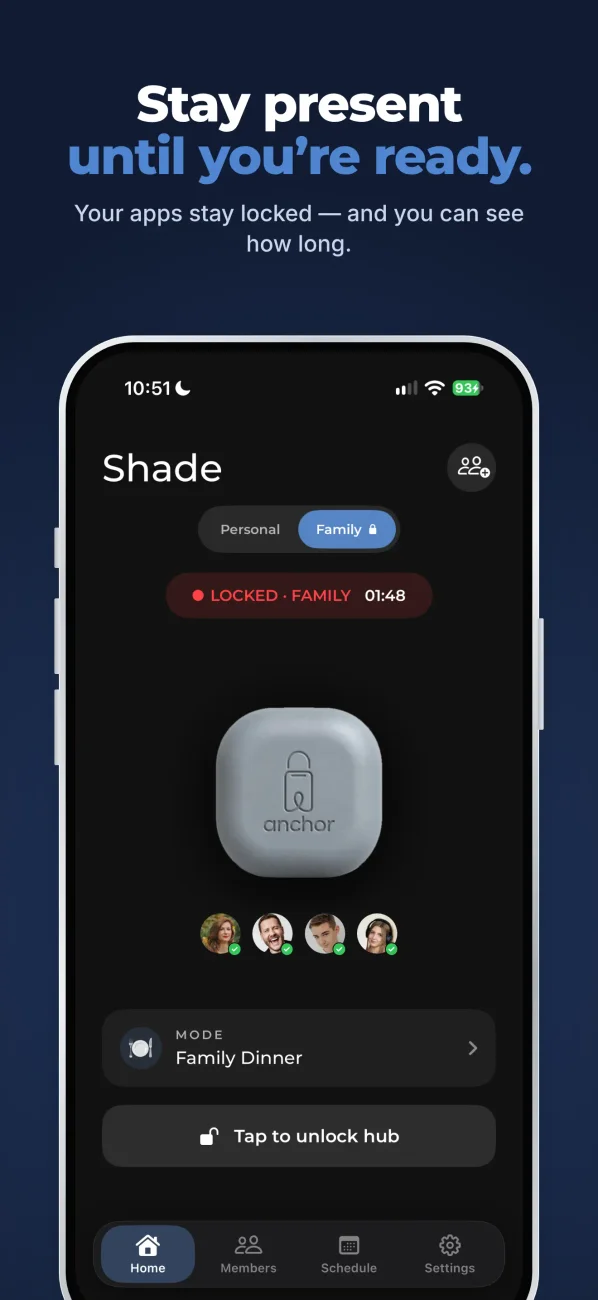
Set modes, tap your Anchor device, and block distractions instantly. Choose Group Lock or Individual Lock, pick who’s in, and decide if only the admin locks or everyone locks on their device. Schedule focused time for the family and keep phones out of the way when it matters most. One hub, one tap, less distraction—together.
Neue Funktionen
Version 1.2.10 · 11.11.2026
Activity is in Settings. It shows a lock starting, a lock stopping, and someone leaving a family lock while others stay locked. Your own locks are only visible to you. In Help, asking how to add someone shows Child, Member, and Admin. Pick a role and share the link.
App-Datenschutz
Was Mindsight im App Store zum Umgang dieser App mit Daten angibt.
-
Mit Ihnen verknüpfte Daten
Können erfasst und mit Ihrer Identität verknüpft werden.
- Kontaktinformationen
- Kennungen
- Nutzungsdaten
Die Datenschutzpraktiken können variieren, zum Beispiel je nach den von Ihnen verwendeten Funktionen oder Ihrem Alter.
Informationen
- Anbieter
- Things That Work Inc.
- Kategorie
- Produktivität
- Version
- 1.2.10
- Aktualisiert
- 11.11.2026
- Veröffentlicht
- 27.02.2026
- Größe
- 22,7 MB
- Erfordert
- iOS 18.6 oder neuer
- Altersfreigabe
- 4+
- Preis
- Kostenlos
- Copyright
- © Mindsight
Das könnte Ihnen auch gefallen
-
 LongTimerTimer für jeden Bedarf
-
 ShareX - wifi file transferProduktivität
-
 ADHD CleaningProduktivität
-
 SpeakUp DictationProduktivität
-
 NFC Tools-Reader & Writer TagsProduktivität
-
 Murble: Diktiergerät mit KISprachnotizen zu Text, offline
-
 Namen Merken: Namen-ErinnerungNamen und Gesichter merken
-
 Whistle RewardsProduktivität
-
 Sense: AI Family OrganizerProduktivität
-
 Scrolly–Your Screen Time BuddyProduktivität