
Mirror: Control Your Mac
Control your Mac over Wi-Fi
Entwickelt für iPhone
Kostenlos
- Altersfreigabe4+
- KategorieDienstprogramme
- EntwicklerOluwafemi Obajuluwa
- SprachenEnglisch
- Größe1,2 MB
Verlinkt auf die offizielle App Store-Seite
Download.org hostet keine Datei von Mirror: Control Your Mac. Die Schaltfläche öffnet die App-Seite bei App Store, wo Oluwafemi Obajuluwa die App veröffentlicht. Eintrag zuletzt geprüft am 15.11.2026.
Screenshots

Info
Der Entwickler hat diesen Text nicht in Ihrer Sprache bereitgestellt.
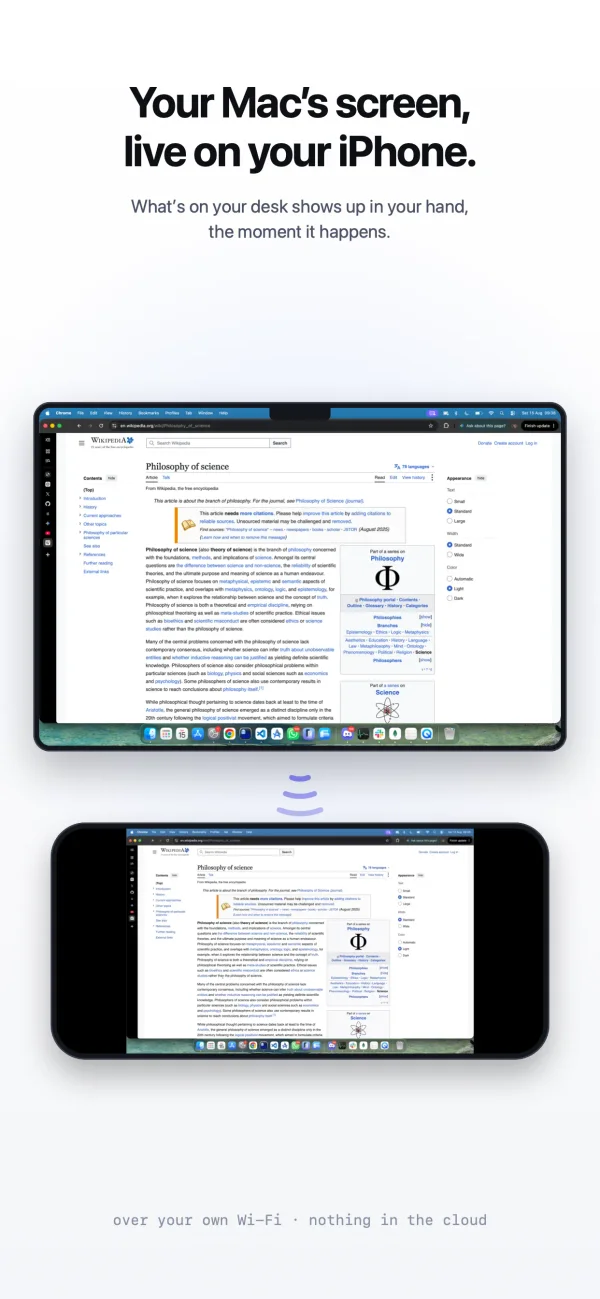
Mirror turns your iPhone into a screen and a remote control for your Mac. Your Mac's display streams to your phone over your own Wi-Fi network, and every touch becomes a real click, scroll, or keystroke on the Mac.
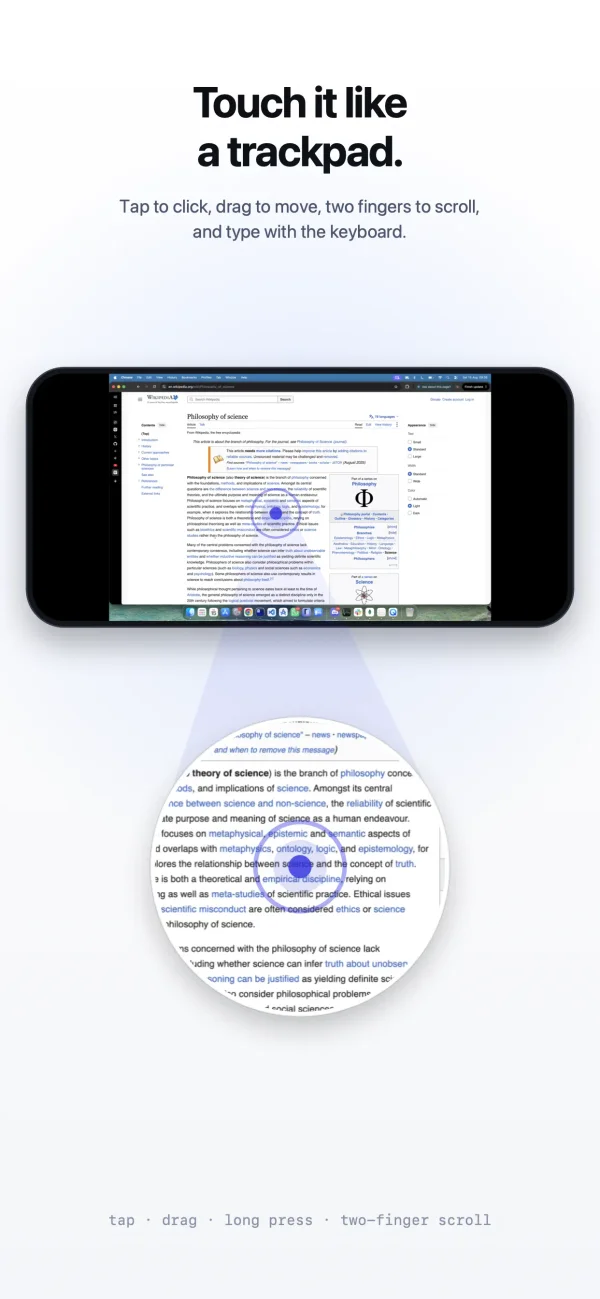
Control that works like a trackpad
The whole phone is the input surface, not just the spot you touch. Slide a finger anywhere to move the pointer with speed-adaptive precision, tap to click, tap twice to double click, and use two fingers to right click. Long-press to grab something and drag it. Two-finger drag scrolls with momentum, three-finger swipes switch desktops and open Mission Control, and pinch zooms in when a target needs a closer look. A keyboard with sticky modifier keys lets you type and use shortcuts. If you would rather touch the screen directly, one button switches to direct-touch mode.
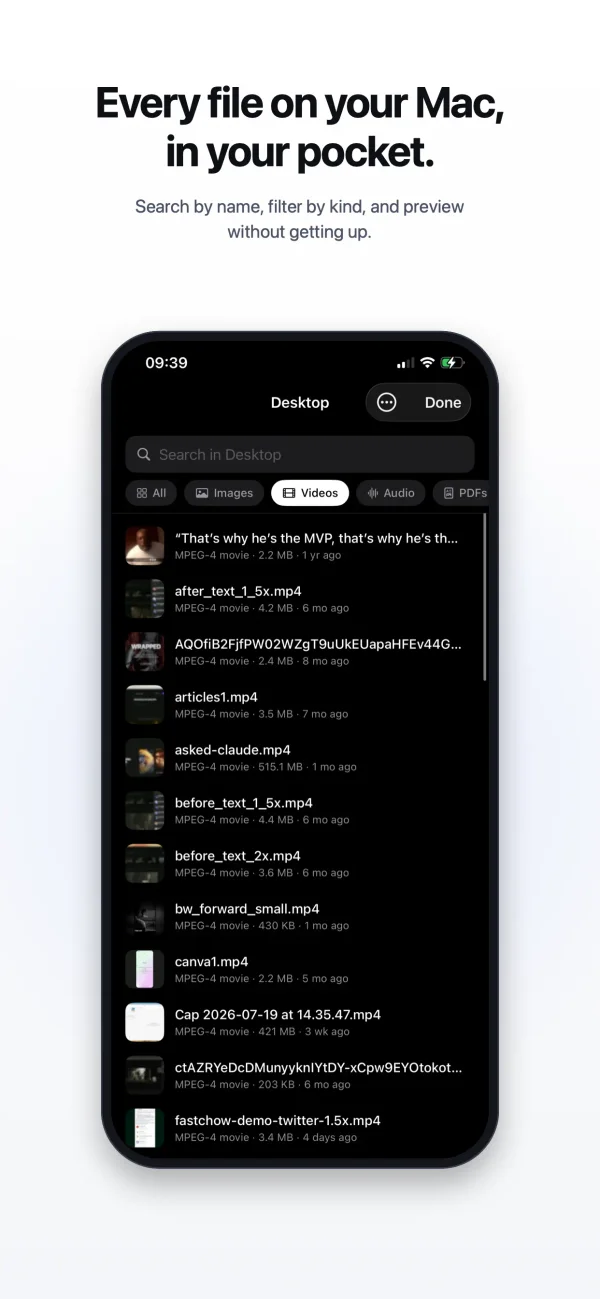
Every file on your Mac, in your pocket
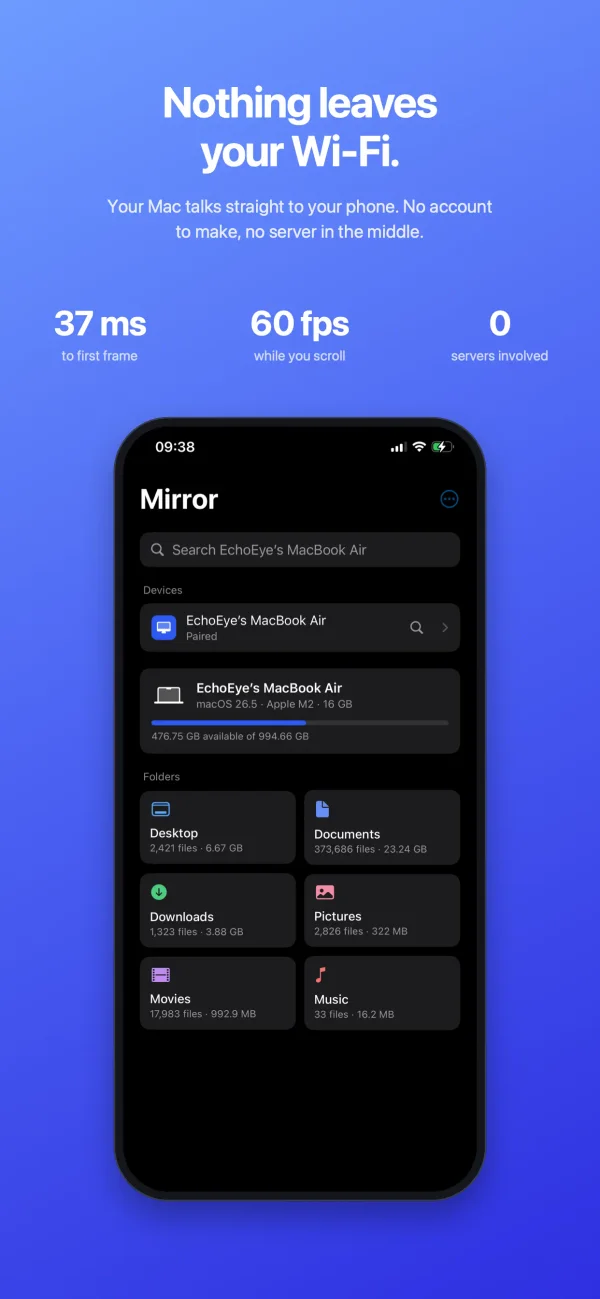
Find searches your entire Mac from the phone, combining Spotlight with a direct scan so results start appearing as you type. Browse folders like a native file manager, filter by type, and open photos, videos, PDFs, and text in a full-screen viewer you can swipe through like your camera roll. Videos stream straight from the Mac with full scrubbing, so there is no waiting for a download. Save anything to Photos or Files, send it through the share sheet, or open it on the Mac from your phone. The home screen keeps your Mac's storage and folder sizes in view.
Paired once, in seconds.
The Mac announces itself on your Wi-Fi, so your phone lists it by name and there are no addresses to type. Enter the eight-character code shown in the Mac menu bar, and your iPhone stores it in the Keychain. Pairing happens once.
Private by design
Everything happens directly between your two devices on your own network. Your screen never touches the internet, there is no cloud service in the middle, and there is no account to create. Video is captured and encoded with hardware acceleration on the Mac, so scrolling, typing, and dragging stay smooth, and three quality settings let you trade sharpness for responsiveness.
What you need
Mirror requires the free companion app for macOS, available at mirror.echoeyecodes.com. It runs in the menu bar, walks you through the two permissions macOS asks for, and shows your pairing code. Both devices need to be on the same Wi-Fi network. Requires macOS 14 or later and iOS 17 or later. Works on iPhone and iPad.
App-Datenschutz
Was Oluwafemi Obajuluwa im App Store zum Umgang dieser App mit Daten angibt.
-
Keine Daten erfasst
Der Entwickler erfasst keine Daten von dieser App.
Die Datenschutzpraktiken können variieren, zum Beispiel je nach den von Ihnen verwendeten Funktionen oder Ihrem Alter.
Informationen
- Anbieter
- Oluwafemi Obajuluwa
- Kategorie
- Dienstprogramme
- Version
- 1.0
- Aktualisiert
- 18.08.2026
- Veröffentlicht
- 18.08.2026
- Größe
- 1,2 MB
- Erfordert
- iOS 17.0 oder neuer
- Altersfreigabe
- 4+
- Preis
- Kostenlos
- Sprachen
- Englisch
- Copyright
- © Mirror, 2026
Das könnte Ihnen auch gefallen
-
 Gatepeek: Who's on My WiFiDienstprogramme
-
 Device Wifi Bluetooth TrackerDienstprogramme
-
 RemoteX: Remote DesktopDienstprogramme
-
 DesktopScreenMirrorDienstprogramme
-
 EaseConnect RemoteDienstprogramme
-
 PetMind AI - Pet ScannerDienstprogramme
-
 Readible: Kindle to Audio BookDienstprogramme
-
 COP STOP SDDienstprogramme
-
 Desktop Mirroring: BildschirmSpiegeln über WLAN, ohne Konto
-
 Remote Mac Desktop ControlDienstprogramme