
Mirror: Control Your Mac
Control your Mac over Wi-Fi
Dirancang untuk iPhone
Gratis
- Batasan usia4+
- KategoriKegunaan
- PengembangOluwafemi Obajuluwa
- BahasaInggris
- Ukuran1,2 MB
Tertaut ke halaman resmi App Store
Download.org tidak menyimpan file Mirror: Control Your Mac apa pun. Tombol ini membuka halaman aplikasi di App Store, tempat Oluwafemi Obajuluwa menerbitkannya. Halaman terakhir diperiksa pada 15/11/2026.
Tangkapan layar

Tentang
Pengembang belum menyediakan teks ini dalam bahasa Anda.
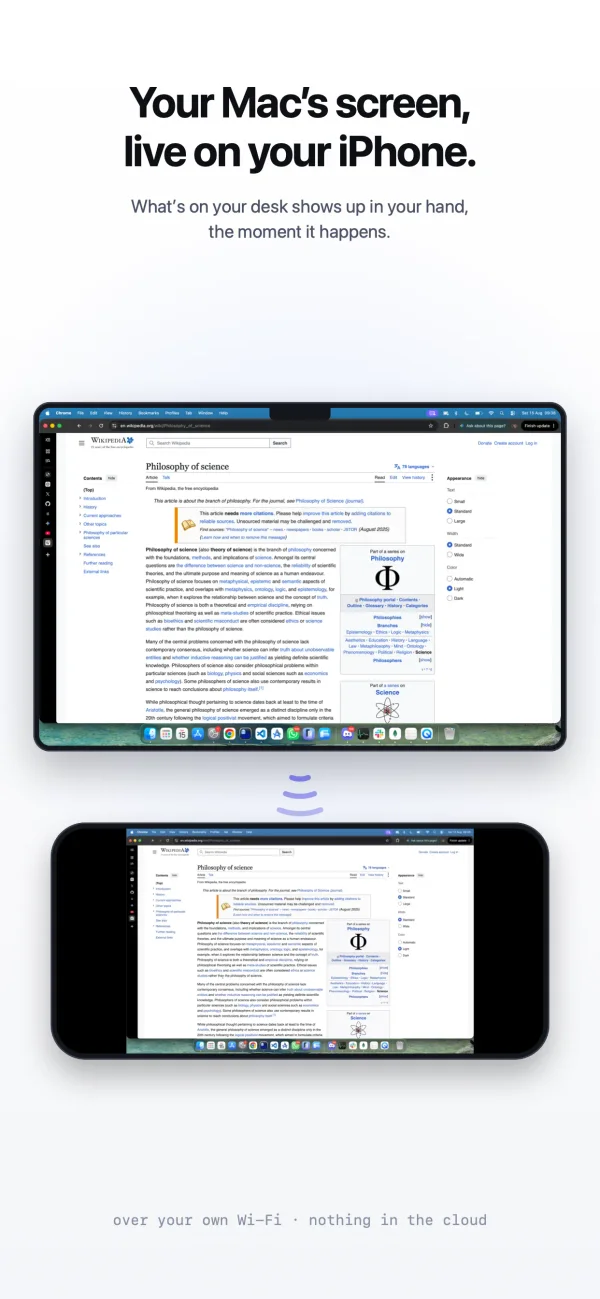
Mirror turns your iPhone into a screen and a remote control for your Mac. Your Mac's display streams to your phone over your own Wi-Fi network, and every touch becomes a real click, scroll, or keystroke on the Mac.
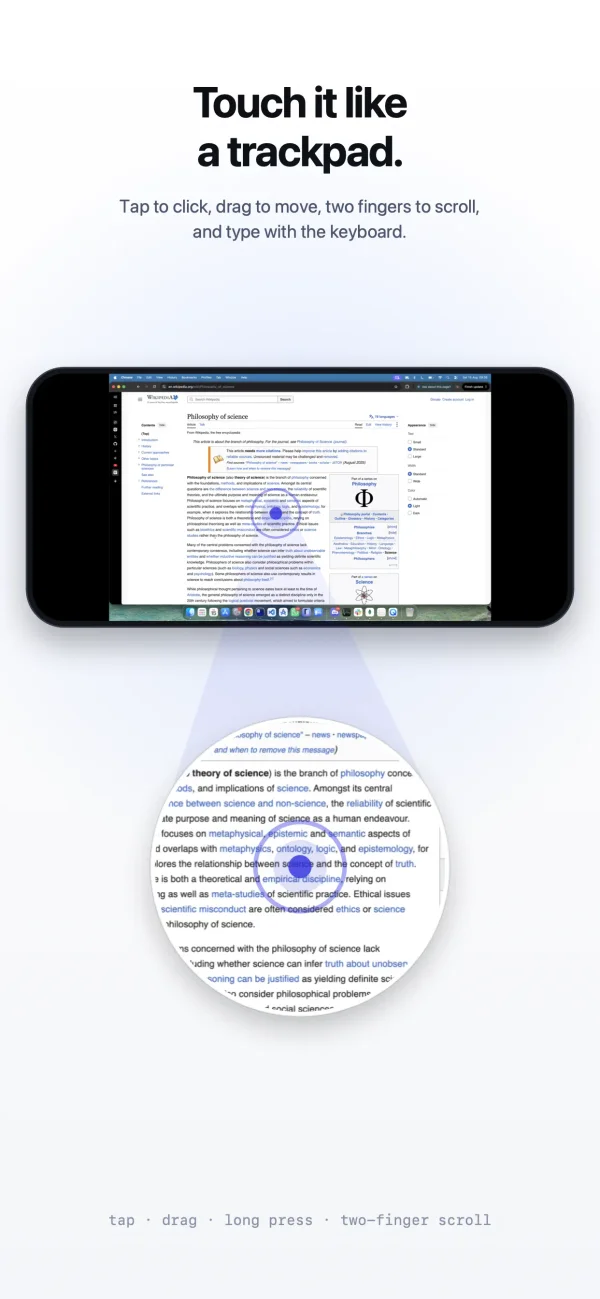
Control that works like a trackpad
The whole phone is the input surface, not just the spot you touch. Slide a finger anywhere to move the pointer with speed-adaptive precision, tap to click, tap twice to double click, and use two fingers to right click. Long-press to grab something and drag it. Two-finger drag scrolls with momentum, three-finger swipes switch desktops and open Mission Control, and pinch zooms in when a target needs a closer look. A keyboard with sticky modifier keys lets you type and use shortcuts. If you would rather touch the screen directly, one button switches to direct-touch mode.
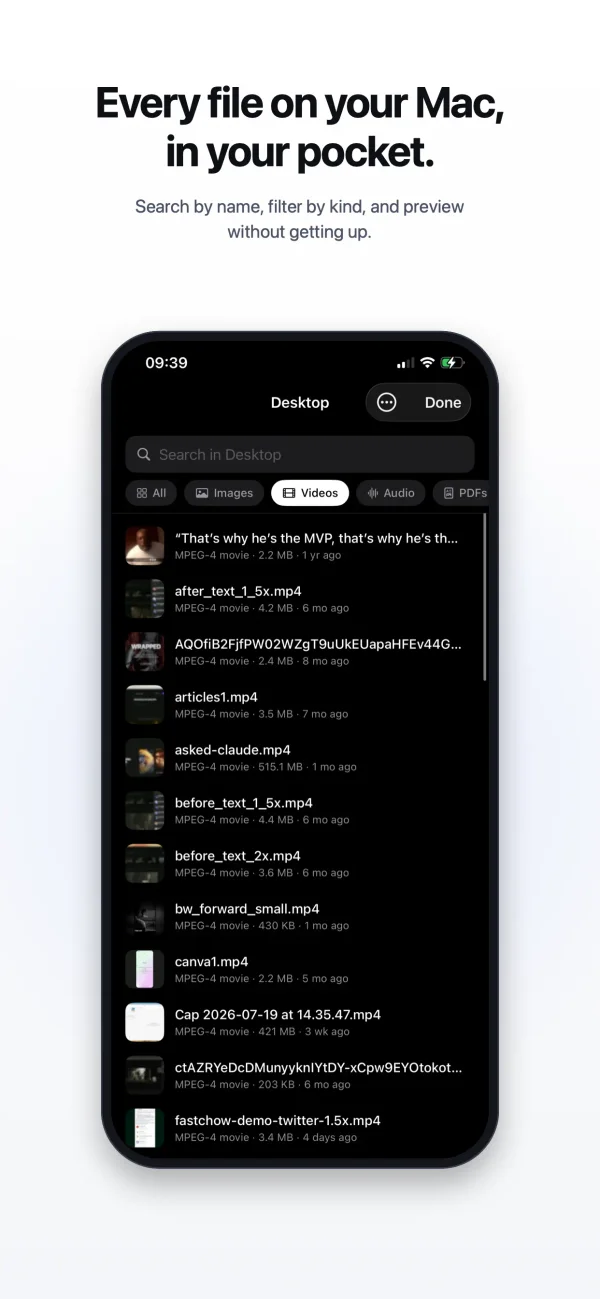
Every file on your Mac, in your pocket
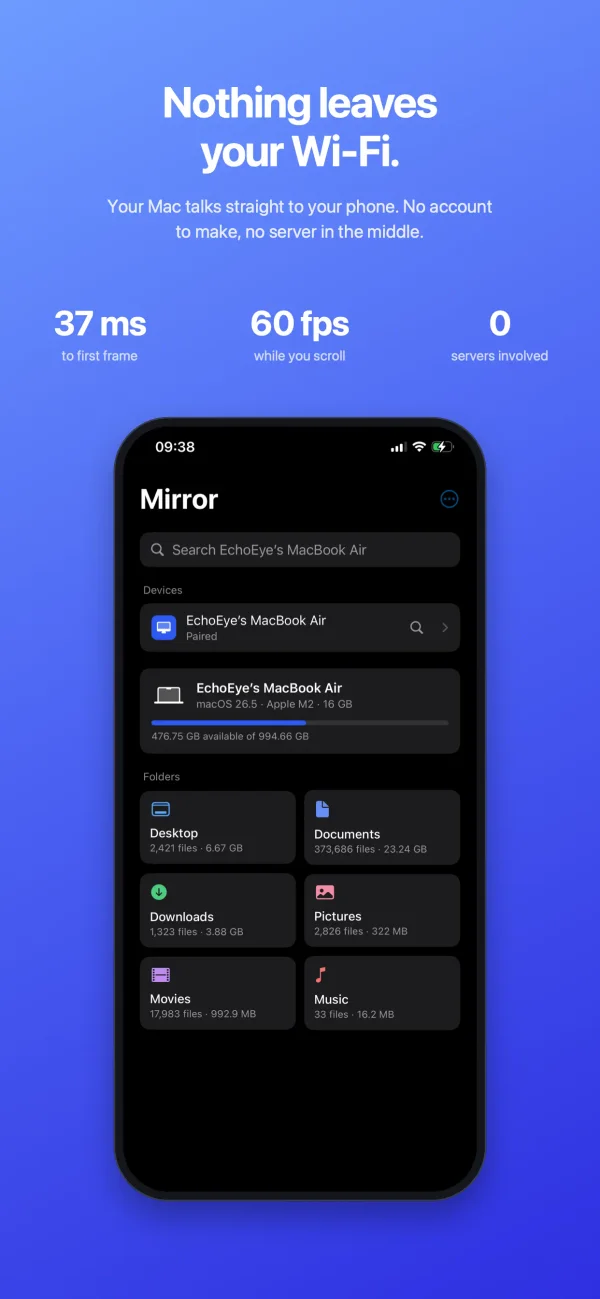
Find searches your entire Mac from the phone, combining Spotlight with a direct scan so results start appearing as you type. Browse folders like a native file manager, filter by type, and open photos, videos, PDFs, and text in a full-screen viewer you can swipe through like your camera roll. Videos stream straight from the Mac with full scrubbing, so there is no waiting for a download. Save anything to Photos or Files, send it through the share sheet, or open it on the Mac from your phone. The home screen keeps your Mac's storage and folder sizes in view.
Paired once, in seconds.
The Mac announces itself on your Wi-Fi, so your phone lists it by name and there are no addresses to type. Enter the eight-character code shown in the Mac menu bar, and your iPhone stores it in the Keychain. Pairing happens once.
Private by design
Everything happens directly between your two devices on your own network. Your screen never touches the internet, there is no cloud service in the middle, and there is no account to create. Video is captured and encoded with hardware acceleration on the Mac, so scrolling, typing, and dragging stay smooth, and three quality settings let you trade sharpness for responsiveness.
What you need
Mirror requires the free companion app for macOS, available at mirror.echoeyecodes.com. It runs in the menu bar, walks you through the two permissions macOS asks for, and shows your pairing code. Both devices need to be on the same Wi-Fi network. Requires macOS 14 or later and iOS 17 or later. Works on iPhone and iPad.
Privasi aplikasi
Yang dinyatakan Oluwafemi Obajuluwa di App Store tentang cara aplikasi ini menangani data.
-
Data tidak dikumpulkan
Pengembang tidak mengumpulkan data apa pun dari aplikasi ini.
Praktik privasi dapat bervariasi, misalnya berdasarkan fitur yang Anda gunakan atau usia Anda.
Informasi
- Penjual
- Oluwafemi Obajuluwa
- Kategori
- Kegunaan
- Versi
- 1.0
- Diperbarui
- 18/8/2026
- Dirilis
- 18/8/2026
- Ukuran
- 1,2 MB
- Memerlukan
- iOS 17.0 atau yang lebih baru
- Batasan usia
- 4+
- Harga
- Gratis
- Bahasa
- Inggris
- Hak cipta
- © Mirror, 2026
Mungkin Anda juga suka
-
 Gatepeek: Who's on My WiFiKegunaan
-
 Device Wifi Bluetooth TrackerKegunaan
-
 RemoteX: Remote DesktopKegunaan
-
 DesktopScreenMirrorKegunaan
-
 EaseConnect RemoteKegunaan
-
 PetMind AI - Pet ScannerKegunaan
-
 Readible: Kindle to Audio BookKegunaan
-
 COP STOP SDKegunaan
-
 Desktop Mirroring: LayarLayar Mac di iPhone via Wi-Fi
-
 Remote Mac Desktop ControlKegunaan