- Altersfreigabe4+
- KategorieEntwickler-Tools
- EntwicklerRayan Khan
- SprachenEnglisch
- Größe5,4 MB
Model Usage ist bei App Store derzeit möglicherweise nicht verfügbar
Bei unserer letzten Prüfung war der Store-Eintrag nicht erreichbar. Der Link führt weiterhin zur offiziellen App Store-Seite.
Screenshots
Info
Der Entwickler hat diesen Text nicht in Ihrer Sprache bereitgestellt.
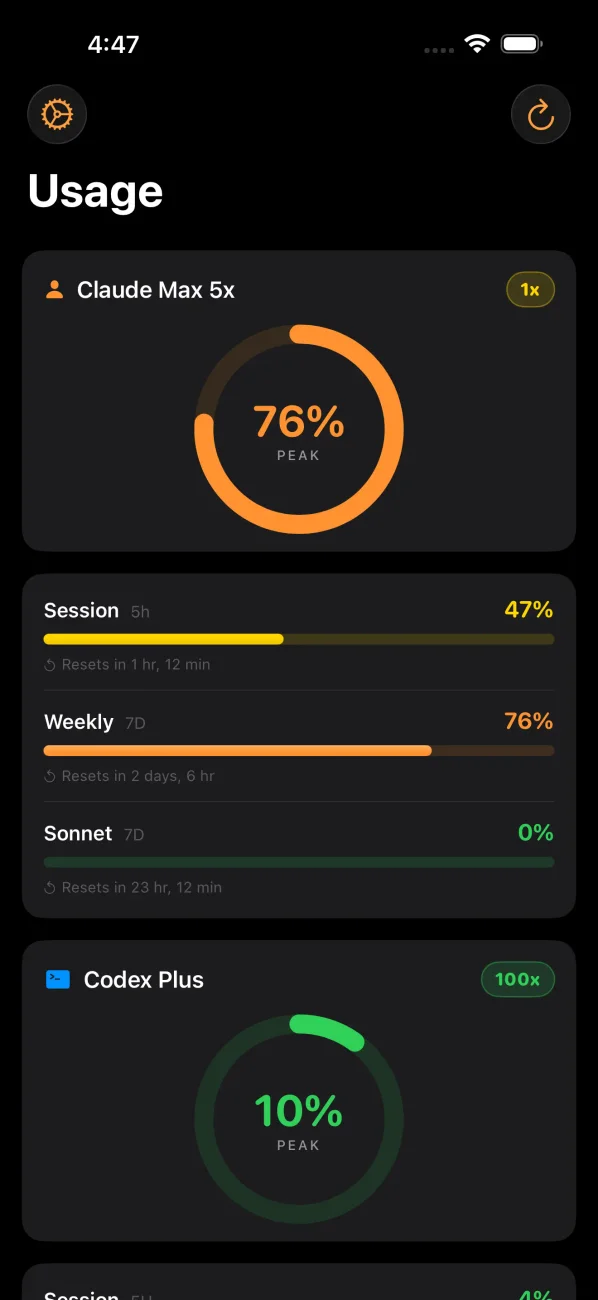
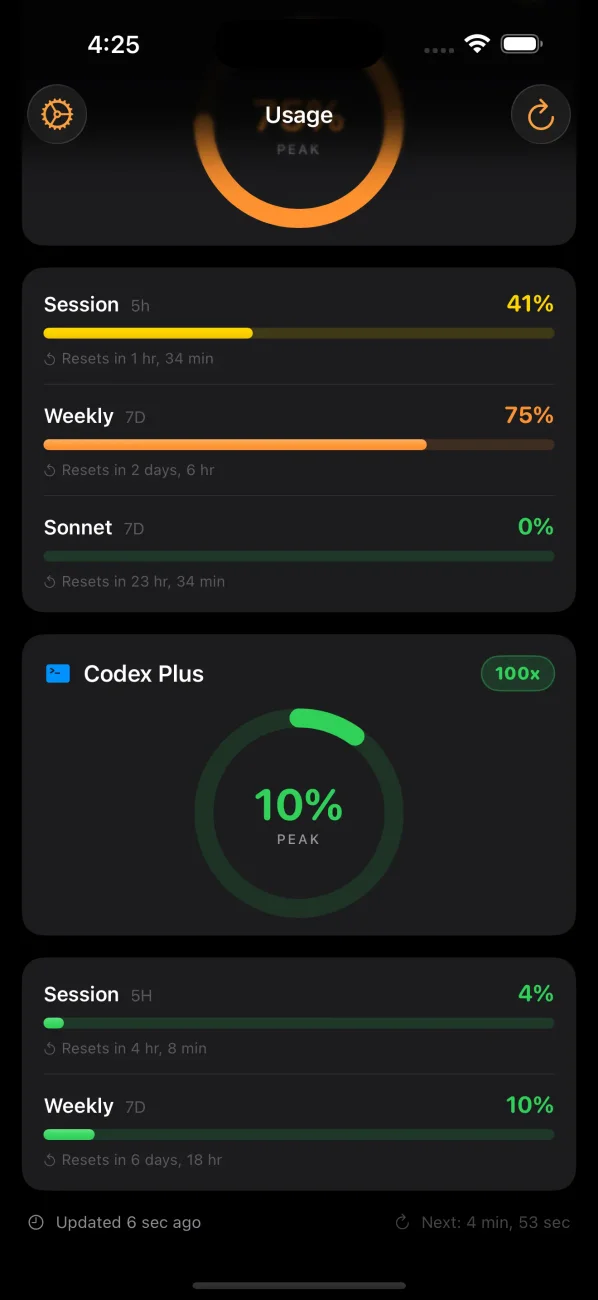
Model Usage is a real time dashboard for your AI coding tool usage. See how much of your five hour window and weekly quota you have used, watch your session tick up live, and get notified before you hit a limit.
HOW IT WORKS
A small client runs on your computer and reads the usage files that your AI coding tools already write locally. It forwards that usage to a server address you control. The apps pair with that server over a QR code or short pair code. No account, no email, no login.
LIVE WHERE YOU ALREADY LOOK
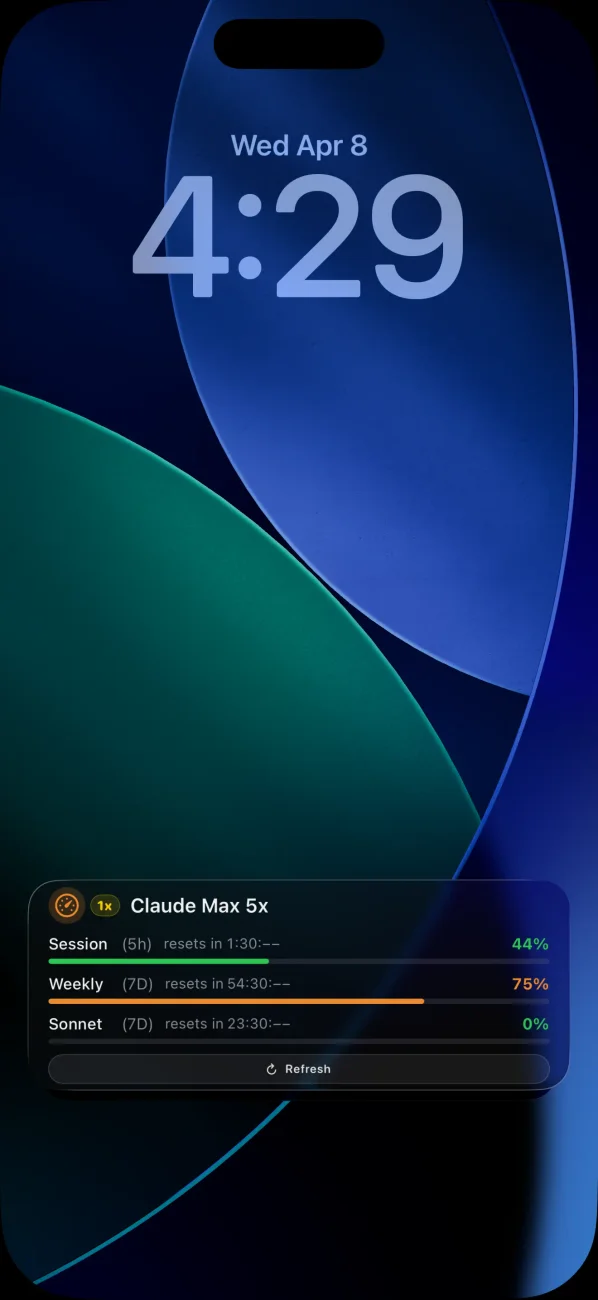
- Live Activity: a glanceable card with your current session and weekly usage, visible on the lock screen and Dynamic Island.
- Home Screen widgets: compact and expanded sizes that show your session, weekly totals, and rate multipliers at a glance.
- Lock Screen widgets: a tiny usage indicator right next to the clock.
PAIRS WITH THE REST OF YOUR DEVICES
Once you are paired on one device, the same setup flows to every companion app automatically. Send a snapshot to anyone in a conversation with the Model Usage messaging app.
PRIVACY BY DESIGN
No analytics. No tracking. No accounts. No advertising SDKs. Your usage data goes from your computer to a server you choose, and then to your own devices. Model Usage never sees it.
FEATURES
- AI coding tool usage tracking, side by side
- Five hour session window and weekly window
- Live Activity with Dynamic Island integration
- Companion apps across every size of screen
- Messaging app for sharing usage snapshots
- Lock Screen and Home Screen widgets in all sizes
- Live rate multiplier awareness. Rate changes are reflected in real time.
- Open pair code or QR flow. No account required.
- Dark mode throughout
SETUP IN UNDER A MINUTE
1. Install the desktop client.
2. Copy the pair code.
3. Enter it in the app.
That is it. The setup guide lives at modelusage.app/setup.
Model Usage is built by a solo developer and does not collect, store, or share any personal data. See modelusage.app/privacy for details.
Neue Funktionen
Version 1.2 · 26.04.2026
Added dynamic iMessage and FaceTime sticker pack with live usage gauges, status badges, and model breakdown cards that reflect your current Claude and Codex usage in real time.
App-Datenschutz
Was Rayan Khan im App Store zum Umgang dieser App mit Daten angibt.
-
Keine Daten erfasst
Der Entwickler erfasst keine Daten von dieser App.
Die Datenschutzpraktiken können variieren, zum Beispiel je nach den von Ihnen verwendeten Funktionen oder Ihrem Alter.
Informationen
- Anbieter
- Rayan Khan
- Kategorie
- Entwickler-Tools
- Version
- 1.2
- Aktualisiert
- 26.04.2026
- Veröffentlicht
- 16.04.2026
- Größe
- 5,4 MB
- Erfordert
- iOS 17.0 oder neuer
- Altersfreigabe
- 4+
- Sprachen
- Englisch
- Copyright
- © 2026 ModelUsage.app
Das könnte Ihnen auch gefallen
-
 CodexexEntwickler-Tools
-
 LimitWatchEntwickler-Tools
-
 TokenBar MobileEntwickler-Tools
-
 Agent Meter: KI-NutzungClaude/Codex reset alerts
-
 VibeCheck CompanionClaude, Cursor & Codex Limits
-
 Token Monitor: AI UsageEntwickler-Tools
-
 CodexBar - Usage of AIEntwickler-Tools
-
 Tempo For ClaudeEntwickler-Tools
-
 Nomo - AI Status & UsageEntwickler-Tools
-
 Limits: AI Usage TrackerCodex, Claude, Cursor Limits