
MOZE
Beautiful Expense Tracking
Entwickelt für iPhone, iPad
Kostenlos · In-App-Käufe
- Altersfreigabe17+
- KategorieFinanzen
- EntwicklerMOZE Co., Ltd.
- SprachenEnglisch+ 2 weitere
- Größe211,0 MB
Verlinkt auf die offizielle App Store-Seite
Download.org hostet keine Datei von MOZE. Die Schaltfläche öffnet die App-Seite bei App Store, wo MOZE Co., Ltd. die App veröffentlicht. Eintrag zuletzt geprüft am 23.11.2026.
Screenshots

Info
Der Entwickler hat diesen Text nicht in Ihrer Sprache bereitgestellt.
MOZE 4.0 – 10 Years of Excellence, Trusted by Millions
Beautiful Interface × Powerful Features × Ultimate Experience
Turn bookkeeping into pure enjoyment!
Tired of your money disappearing without a trace?
Want to take control of your finances but don’t know where to start?
MOZE helps you effortlessly build bookkeeping habits and regain control over your money!
---
【 What’s New in 4.0 】
iPad Version – Designed for large screens with cross-device synchronization
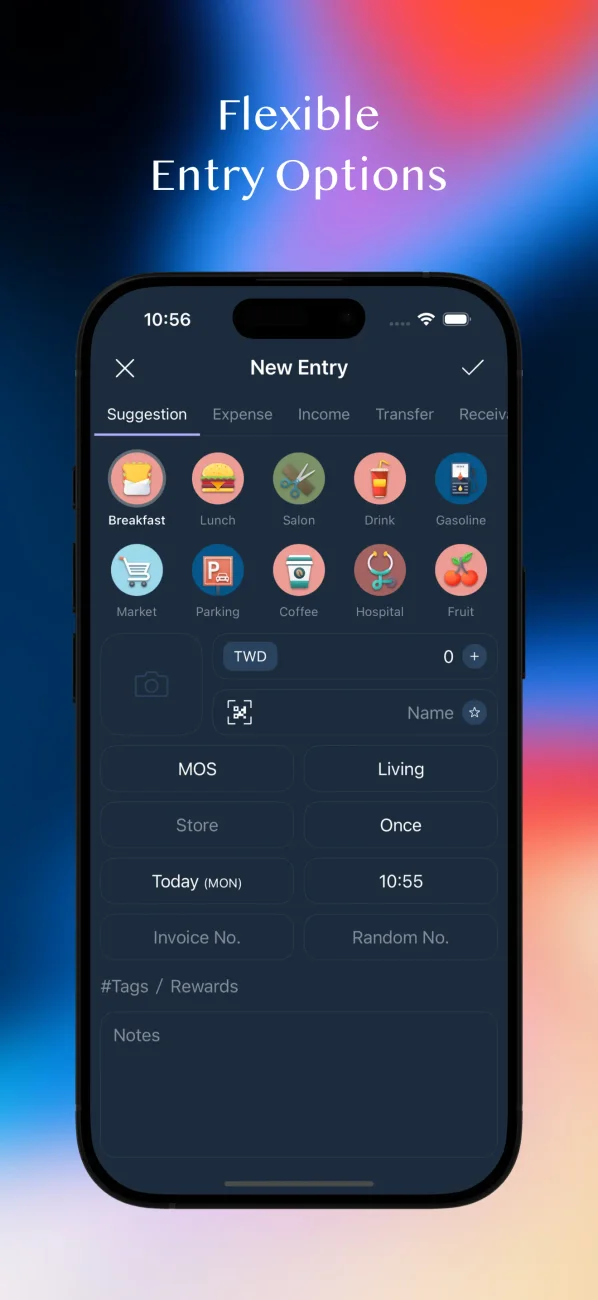
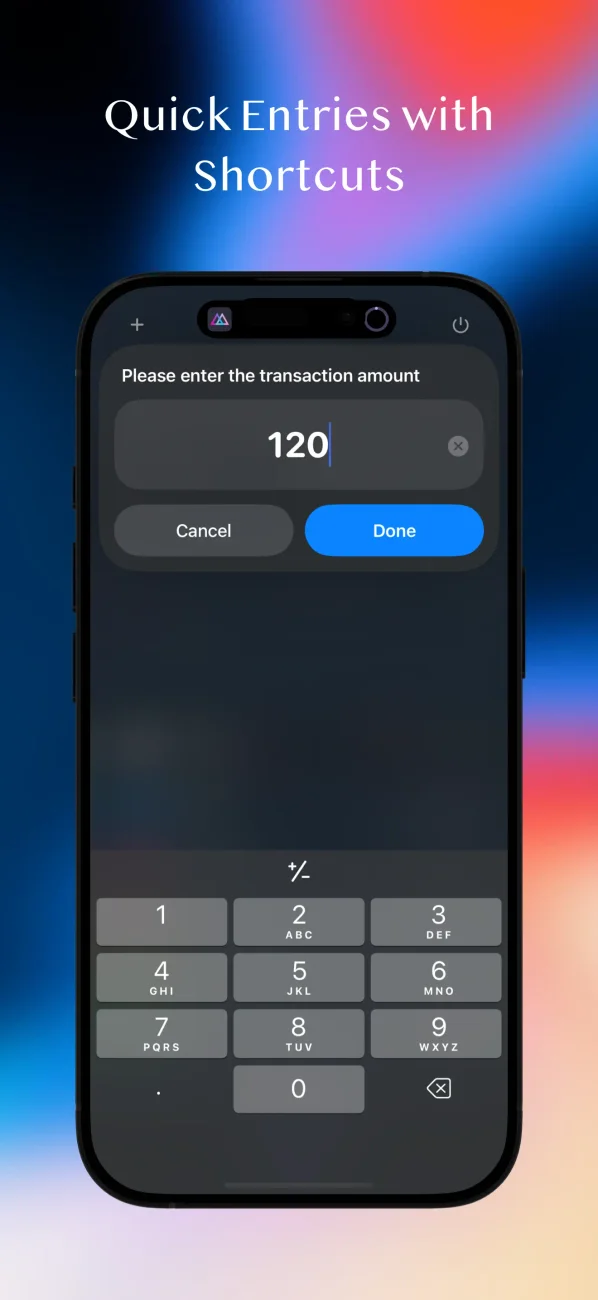
Shortcut Quick Entry – Log a transaction in seconds without opening the app
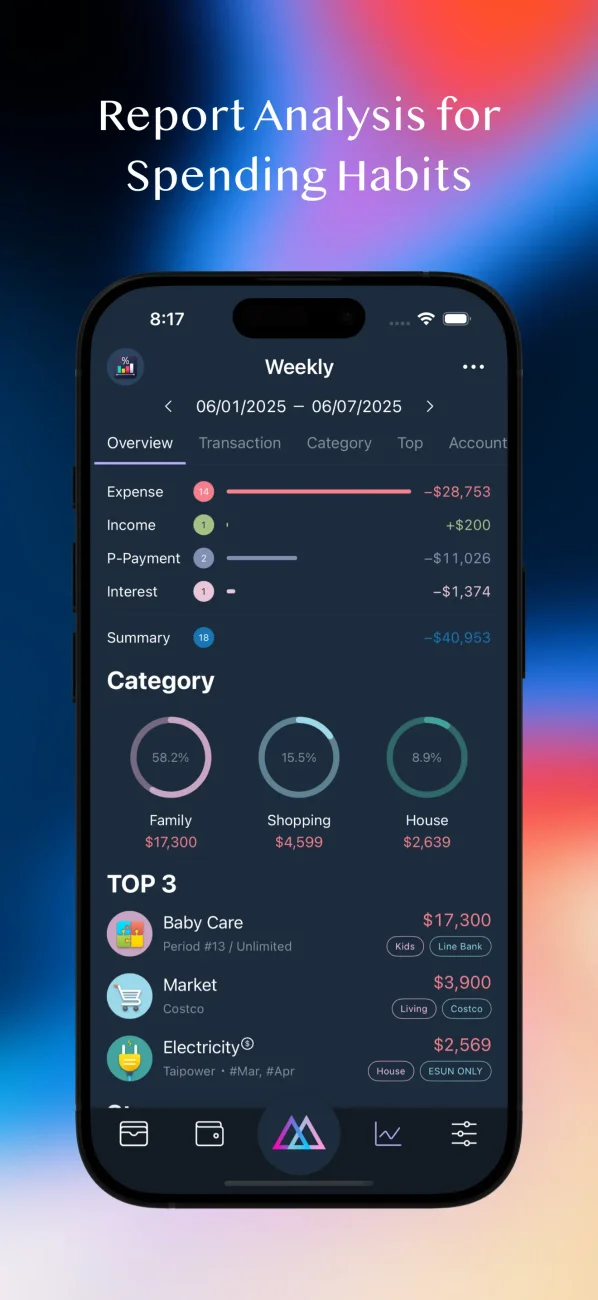
Enhanced Statistics Reports – Multi-dimensional analysis by account, project, target, and more
Comparison Reports – Cross-period comparisons to track financial trends
Multiple Invoices Linking – Attach several invoices to a single transaction entry
Entry Modes Switch – Context-based quick selection of account and category presets
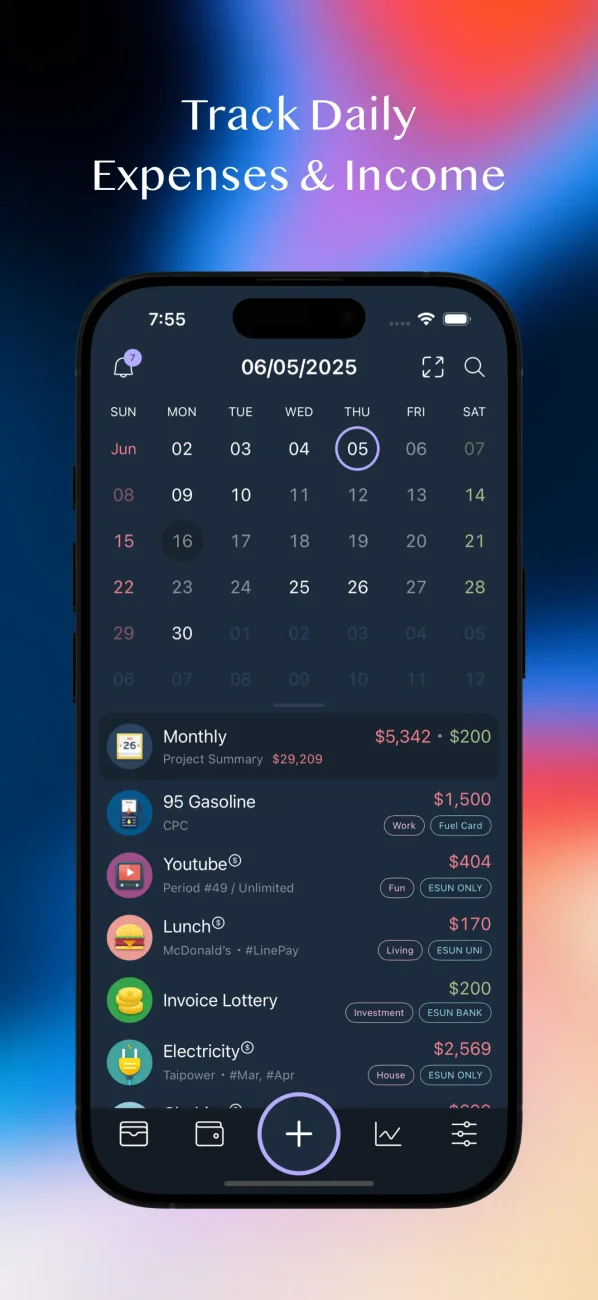
Full-Screen Calendar View – Monitor daily income and expenses at a glance
Sign in with Apple & Sync – Automatically back up data to MOZE Cloud
Crypto Tracking – Follow the top 100 cryptocurrencies by market cap
30+ Updates and Optimizations – Better UX, smoother performance, more power
---
【 Core Features Overview 】
Powerful Financial Management
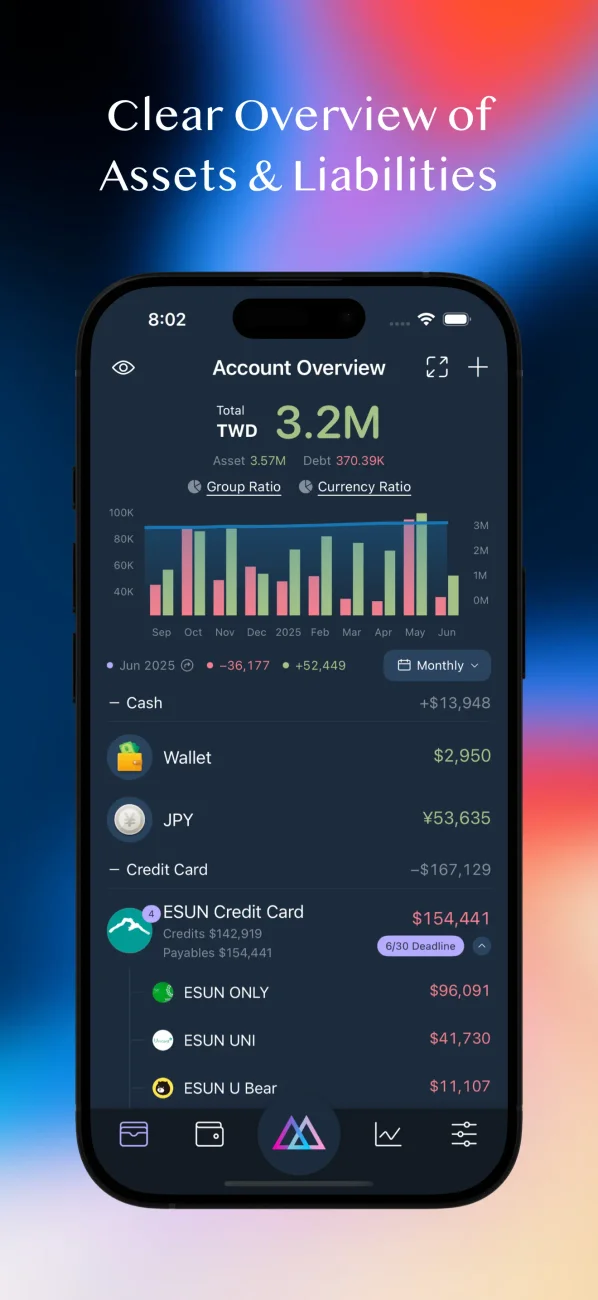
• Multi-account support, cross-currency bookkeeping
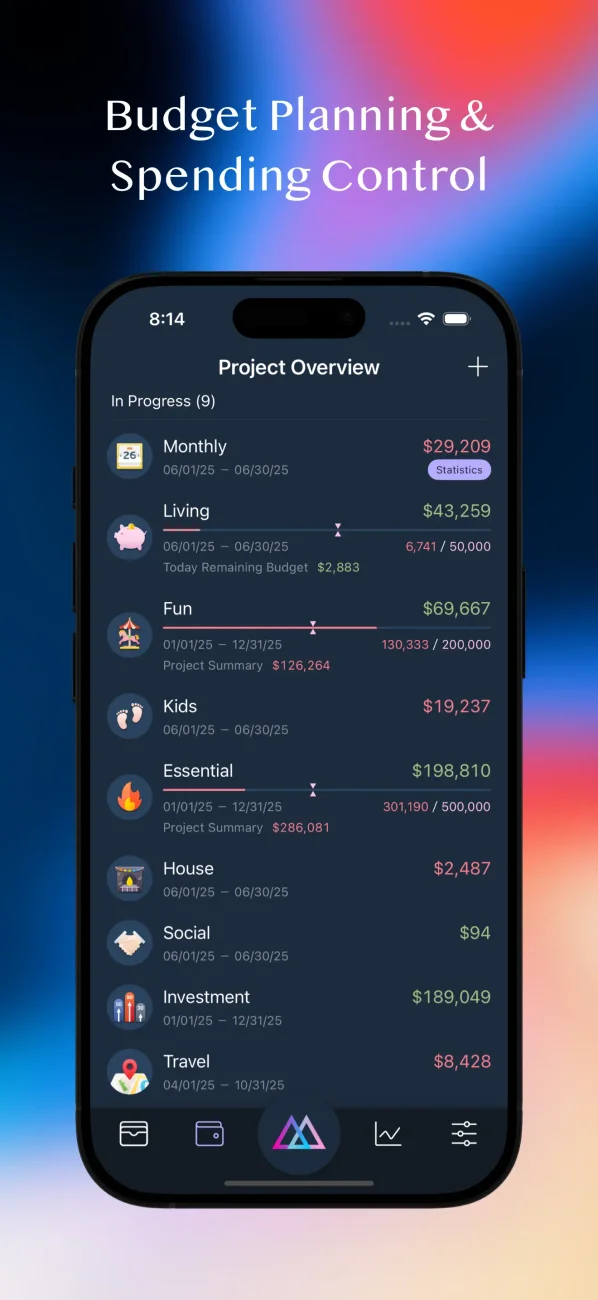
• Project grouping, budget planning
• Payables & receivables tracking, interest calculations
Daily Use Scenarios
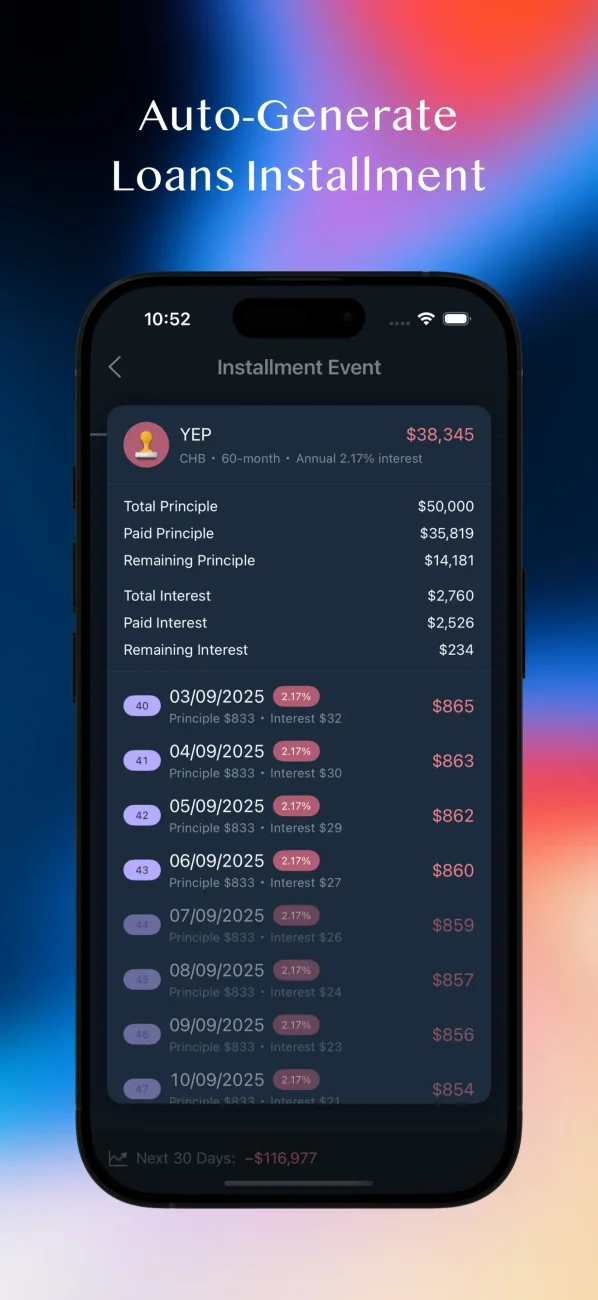
• Comprehensive support for recurring expenses, installments, refunds, fees, discounts, and more
Credit Card Center
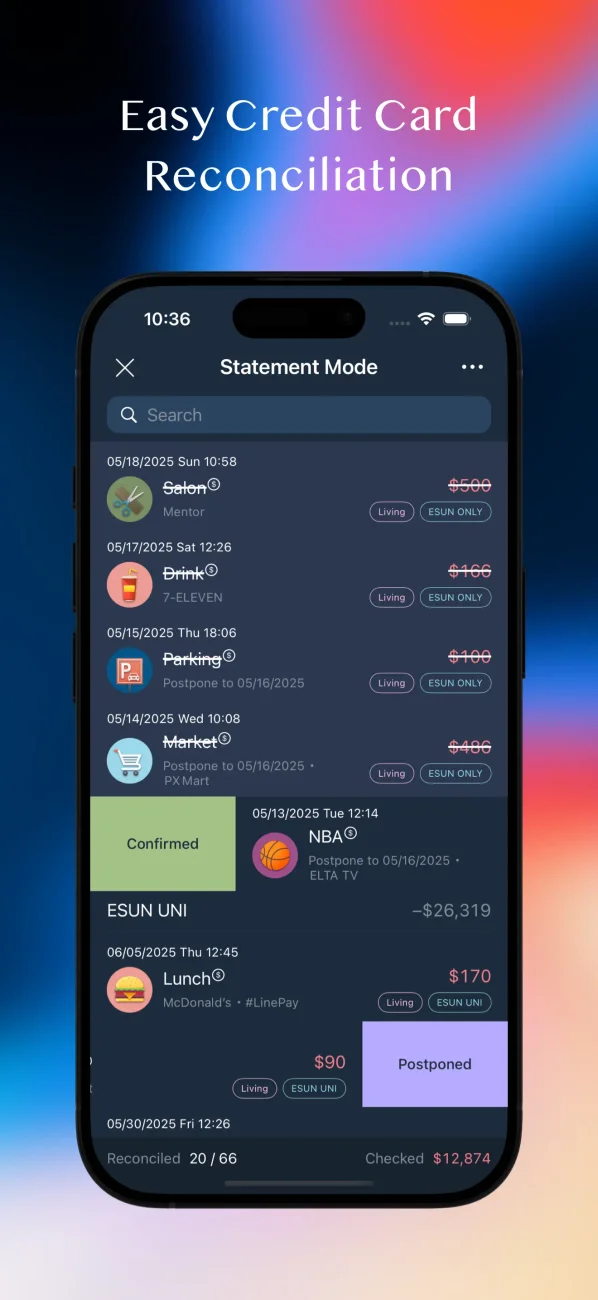
• Advanced features including shared credits, statement mode, billing installments, rewards tracking, auto deposit, balance adjustments
Rich Report Analysis
• Various types of statistical reports
• Comparison tables across different time periods
Taiwan E-Invoice Integration
• Mobile barcode carrier, QR code scanning, automatic lottery checking, invoice linking
Privacy & Security
• ISO-27001 certified
• Cloud encryption and password protection to safeguard your data
Personalization
• Over 100 built-in common categories, fully customizable to personal preferences
• Multiple theme options, downloadable account and color icons to create your unique style
Other Features
• Search, batch processing, CSV import/export, cloud backup / restore
Widget
• Instantly check accounts, budgets, notifications, rewards, and more
Apple Watch
• Quick entry, recent records, credit card payment reminders, transaction reminders, mobile barcode
---
Why Choose MOZE?
• 10 years of continuous development, full-featured and refined
• Trusted by millions of users
• Taiwan-localized design that truly understands your needs
---
Contact & Support
• Facebook Page: https://moze.to/moze_fb
• Facebook Group: https://moze.to/moze_group
• Email: hello@moze.app
• Website: https://moze.app
• Pricing: https://moze.app/pricing
• FAQ: https://faq.moze.app/
• Features: https://doc.moze.app/
Legal
• Privacy Policy: https://moze.to/website_privacy
• Terms of Use: https://moze.to/website_terms
---
Ready to make money management effortless? Download MOZE 4.0 and start your 14-day free trial today!
Neue Funktionen
Version 4.4 · 21.11.2026
NEW
- Added “Notification Entry”. After downloading the automation, transaction notifications from banking or payment apps are saved as drafts automatically, and you can complete them in Notifications to record them (iOS 27 only)
- Drafts are filled in automatically with the category, account, project and store based on your “Autofill Rules”. The first time a notification format appears, you’ll be asked to mark its keyword and account
- The outgoing and incoming notifications for the same transfer can be selected together and recorded as a single transfer
- When two apps each send a notification for the same transaction, you’ll be asked whether to “Mark as Duplicate” after recording it
- For transactions you’ve already recorded, use “Link Entry” to link the draft to that record
- With “Share Notification Samples” turned on, the original notification text is sent to us when you complete a draft to help improve recognition accuracy. Notification recognition rules are updated continuously from the cloud
- The More Features page adds “Quick Access” at the top right. Add up to 8 frequently used pages and open them with one tap
- On Mac, “Layout” adds an “Interface Size” setting. Choose “Large” to enlarge text, icons and the entire layout together
- Shortcuts adds “Find” actions for accounts, categories, subcategories, currencies, projects and rewards, and the entry action can now pick which reward to apply
- The final payment in “Deposit & Final Payment” can now be recorded as installments
- When a single receipt or repayment is more than the remaining balance, you can choose “Keep Tracking” to carry the extra amount as a receivable/payable, or “Deemed Settlement” to settle it
FIX
- Transaction detail card wasn’t centered when iPhone Duo was folded
- Rotating iPhone Duo while unfolded could leave the sidebar covered by a Live Activity
- When a main credit card account had a statement installment, Notifications kept showing “Unreconciled” and Auto Payment didn’t run
- With Home Screen icons set to Tinted or Clear, widget icons turned into a white dot
- Category budgets in a project could suddenly reset to zero
- After changing a refund’s date, the base reward removed from the original record was added back
- Receiving a single payment into a credit card didn’t show the Deduction option
- Swapping a cross-currency transfer recalculated the amount at the market rate and discarded the custom exchange rate
- With some third-party keyboards, the first character typed in the search field disappeared
- Other minor issues and improve user experience
IMPROVE
- iPhone Duo, iPad and Mac now use a new floating number keypad, and it no longer covers the date picker buttons when Duo is unfolded
- The “Remainder Merged In” setting for installments now remembers your last choice per account, and statement installments use it too
- Mac windows can now be resized up to the screen size of a 16-inch MacBook Pro
- Redesigned the AI feature page so credit usage and available features are clearer
- Credit Installment now supports Full Refund and Current Refund
- The account list in Shortcuts shows only account names, with the group moved to the subtitle
- Removed the “Reward Suggestion” toggle from the Shortcuts entry action. When no reward is selected, the option of the same name in the app’s entry settings is used instead
- Adjusted some button styles
App-Datenschutz
Was MOZE Co., Ltd. im App Store zum Umgang dieser App mit Daten angibt.
-
Mit Ihnen verknüpfte Daten
Können erfasst und mit Ihrer Identität verknüpft werden.
- Käufe
- Finanzinformationen
- Standort
- Kontaktinformationen
- Benutzerinhalte
- Kennungen
- Nutzungsdaten
- Diagnose
- Sonstige Daten
Die Datenschutzpraktiken können variieren, zum Beispiel je nach den von Ihnen verwendeten Funktionen oder Ihrem Alter.
Informationen
- Anbieter
- MOZE Co., Ltd.
- Kategorie
- Finanzen
- Version
- 4.4
- Aktualisiert
- 21.11.2026
- Veröffentlicht
- 02.07.2019
- Größe
- 211,0 MB
- Erfordert
- iOS 17.0 oder neuer
- Altersfreigabe
- 17+
- Preis
- Kostenlos
- In-App-Käufe
- Ja
- Sprachen
- Englisch, Vereinf. Chinesisch, Tradit. Chinesisch
- Copyright
- © 2026 MOZE Co., Ltd.
Das könnte Ihnen auch gefallen
-
 CWMoneyFinanzen
-
 Percento: Vermögen verwaltenAktien, Vermögen & Ausgaben
-
 麻布記帳-自動記帳資產管理與收支理財MoneybookFinanzen
-
 Pennyworth: HaushaltsbuchAusgaben und Budget im Blick
-
 MoneyThings - Finance TrackerFinanzen
-
 SmileBudget - Ausgaben PlannerHaushaltsbuch & Finanzplaner
-
 MoneyTrack: Expense TrackerFinanzen
-
 MonnyFinanzen
-
 Fortune City: HaushaltsbuchAusgaben tracken & Stadt bauen
-
 Slog - Ausgaben & BudgetsHaushaltsbuch & Money Manger