
- 対象年齢17+
- カテゴリファイナンス
- 開発元MOZE Co., Ltd.
- 言語英語ほか2言語
- サイズ211.0 MB
App Storeの公式ページにリンクしています
Download.orgはMOZEのファイルを一切ホストしていません。ボタンを押すと、MOZE Co., Ltd.が公開しているApp Storeのアプリページが開きます。ページの最終確認:2026/11/23。
スクリーンショット
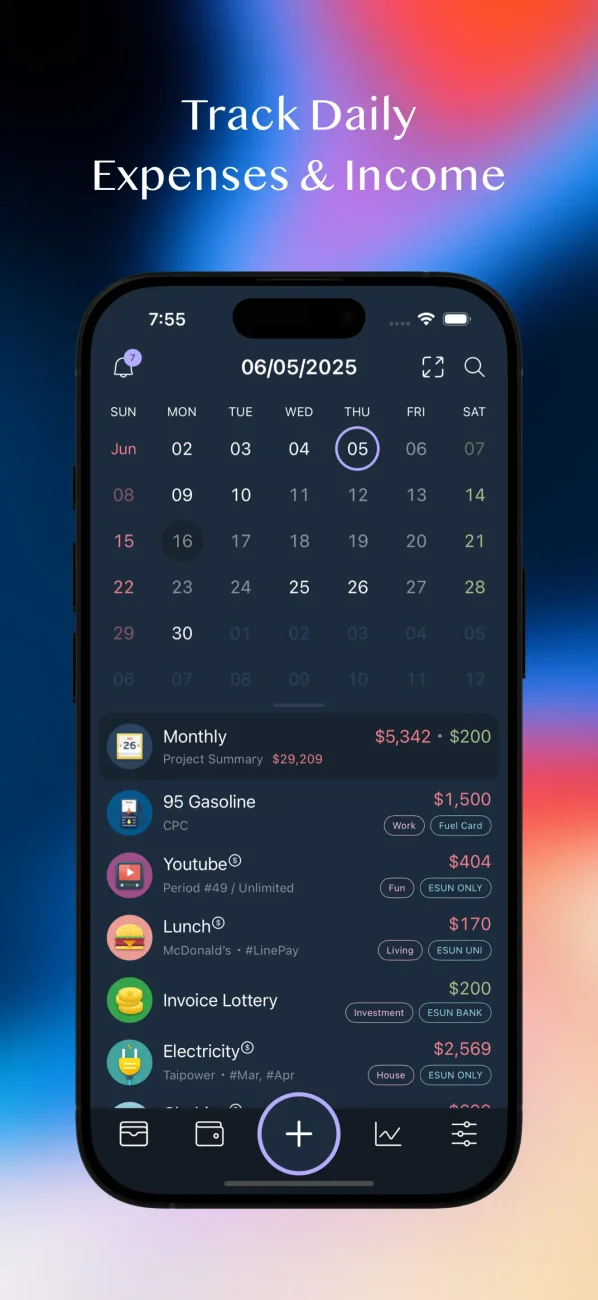
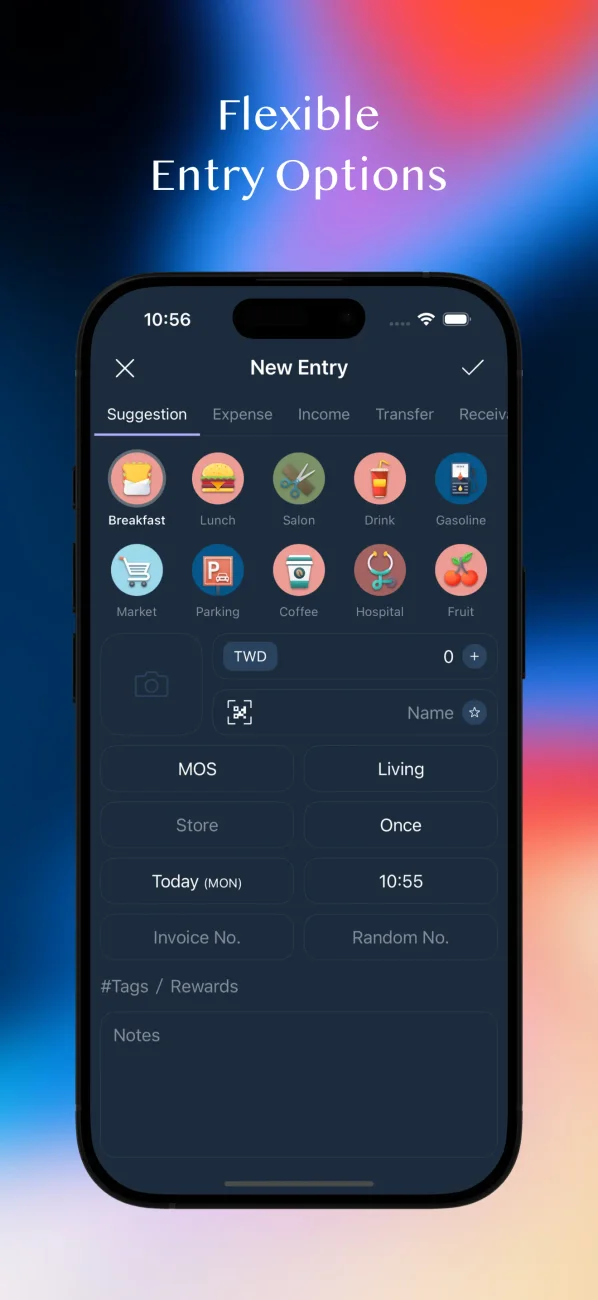
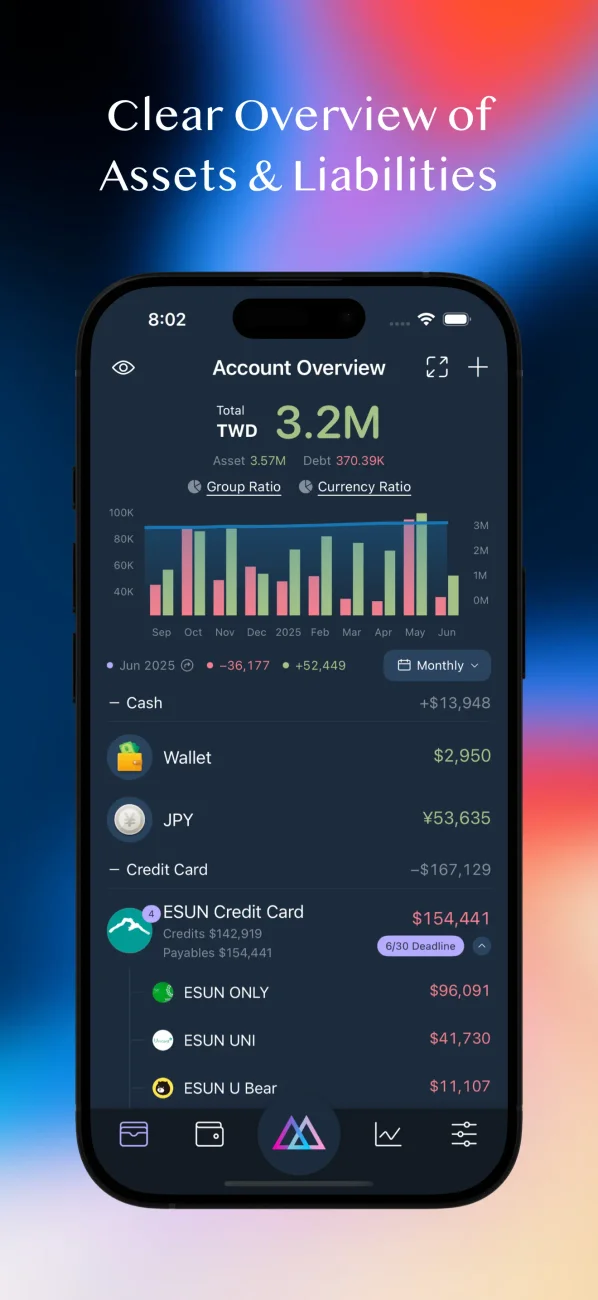
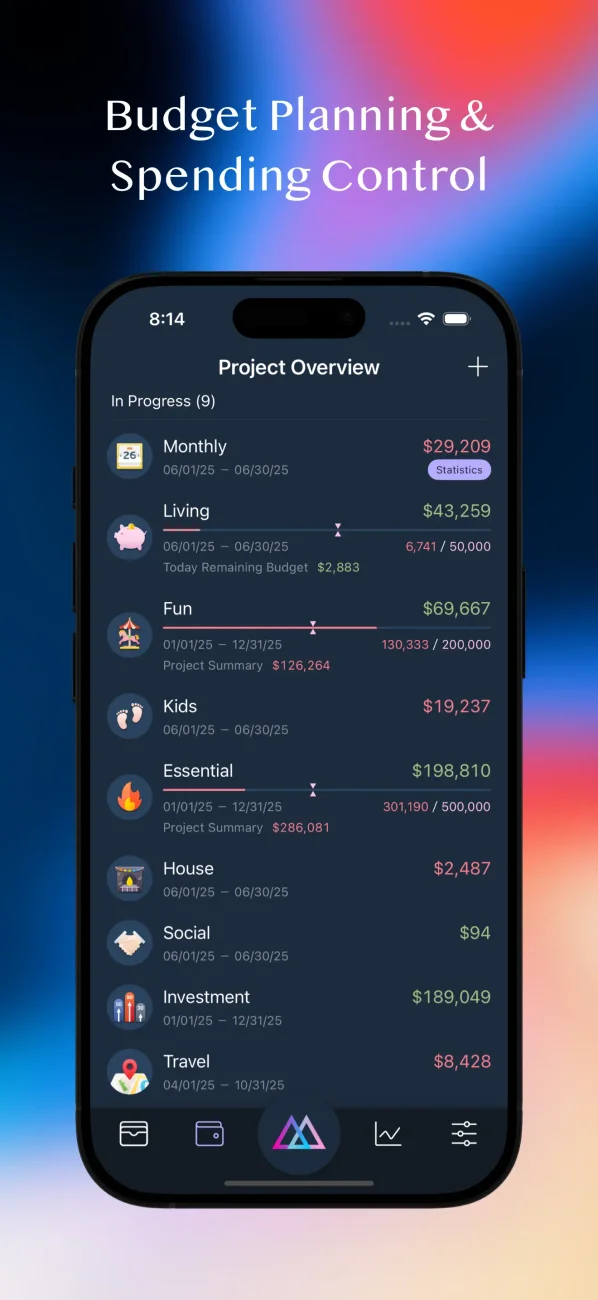

概要
開発元はこのテキストをお使いの言語で提供していません。
MOZE 4.0 – 10 Years of Excellence, Trusted by Millions
Beautiful Interface × Powerful Features × Ultimate Experience
Turn bookkeeping into pure enjoyment!
Tired of your money disappearing without a trace?
Want to take control of your finances but don’t know where to start?
MOZE helps you effortlessly build bookkeeping habits and regain control over your money!
---
【 What’s New in 4.0 】
iPad Version – Designed for large screens with cross-device synchronization
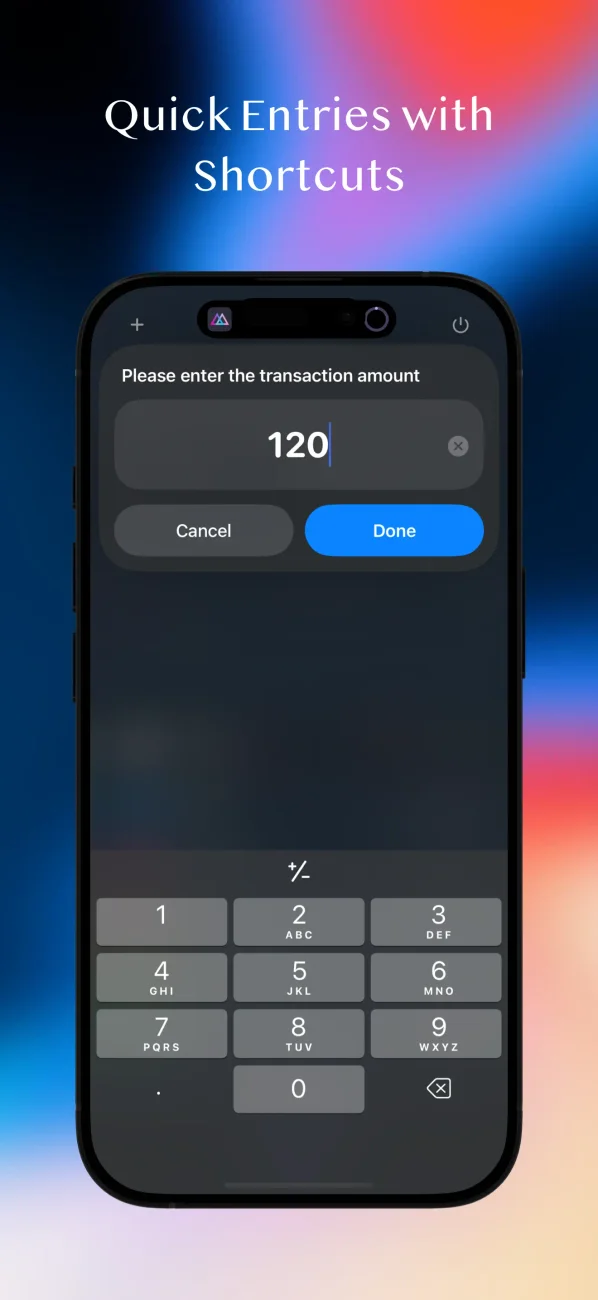
Shortcut Quick Entry – Log a transaction in seconds without opening the app
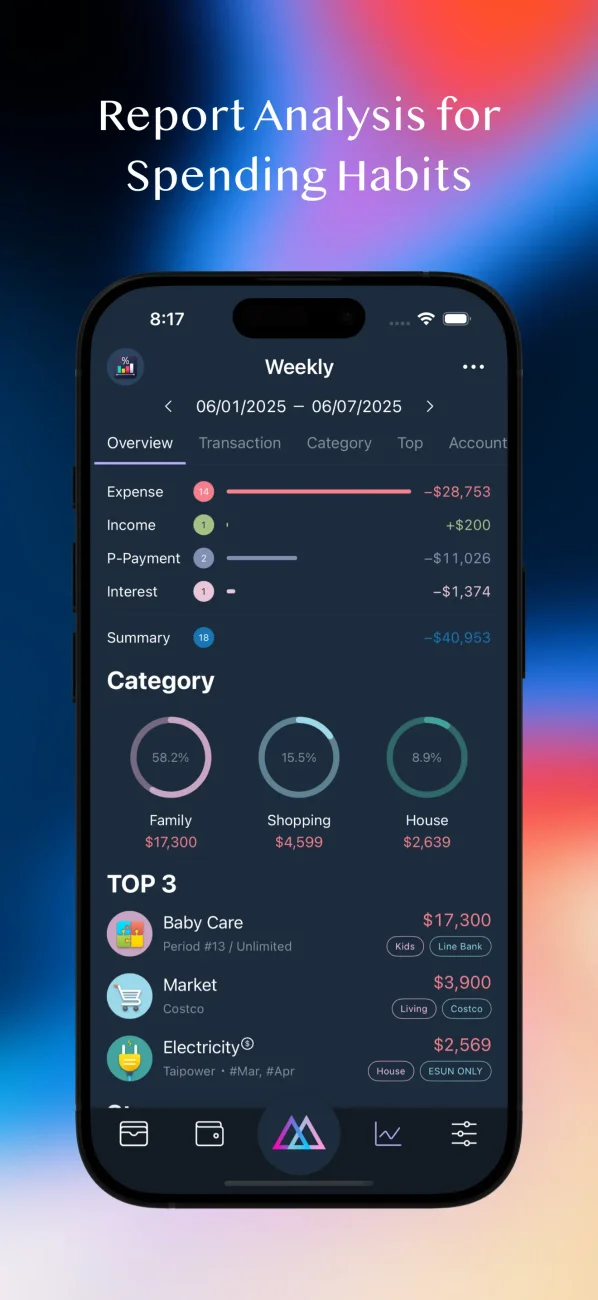
Enhanced Statistics Reports – Multi-dimensional analysis by account, project, target, and more
Comparison Reports – Cross-period comparisons to track financial trends
Multiple Invoices Linking – Attach several invoices to a single transaction entry
Entry Modes Switch – Context-based quick selection of account and category presets
Full-Screen Calendar View – Monitor daily income and expenses at a glance
Sign in with Apple & Sync – Automatically back up data to MOZE Cloud
Crypto Tracking – Follow the top 100 cryptocurrencies by market cap
30+ Updates and Optimizations – Better UX, smoother performance, more power
---
【 Core Features Overview 】
Powerful Financial Management
• Multi-account support, cross-currency bookkeeping
• Project grouping, budget planning
• Payables & receivables tracking, interest calculations
Daily Use Scenarios
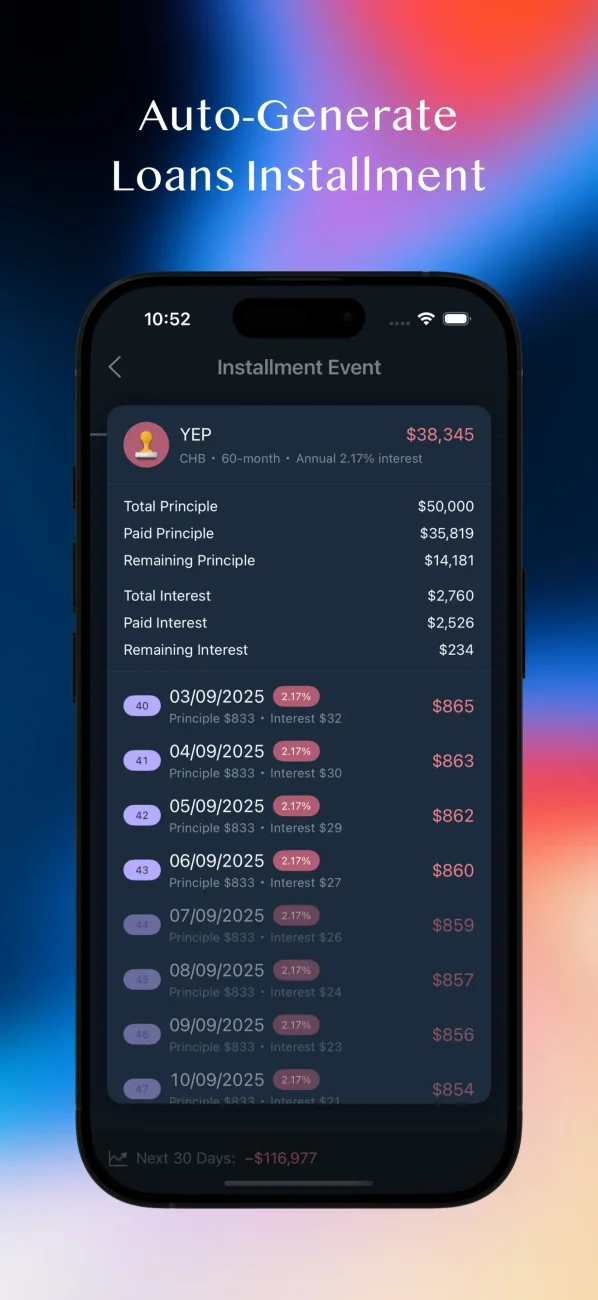
• Comprehensive support for recurring expenses, installments, refunds, fees, discounts, and more
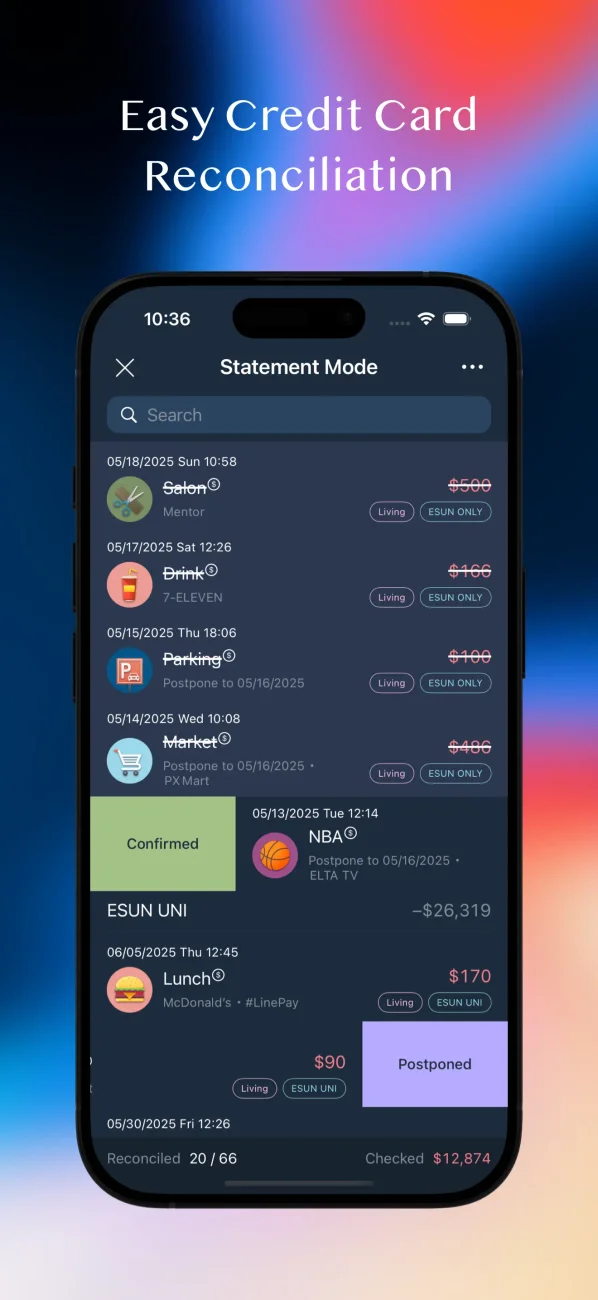
Credit Card Center
• Advanced features including shared credits, statement mode, billing installments, rewards tracking, auto deposit, balance adjustments
Rich Report Analysis
• Various types of statistical reports
• Comparison tables across different time periods
Taiwan E-Invoice Integration
• Mobile barcode carrier, QR code scanning, automatic lottery checking, invoice linking
Privacy & Security
• ISO-27001 certified
• Cloud encryption and password protection to safeguard your data
Personalization
• Over 100 built-in common categories, fully customizable to personal preferences
• Multiple theme options, downloadable account and color icons to create your unique style
Other Features
• Search, batch processing, CSV import/export, cloud backup / restore
Widget
• Instantly check accounts, budgets, notifications, rewards, and more
Apple Watch
• Quick entry, recent records, credit card payment reminders, transaction reminders, mobile barcode
---
Why Choose MOZE?
• 10 years of continuous development, full-featured and refined
• Trusted by millions of users
• Taiwan-localized design that truly understands your needs
---
Contact & Support
• Facebook Page: https://moze.to/moze_fb
• Facebook Group: https://moze.to/moze_group
• Email: hello@moze.app
• Website: https://moze.app
• Pricing: https://moze.app/pricing
• FAQ: https://faq.moze.app/
• Features: https://doc.moze.app/
Legal
• Privacy Policy: https://moze.to/website_privacy
• Terms of Use: https://moze.to/website_terms
---
Ready to make money management effortless? Download MOZE 4.0 and start your 14-day free trial today!
新機能
バージョン 4.4 · 2026/11/21
NEW
- Added “Notification Entry”. After downloading the automation, transaction notifications from banking or payment apps are saved as drafts automatically, and you can complete them in Notifications to record them (iOS 27 only)
- Drafts are filled in automatically with the category, account, project and store based on your “Autofill Rules”. The first time a notification format appears, you’ll be asked to mark its keyword and account
- The outgoing and incoming notifications for the same transfer can be selected together and recorded as a single transfer
- When two apps each send a notification for the same transaction, you’ll be asked whether to “Mark as Duplicate” after recording it
- For transactions you’ve already recorded, use “Link Entry” to link the draft to that record
- With “Share Notification Samples” turned on, the original notification text is sent to us when you complete a draft to help improve recognition accuracy. Notification recognition rules are updated continuously from the cloud
- The More Features page adds “Quick Access” at the top right. Add up to 8 frequently used pages and open them with one tap
- On Mac, “Layout” adds an “Interface Size” setting. Choose “Large” to enlarge text, icons and the entire layout together
- Shortcuts adds “Find” actions for accounts, categories, subcategories, currencies, projects and rewards, and the entry action can now pick which reward to apply
- The final payment in “Deposit & Final Payment” can now be recorded as installments
- When a single receipt or repayment is more than the remaining balance, you can choose “Keep Tracking” to carry the extra amount as a receivable/payable, or “Deemed Settlement” to settle it
FIX
- Transaction detail card wasn’t centered when iPhone Duo was folded
- Rotating iPhone Duo while unfolded could leave the sidebar covered by a Live Activity
- When a main credit card account had a statement installment, Notifications kept showing “Unreconciled” and Auto Payment didn’t run
- With Home Screen icons set to Tinted or Clear, widget icons turned into a white dot
- Category budgets in a project could suddenly reset to zero
- After changing a refund’s date, the base reward removed from the original record was added back
- Receiving a single payment into a credit card didn’t show the Deduction option
- Swapping a cross-currency transfer recalculated the amount at the market rate and discarded the custom exchange rate
- With some third-party keyboards, the first character typed in the search field disappeared
- Other minor issues and improve user experience
IMPROVE
- iPhone Duo, iPad and Mac now use a new floating number keypad, and it no longer covers the date picker buttons when Duo is unfolded
- The “Remainder Merged In” setting for installments now remembers your last choice per account, and statement installments use it too
- Mac windows can now be resized up to the screen size of a 16-inch MacBook Pro
- Redesigned the AI feature page so credit usage and available features are clearer
- Credit Installment now supports Full Refund and Current Refund
- The account list in Shortcuts shows only account names, with the group moved to the subtitle
- Removed the “Reward Suggestion” toggle from the Shortcuts entry action. When no reward is selected, the option of the same name in the app’s entry settings is used instead
- Adjusted some button styles
アプリのプライバシー
このアプリのデータの取り扱いについて、MOZE Co., Ltd.がApp Storeで申告している内容です。
-
ユーザーに関連付けられたデータ
収集され、ユーザーの識別情報に関連付けられる場合があります。
- 購入
- 財務情報
- 位置情報
- 連絡先情報
- ユーザーコンテンツ
- ID
- 使用状況データ
- 診断
- その他のデータ
プライバシーの取り扱いは、ご利用の機能やお客様の年齢などに応じて異なる場合があります。
情報
- 販売元
- MOZE Co., Ltd.
- カテゴリ
- ファイナンス
- バージョン
- 4.4
- 更新日
- 2026/11/21
- リリース
- 2019/7/2
- サイズ
- 211.0 MB
- 必要条件
- iOS 17.0以降
- 対象年齢
- 17+
- 価格
- 無料
- アプリ内課金
- あり
- 言語
- 英語, 簡体字中国語, 繁体字中国語
- 著作権
- © 2026 MOZE Co., Ltd.
こちらもおすすめ
-
 CWMoneyファイナンス
-
 Percento: 純資産を管理株式、資産、経費
-
 麻布記帳-自動記帳資產管理與收支理財Moneybookファイナンス
-
 毎日家計簿 - 共有も予算も外貨管理もできる簡単家計簿アプリお小遣い帳から資産管理までシンプル入力(会員登録不要)
-
 MoneyThings - Finance Trackerファイナンス
-
 缶詰家計簿 – シンプルでかわいい家計簿収支カレンダーで予算・貯金をかんたん管理
-
 MoneyTrack - 純粋な家計簿広告なし、全デバイス同期、資産管理
-
 Monnyファイナンス
-
 家計簿 Fortune City まちづくり育成ゲーム節約・貯金が続く!かわいい街のスローライフゲーム
-
 Slog家計簿(かけいぼ) 簡単おでお金や口座の管理家計の収支や資産管理も家計簿アプリでまとめて管理