Nauu
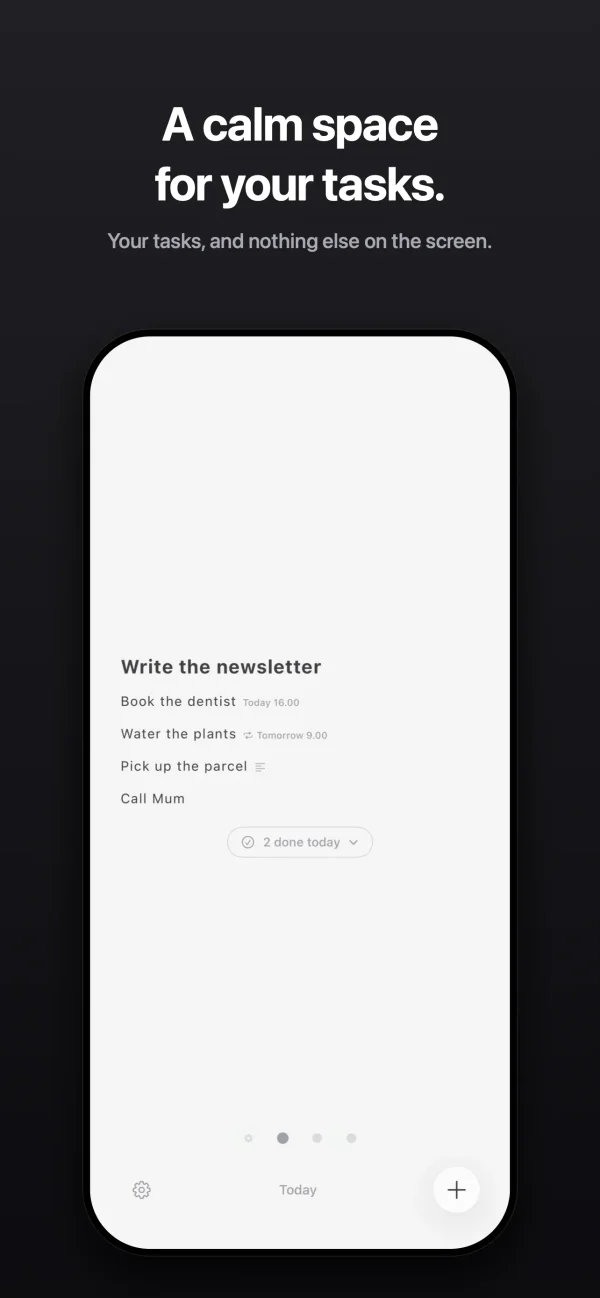
A calm space for your tasks.
Entwickelt für iPhone, iPad
Kostenlos · In-App-Käufe
- Altersfreigabe4+
- KategorieProduktivität
- EntwicklerMark Stoumann
- SprachenEnglisch
- Größe29,8 MB
Verlinkt auf die offizielle App Store-Seite
Download.org hostet keine Datei von Nauu. Die Schaltfläche öffnet die App-Seite bei App Store, wo Mark Stoumann die App veröffentlicht. Eintrag zuletzt geprüft am 12.11.2026.
Screenshots

Info
Der Entwickler hat diesen Text nicht in Ihrer Sprache bereitgestellt.
Nauu is a to-do list that gets out of the way.
No streaks to keep up, nothing shouting for attention. Just your tasks, in the order you want them, on a screen with nothing else on it.
WRITE IT DOWN, MOVE IT ALONG
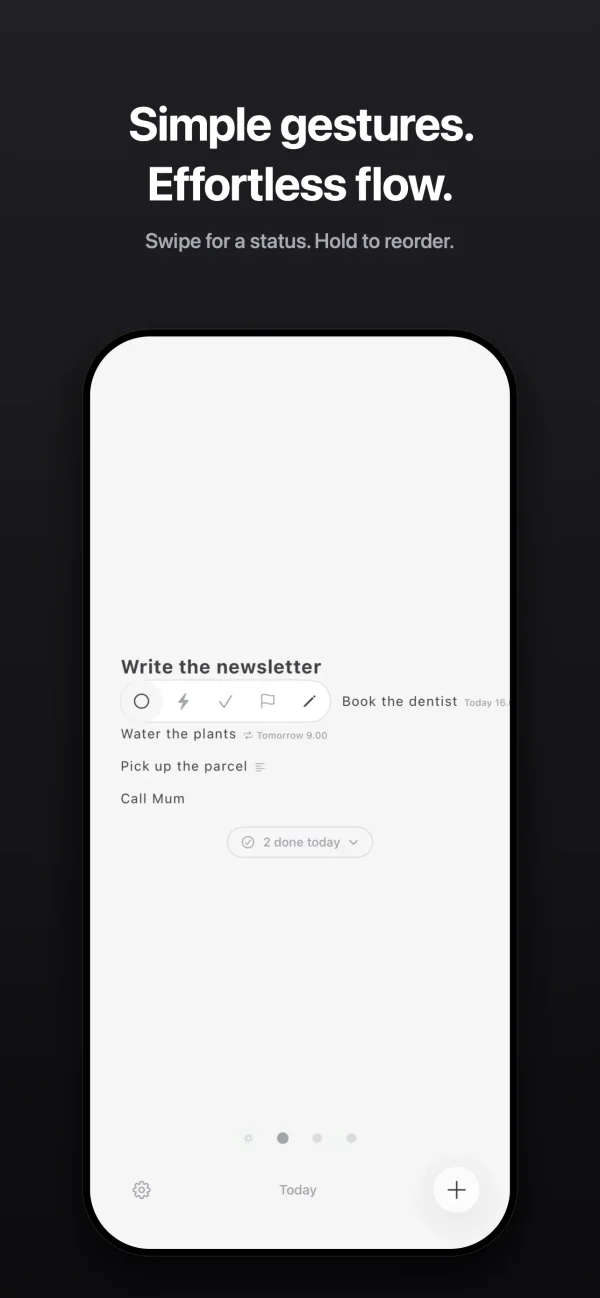
Add a task and it is on the list. Tap it to finish it. Swipe right to pick a status — to do, in progress, done or flagged — and swipe left to delete. Touch and hold to pick a task up and drag it where it belongs.
Only one task at a time can be In Progress, and it is the loudest thing on the screen. It is the one you are doing.
Finished tasks step aside into a single line under the list: out of the way, still there. Delete something by mistake and you have a few seconds to undo it.
A LIST FOR EVERY CORNER OF THINGS
Shopping, work, the trip in October. Swipe between them, and make as many as you like.
MAKE IT LOOK HOW YOU THINK
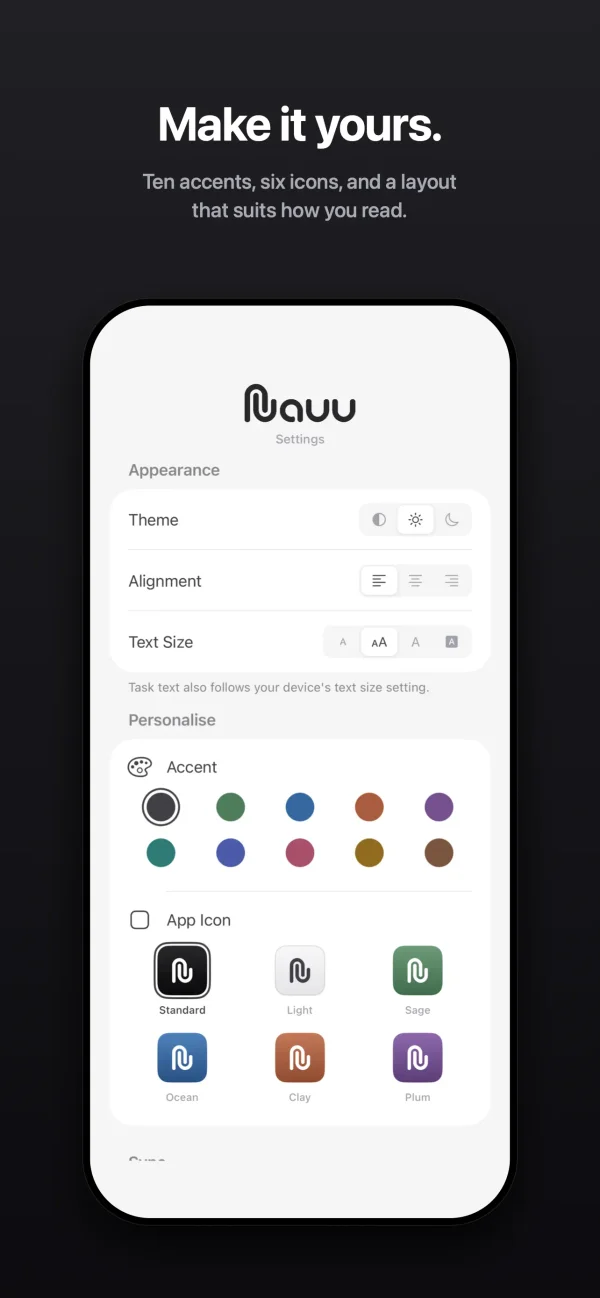
Ranged left, centered or right. Bigger text, or smaller. Hide the status icons for a list that is nothing but words — then choose whether a tap finishes a task or opens it, because it should do the one you reach for most.
Hide the controls entirely and let the screen go quiet while you work. Light, dark, or whatever your phone is already on.
Lock Nauu behind Face ID, and it locks again the moment you leave.
THE SMALL THINGS
Tap the empty space under a list to start a new task — one tap, not two. Hold that same space and paste a list from Notes, Messages or an email, and every line becomes a task.
NAUU PRO
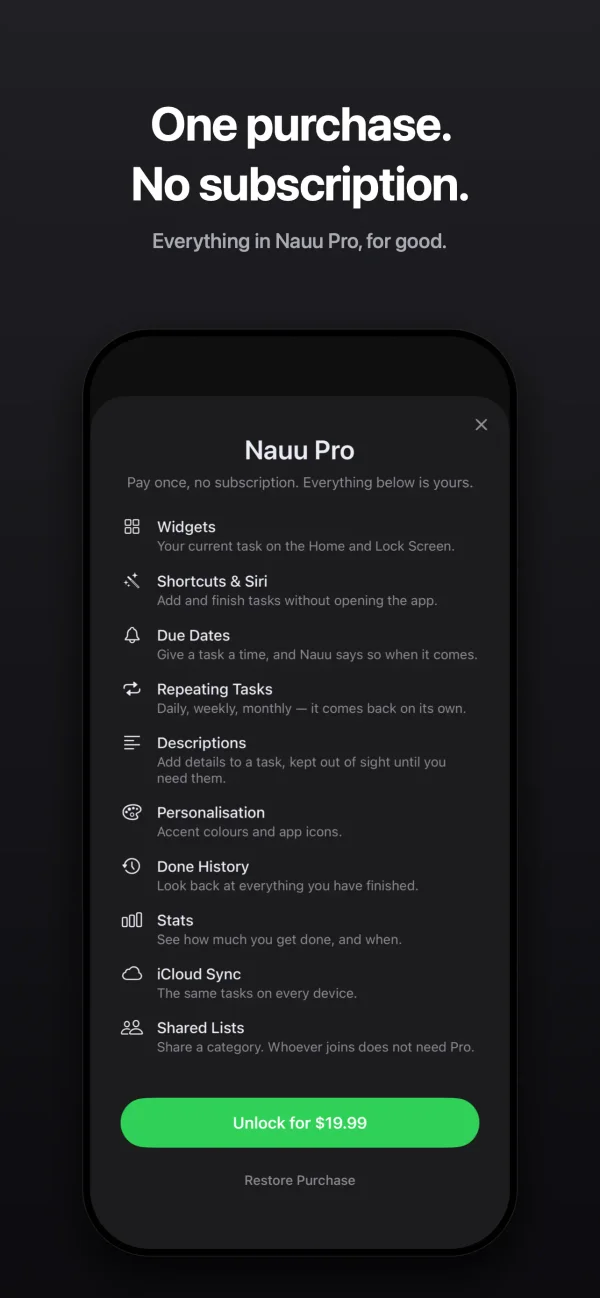
One purchase. No subscription.
• Widgets — your current task on the Home and Lock Screen, and you can tick it off without opening the app
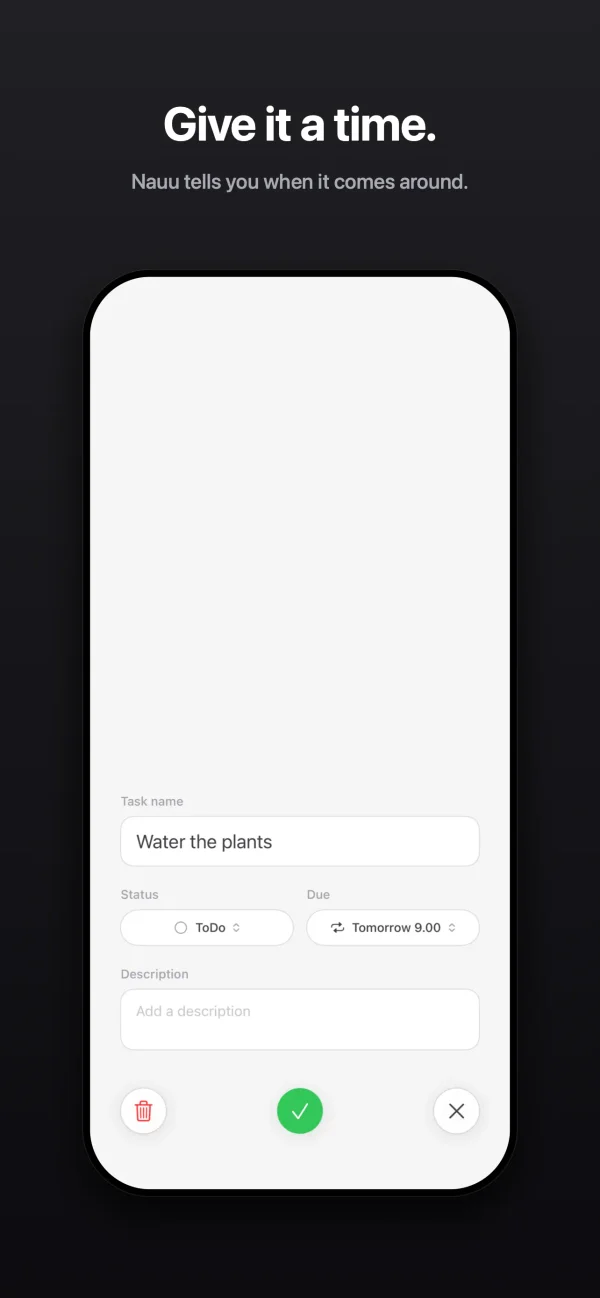
• Due dates — give a task a time, and Nauu says so when it comes
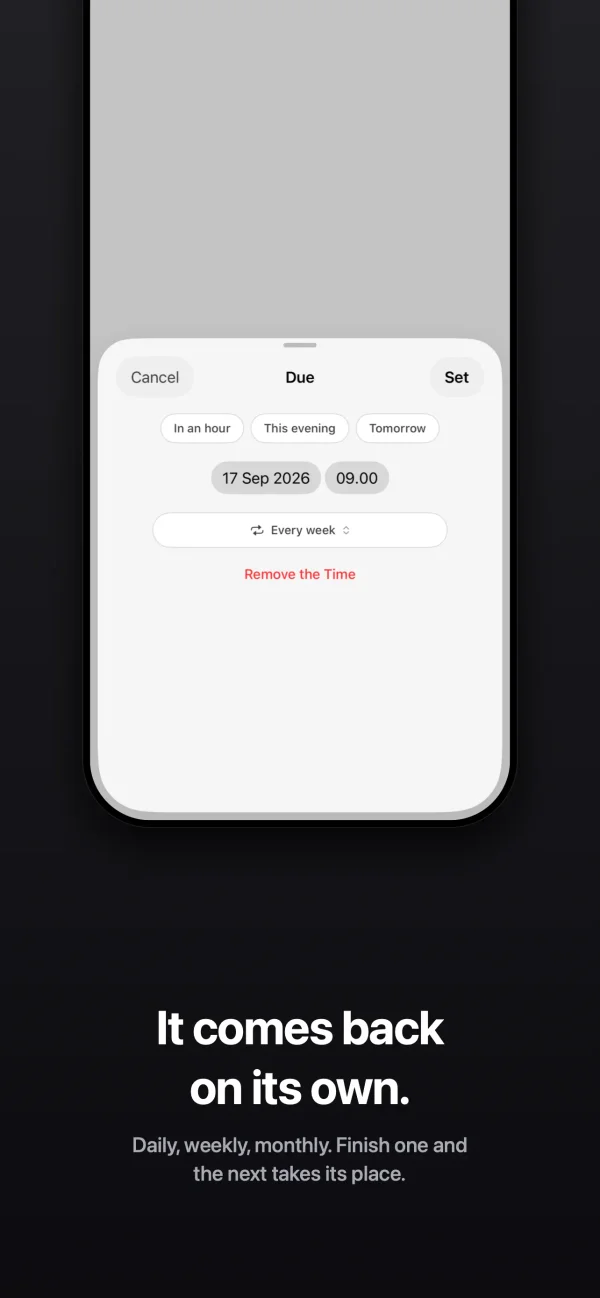
• Repeating tasks — daily, weekly, monthly. Finish one and the next takes its place, already dated
• Descriptions — room for the details, kept out of sight until you need them
• Siri and Shortcuts — add and finish tasks without opening the app
• iCloud sync — the same tasks on every device
• Shared lists — share a list with anyone, and whoever joins does not need Pro
• History and stats — everything you have finished, with a quiet look at your week
• Ten accent colors and six app icons
Your lists stay free and unlimited, whether you buy Pro or not.
Neue Funktionen
Version 2.0 · 16.09.2026
Nauu Pro is here — one purchase, no subscription.
• Widgets — your current task on the Home and Lock Screen. Tick tasks off without opening the app.
• Due dates — give a task a time and Nauu tells you when it arrives. The time sits beside the task and turns red once it has passed.
• Repeating tasks — every day, every weekday, every week, every other week, every month or every year. Finish one and the next takes its place, already dated.
• Descriptions — add details to a task. Your list shows the first line, or just a small mark. Your choice.
• iCloud sync — the same tasks on every device.
• Shared lists — share a list with anyone. Whoever joins does not need Pro.
• History and stats — everything you have finished, with a quiet look at your week.
• Siri and Shortcuts — add and finish tasks without opening the app.
• Ten accent colors and six app icons.
And for everyone:
• Tap the empty space under a list to add a task straight away.
• Hold that space to paste a list from Notes or Messages. Each line becomes a task.
• With the task icons hidden, choose whether a tap completes or edits. Double-tap for the other.
• A task now wears its new status for a moment before the list moves it, so you see what you just did.
• The task editor has been rebuilt: real fields, the status one tap away, the due date beside it.
Your lists stay free and unlimited.
App-Datenschutz
Was Mark Stoumann im App Store zum Umgang dieser App mit Daten angibt.
-
Keine Daten erfasst
Der Entwickler erfasst keine Daten von dieser App.
Die Datenschutzpraktiken können variieren, zum Beispiel je nach den von Ihnen verwendeten Funktionen oder Ihrem Alter.
Informationen
- Anbieter
- Mark Stoumann
- Kategorie
- Produktivität
- Version
- 2.0
- Aktualisiert
- 16.09.2026
- Veröffentlicht
- 13.11.2025
- Größe
- 29,8 MB
- Erfordert
- iOS 26.0 oder neuer
- Altersfreigabe
- 4+
- Preis
- Kostenlos
- In-App-Käufe
- Ja
- Sprachen
- Englisch
- Copyright
- © Mark Stoumann
Das könnte Ihnen auch gefallen
-
 MeshNotesProduktivität
-
 Wisdom - Note-Taking AppProduktivität
-
 ClaryaProduktivität
-
 Push The Rock: Sisyphus's PathProduktivität
-
 note-DashProduktivität
-
 Chat Notes: Threaded IdeasProduktivität
-
 TimeWhisperer - Interval TimerProduktivität
-
 Mindrafts - Local AI NotesProduktivität
-
 Cift: The Planner You Talk ToProduktivität
-
 Runny - Quick Chat Style NotesProduktivität