Nauu
A calm space for your tasks.
Diseñada para iPhone, iPad
Gratis · Compras en la aplicación
- Clasificación por edad4+
- CategoríaProductividad
- DesarrolladorMark Stoumann
- IdiomasInglés
- Tamaño29,8 MB
Enlaza a la página oficial de App Store
Download.org no aloja ningún archivo de Nauu. El botón abre la página de la aplicación en App Store, donde la publica Mark Stoumann. Ficha comprobada por última vez el 12/11/2026.
Capturas de pantalla

Acerca de
El desarrollador no ha proporcionado este texto en tu idioma.
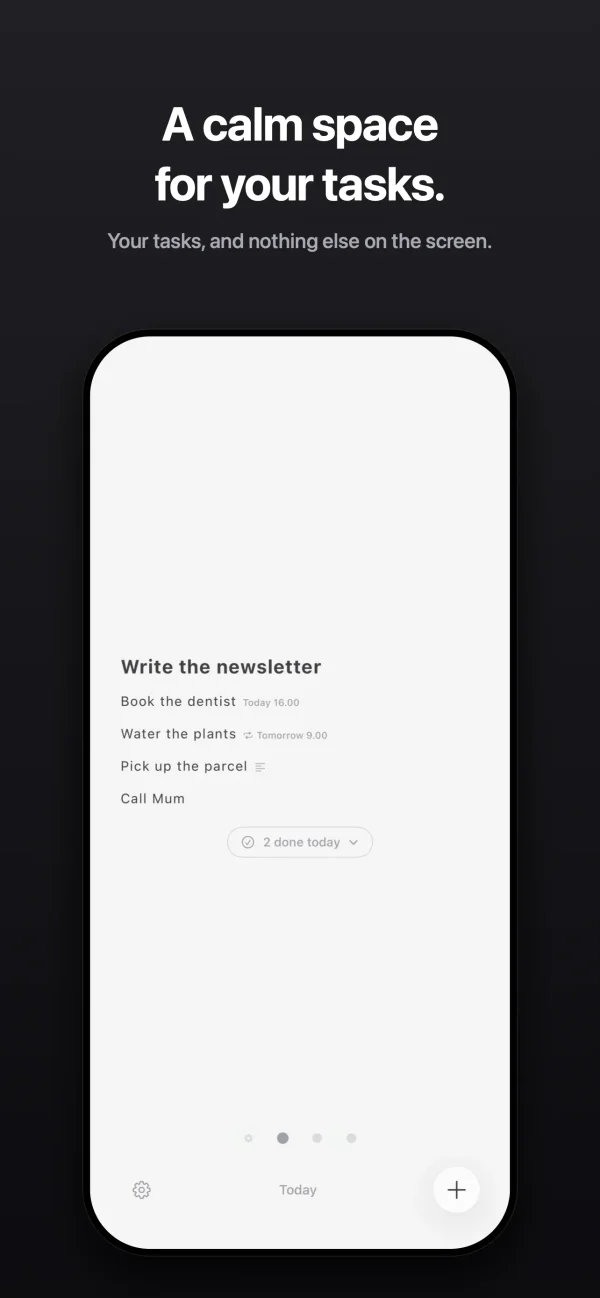
Nauu is a to-do list that gets out of the way.
No streaks to keep up, nothing shouting for attention. Just your tasks, in the order you want them, on a screen with nothing else on it.
WRITE IT DOWN, MOVE IT ALONG
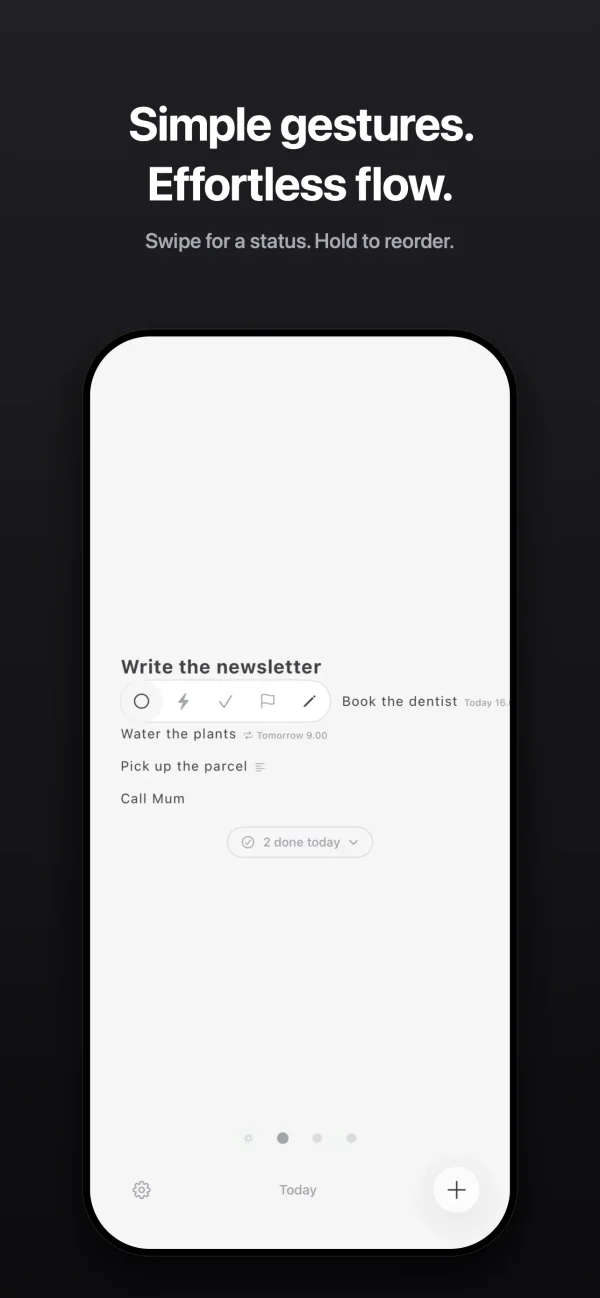
Add a task and it is on the list. Tap it to finish it. Swipe right to pick a status — to do, in progress, done or flagged — and swipe left to delete. Touch and hold to pick a task up and drag it where it belongs.
Only one task at a time can be In Progress, and it is the loudest thing on the screen. It is the one you are doing.
Finished tasks step aside into a single line under the list: out of the way, still there. Delete something by mistake and you have a few seconds to undo it.
A LIST FOR EVERY CORNER OF THINGS
Shopping, work, the trip in October. Swipe between them, and make as many as you like.
MAKE IT LOOK HOW YOU THINK
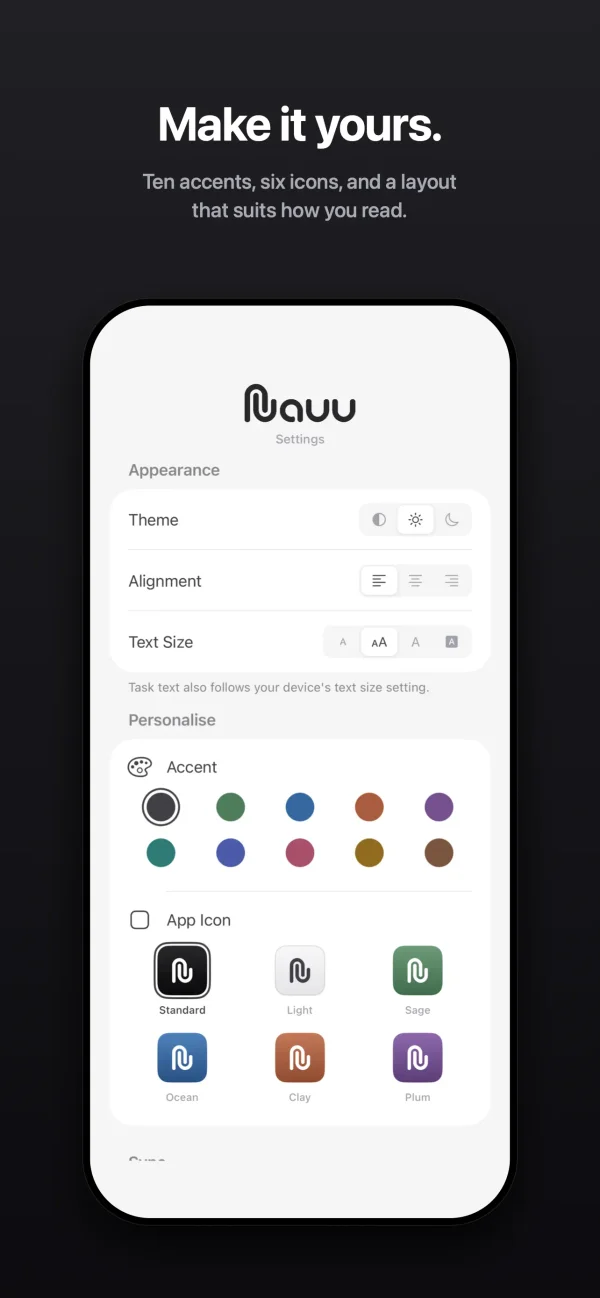
Ranged left, centered or right. Bigger text, or smaller. Hide the status icons for a list that is nothing but words — then choose whether a tap finishes a task or opens it, because it should do the one you reach for most.
Hide the controls entirely and let the screen go quiet while you work. Light, dark, or whatever your phone is already on.
Lock Nauu behind Face ID, and it locks again the moment you leave.
THE SMALL THINGS
Tap the empty space under a list to start a new task — one tap, not two. Hold that same space and paste a list from Notes, Messages or an email, and every line becomes a task.
NAUU PRO
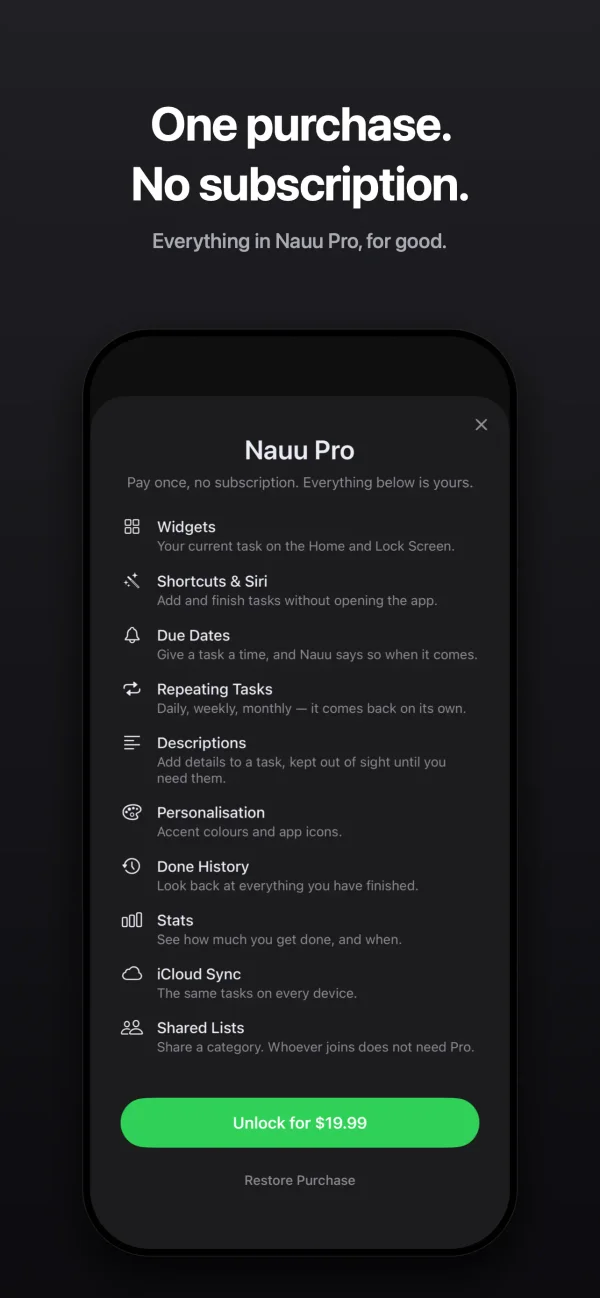
One purchase. No subscription.
• Widgets — your current task on the Home and Lock Screen, and you can tick it off without opening the app
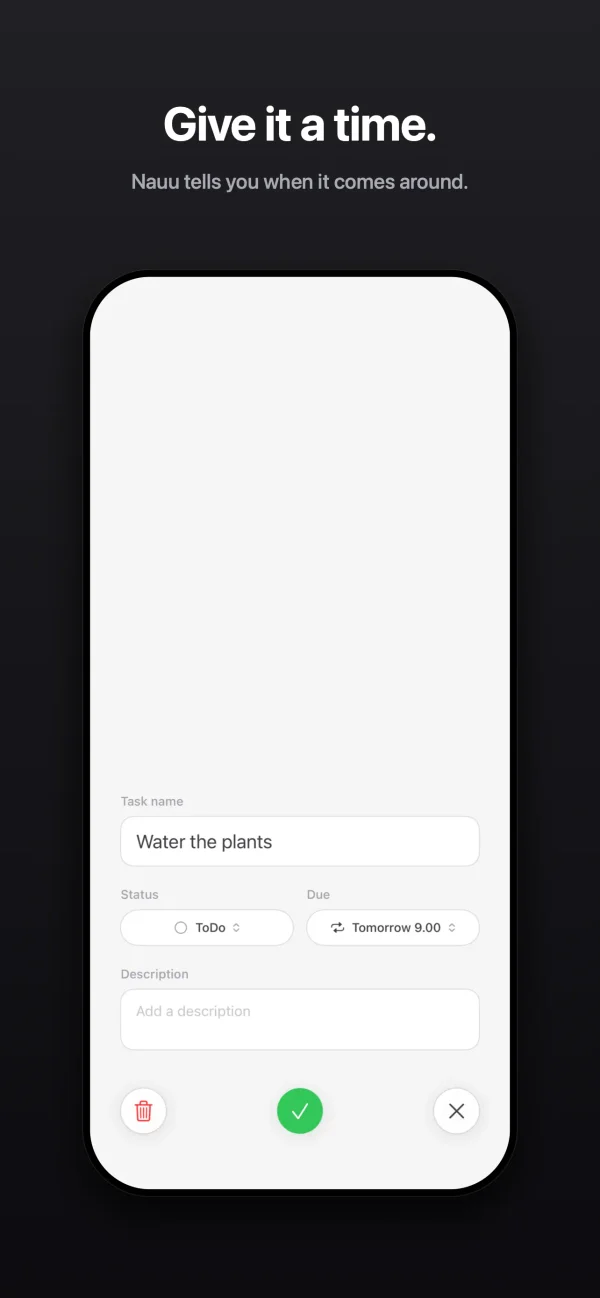
• Due dates — give a task a time, and Nauu says so when it comes
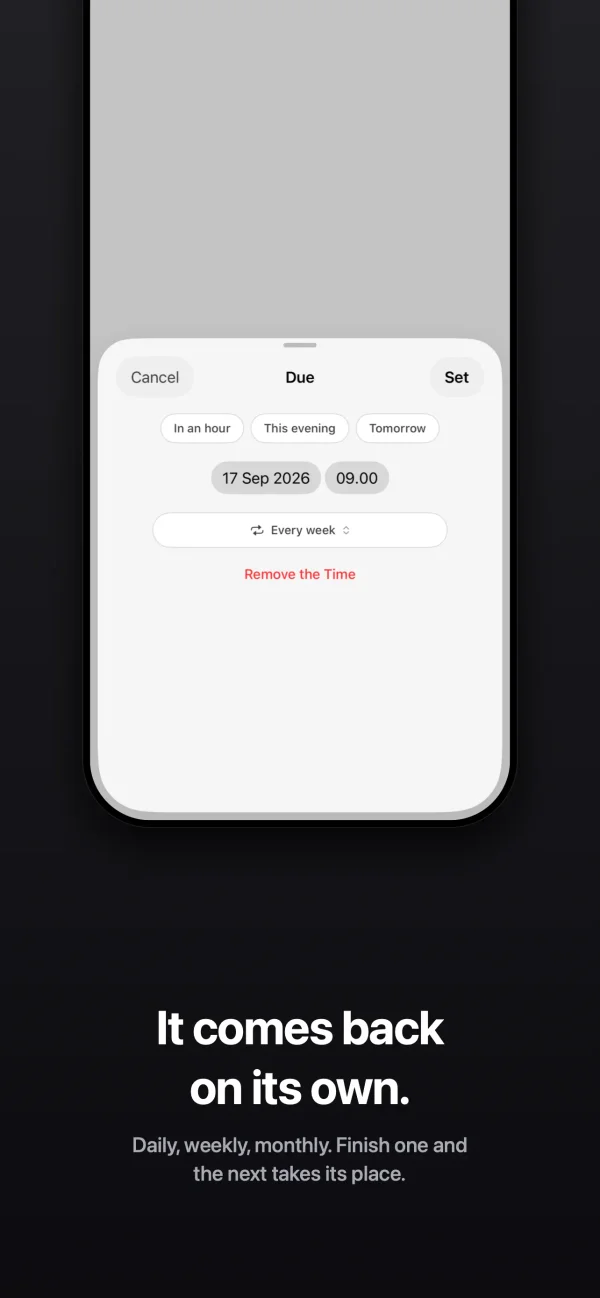
• Repeating tasks — daily, weekly, monthly. Finish one and the next takes its place, already dated
• Descriptions — room for the details, kept out of sight until you need them
• Siri and Shortcuts — add and finish tasks without opening the app
• iCloud sync — the same tasks on every device
• Shared lists — share a list with anyone, and whoever joins does not need Pro
• History and stats — everything you have finished, with a quiet look at your week
• Ten accent colors and six app icons
Your lists stay free and unlimited, whether you buy Pro or not.
Novedades
Versión 2.0 · 16/9/2026
Nauu Pro is here — one purchase, no subscription.
• Widgets — your current task on the Home and Lock Screen. Tick tasks off without opening the app.
• Due dates — give a task a time and Nauu tells you when it arrives. The time sits beside the task and turns red once it has passed.
• Repeating tasks — every day, every weekday, every week, every other week, every month or every year. Finish one and the next takes its place, already dated.
• Descriptions — add details to a task. Your list shows the first line, or just a small mark. Your choice.
• iCloud sync — the same tasks on every device.
• Shared lists — share a list with anyone. Whoever joins does not need Pro.
• History and stats — everything you have finished, with a quiet look at your week.
• Siri and Shortcuts — add and finish tasks without opening the app.
• Ten accent colors and six app icons.
And for everyone:
• Tap the empty space under a list to add a task straight away.
• Hold that space to paste a list from Notes or Messages. Each line becomes a task.
• With the task icons hidden, choose whether a tap completes or edits. Double-tap for the other.
• A task now wears its new status for a moment before the list moves it, so you see what you just did.
• The task editor has been rebuilt: real fields, the status one tap away, the due date beside it.
Your lists stay free and unlimited.
Privacidad de la aplicación
Lo que Mark Stoumann declara en App Store sobre cómo esta aplicación gestiona los datos.
-
No se recopilan datos
El desarrollador no recopila ningún dato de esta aplicación.
Las prácticas de privacidad pueden variar, por ejemplo, según las funciones que uses o tu edad.
Información
- Vendedor
- Mark Stoumann
- Categoría
- Productividad
- Versión
- 2.0
- Actualizado
- 16/9/2026
- Publicado
- 13/11/2025
- Tamaño
- 29,8 MB
- Requiere
- iOS 26.0 o posterior
- Clasificación por edad
- 4+
- Precio
- Gratis
- Compras en la aplicación
- Sí
- Idiomas
- Inglés
- Copyright
- © Mark Stoumann
Quizá también te guste
-
 MeshNotesProductividad
-
 Wisdom - Note-Taking AppProductividad
-
 ClaryaProductividad
-
 Push The Rock: Sisyphus's PathProductividad
-
 note-DashProductividad
-
 Chat Notes: Threaded IdeasProductividad
-
 TimeWhisperer - Interval TimerProductividad
-
 Mindrafts - Local AI NotesProductividad
-
 Cift: The Planner You Talk ToProductividad
-
 Runny - Quick Chat Style NotesProductividad