Network Toolbox Net security
WiFi Cell LAN scanning tools
Entwickelt für iPhone, iPad, iPod touch
Kostenlos · In-App-Käufe
- Altersfreigabe17+
- KategorieProduktivität
- EntwicklerWHATSTICKER APPS SRL
- SprachenEnglisch+ 13 weitere
- Größe152,5 MB
Verlinkt auf die offizielle App Store-Seite
Download.org hostet keine Datei von Network Toolbox Net security. Die Schaltfläche öffnet die App-Seite bei App Store, wo WHATSTICKER APPS SRL die App veröffentlicht. Eintrag zuletzt geprüft am 21.11.2026.
Screenshots
Info
Der Entwickler hat diesen Text nicht in Ihrer Sprache bereitgestellt.
*** THE ORIGINAL - NetworkToolbox ***
Read the Manual at: https://www.networktoolbox.de/ios-manual/
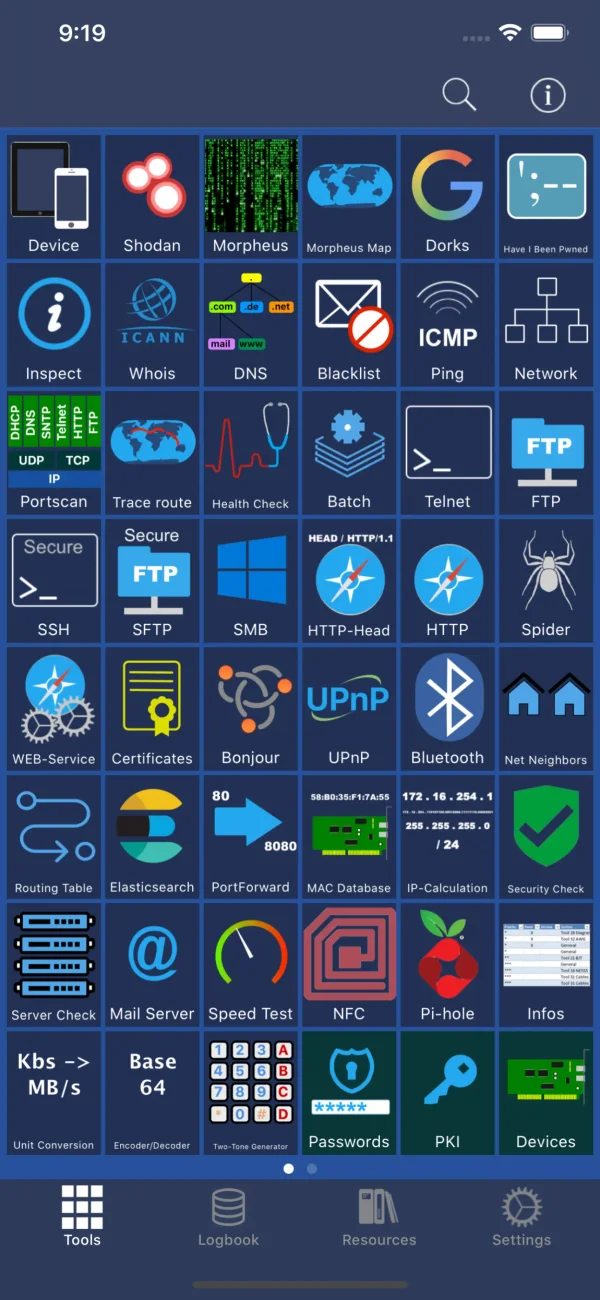
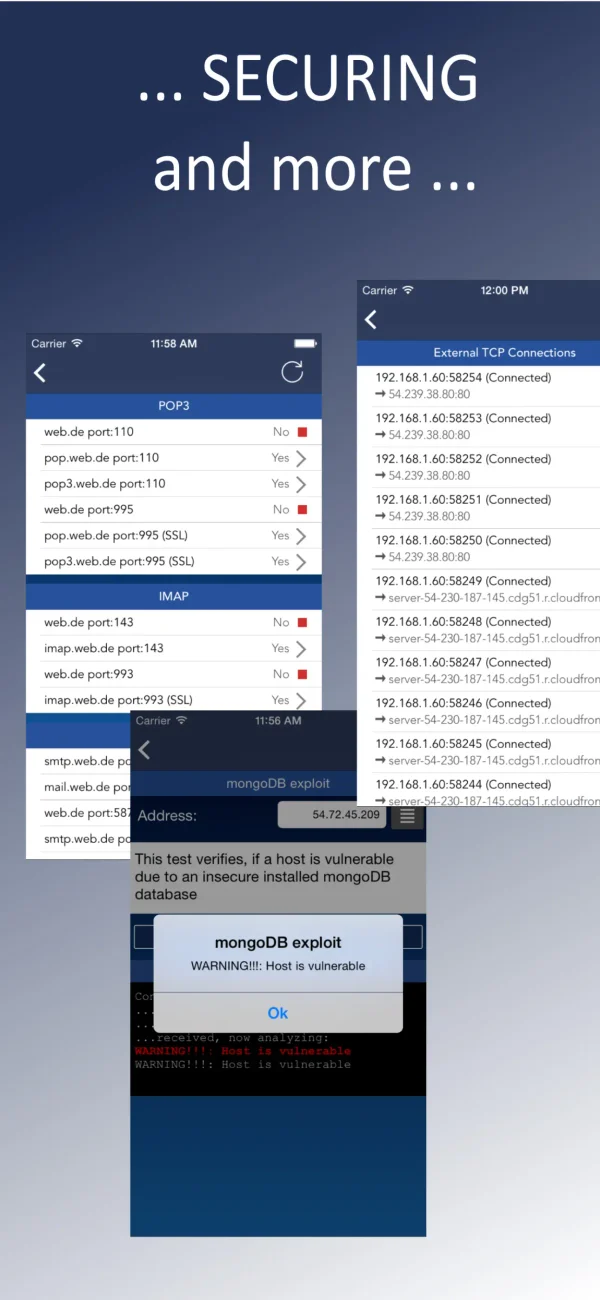
This App with its 50+ individual Tools helps to analyse local or public networks for security issues or wrong configurations.
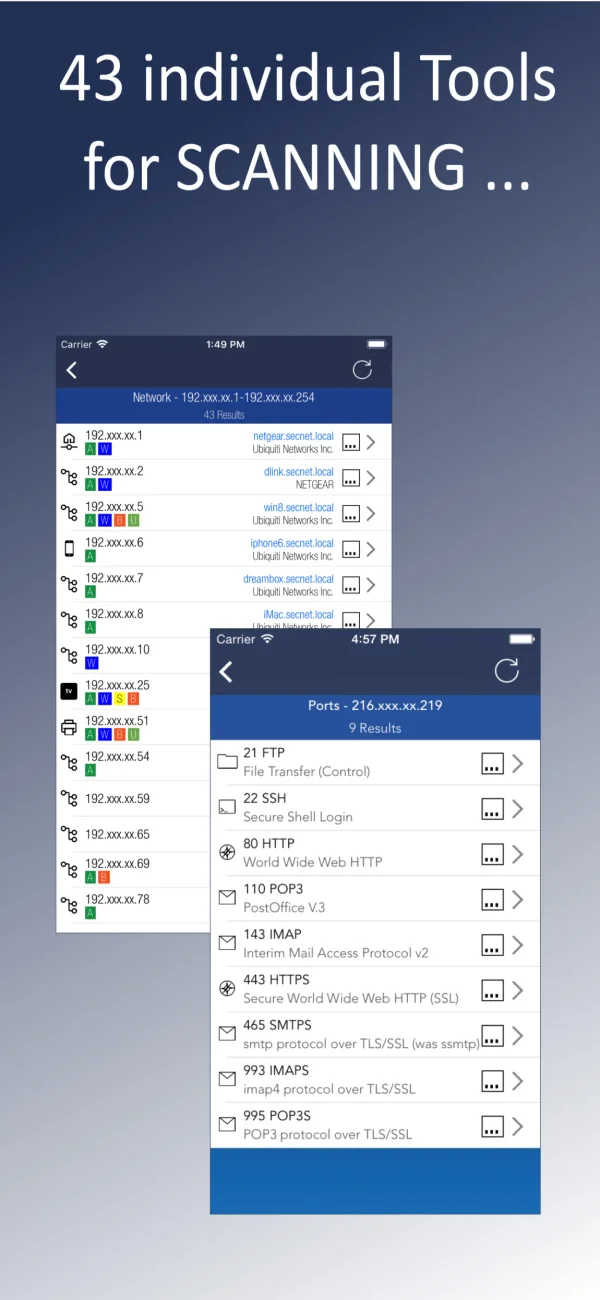
It provides various scanning options such as WiFi Network IP scanning, Port scanning and integrates the SHODAN scan engine, Security exploit tests and more.
Feature summary:
DEVICE INFORMATION
■ Device and public IP Address
■ Network interfaces (WiFi, 3G/4G)
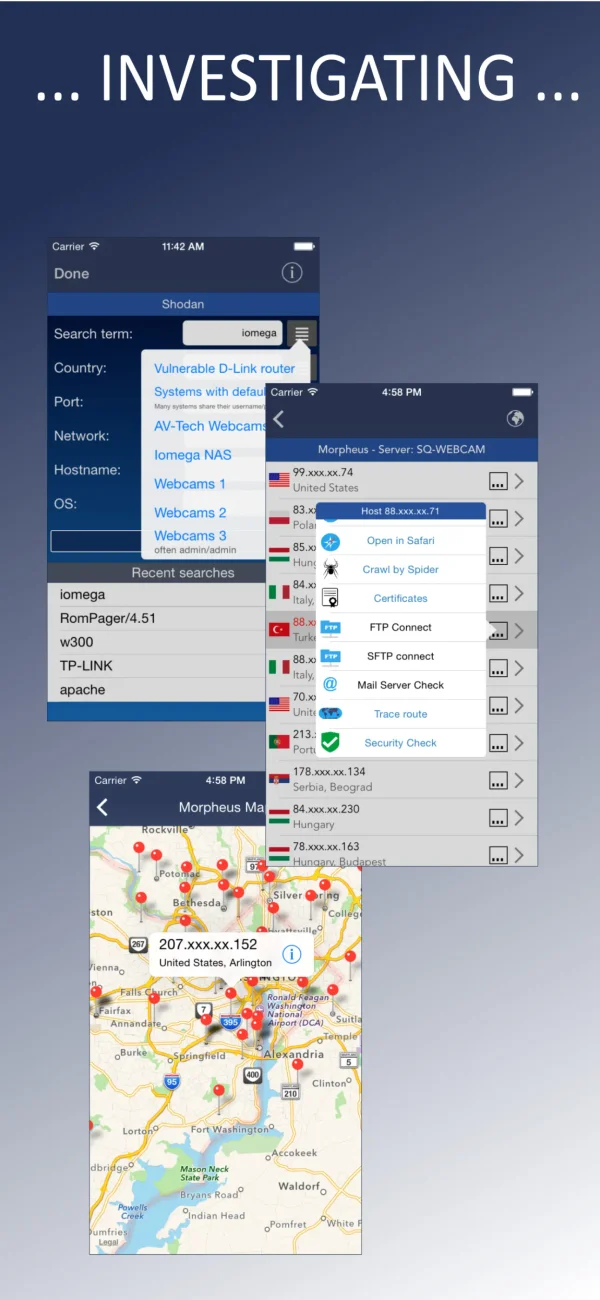
SHODAN AND MORPHEUS SEARCH
■ Expose online devices
■ Search by keyword, country, port, network, hostname
MAP SEARCH
■ Search and expose online devices for on a given location
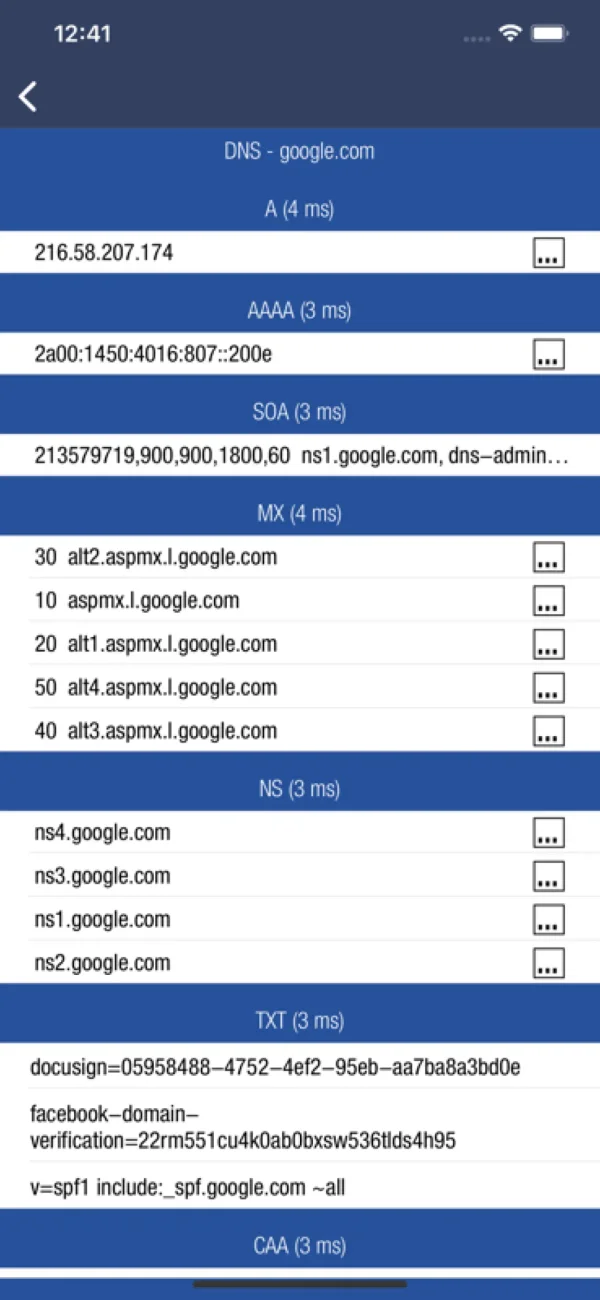
NS-LOOKUP with DOMAIN INFORMATION
■ Provides information for a certain domain or ip
■ Provide information about the number of attacks (ISC)
■ Location of IP or Host display on a map
■ DNS records such as MX, A, TXT etc.
WIFI NETWORK SCAN
■ Discover all devices on your network
■ Including IP, MAC, Vendor, Network Name
PING
■ Ping IP or domain
■ Show Errors and RTT
■ Display results graphically
WHOIS
■ Find out who is behind a certain domain
DNS
■ Query ANY! DNS Server
■ See DNS record information such as A,TXT,CNAME,MX,SOA etc.
■ See and compare DNS Server response times
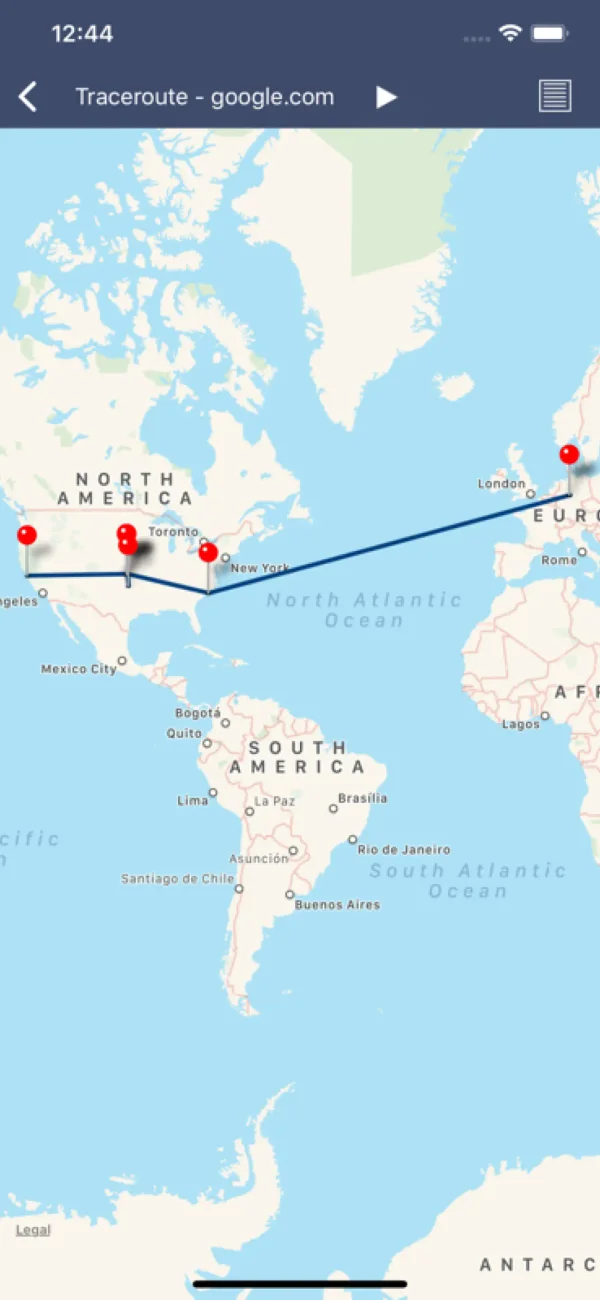
VISUAL TRACEROUTE
■ Analyze how packets get to their destination
SOCKETS
■ Socket analysis and terminal tool
■ Predefined protocols for Telnet, FTP, HTTP, POP3 and IMAP
■ Inspect server responses
■ Send arbitrarily data to the server
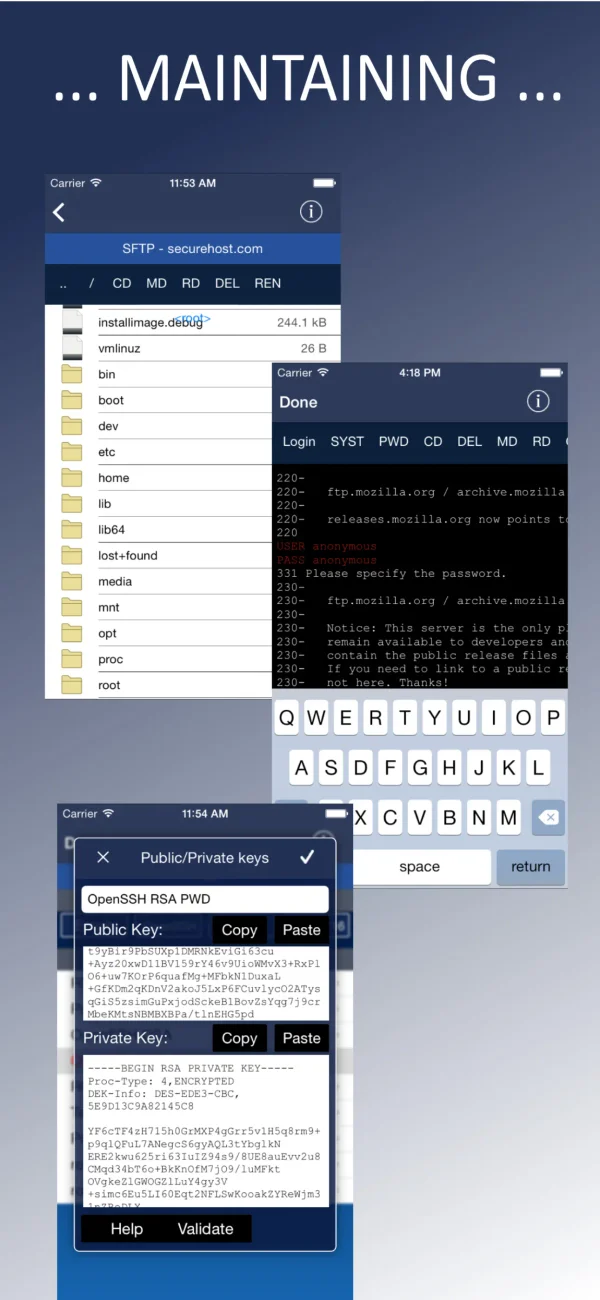
FTP and SFTP CLIENT
■ Browse remote directory tree
■ Direct file viewing
■ File and directory operations
■ Upload and download of multiple files to device
■ Default password list check of FTP server
■ Public / Private Key support (New!)
SSH CLIENT
■ Terminal client for SSL
■ Default password list check of server
SFTP CLIENT
■ Same functionality as FTP
MAC ADDRESS DB
■ Find out which vendor is responsible for which MAC address and v/v
IP CALCULATION
■ Calculate net-masks, first-,last- addresses etc.
HTTP BROWSER
■ Site Default password check
■ Possibility to select user agents from Blackberry over Firefox, IE, Safari and iOS
■ Display source code, plain text or hirachically browse XML
SPIDER
■ Crawl website and collect all contained links
■ Analyze robots.txt
■ Both, websites and disallows robots content can be further analyzed
BLUETOOTH
■ Scan and reveal Bluetooth LE devices
CERTIFICATES
■ Inspect Server (e.g. HTTPS) certificates in a readable format
BONJOUR and UPnP
■ Scan and discover Bonjour or UPnP services
MAIL SERVER CHECK
■ Analyze issues with your mail settings
LOCAL FILES
■ Handle files downloaded via FTP or SFTP or HTTP (New!)
■ File and directory operations
■ File viewer (PDF, Text, Image, HTML)
■ Open files in other apps, installed on your device
■ Send file via E-Mail
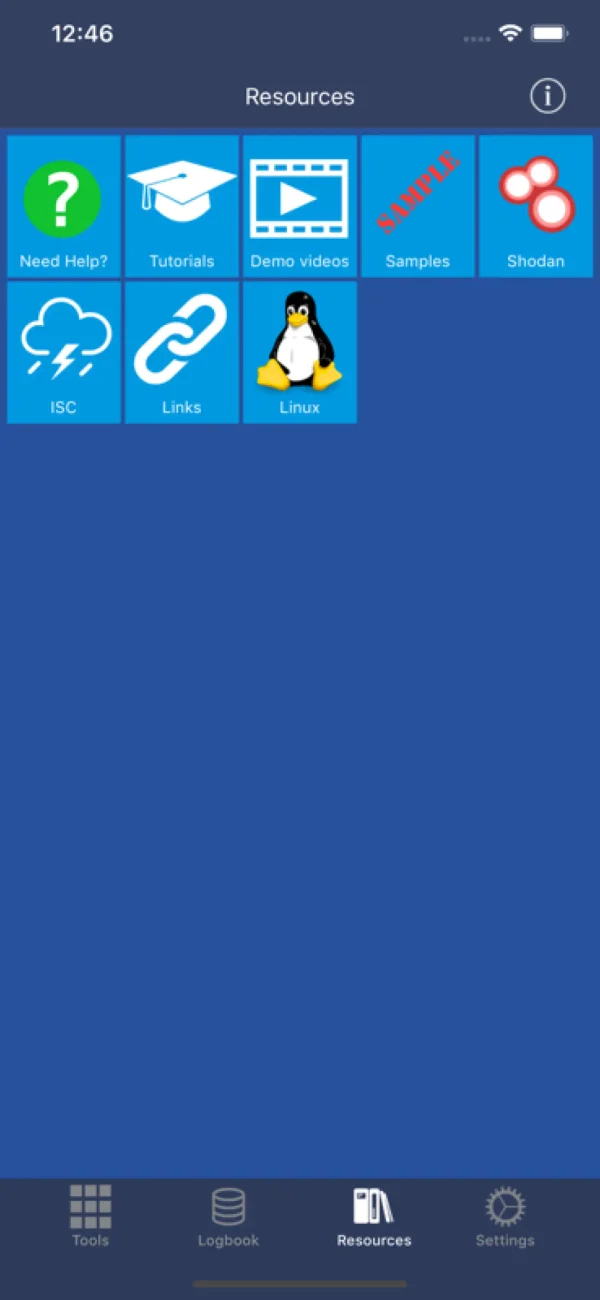
HELP TEXTS
■ Each tool has a detailed description of their purpose and how to use
Subscribe to access to premium app features; subscription details are the following:
• Length: weekly, monthly, yearly
• Your payment will be charged to your iTunes Account as soon as you confirm your purchase
• You can manage your subscriptions and turn off auto-renewal from your Account Settings after the purchase
• Your subscription will renew automatically, unless you turn off auto-renew at least 24 hours before the end of the current period
• The cost of renewal will be charged to your account in the 24 hours prior to the end of the current period
• When cancelling a subscription, your subscription will stay active until the end of the period. Auto-renewal will be disabled, but the current subscription will not be refunded
• Any unused portion of a free trial period, if offered, will be forfeited when purchasing a subscription
Terms of Use: https://www.apple.com/legal/internet-services/itunes/dev/stdeula/
Neue Funktionen
Version 16.7 · 16.12.2024
Stability improvements and bug fixes
App-Datenschutz
Was WHATSTICKER APPS SRL im App Store zum Umgang dieser App mit Daten angibt.
-
Daten, die zum Tracking Ihrer Person verwendet werden
Können verwendet werden, um Sie über Apps und Websites anderer Unternehmen hinweg zu verfolgen.
- Kennungen
-
Nicht mit Ihnen verknüpfte Daten
Können erfasst werden, sind aber nicht mit Ihrer Identität verknüpft.
- Standort
- Kennungen
- Nutzungsdaten
Die Datenschutzpraktiken können variieren, zum Beispiel je nach den von Ihnen verwendeten Funktionen oder Ihrem Alter.
Informationen
- Anbieter
- WHATSTICKER APPS SRL
- Kategorie
- Produktivität
- Version
- 16.7
- Aktualisiert
- 16.12.2024
- Veröffentlicht
- 12.06.2013
- Größe
- 152,5 MB
- Erfordert
- iOS 13.0 oder neuer
- Altersfreigabe
- 17+
- Preis
- Kostenlos
- In-App-Käufe
- Ja
- Sprachen
- Englisch, Arabisch, Französisch, Deutsch, Indonesisch, Italienisch, Japanisch, Koreanisch, Polnisch, Portugiesisch, Russisch, Vereinf. Chinesisch + 2 weitere
- Copyright
- Copyright © 2023 Annalisa Bergonzi
Das könnte Ihnen auch gefallen
-
 iNet - NetzwerkscannerKenne dein Netzwerk ...
-
 Network Utilities & AnalyzerProduktivität
-
 iWifi - AR speed & signal testProduktivität
-
 PRTG - MonitoringFür PRTG Network Monitor
-
 Fing - Netzwerk-ScannerOnline-Geräte & Sicherheit
-
 UTM Remote Virtual MachinesProduktivität
-
 Ekahau AnalyzerProduktivität
-
 Owlfiles - DateimanagerSMB, WebDAV, FTP & S3-Zugriff
-
 All Router Password ManagerProduktivität
-
 BLE Scanner 4.0 – Bluetooth LEProduktivität