Next2Play: Game Backlog
What to Play Next & AI Picker
Entwickelt für iPhone
Kostenlos · In-App-Käufe
- Altersfreigabe4+
- KategorieUnterhaltung
- EntwicklerLiam David Hughes
- SprachenEnglisch
- Größe49,6 MB
Verlinkt auf die offizielle App Store-Seite
Download.org hostet keine Datei von Next2Play: Game Backlog. Die Schaltfläche öffnet die App-Seite bei App Store, wo Liam David Hughes die App veröffentlicht. Eintrag zuletzt geprüft am 23.11.2026.
Screenshots
Info
Der Entwickler hat diesen Text nicht in Ihrer Sprache bereitgestellt.
Too many games, not enough time? Next2Play keeps your backlog in one place and tells you what to play next.
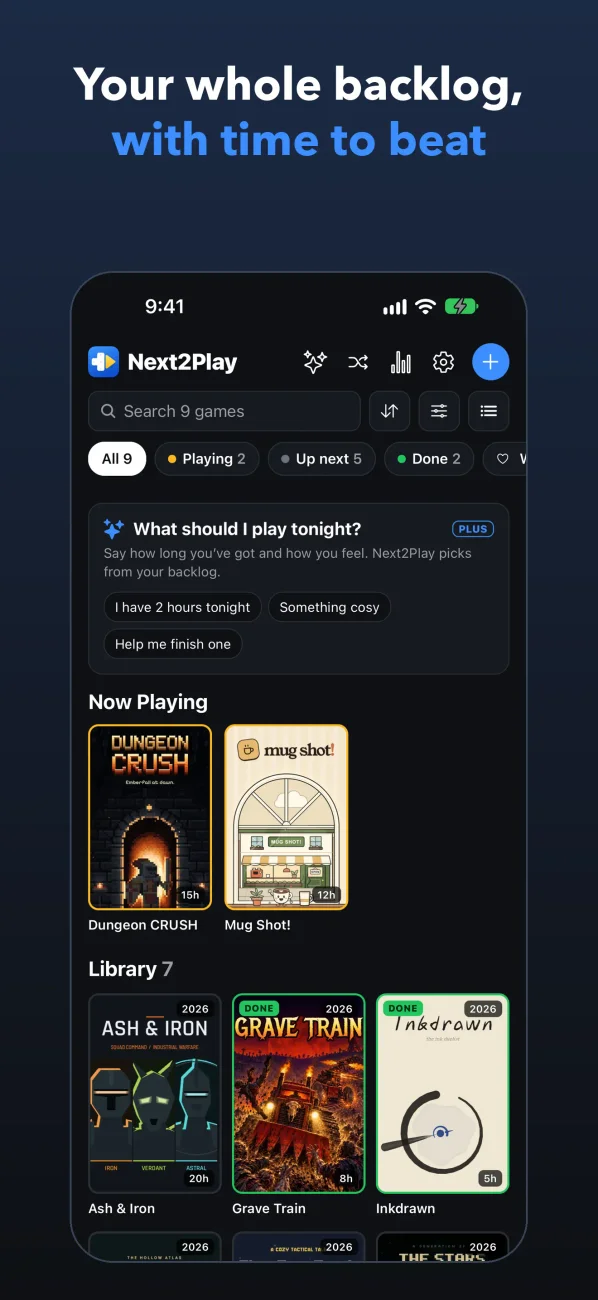
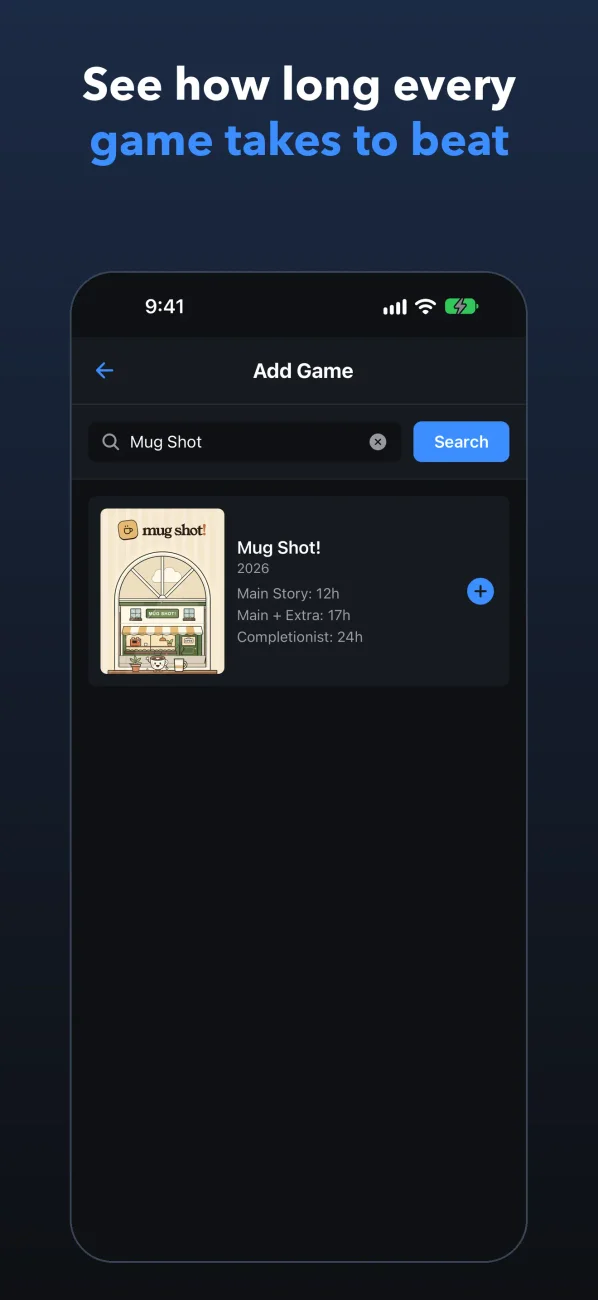
Search for any game and add it in a tap. Next2Play shows how long it takes to beat, using times from HowLongToBeat, so you can fit the right game to the time you have.
FREE, FOREVER
• Track every game as Not Started, In Progress, Complete or Tabled
• Rate what you finish and keep notes
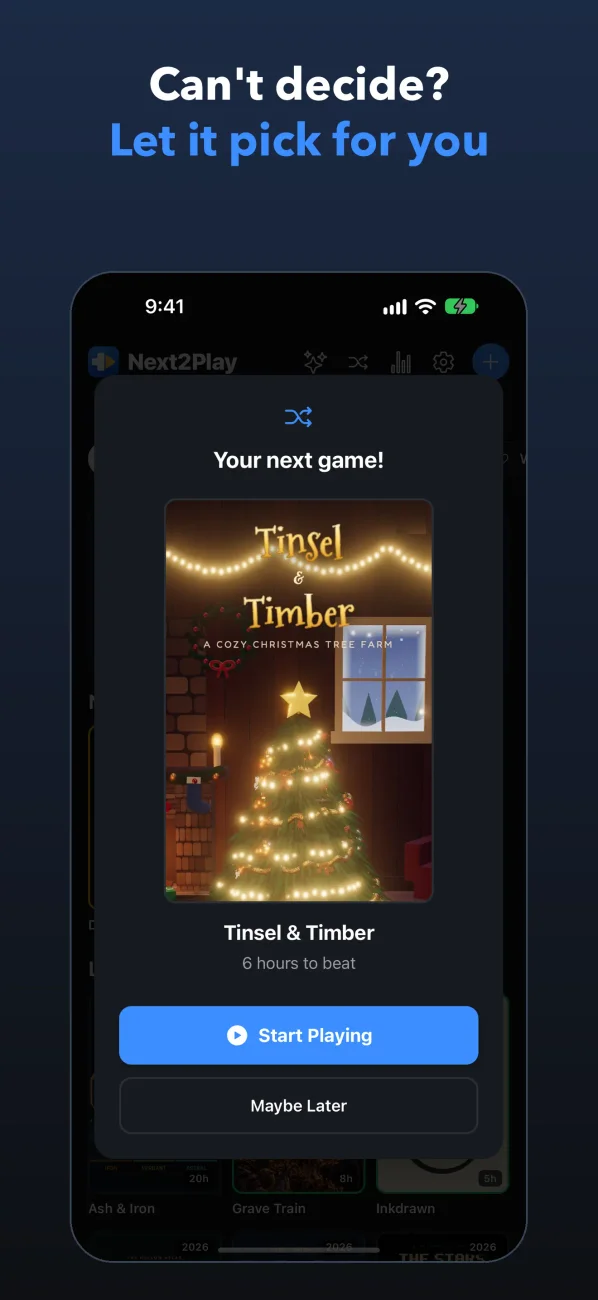
• Can't choose? The random picker shuffles your backlog and picks one for you
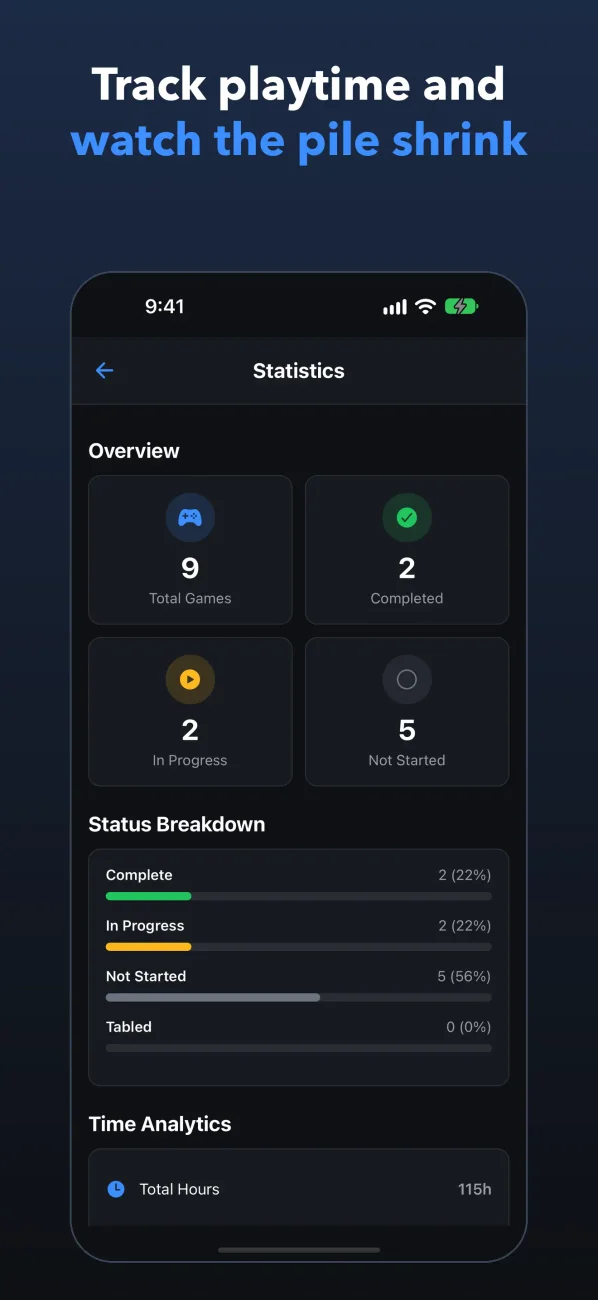
• Stats show how much you've finished and how many hours are left
• Bring your library over from Grouvee or Backloggd with a CSV import
• Keep a wishlist of games you don't own yet, including upcoming ones
• Optional account: sign in with Apple or your email to back up and sync your library
• No ads, no tracking
NEXT2PLAY PLUS
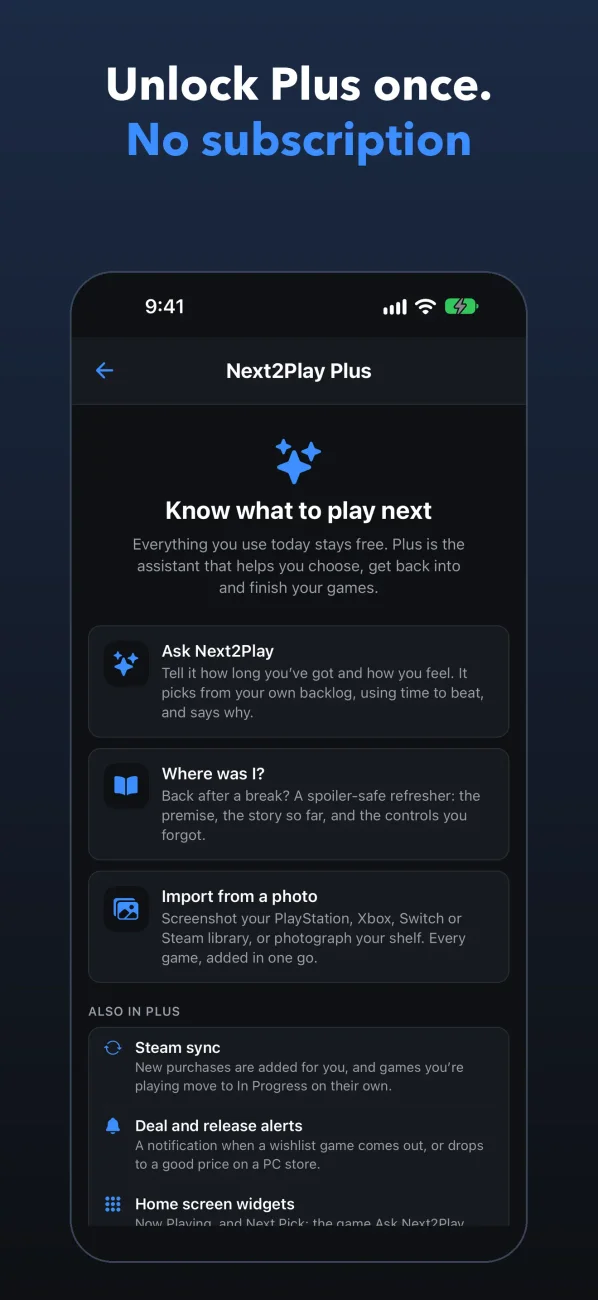
Plus is an assistant for your backlog.
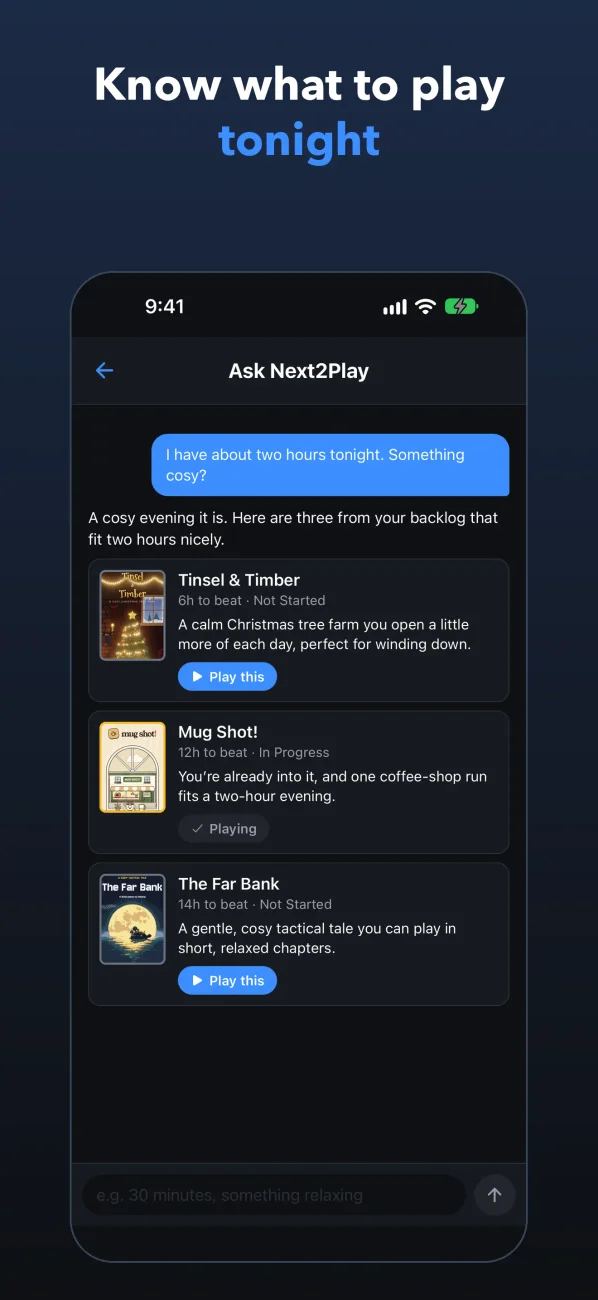
• Ask Next2Play: tell it "two hours, something cosy" and it picks from your own games, using time to beat, and says why
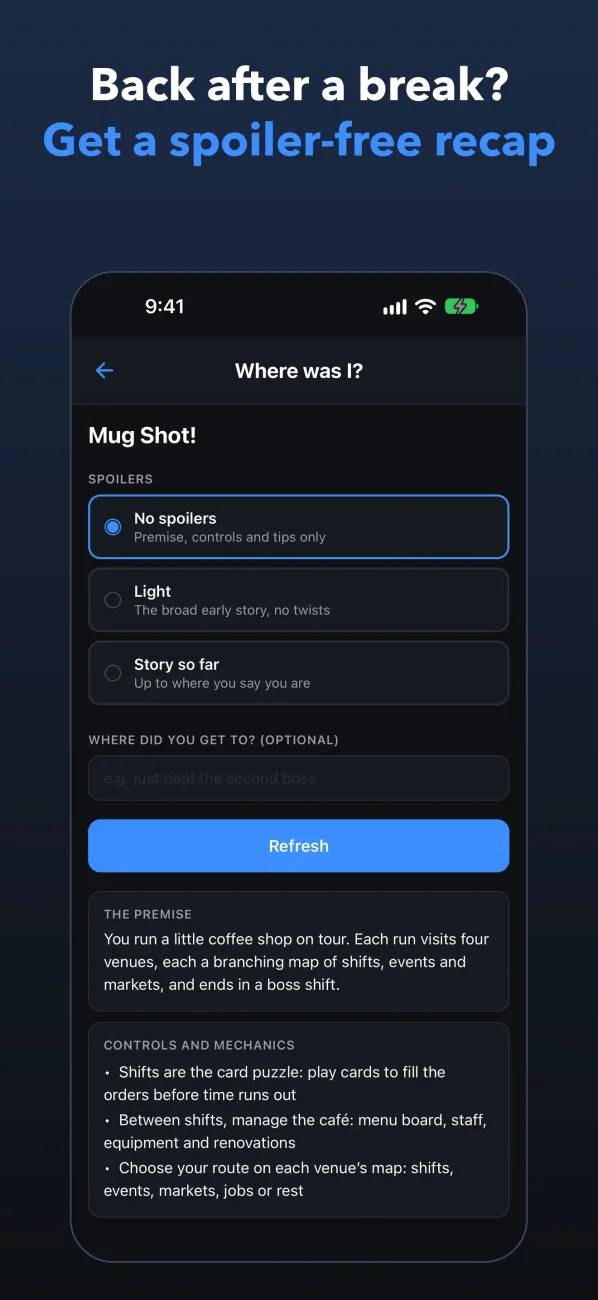
• Where was I?: back after a break? Get a spoiler-safe refresher: the premise, the story so far and the controls you forgot
• Import from a photo: screenshot your PlayStation, Xbox, Switch or Steam library, or photograph your shelf, and add every game at once
• Steam sync: new purchases are added for you, and the games you're playing move to In Progress
• Wishlist alerts: a notification when a game comes out or drops to a good price on a PC store
• Home screen widgets: Now Playing, and today's pick
• Your pace: games finished each month, and when you'll clear your backlog
• Genre and platform filters
Plus is a one-time purchase of $9.99. No subscription: unlock it once and keep it. Plus uses a free Next2Play account, so it works on all your devices.
An account is optional for the free features, and you can delete it from Settings at any time. Game times come from howlongtobeat.com and game details from IGDB. Next2Play is not affiliated with HowLongToBeat, IGDB or Valve.
Neue Funktionen
Version 1.1.0 · 20.11.2026
Introducing Next2Play Plus, a one-time unlock:
• Ask Next2Play: tell it how long you've got and how you feel, and it picks from your backlog
• Where was I?: a spoiler-safe refresher for games you put down
• Import from a photo: snap your console library or shelf and add every game at once
• Plus Steam sync, wishlist deal and release alerts, home screen widgets, your pace and genre filters
Everything you used before is still free, and the wishlist is free too.
App-Datenschutz
Was Liam David Hughes im App Store zum Umgang dieser App mit Daten angibt.
-
Mit Ihnen verknüpfte Daten
Können erfasst und mit Ihrer Identität verknüpft werden.
- Käufe
- Kontaktinformationen
- Benutzerinhalte
- Kennungen
- Nutzungsdaten
Die Datenschutzpraktiken können variieren, zum Beispiel je nach den von Ihnen verwendeten Funktionen oder Ihrem Alter.
Informationen
- Anbieter
- Liam David Hughes
- Kategorie
- Unterhaltung
- Version
- 1.1.0
- Aktualisiert
- 20.11.2026
- Veröffentlicht
- 21.10.2026
- Größe
- 49,6 MB
- Erfordert
- iOS 16.4 oder neuer
- Altersfreigabe
- 4+
- Preis
- Kostenlos
- In-App-Käufe
- Ja
- Sprachen
- Englisch
- Copyright
- © 2026 Pipmoth Games