
- Altersfreigabe4+
- KategorieFoto und Video
- EntwicklerWilliam Yelvington
- SprachenEnglisch
- Größe1,5 MB
Verlinkt auf die offizielle App Store-Seite
Download.org hostet keine Datei von Nitpic. Die Schaltfläche öffnet die App-Seite bei App Store, wo William Yelvington die App veröffentlicht. Eintrag zuletzt geprüft am 12.11.2026.
Screenshots
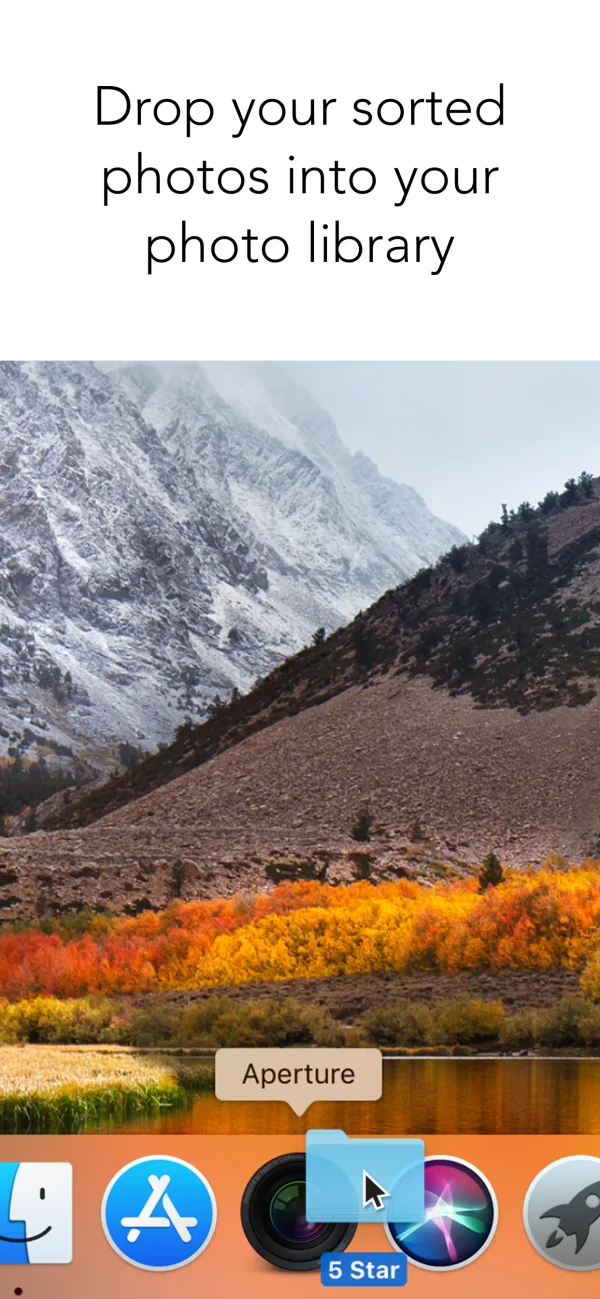



Info
Der Entwickler hat diesen Text nicht in Ihrer Sprache bereitgestellt.
Nitpic is the exciting new tool for pro-photographers and hobbyists alike. DSLR owners know the frustration of sorting through thousands of images after a photoshoot. It's boring. It's tedious. It's slow. But Nitpic takes advantage of your device's intuitive interface to do what other professional apps have failed to do so far: make it quick, streamlined, and intuitive. With Nitpic, sorting photos has never been easier!
Nitpic links up with the Nitpic Desk companion app over Wi-Fi or Bluetooth (now available, free on the Mac App Store). Then it loads all of your images into a simple and intuitive interface. Sort and cull your photos by swiping. Zoom in and check tiny details by pinching. Nitpic offers two sort modes:
Rating mode (for photographers who like to use the 5 Star rating system):
• Tap, hold, and slide right or left to assign a rating between 1 and 5 stars
• Tap and slide left from the right side of the screen to undo the previous rating
• Pinch to zoom in and out
Swipe mode (for photographers who like to sort their photos into keeper and reject piles):
• Swipe right to sort into Keeper folder
• Swipe left to sort into Reject folder
• Tap and slide left from the right side of the screen to undo the previous rating
• Pinch to zoom in and out
All sorting is NON-DESTRUCTIVE. No photos are altered or deleted in the sort process. Once you’re done, you can move your photos into your photo library of choice in a quick and orderly fashion and apply your ratings accordingly.
Nitpic is currently compatible with RAW (CR2, NEF, etc) TIFF, JPG, PNG, PSD, and others!
Neue Funktionen
Version 1.1.0 · 25.03.2026
An all new build and fresh new experience for iOS/macOS. Nitpic Desk is no longer needed to sync, sort, and rate photos between your iPhone, iPad, and Mac. Made with love.
App-Datenschutz
Was William Yelvington im App Store zum Umgang dieser App mit Daten angibt.
-
Keine Daten erfasst
Der Entwickler erfasst keine Daten von dieser App.
Die Datenschutzpraktiken können variieren, zum Beispiel je nach den von Ihnen verwendeten Funktionen oder Ihrem Alter.
Informationen
- Anbieter
- William Yelvington
- Kategorie
- Foto und Video
- Version
- 1.1.0
- Aktualisiert
- 25.03.2026
- Veröffentlicht
- 01.05.2018
- Größe
- 1,5 MB
- Erfordert
- iOS 18.6 oder neuer
- Altersfreigabe
- 4+
- Preis
- Kostenlos
- Sprachen
- Englisch
- Copyright
- © 2018 William Yelvington
Das könnte Ihnen auch gefallen
-
 Photo Workflow LiteFoto und Video
-
 PhotoCullFoto und Video
-
 CullourFoto und Video
-
 KI Fotoauswahl — PhotoPickerMobile Auswahl für Lightroom
-
 Photoscope: Best Photo PickerFoto und Video
-
 RAW PowerFotoeditor/Album-Manager
-
 Nitro PhotoProfessioneller Foto-Editor
-
 Picker AI - Best Photo PickerFoto und Video
-
 Evoto InstantFoto und Video
-
 Cascable Studio: Camera TetherCapture, automate & backup