
- Classification d’âge4+
- CatégoriePhoto et vidéo
- DéveloppeurWilliam Yelvington
- LanguesAnglais
- Taille1,5 Mo
Renvoie vers la page App Store officielle
Download.org n’héberge aucun fichier de Nitpic. Le bouton ouvre la page de l’application sur App Store, où William Yelvington la publie. Fiche vérifiée pour la dernière fois le 12/11/2026.
Captures d’écran



À propos
Le développeur n’a pas fourni ce texte dans votre langue.
Nitpic is the exciting new tool for pro-photographers and hobbyists alike. DSLR owners know the frustration of sorting through thousands of images after a photoshoot. It's boring. It's tedious. It's slow. But Nitpic takes advantage of your device's intuitive interface to do what other professional apps have failed to do so far: make it quick, streamlined, and intuitive. With Nitpic, sorting photos has never been easier!
Nitpic links up with the Nitpic Desk companion app over Wi-Fi or Bluetooth (now available, free on the Mac App Store). Then it loads all of your images into a simple and intuitive interface. Sort and cull your photos by swiping. Zoom in and check tiny details by pinching. Nitpic offers two sort modes:
Rating mode (for photographers who like to use the 5 Star rating system):
• Tap, hold, and slide right or left to assign a rating between 1 and 5 stars
• Tap and slide left from the right side of the screen to undo the previous rating
• Pinch to zoom in and out
Swipe mode (for photographers who like to sort their photos into keeper and reject piles):
• Swipe right to sort into Keeper folder
• Swipe left to sort into Reject folder
• Tap and slide left from the right side of the screen to undo the previous rating
• Pinch to zoom in and out
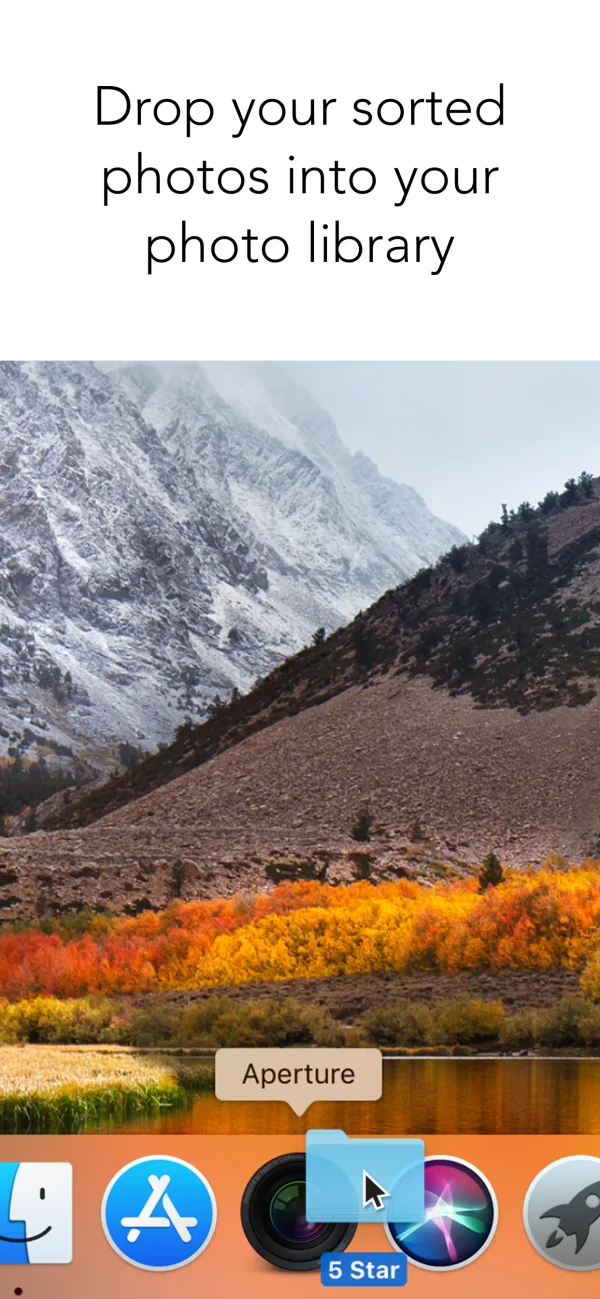
All sorting is NON-DESTRUCTIVE. No photos are altered or deleted in the sort process. Once you’re done, you can move your photos into your photo library of choice in a quick and orderly fashion and apply your ratings accordingly.
Nitpic is currently compatible with RAW (CR2, NEF, etc) TIFF, JPG, PNG, PSD, and others!
Nouveautés
Version 1.1.0 · 25/03/2026
An all new build and fresh new experience for iOS/macOS. Nitpic Desk is no longer needed to sync, sort, and rate photos between your iPhone, iPad, and Mac. Made with love.
Confidentialité de l’application
Ce que William Yelvington déclare sur l’App Store au sujet du traitement des données par cette application.
-
Données non collectées
Le développeur ne collecte aucune donnée à partir de cette application.
Les pratiques en matière de confidentialité peuvent varier, notamment en fonction des fonctionnalités que vous utilisez ou de votre âge.
Informations
- Vendeur
- William Yelvington
- Catégorie
- Photo et vidéo
- Version
- 1.1.0
- Mis à jour
- 25/03/2026
- Publié
- 01/05/2018
- Taille
- 1,5 Mo
- Nécessite
- iOS 18.6 ou version ultérieure
- Classification d’âge
- 4+
- Prix
- Gratuit
- Langues
- Anglais
- Copyright
- © 2018 William Yelvington
Vous aimerez peut-être aussi
-
 Photo Workflow LitePhoto et vidéo
-
 PhotoCullPhoto et vidéo
-
 CullourPhoto et vidéo
-
 IA sélection — PhotoPickerSélection mobile pour LR
-
 Photoscope: Best Photo PickerPhoto et vidéo
-
 RAW PowerRAW/JPG Éditeur & Library Mgr
-
 Nitro PhotoEditeur photo professionnel
-
 Picker AI - Best Photo PickerPhoto et vidéo
-
 Evoto InstantPhoto et vidéo
-
 Cascable Studio: Camera TetherPhoto et vidéo