NoteApp, Mindmap, PDF: InkNode
Note-taking & Handwriting App
Entwickelt für iPhone, iPad
Kostenlos · In-App-Käufe
- Altersfreigabe9+
- KategorieProduktivität
- EntwicklerJiakai Wei
- SprachenEnglisch+ 6 weitere
- Größe132,7 MB
Verlinkt auf die offizielle App Store-Seite
Download.org hostet keine Datei von NoteApp, Mindmap, PDF: InkNode. Die Schaltfläche öffnet die App-Seite bei App Store, wo Jiakai Wei die App veröffentlicht. Eintrag zuletzt geprüft am 17.11.2026.
Screenshots



Info
Der Entwickler hat diesen Text nicht in Ihrer Sprache bereitgestellt.
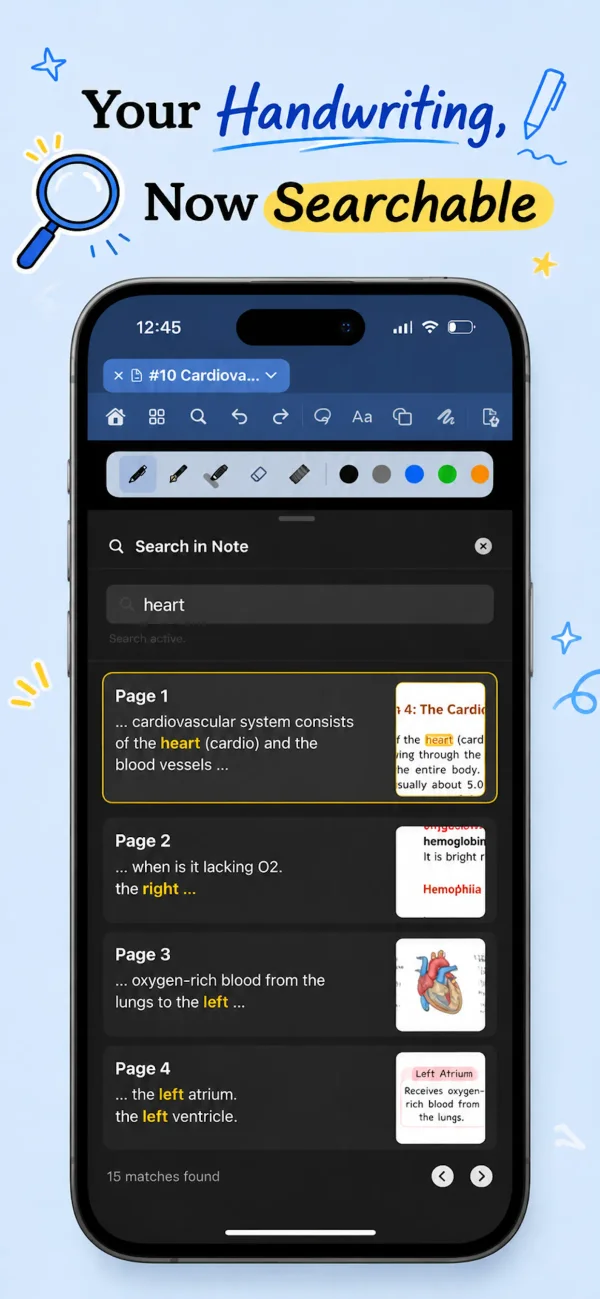
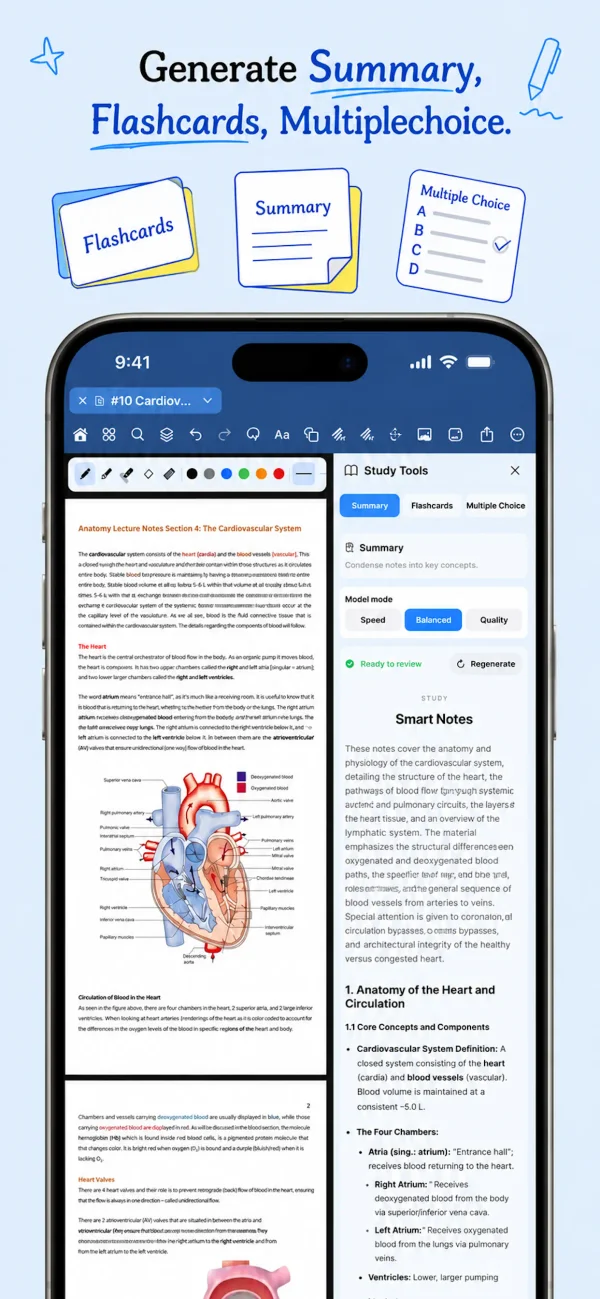
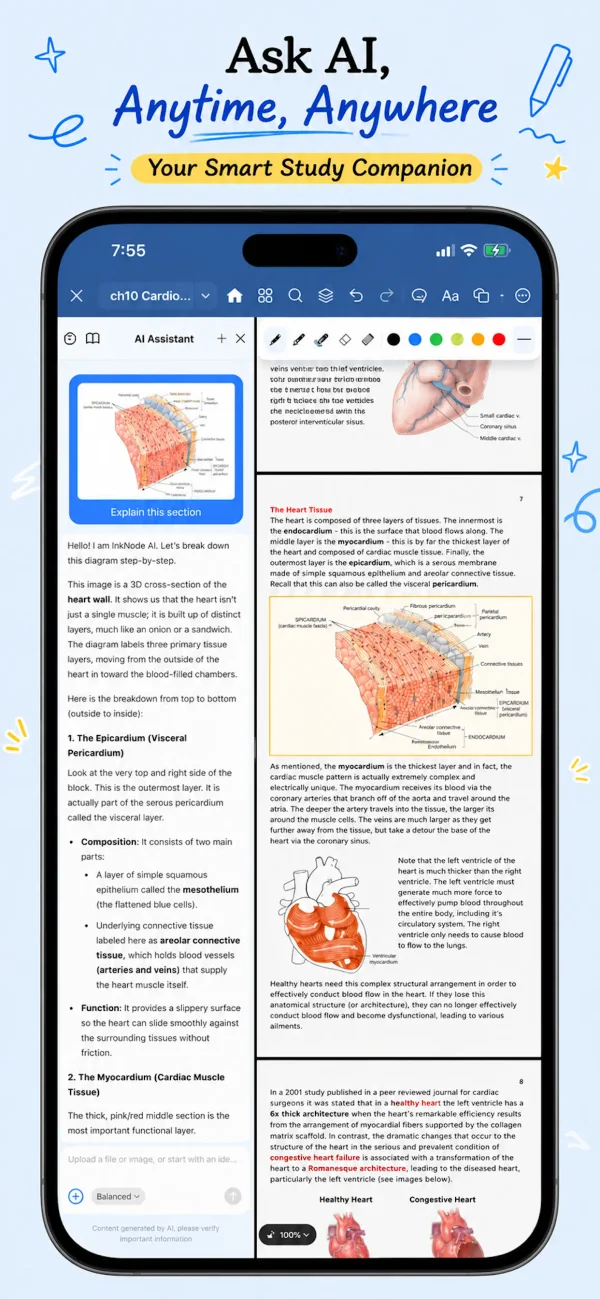
InkNode is a Handwriting Notes app with numerous features: PDF markup & Annotation, Searchable Handwriting and PDF texts. Ultimately, write by hand, then let AI turn your messy notes into interactive Mindmaps, searchable handwriting, clean summaries, flashcards, and practice quizzes — all in one app.
WRITE THE WAY YOU THINK
• Smooth, natural handwriting with Apple Pencil
• Unlimited notebooks, folders, and pages
• Beautiful templates: lined, grid, dotted, planners, and more
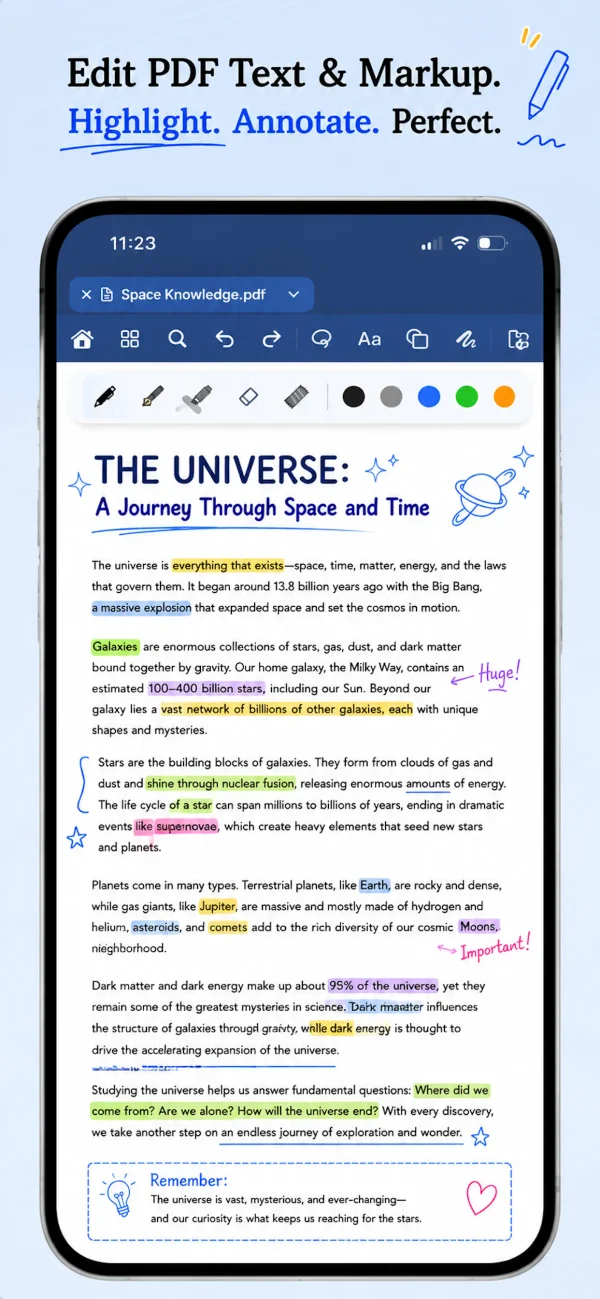
• Import PDFs to annotate, highlight, and mark up
• Convert handwriting to text instantly
• Handwriting Beautification: Turn messy handwriting into beautiful chosen text of your choice.
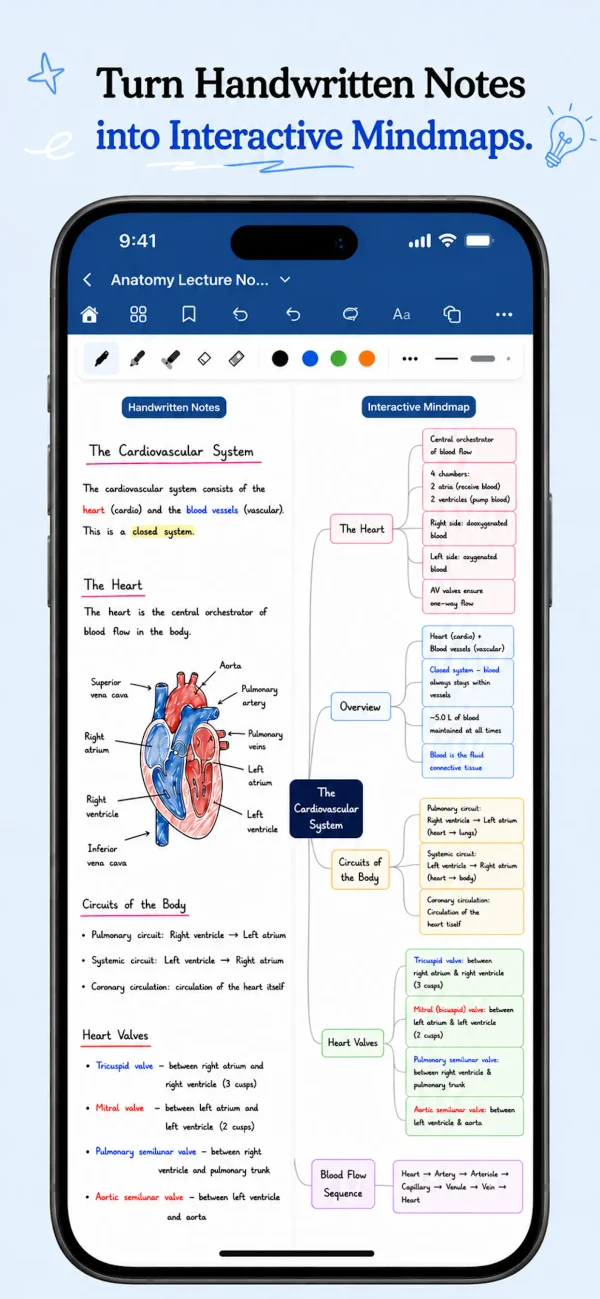
• Interactive Mindmap: Build a mindmap from scratch or use AI to turn your notes into one
STUDY SMARTER WITH AI
• Summarize long lecture notes into clean, structured outlines
• Auto-generate flashcards from your handwritten notes
• Create multiple-choice quizzes to test yourself before exams
• Use the tape tool to hide and memorize key terms
• Spend less time rewriting and more time learning
EVERYTHING IN ONE PLACE
• Collaborate on shared notebooks in real time
• Sync securely across iPhone and iPad via iCloud sync
• Stay on track with a built-in focus timer
• Export and share notes as PDF
WHY INKNODE (Alternatives to Goodnotes, Notability, Freenotes)
Goodnotes and Notability are powerful — but their subscriptions add up fast, and AI study tools are an afterthought. InkNode was built AI-first and priced fairly: take handwritten notes for free, and unlock AI forever with a one-time Lifetime purchase. No recurring fees, no surprises.
ALL YOUR TOOLS IN ONE CANVAS
• Fountain pen, ballpoint, highlighter, and pencil
• Custom colors, stroke styles, and pen widths
• Shape recognition for clean lines, boxes, and diagrams
• Lasso to move, resize, and rearrange handwriting
• Tags and labels to organize and find notes fast
• Dark mode for late-night study sessions
• Works offline — your notes are always with you
MORE WAYS TO USE INKNODE
• Digital planner, journal, and bullet journal
• Meeting notes and to-do lists for work
• Homework, assignments, and a study planner
• Math notes, diagrams, and equations by hand
• Sketching, drawing, and quick idea capture
• A second-brain notebook for research and writing
WHAT STUDENTS SAY
“The AI turns my messy lecture scribbles into clean summaries. I use the multiple-choice feature to study and the tape tool with the generated flashcards.”
“I switched to InkNode because Goodnotes/Notability subscriptions were way too expensive. The lifetime AI was a perfect fit for my study notes.”
“Smart concept that combines note-taking with teamwork in a smooth, practical way.”
PERFECT FOR
• Students taking lecture and class notes
• Anyone studying for exams with flashcards and quizzes
• Teams and study groups collaborating on shared notes
• Anyone who annotates PDFs or keeps a digital notebook
FREE TO START
Create unlimited notebooks, write with Apple Pencil, annotate PDFs, and export — free. Upgrade to Premium for AI summaries, flashcards, quizzes, and cloud features. Choose a subscription or pay once for Lifetime AI.
Download InkNode and turn your handwriting into your smartest study tool.
We use the Standard Apple Terms of Use
Terms of Use: https://www.apple.com/legal/internet-services/itunes/dev/stdeula/
Neue Funktionen
Version 2.0 · 10.08.2026
[UPDATE]
• Turn your notes into flowcharts, instantly. Our new AI can read your documents and generate clean, editable flowcharts and mind maps for you — perfect for studying and organizing ideas.
• A smarter drawing canvas. Draw a rough shape and watch it snap into a perfect one, connect nodes with smart lines that stay put, and lasso-select to move things around effortlessly.
• Redesigned Study Tools with a cleaner, more focused interface.
• New interactive tutorial to help you get up and running in seconds.
• Improved zoom, smoother in-note search, and lots of little UI polish throughout.
Plus various bug fixes and performance improvements. Thanks for using InkNode!
App-Datenschutz
Was Jiakai Wei im App Store zum Umgang dieser App mit Daten angibt.
-
Mit Ihnen verknüpfte Daten
Können erfasst und mit Ihrer Identität verknüpft werden.
- Kennungen
-
Nicht mit Ihnen verknüpfte Daten
Können erfasst werden, sind aber nicht mit Ihrer Identität verknüpft.
- Kontaktinformationen
- Benutzerinhalte
Die Datenschutzpraktiken können variieren, zum Beispiel je nach den von Ihnen verwendeten Funktionen oder Ihrem Alter.
Informationen
- Anbieter
- Jiakai Wei
- Kategorie
- Produktivität
- Version
- 2.0
- Aktualisiert
- 10.08.2026
- Veröffentlicht
- 30.04.2026
- Größe
- 132,7 MB
- Erfordert
- iOS 17.6 oder neuer
- Altersfreigabe
- 9+
- Preis
- Kostenlos
- In-App-Käufe
- Ja
- Sprachen
- Englisch, Französisch, Deutsch, Japanisch, Vereinf. Chinesisch, Spanisch, Tradit. Chinesisch
- Copyright
- © 2026 JIAKAI WEI
Das könnte Ihnen auch gefallen
-
 Clipboard AI - TastaturKopieren, Verlauf & Snippet
-
 Rosetta: Notizen, Links, TodoEin Speicher für alle KI-Apps
-
 Spanarc - Kalender & AufgabenApple Kalender, visualisiert.
-
 copycopy: Copy & Paste HistoryProduktivität
-
 Simplify Notes: PDF-NotizbuchNotizen, PDF und Apple Pencil
-
 NoteCalc - Notizen RechnerNotizen schreiben & rechnen
-
 SparkPDF: Scanner & SignaturPDF ausfüllen, zusammenfügen
-
 GoMindAI: To-Do-Liste & PlanerKalender, Gewohnheit, Ziele
-
 AI Keyboard – ClarifierAIProduktivität
-
 Cratify: Home InventoryProduktivität