NoteApp, Mindmap, PDF: InkNode
Note-taking & Handwriting App
iPhone, iPad向けに設計
無料 · アプリ内課金
- 対象年齢9+
- カテゴリ仕事効率化
- 開発元Jiakai Wei
- 言語英語ほか6言語
- サイズ132.7 MB
App Storeの公式ページにリンクしています
Download.orgはNoteApp, Mindmap, PDF: InkNodeのファイルを一切ホストしていません。ボタンを押すと、Jiakai Weiが公開しているApp Storeのアプリページが開きます。ページの最終確認:2026/11/17。
スクリーンショット



概要
開発元はこのテキストをお使いの言語で提供していません。
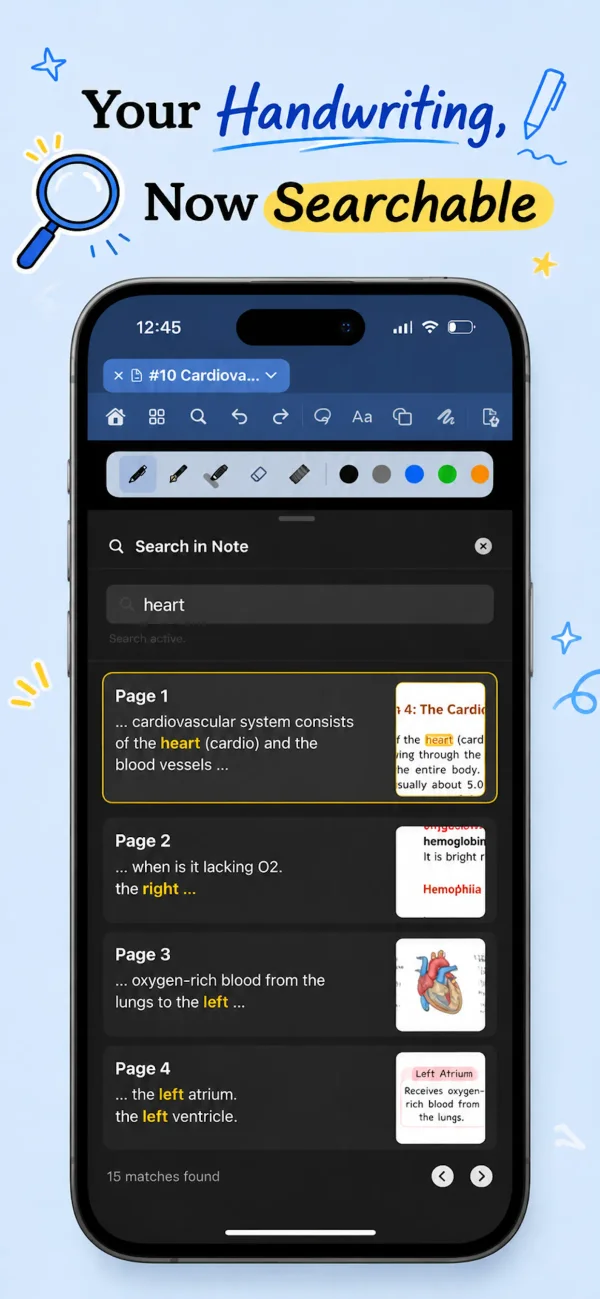
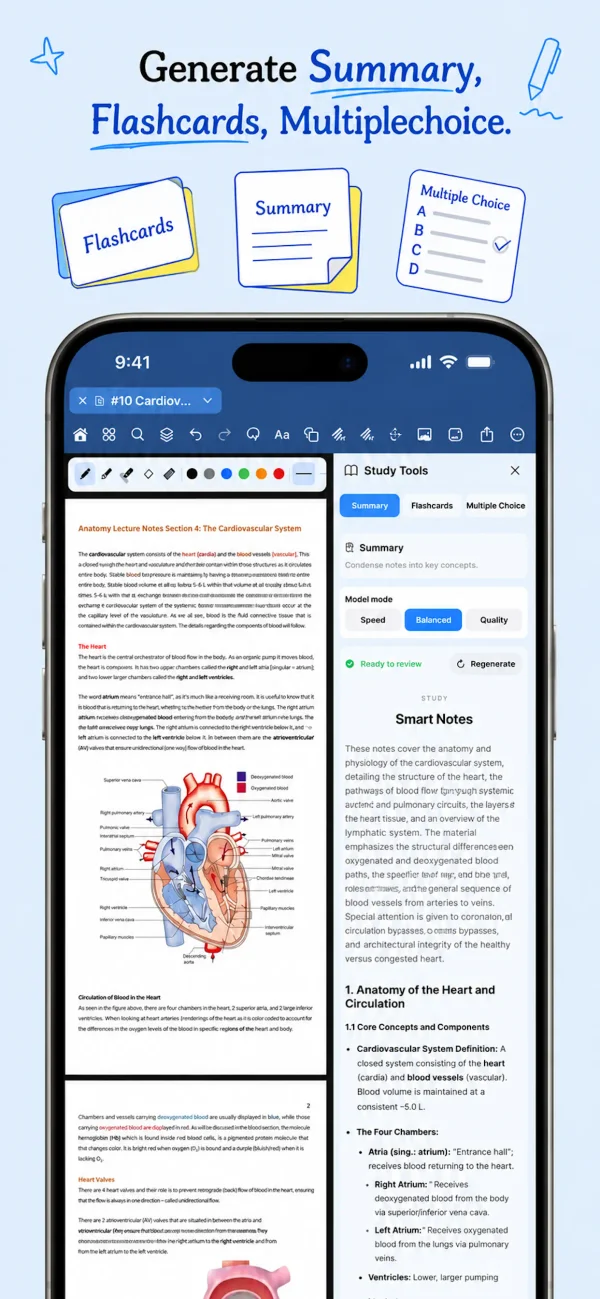
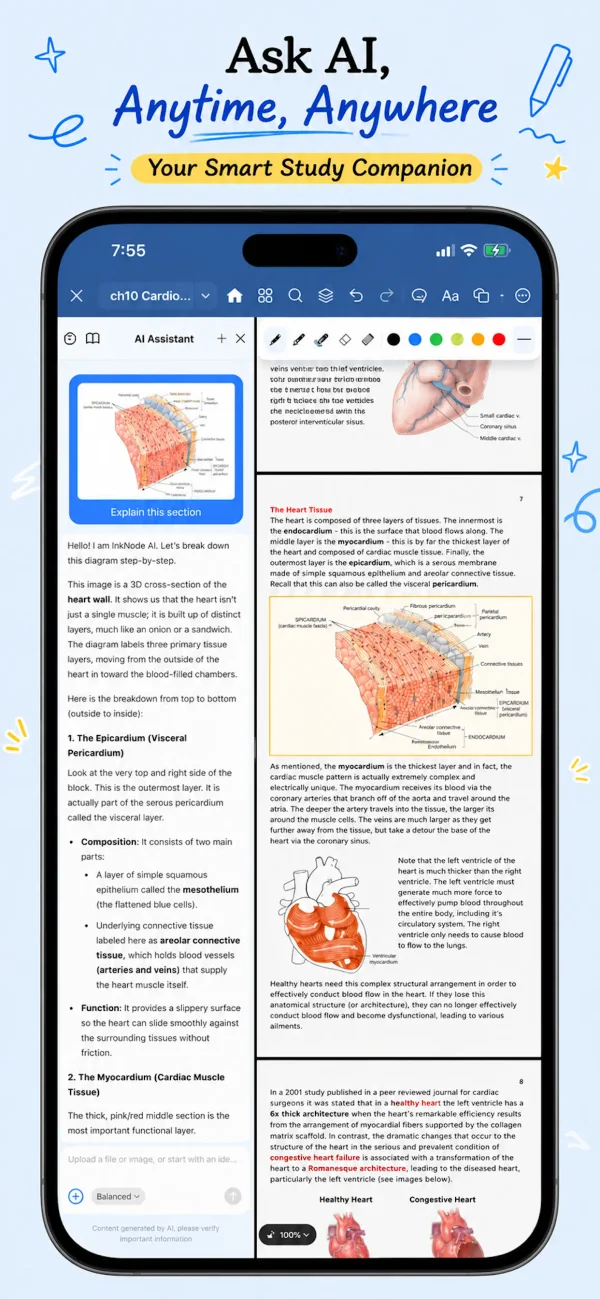
InkNode is a Handwriting Notes app with numerous features: PDF markup & Annotation, Searchable Handwriting and PDF texts. Ultimately, write by hand, then let AI turn your messy notes into interactive Mindmaps, searchable handwriting, clean summaries, flashcards, and practice quizzes — all in one app.
WRITE THE WAY YOU THINK
• Smooth, natural handwriting with Apple Pencil
• Unlimited notebooks, folders, and pages
• Beautiful templates: lined, grid, dotted, planners, and more
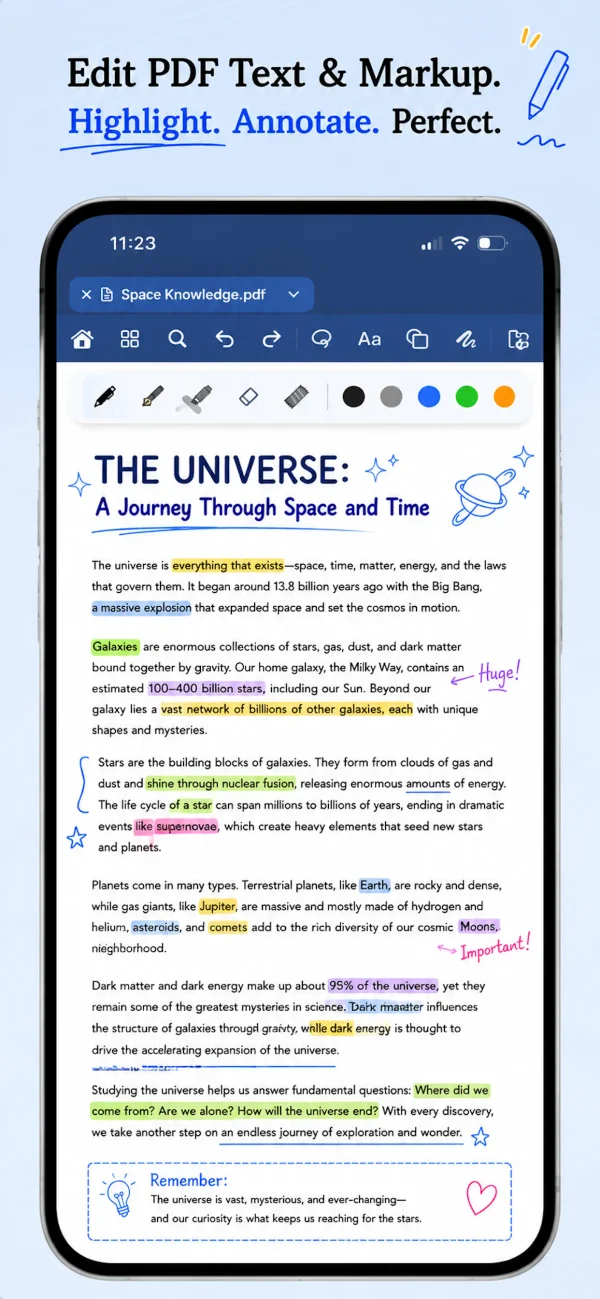
• Import PDFs to annotate, highlight, and mark up
• Convert handwriting to text instantly
• Handwriting Beautification: Turn messy handwriting into beautiful chosen text of your choice.
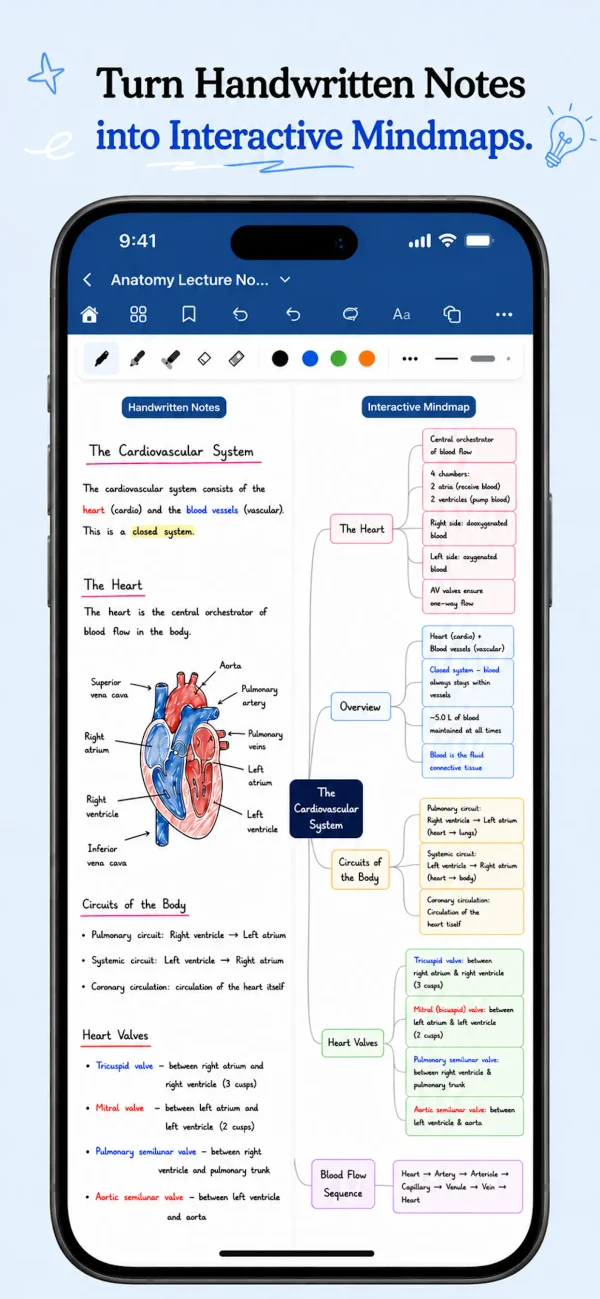
• Interactive Mindmap: Build a mindmap from scratch or use AI to turn your notes into one
STUDY SMARTER WITH AI
• Summarize long lecture notes into clean, structured outlines
• Auto-generate flashcards from your handwritten notes
• Create multiple-choice quizzes to test yourself before exams
• Use the tape tool to hide and memorize key terms
• Spend less time rewriting and more time learning
EVERYTHING IN ONE PLACE
• Collaborate on shared notebooks in real time
• Sync securely across iPhone and iPad via iCloud sync
• Stay on track with a built-in focus timer
• Export and share notes as PDF
WHY INKNODE (Alternatives to Goodnotes, Notability, Freenotes)
Goodnotes and Notability are powerful — but their subscriptions add up fast, and AI study tools are an afterthought. InkNode was built AI-first and priced fairly: take handwritten notes for free, and unlock AI forever with a one-time Lifetime purchase. No recurring fees, no surprises.
ALL YOUR TOOLS IN ONE CANVAS
• Fountain pen, ballpoint, highlighter, and pencil
• Custom colors, stroke styles, and pen widths
• Shape recognition for clean lines, boxes, and diagrams
• Lasso to move, resize, and rearrange handwriting
• Tags and labels to organize and find notes fast
• Dark mode for late-night study sessions
• Works offline — your notes are always with you
MORE WAYS TO USE INKNODE
• Digital planner, journal, and bullet journal
• Meeting notes and to-do lists for work
• Homework, assignments, and a study planner
• Math notes, diagrams, and equations by hand
• Sketching, drawing, and quick idea capture
• A second-brain notebook for research and writing
WHAT STUDENTS SAY
“The AI turns my messy lecture scribbles into clean summaries. I use the multiple-choice feature to study and the tape tool with the generated flashcards.”
“I switched to InkNode because Goodnotes/Notability subscriptions were way too expensive. The lifetime AI was a perfect fit for my study notes.”
“Smart concept that combines note-taking with teamwork in a smooth, practical way.”
PERFECT FOR
• Students taking lecture and class notes
• Anyone studying for exams with flashcards and quizzes
• Teams and study groups collaborating on shared notes
• Anyone who annotates PDFs or keeps a digital notebook
FREE TO START
Create unlimited notebooks, write with Apple Pencil, annotate PDFs, and export — free. Upgrade to Premium for AI summaries, flashcards, quizzes, and cloud features. Choose a subscription or pay once for Lifetime AI.
Download InkNode and turn your handwriting into your smartest study tool.
We use the Standard Apple Terms of Use
Terms of Use: https://www.apple.com/legal/internet-services/itunes/dev/stdeula/
新機能
バージョン 2.0 · 2026/8/10
[UPDATE]
• Turn your notes into flowcharts, instantly. Our new AI can read your documents and generate clean, editable flowcharts and mind maps for you — perfect for studying and organizing ideas.
• A smarter drawing canvas. Draw a rough shape and watch it snap into a perfect one, connect nodes with smart lines that stay put, and lasso-select to move things around effortlessly.
• Redesigned Study Tools with a cleaner, more focused interface.
• New interactive tutorial to help you get up and running in seconds.
• Improved zoom, smoother in-note search, and lots of little UI polish throughout.
Plus various bug fixes and performance improvements. Thanks for using InkNode!
アプリのプライバシー
このアプリのデータの取り扱いについて、Jiakai WeiがApp Storeで申告している内容です。
-
ユーザーに関連付けられたデータ
収集され、ユーザーの識別情報に関連付けられる場合があります。
- ID
-
ユーザーに関連付けられないデータ
収集される場合がありますが、ユーザーの識別情報には関連付けられません。
- 連絡先情報
- ユーザーコンテンツ
プライバシーの取り扱いは、ご利用の機能やお客様の年齢などに応じて異なる場合があります。
情報
- 販売元
- Jiakai Wei
- カテゴリ
- 仕事効率化
- バージョン
- 2.0
- 更新日
- 2026/8/10
- リリース
- 2026/4/30
- サイズ
- 132.7 MB
- 必要条件
- iOS 17.6以降
- 対象年齢
- 9+
- 価格
- 無料
- アプリ内課金
- あり
- 言語
- 英語, フランス語, ドイツ語, 日本語, 簡体字中国語, スペイン語, 繁体字中国語
- 著作権
- © 2026 JIAKAI WEI
こちらもおすすめ
-
 Clipboard AI - コピペキーボードコピー履歴 & テキスト保存
-
 Rosetta: AIメモ、リンク、TodoすべてのAIアプリのためのひとつのメモリ
-
 Spanarc - カレンダーとタスク一目瞭然Apple カレンダーを可視化
-
 copycopy: コピー&ペースト履歴ローカルのクリップボード管理
-
 Simplify Notes: PDFノートノート・PDF・Apple Pencil
-
 NoteCalc - メモ電卓リスト 音声メモ スキャン
-
 SparkPDF: スキャン・署名・記入書類スキャン&PDF記入・署名
-
 GoMindAI: デイリープランナーAIタスク・習慣・カレンダー
-
 AI Keyboard – ClarifierAI仕事効率化
-
 Cratify: Home Inventory仕事効率化