
Nunc: Screen Time Control
App Blocker for Study Focus
Entwickelt für iPhone
In-App-Käufe
- Altersfreigabe4+
- KategorieProduktivität
- EntwicklerKYLE HASTINGS STEPHENS
- SprachenEnglisch
- Größe8,4 MB
Nunc: Screen Time Control ist bei App Store derzeit möglicherweise nicht verfügbar
Bei unserer letzten Prüfung war der Store-Eintrag nicht erreichbar. Der Link führt weiterhin zur offiziellen App Store-Seite.
Screenshots
Info
Der Entwickler hat diesen Text nicht in Ihrer Sprache bereitgestellt.
Your assignment is clear. Your phone keeps interrupting.
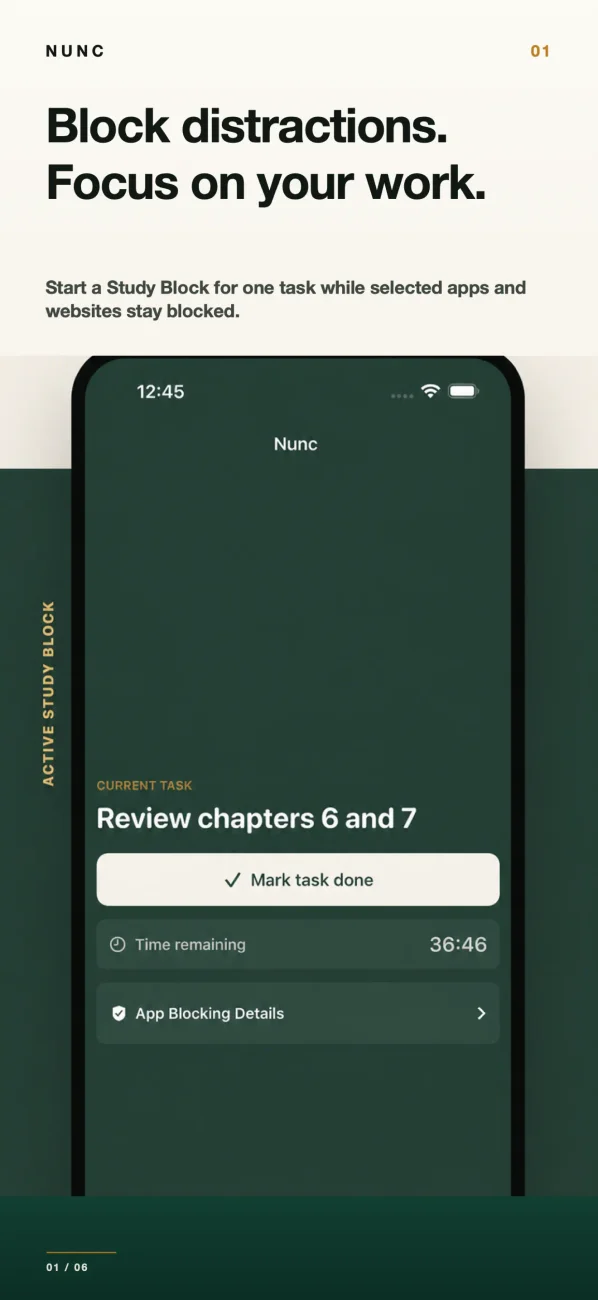
Nunc helps college students protect a Study Block from selected apps, websites, or categories while they focus on one concrete task at a time.
HOW A STUDY BLOCK WORKS
1. Name the task in front of you, such as “Finish problem set 4.”
2. Choose one or more apps, websites, or categories with Apple’s Screen Time picker. One to three selections are recommended for a focused setup; Nunc does not enforce a maximum.
3. Start a timed or Until I’m done Study Block.
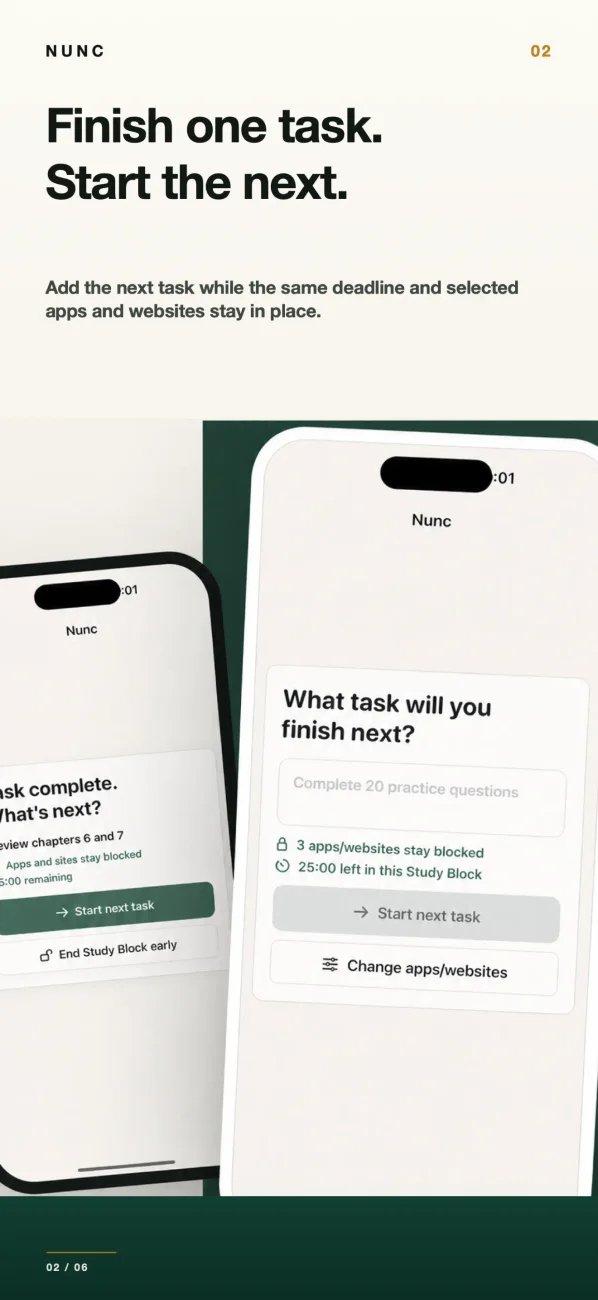
4. Mark the task done and add the next task while the same deadline and shields continue—or deliberately end the Study Block early.
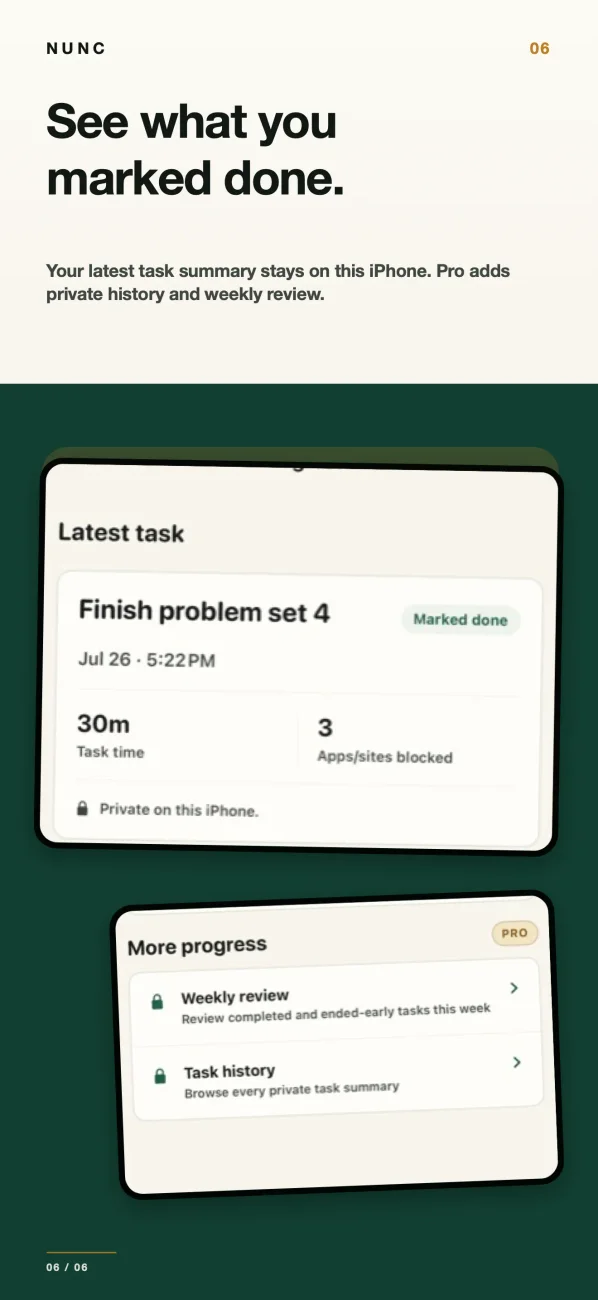
5. Review your latest private, on-device task summary.
WHY NUNC IS DIFFERENT
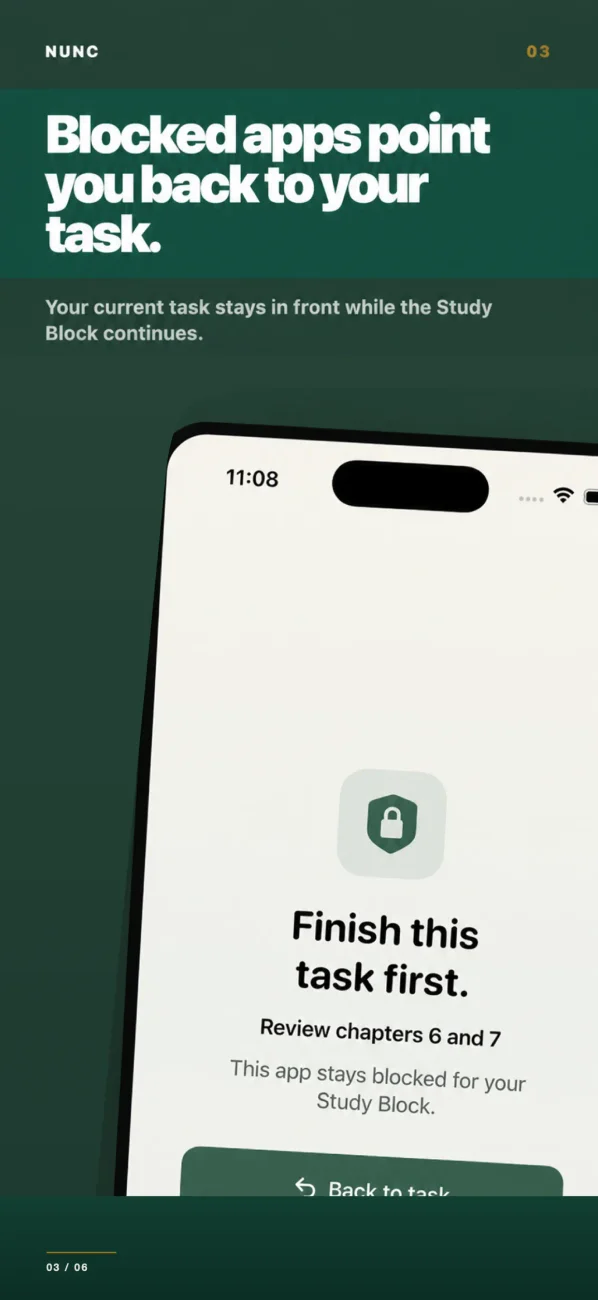
• Your current task stays visible while selected distractions are shielded.
• Finishing a task does not automatically reopen distracting apps during a timed Study Block.
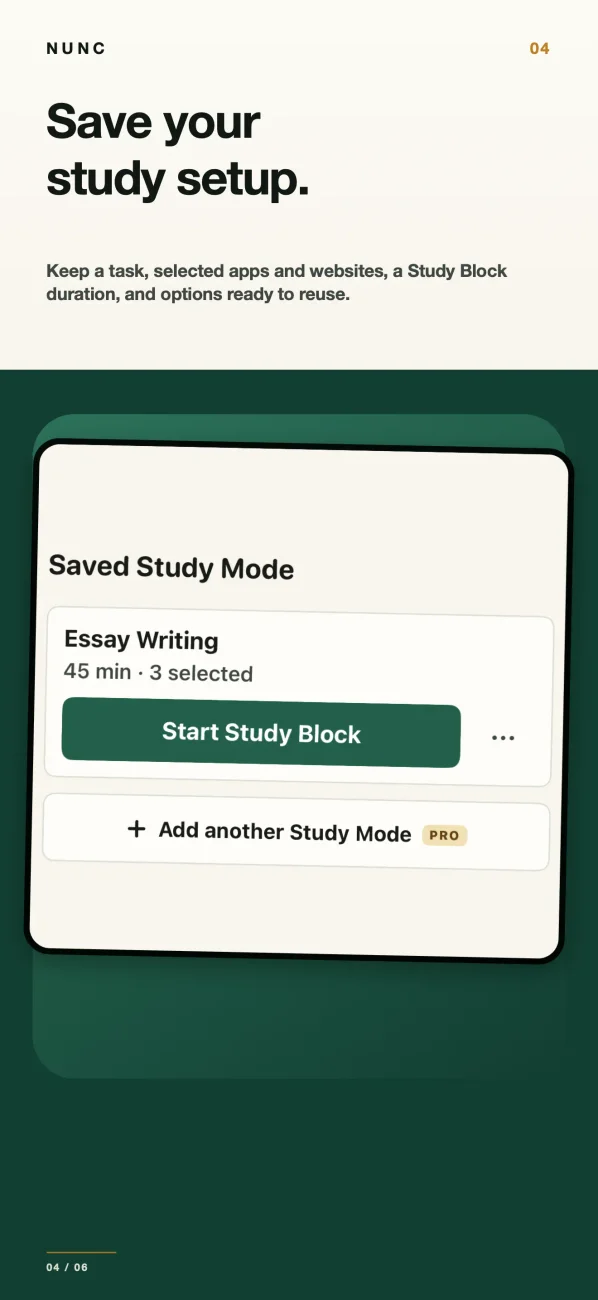
• Study Modes save repeatable task, distraction, duration, and commitment settings.
• Private Progress summarizes the work you declared complete without inspecting what you did inside other apps or websites.
FREE AND PRO
Manual timed and untimed Study Blocks are free and unlimited. Free includes one saved Study Mode and your latest task summary.
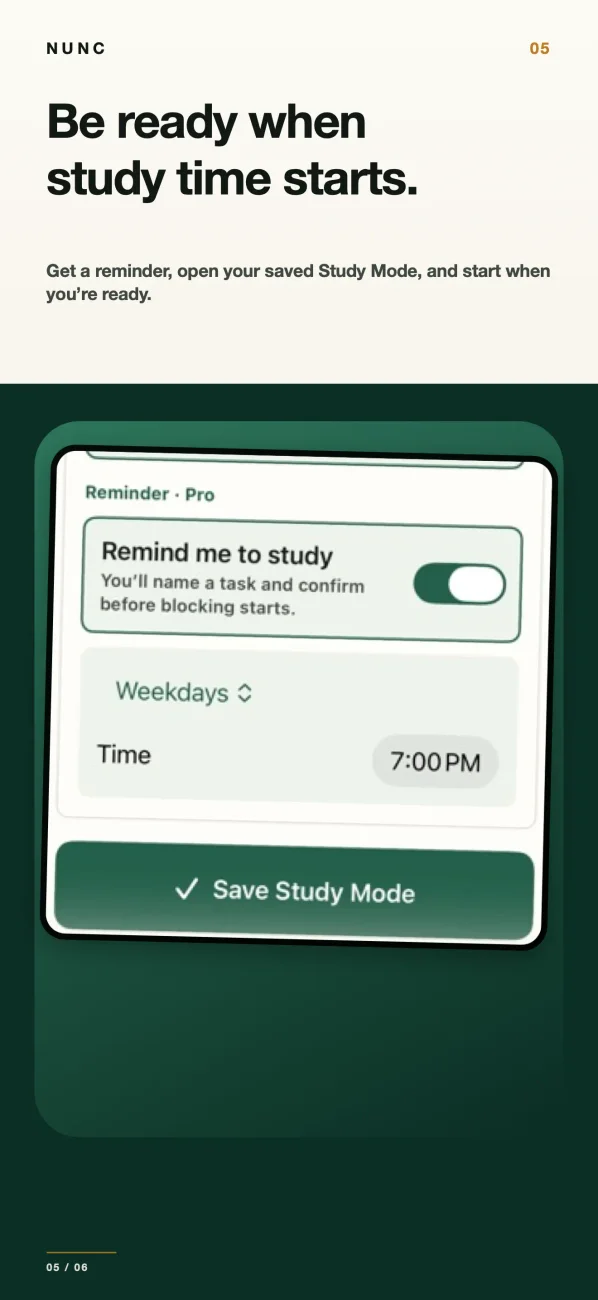
Nunc Pro adds unlimited Study Modes, scheduled study reminders, optional No early ending for timed Study Blocks, full private history, and weekly review. No early ending removes Nunc’s in-app early-end action before the displayed deadline; it does not make blocking unbreakable.
PRIVATE BY DESIGN
No account is required. Task names, Screen Time selection tokens, blocking state, Study Modes, and summaries stay on your device. Nunc cannot read messages, feeds, websites, or schoolwork.
HONEST SCREEN TIME CONTROL
You decide when a task is done; Nunc does not inspect or verify your work. Website and browser coverage can vary. If Screen Time permission is denied or revoked, or blocking becomes unavailable, Nunc reports that state and provides recovery.
Subscription options, trial eligibility, and Restore Purchases are available from the Pro paywall. Purchases and subscriptions are handled by Apple StoreKit.
Terms of Use (EULA):
https://www.apple.com/legal/internet-services/itunes/dev/stdeula/
Neue Funktionen
Version 2.2 · 01.09.2026
Study Block setup is clearer from start to finish. Name your task, review one or more selected apps, websites, or categories, choose a duration, and confirm Screen Time access before blocking. One to three selections are recommended for a focused setup, but Nunc does not enforce a maximum. Active blocking details are also easier to read.
App-Datenschutz
Was KYLE HASTINGS STEPHENS im App Store zum Umgang dieser App mit Daten angibt.
-
Keine Daten erfasst
Der Entwickler erfasst keine Daten von dieser App.
Die Datenschutzpraktiken können variieren, zum Beispiel je nach den von Ihnen verwendeten Funktionen oder Ihrem Alter.
Informationen
- Anbieter
- KYLE HASTINGS STEPHENS
- Kategorie
- Produktivität
- Version
- 2.2
- Aktualisiert
- 01.09.2026
- Veröffentlicht
- 14.07.2026
- Größe
- 8,4 MB
- Erfordert
- iOS 18.0 oder neuer
- Altersfreigabe
- 4+
- In-App-Käufe
- Ja
- Sprachen
- Englisch
- Copyright
- © 2026 Kyle Stephens
Das könnte Ihnen auch gefallen
-
 EbSpace Property ManagementProduktivität
-
 Lazy InviteProduktivität
-
 Forget: ADHD Focus TimerProduktivität
-
 FocusFirst: Apps sperrenBildschirmzeit selbst steuern
-
 EXO: App-Sperre & Fokus-TimerBildschirmzeit nach Zeitplan
-
 Foki: App BlockerProduktivität
-
 Pomolings - Pomodoro TimerFokus, Lernen, weißes Rauschen
-
 Alarmed: Wake Up on TimeProduktivität
-
 TaskLock: Apps sperrenAufgabenliste & Gewohnheiten
-
 Translay - Screen TranslatorProduktivität