
OneVault Password Manager
Store & Autofill Passwords
Entwickelt für iPhone, iPad, iPod touch
Kostenlos · In-App-Käufe
- Altersfreigabe4+
- KategorieProduktivität
- EntwicklerBDP Corporation
- SprachenEnglisch
- Größe44,2 MB
Verlinkt auf die offizielle App Store-Seite
Download.org hostet keine Datei von OneVault Password Manager. Die Schaltfläche öffnet die App-Seite bei App Store, wo BDP Corporation die App veröffentlicht. Eintrag zuletzt geprüft am 15.11.2026.
Screenshots


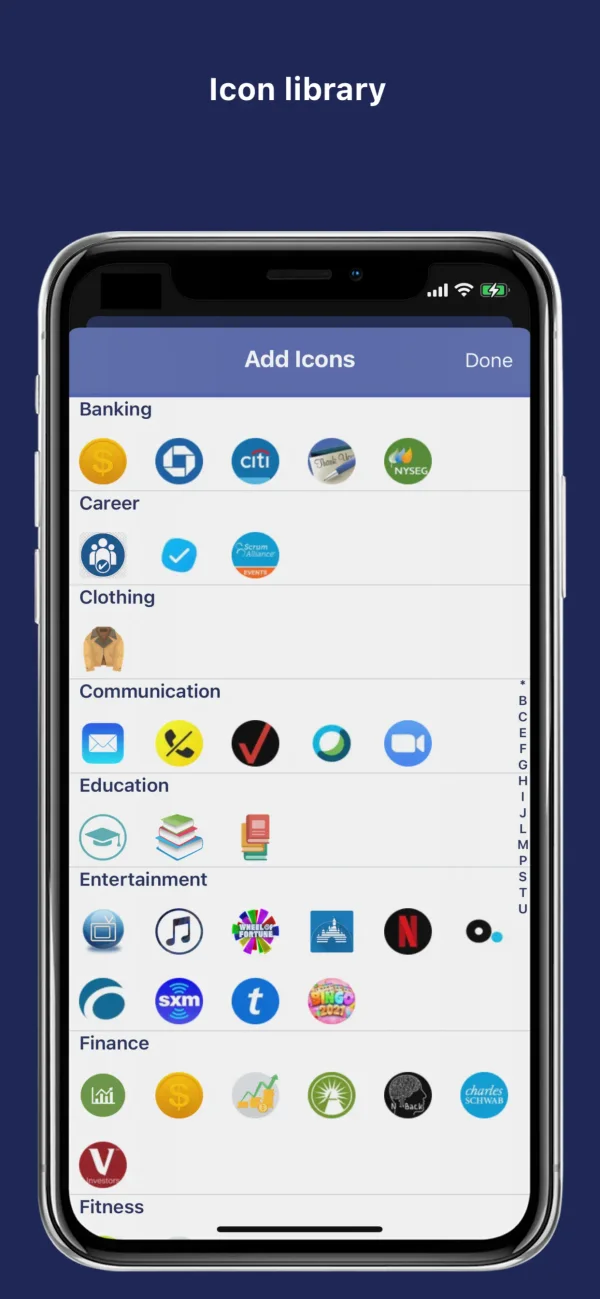
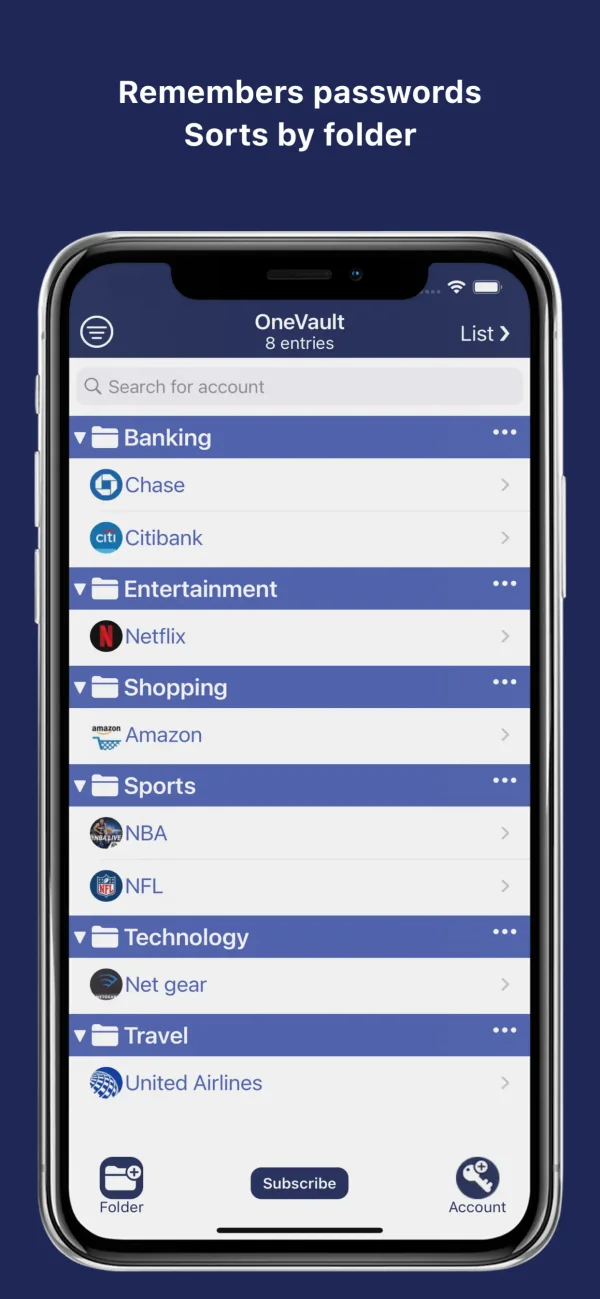
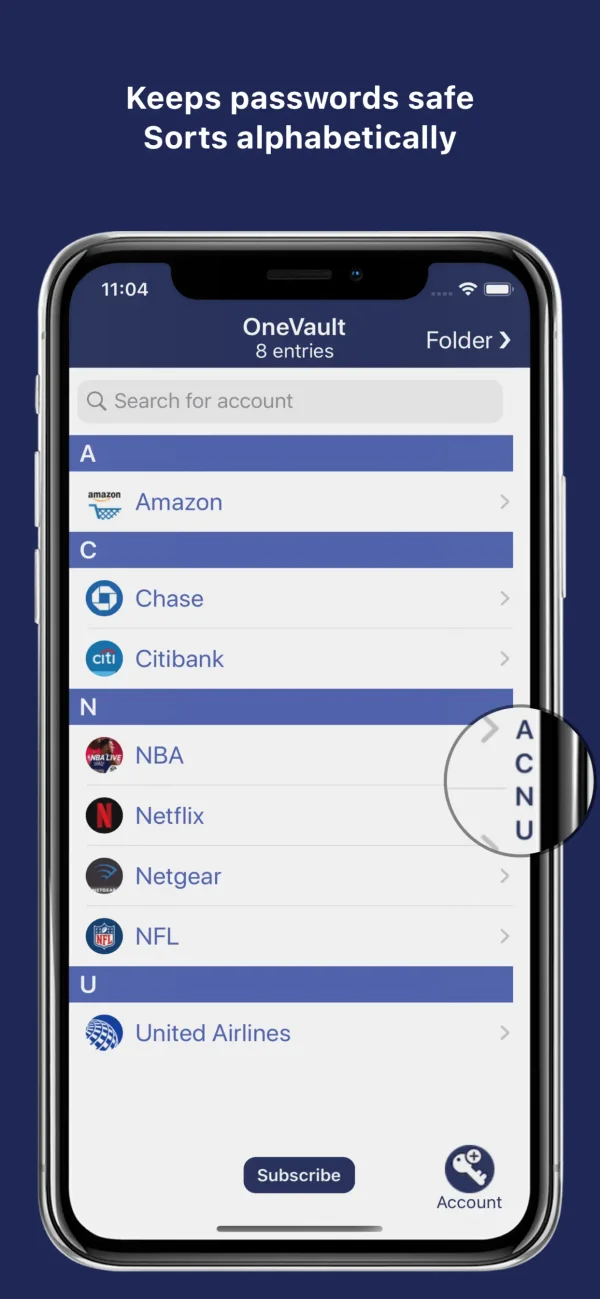


Info
Der Entwickler hat diesen Text nicht in Ihrer Sprache bereitgestellt.
Do you feel overwhelmed trying to remember all of your passwords? Are you less likely to create secure passwords for fear of forgetting them? OneVault - Password Manager has you covered! OneVault provides a virtual vault where you can easily and safely store all of your passwords on your device(s). It also automatically — and securely — enters your user names and passwords when signing on to your favorite websites and apps. Rest easy with this user-friendly app that remembers your secure passwords, keeps them safe, and saves you time by quickly logging you into your accounts.
Features
► Data security: User IDs and passwords are securely stored locally on your device using Apple’s Keychain and not on external servers.
► App security: Face ID, Touch ID, and/or Passcode verification are required to unlock the OneVault, ensuring security of your passwords and protecting you from cybercriminals. In addition, user names and passwords are stored in the Apple Keychain for additional protection.
► Syncing: OneVault offers secure syncing between devices, providing a safe and seamless transition between your iPhone, iPad, and Apple Watch, using Apple’s encryption technologies and the security of Apple’s iCloud and secure communications.
► Strong passwords: Provides user-friendly tool to create strong passwords.
► Automatic log in: Automatically enters user ID and password in Safari and other iOS apps and internet browsers, allowing you to quickly log in to your favorite websites and accounts.
► Unlimited: Stores an unlimited number of user IDs, passwords, and folders in accordance with your device's storage capacity.
► List and folder views: Offers two unique and organized views of your passwords:
1) Alphabetic list: view all of your passwords listed alphabetically by the account name. Easily locate a password using an index and search.
2) Folder view: views all of your folders listed alphabetically by the folder name. Quickly identify folders using filters. Drag and drop passwords between folders effortlessly.
► System: Supports iOS/iPadOS 13, WatchOS 6, and above.
Benefits
► User friendly.
► Remembers an unlimited number of user ID and password combinations.
► All sign in credentials are accessible by you only.
► Increases security levels by making it easy to remember secure user IDs and passwords.
► All personal information is kept safe and confidential on your device(s).
► There is no sharing of any information stored in OneVault.
In-App Purchase Terms
- OneVault is offered free for a one month trial followed by a one month or one year renewable subscription.
- Payment will be charged to your iTunes Account at purchase.
- Auto-renewable subscriptions will be charged for renewal at least 24 hours prior to the end of the current period.
- Your subscription can be managed in your iTunes Account Settings. No cancellation of the current subscription is allowed during the active subscription period.
Terms of Use
http://www.bdpcorp.com/license-agreement.shtml
Neue Funktionen
Version 3.4 · 25.04.2024
This app has been updated by Apple to prepare for watchOS 27 compatibility. No new features are included.
- Updates
App-Datenschutz
Was BDP Corporation im App Store zum Umgang dieser App mit Daten angibt.
-
Keine Daten erfasst
Der Entwickler erfasst keine Daten von dieser App.
Die Datenschutzpraktiken können variieren, zum Beispiel je nach den von Ihnen verwendeten Funktionen oder Ihrem Alter.
Informationen
- Anbieter
- BDP Corporation
- Kategorie
- Produktivität
- Version
- 3.4
- Aktualisiert
- 25.04.2024
- Veröffentlicht
- 15.01.2021
- Größe
- 44,2 MB
- Erfordert
- iOS 15.0 oder neuer
- Altersfreigabe
- 4+
- Preis
- Kostenlos
- In-App-Käufe
- Ja
- Sprachen
- Englisch
- Copyright
- © Copyright 2024 BDP Corporation
Das könnte Ihnen auch gefallen
-
 ForSure Password ManagerProduktivität
-
 Passsword Manager VaultProduktivität
-
 IronCrypto: Password ManagerProduktivität
-
 Codebook Password ManagerProduktivität
-
 Password Manager iPassSafeProduktivität
-
 Passwords CloudProduktivität
-
 Secure X- Data Vault & WalletPassword, Gallery, Card Keeper
-
 Password Manager'Produktivität
-
 aWallet Password ManagerPasswortmanager
-
 Sticky Password Manager & SafePasswort-Manager