
- Altersfreigabe4+
- KategorieEntwickler-Tools
- EntwicklerJiayan Lin
- SprachenEnglisch
- Größe51,8 MB
OpenAB Remote ist bei App Store derzeit möglicherweise nicht verfügbar
Bei unserer letzten Prüfung war der Store-Eintrag nicht erreichbar. Der Link führt weiterhin zur offiziellen App Store-Seite.
Screenshots
Info
Der Entwickler hat diesen Text nicht in Ihrer Sprache bereitgestellt.
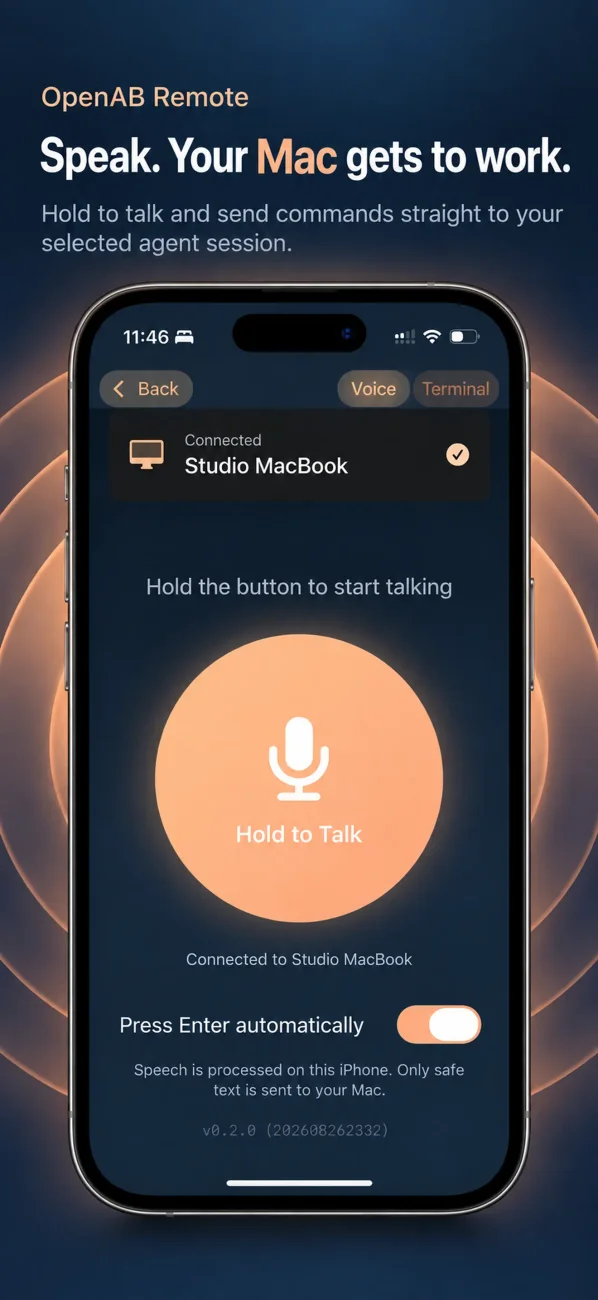
OpenAB Remote turns your iPhone into a private push-to-talk remote and terminal client for OpenAB Connect.
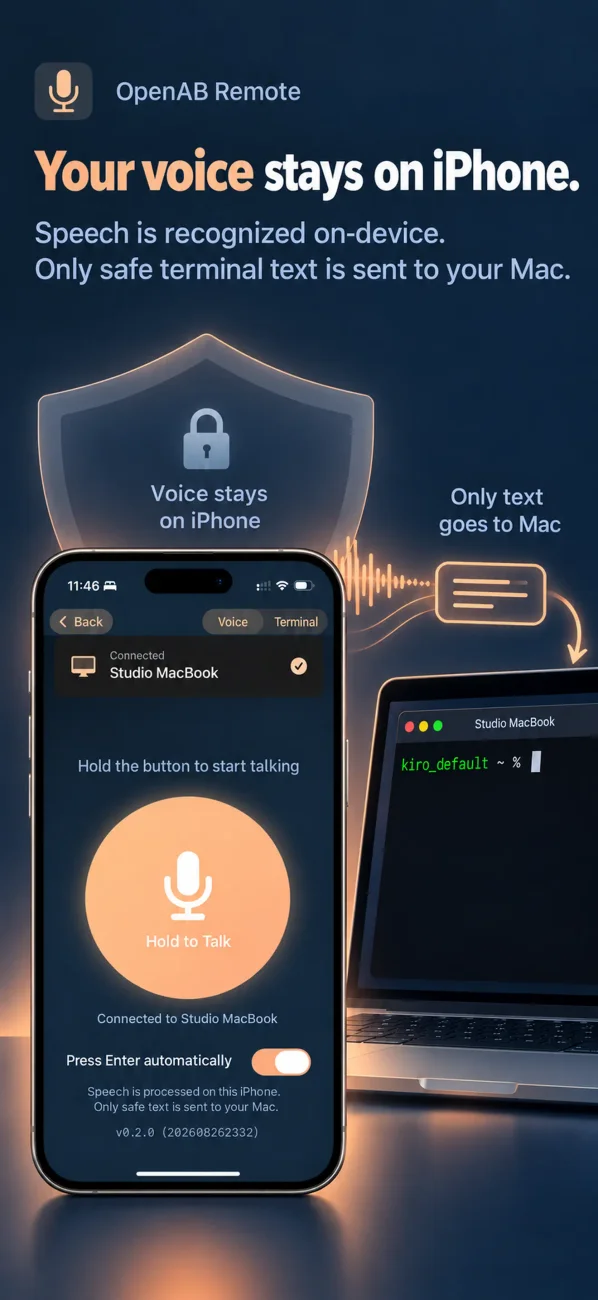
Pair with your Mac over the local network, dictate with on-device speech recognition, and send only terminal-safe text to the selected session. Import your own runtime connections from OpenAB Connect, browse live sessions, and attach directly over your own Tailscale network.
Choose your speech engine: Apple's on-device recognition (no download), or optionally download Whisper (OpenAI, MIT) or SenseVoice (Alibaba FunASR) to run on this iPhone — SenseVoice is recommended for Mandarin, Cantonese, Japanese and Korean.
• On-device push-to-talk transcription
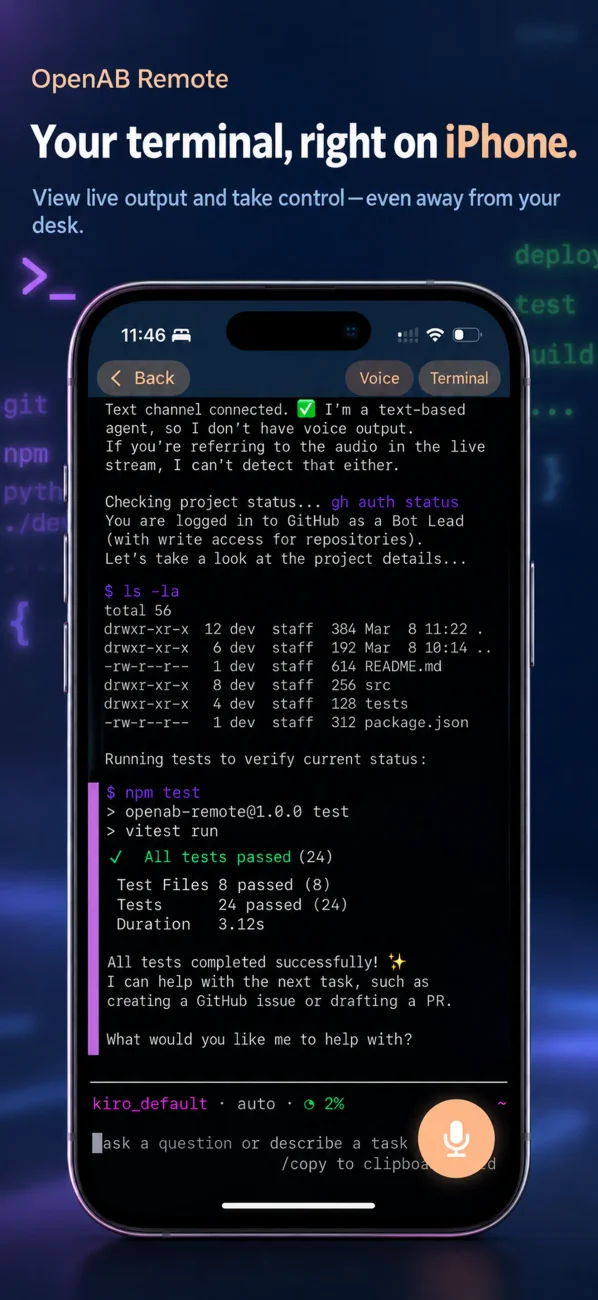
• Direct terminal session attach and resume
• Remembered, encrypted nearby pairing
• Explicit Auto-Enter permission
• No account, analytics, advertising, or telemetry
• Optional Whisper engine: download an open-source model once (MIT) and run it fully on-device
• Fully offline Demo Mode for evaluation
OpenAB Remote talks only to your Mac and infrastructure — plus, only if you choose the Whisper engine, a one-time model download from Hugging Face. Your speech, credentials, and terminal sessions are not sent to an OpenAB service.
Neue Funktionen
Version 0.5.3 · 09.11.2026
Computer access now has two levels. Observe (the default) lets the agent see the screen and system info only. Owner gives it full control of the computer, the same as its user's shell: commands, input and the logged-in browser. Choosing Owner asks you to confirm before access is granted.
Desktop is no longer offered. If you chose Desktop before, it now works as Observe. If a computer gives a session less access than you asked for, an orange note under the session's access status tells you.
App-Datenschutz
Was Jiayan Lin im App Store zum Umgang dieser App mit Daten angibt.
-
Keine Daten erfasst
Der Entwickler erfasst keine Daten von dieser App.
Die Datenschutzpraktiken können variieren, zum Beispiel je nach den von Ihnen verwendeten Funktionen oder Ihrem Alter.
Informationen
- Anbieter
- Jiayan Lin
- Kategorie
- Entwickler-Tools
- Version
- 0.5.3
- Aktualisiert
- 09.11.2026
- Veröffentlicht
- 02.09.2026
- Größe
- 51,8 MB
- Erfordert
- iOS 26.0 oder neuer
- Altersfreigabe
- 4+
- Sprachen
- Englisch
- Copyright
- © 2026 TauTiu
Das könnte Ihnen auch gefallen
-
 Robot Eyes: Vision & PoseEntwickler-Tools
-
 ZeaburEntwickler-Tools
-
 AgentmuxSSH-Terminal für KI-Agenten
-
 CmdDeck: Linux-Befehle & NetzSpickzettel für Admins offline
-
 Heeler for herdrEntwickler-Tools
- CodyncEntwickler-Tools
-
 Mini Bucket - BitBucket ClientEntwickler-Tools
-
 HerdrChatEntwickler-Tools
- DualMac: VNC Remote DesktopFernzugriff auf Macs vom iPad
-
 ShadowTerm ssh & mosh TerminalEntwickler-Tools