
Outliner by codediary
Your ideas, organized
Entwickelt für iPhone, iPad, Mac
Kostenlos
- Altersfreigabe4+
- KategorieProduktivität
- Entwicklerjeong kyu lee
- SprachenEnglisch
- Größe11,5 MB
Verlinkt auf die offizielle App Store-Seite
Download.org hostet keine Datei von Outliner by codediary. Die Schaltfläche öffnet die App-Seite bei App Store, wo jeong kyu lee die App veröffentlicht. Eintrag zuletzt geprüft am 14.11.2026.
Screenshots



Info
Der Entwickler hat diesen Text nicht in Ihrer Sprache bereitgestellt.
Think in outlines. Get things done.
Outliner by codediary is a fast, flexible outliner for capturing ideas, planning projects, and tracking tasks — all in clean, collapsible hierarchies that sync instantly across your iPhone, iPad and Mac
Whether you're writing a plan, building a checklist, or managing a project, it keeps everything structured, searchable, and in sync.
OUTLINE ANYTHING
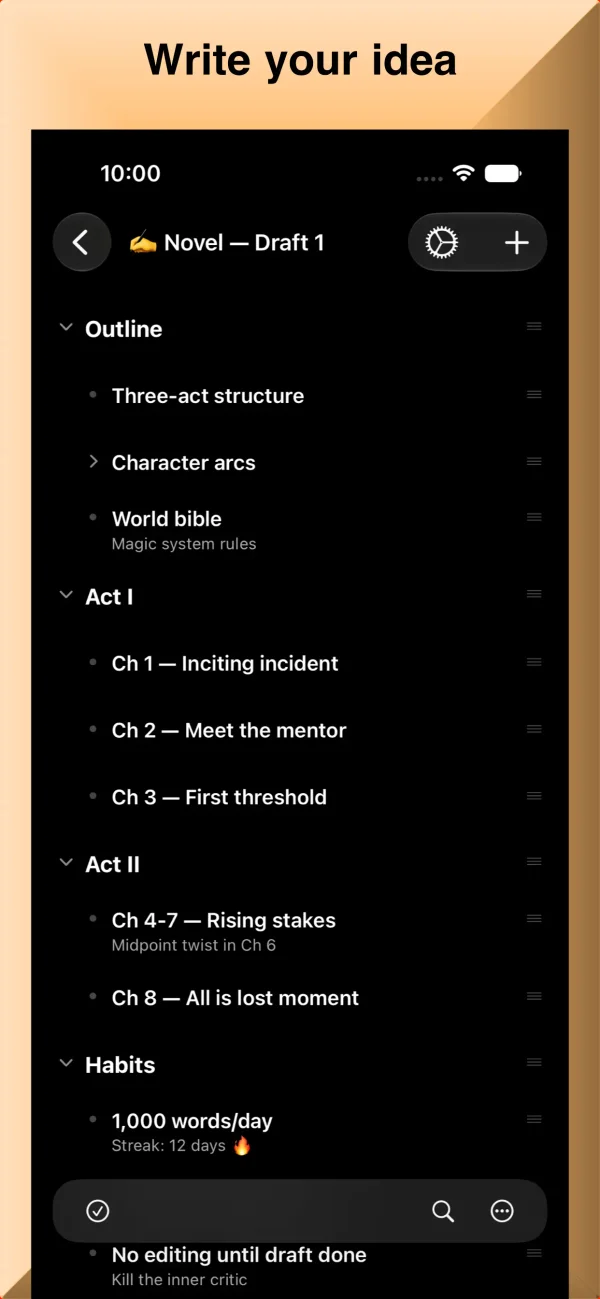
• Build unlimited nested outlines with drag-and-drop reordering
• Indent, outdent, expand, and collapse branches with a tap or keyboard shortcut
• Automatic heading styles (H1–H5) give every level clear visual hierarchy
• Multi-select to copy, cut, and paste items and entire subtrees
• Handwriting - draw and annotate right inside your outlines
TRACK TASKS WITH SMART CHECKLISTS
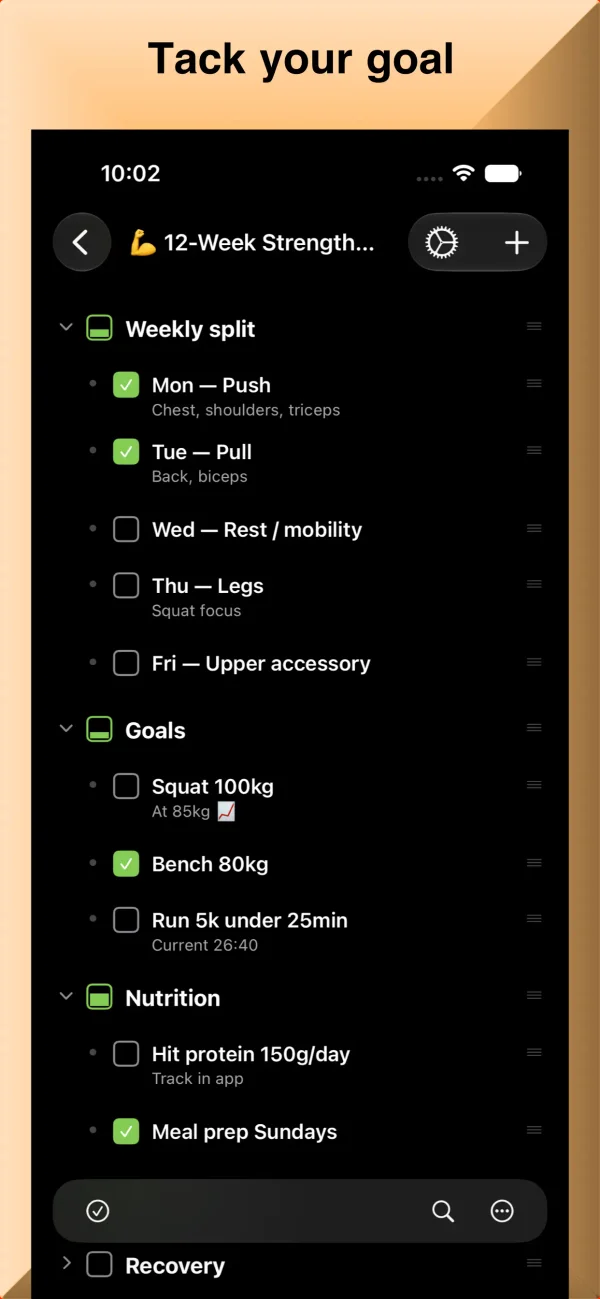
• Tri-state checkboxes: done, not done, or partially complete
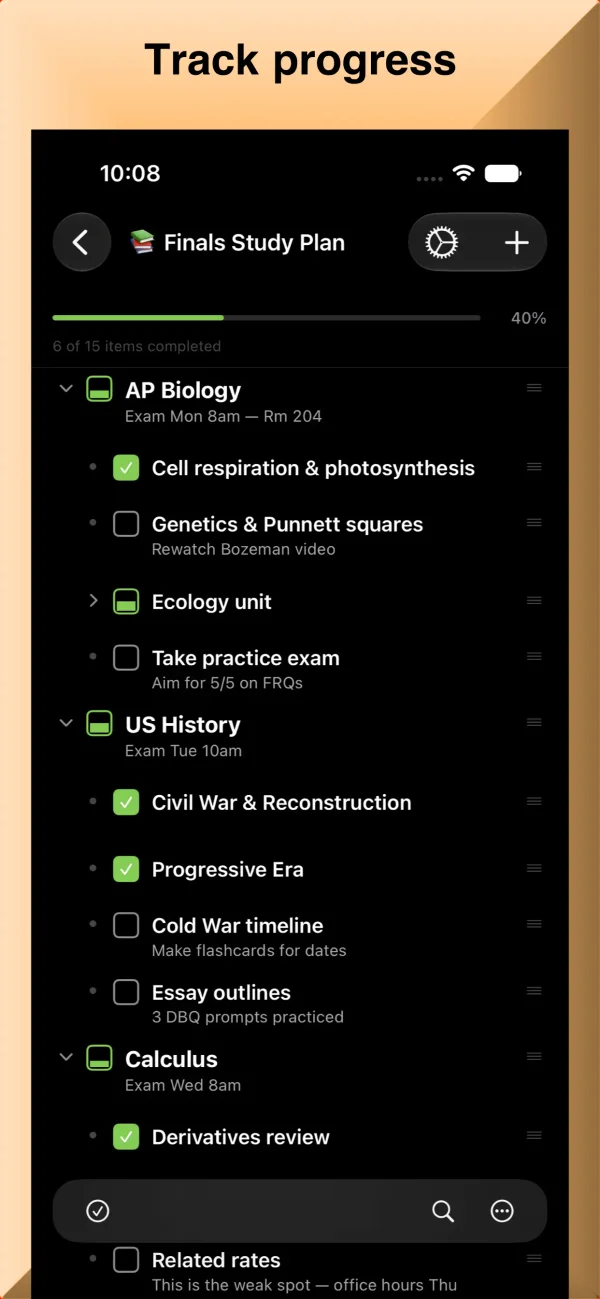
• Parent items roll up automatically as you complete their children
• Check or clear an entire subtree with a long press
• Hide completed items to focus on what's left
ADD CONTEXT
• Attach notes to any item
• Add images from your photo library, or camera
• Zoom, swipe through, and organize inline image attachments
• Highlight items with colors and custom styles
FIND IT FAST
• Live in-outline search with highlighting and match navigation
• Global search across every outline at once
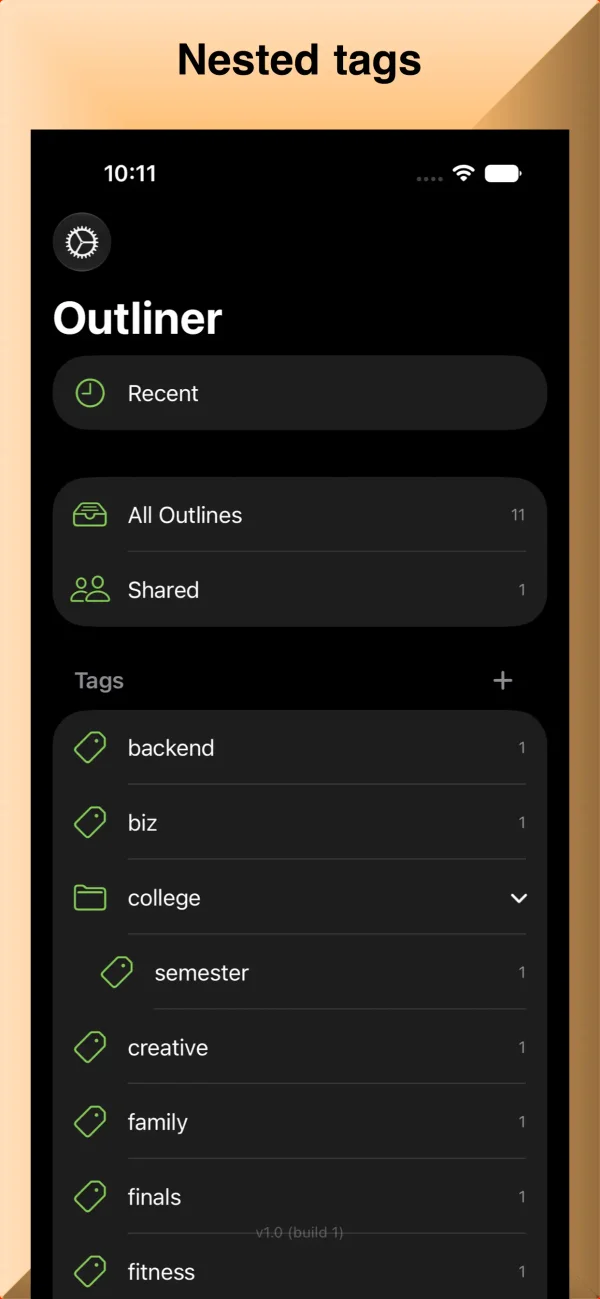
• Organize outlines with tags, including nested categories
SYNC & SHARE
• Automatic iCloud sync — no manual saving, always up to date
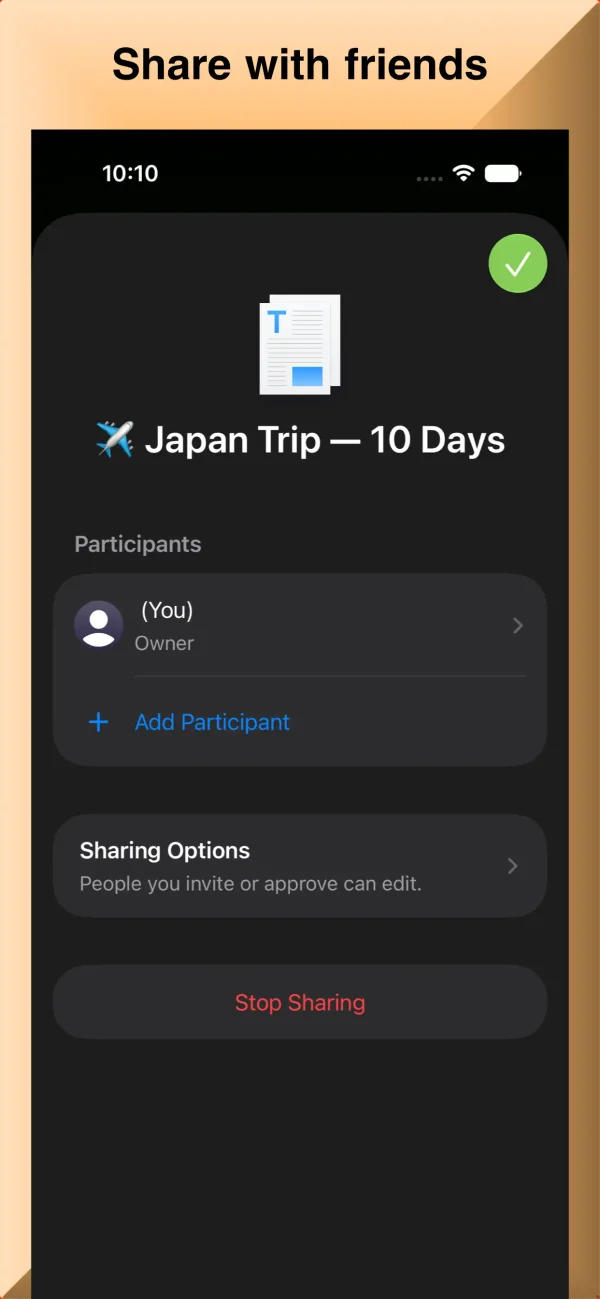
• Share outlines with others to view or edit together in real time
• Shared outlines and their images stay in sync for everyone
BACKUP & PRINT
• Export a full backup of everything, or a single outline, to a file
• Restore with smart deduplication — no duplicates
• Print or save as PDF with your indentation, checkboxes, notes, and colors intact
BUILT FOR APPLE PLATFORMS
• Native on iPhone, iPad, and Mac
• Full keyboard support: Return, Tab/Shift-Tab, undo/redo, and more
• Mac menu commands for font size, undo, search, and printing
• Shake to undo on iPhone
BOOST YOUR PRODUCTIVITY
• Focus Mode — zoom into a single outline and hide the rest.
• Better note editing on iOS — full-screen editor for distraction-free writing
MORE THAN ONE WAY TO SEE YOUR WORK
• Progress bar showing overall completion
Start with a single line. Grow it into anything.
Neue Funktionen
Version 1.3.2 · 13.11.2026
What's New in 1.3.2
New
- PDF import: Turn a PDF into a structured outline. Headings, lists and paragraphs are detected automatically, and the original PDF stays attached so you can open it from the paperclip button.
- OPML import: Bring in outlines from other apps with Import OPML…, by opening a .opml file, or from the Share sheet. You choose which outline it goes into.
- Share a single item: Use the new "Share Item…" option to share just one item and everything under it, instead of the whole outline.
- Web links: "Copy Web Link" makes a link to any outline or item that opens straight in the app.
- Nested tags: Create a tag inside another tag with the sidebar "+" button or the new "Add…" option on a tag.
- The top bar, tabs and bottom bar hide as you scroll down for more room to read, and come back when you scroll up.
Fixes
- New items now appear right away when you add them while focused on part of an outline.
- An outline can't be shared while one of its items is already shared, and shared items are clearly marked.
- Going back from Reminders in the sidebar no longer reopens the last outline.
- The text field's right-click/long-press menu now opens properly.
App-Datenschutz
Was jeong kyu lee im App Store zum Umgang dieser App mit Daten angibt.
-
Keine Daten erfasst
Der Entwickler erfasst keine Daten von dieser App.
Die Datenschutzpraktiken können variieren, zum Beispiel je nach den von Ihnen verwendeten Funktionen oder Ihrem Alter.
Informationen
- Anbieter
- jeong kyu lee
- Kategorie
- Produktivität
- Version
- 1.3.2
- Aktualisiert
- 13.11.2026
- Veröffentlicht
- 26.08.2026
- Größe
- 11,5 MB
- Erfordert
- iOS 18.6 oder neuer
- Altersfreigabe
- 4+
- Preis
- Kostenlos
- Sprachen
- Englisch
- Copyright
- © 2026 Jeong kyu Lee
Das könnte Ihnen auch gefallen
-
 ADHD Task Outliner: FinishTraxProduktivität
-
 Bulletlist: OutlinerProduktivität
-
 Outline ManagerProduktivität
-
 Aravel: Idea Notes & OrganizerProduktivität
-
 DeepToDoProduktivität
-
 Clipber ClipboardProduktivität
-
 Structured OutlinerProduktivität
-
 TimeLogV3Produktivität
-
 Mindz Orbit: MindmapIdeen ordnen, Ebene für Ebene
-
 Jot: Quick Notes & InboxProduktivität