Paignion: Pixel Camera
8-Bit Retro Photo Filters
Entwickelt für iPhone
Kostenlos · In-App-Käufe
- Altersfreigabe4+
- KategorieFoto und Video
- EntwicklerJaehoon Lee
- SprachenEnglisch+ 2 weitere
- Größe4,4 MB
Verlinkt auf die offizielle App Store-Seite
Download.org hostet keine Datei von Paignion: Pixel Camera. Die Schaltfläche öffnet die App-Seite bei App Store, wo Jaehoon Lee die App veröffentlicht. Eintrag zuletzt geprüft am 28.11.2026.
Screenshots

Info
Der Entwickler hat diesen Text nicht in Ihrer Sprache bereitgestellt.
Retro palettes and pixel patterns, rendered live. No editing after
the shot — what you see in the viewfinder is what gets saved.
LIVE PIXEL RENDERING
Paignion runs a real Metal pixel-effect pipeline on every frame of
the live camera feed — palette quantization, pattern, and dithering
all happen before you tap the shutter, not as a filter applied
afterward.
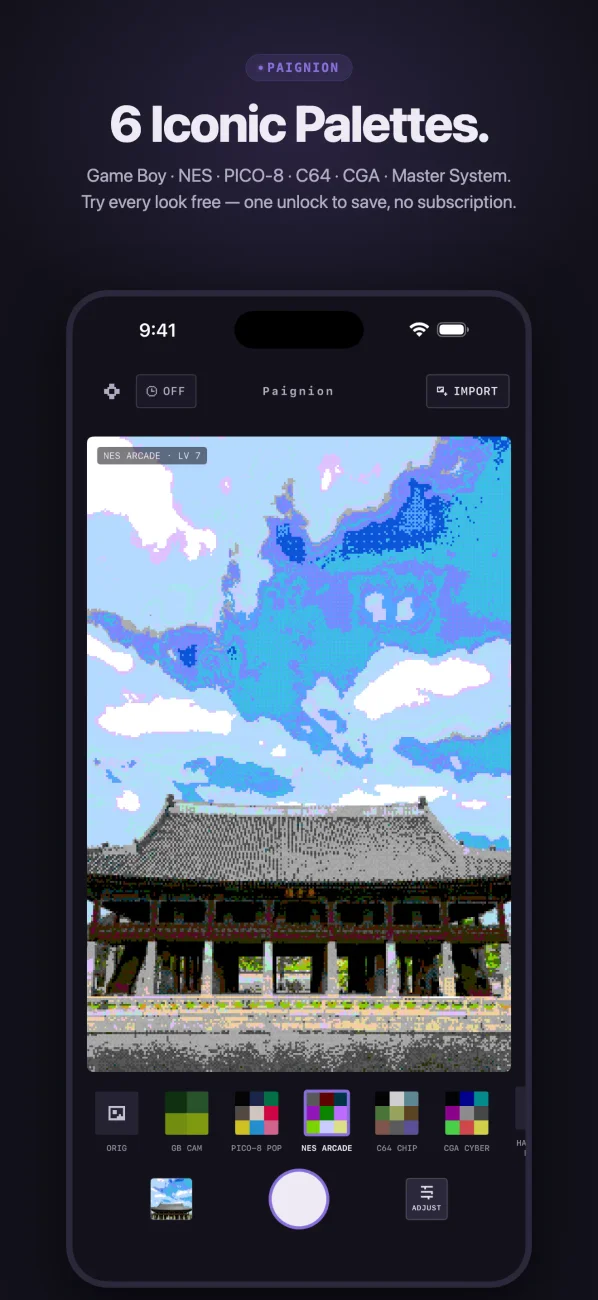
6 ICONIC PALETTES
* Game Boy — the classic 4-shade green handheld display
* NES — the 64-color palette from the original console's PPU
* PICO-8 — the 16-color fantasy-console system palette
* C64 — the Commodore 64's Pepto palette
* CGA — the 16-color RGBI palette from early PC graphics
* Master System — Sega's full 64-color, 6-bit RGB palette
Palettes work on their own, or paired with any pattern.
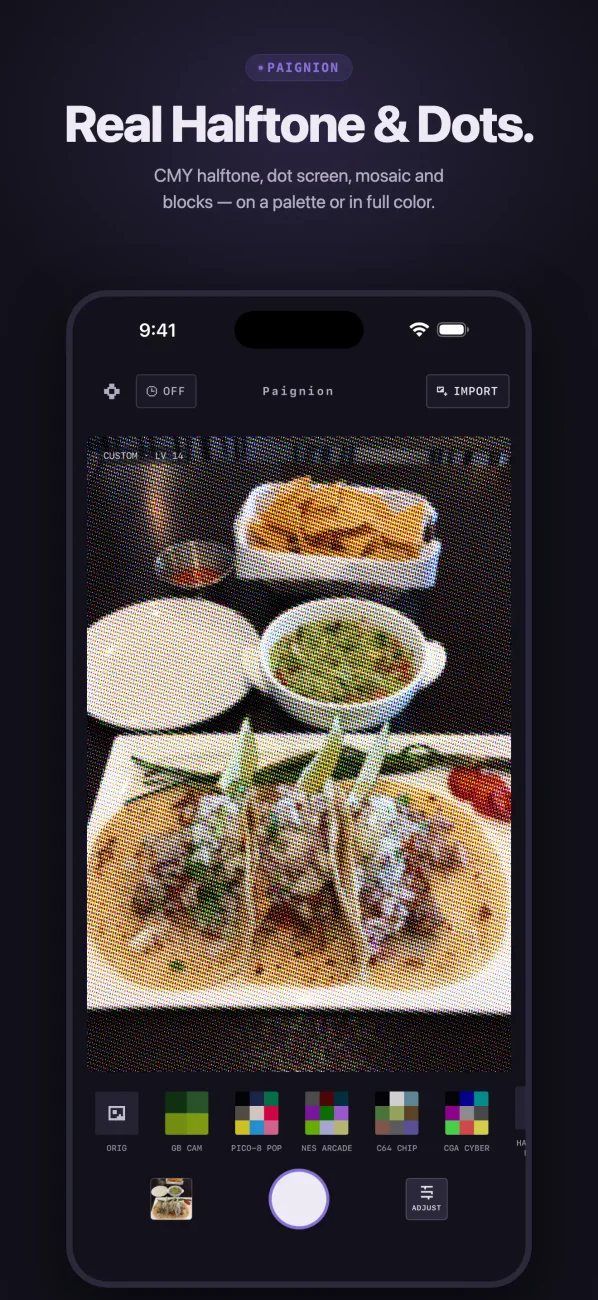
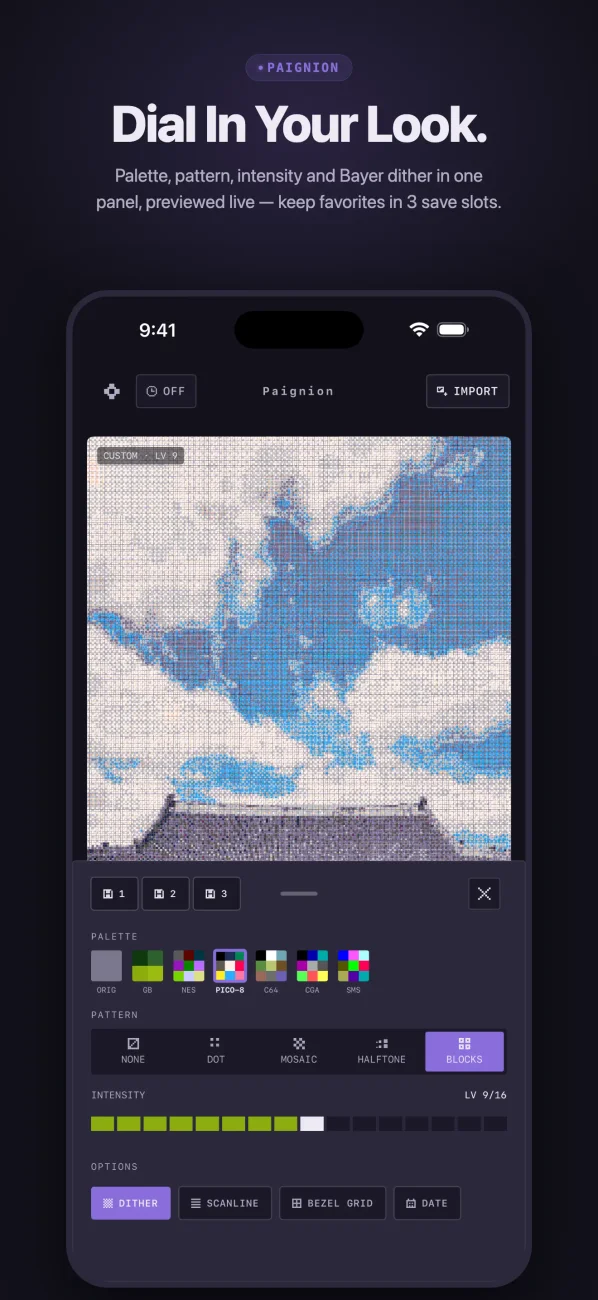
4 PATTERNS + REAL BAYER DITHERING
* Mosaic — chunky, blocky pixelation
* Dot Screen — one ink dot per cell, colored to match the scene
(Ben-Day comic style)
* Halftone — a true CMY halftone rosette (three independently
rotated ink-channel dot grids), full color or on a palette
* Blocks — every pixel cell becomes a beveled, raised block for a
chunky 2.5D, voxel-style look
* Authentic ordered (Bayer) dithering, not a random-noise
approximation — works with any palette, and it's never gated
SCREEN FX
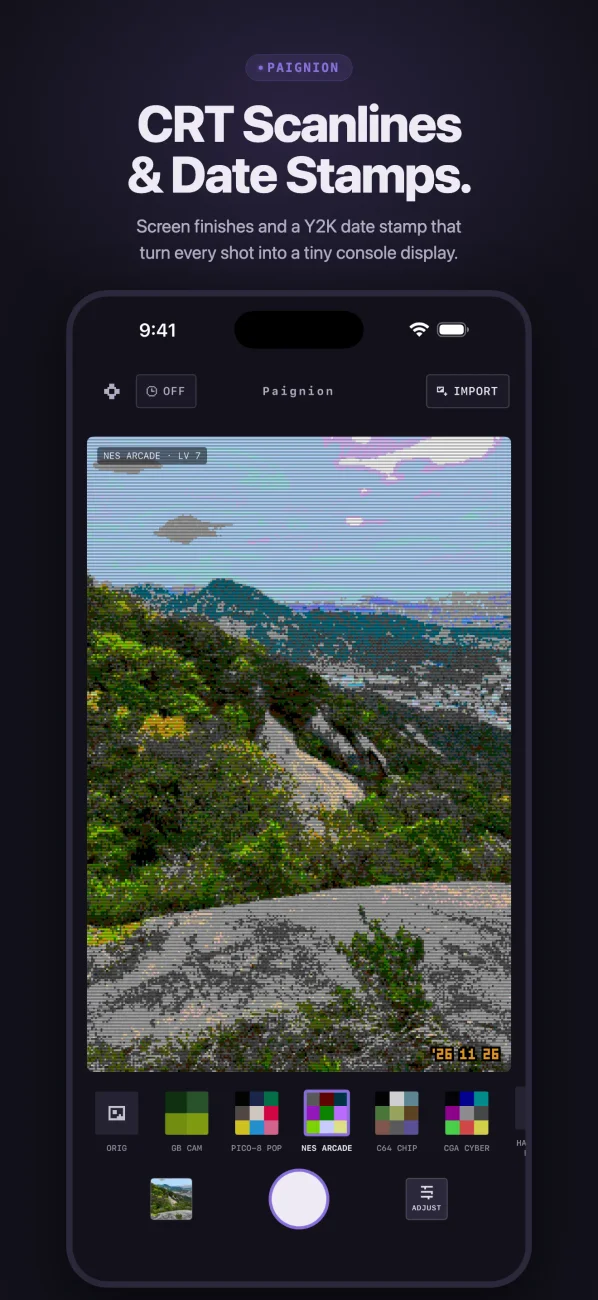
Two screen finishes that turn the viewfinder into a tiny console
display: CRT-style scanlines, and an LCD pixel-grid bezel overlay.
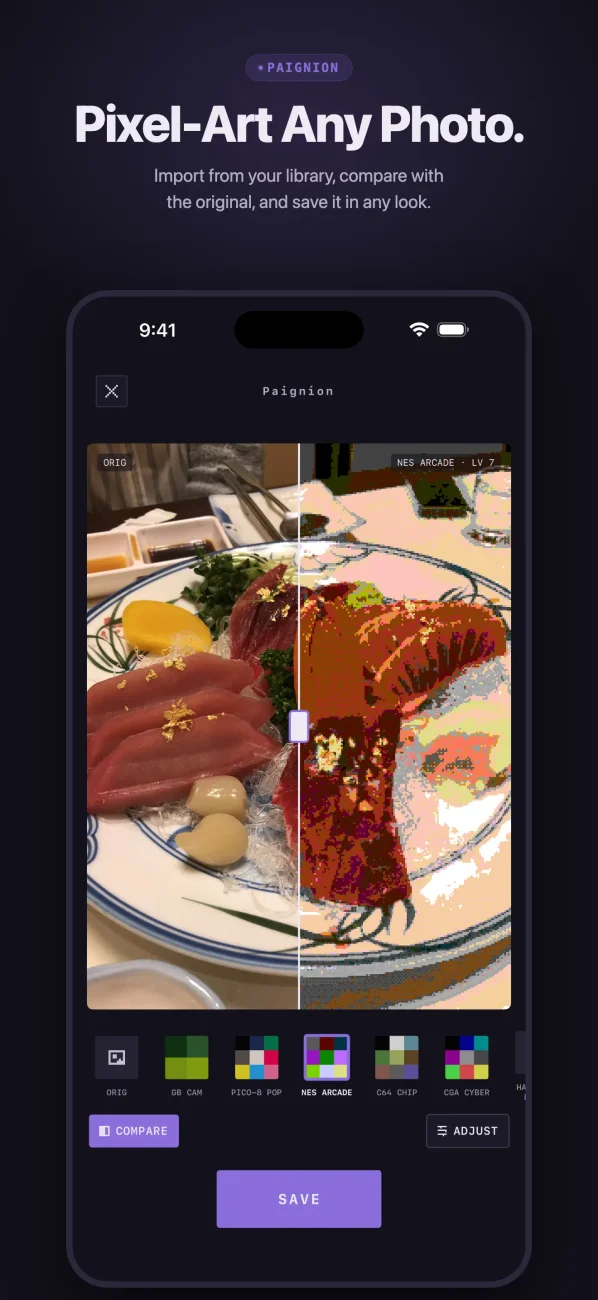
YOUR LIBRARY, TOO
Import any photo from your library and give it the same treatment —
same presets, same Adjust panel, same live preview, plus a
before/after slider to compare with the original. The result is
saved as a new photo; your original stays untouched.
FREE TO START
Try every look live — every palette, pattern, and Screen FX works in
the viewfinder for free. Unlock to save: shooting or importing with
the Original (no filter), Game Boy Cam, and Mosaic Only presets is
free, and Bayer dithering is included free with every palette,
always. Full Unlock lets you save with the NES, PICO-8, C64, CGA, and
Master System palettes, the Dot Screen, Halftone, and Blocks patterns,
and both Screen FX finishes — a single one-time purchase, no
subscription, ever.
EVERYTHING ELSE YOU'D EXPECT
* Pinch to zoom, tap to focus
* HEIF capture, saved straight to a dedicated "Paignion" album in
your Photos library — no separate account, no cloud
* In-app gallery to browse, share, and delete your shots
* The preset you shot with is written into every photo's own EXIF
No ads. No tracking.
Neue Funktionen
Version 1.6.0 · 27.11.2026
NEW IN 1.6.0
• Date stamp — print a Y2K-style pixel date in the corner of your
shots, colored to match the palette (DATE in the Adjust panel)
• Self-timer — 3 or 10 seconds, from the chip at the top left
• Shoot with the volume buttons, Camera Control, or a Bluetooth remote
• 3 save slots in the Adjust panel — tap an empty slot to save your
look, tap a saved one to bring it back, hold to overwrite or clear
• Share several photos at once from My Shots
• Silent shutter in Settings › Camera, where supported
ALSO
• Your latest shot now sits next to the shutter — tap it to open My
Shots. Import moved to the top right (and into My Shots)
• Redesigned buttons, a more compact Adjust panel, and palette
swatches that show each palette's real colors
• Shared photos go out as JPEG for wider app compatibility and keep
the preset name in their info
• Sharing and browsing no longer hang on a slow or unavailable photo
• Sharper gallery thumbnails and a Support link in Settings
• Stability improvements
App-Datenschutz
Was Jaehoon Lee im App Store zum Umgang dieser App mit Daten angibt.
-
Mit Ihnen verknüpfte Daten
Können erfasst und mit Ihrer Identität verknüpft werden.
- Käufe
- Kennungen
- Nutzungsdaten
- Diagnose
Die Datenschutzpraktiken können variieren, zum Beispiel je nach den von Ihnen verwendeten Funktionen oder Ihrem Alter.
Informationen
- Anbieter
- Jaehoon Lee
- Kategorie
- Foto und Video
- Version
- 1.6.0
- Aktualisiert
- 27.11.2026
- Veröffentlicht
- 15.09.2026
- Größe
- 4,4 MB
- Erfordert
- iOS 18.6 oder neuer
- Altersfreigabe
- 4+
- Preis
- Kostenlos
- In-App-Käufe
- Ja
- Sprachen
- Englisch, Koreanisch, Japanisch
- Copyright
- © 2026 Paignion
Das könnte Ihnen auch gefallen
-
 InkCamFoto und Video
-
 PointillizeFoto und Video
-
 re:see: Through Another LensFoto und Video
-
 Bitsy Cam: Art CameraFoto und Video
-
 Pixca: Pixel CameraFoto und Video
-
 Grainera: Retro Film CameraVintage film looks, 1839–now
-
 Echoroll: Sound Film CameraFoto und Video
-
 Retro-Pixel-Kamera - PixeladoDither, Halbton & 8-Bit-Kunst
-
 Paper Cam - Toy CameraFoto und Video
-
 Pixelize MeFotos in Pixel Art umwandeln