
Paignion: Pixel Camera
8-Bit Retro Photo Filters
Designed for iPhone
In-app purchases
- Age rating4+
- CategoryPhoto & Video
- DeveloperJaehoon Lee
- LanguagesEnglish+ 2 more
- Size4.2 MB
Links to the official App Store page
Download.org hosts no file of Paignion: Pixel Camera. The button opens its official App Store page, published by Jaehoon Lee. Listing last checked on Nov 23, 2026.
Screenshots



About
Retro palettes and pixel patterns, rendered live. No editing after
the shot — what you see in the viewfinder is what gets saved.
LIVE PIXEL RENDERING
Paignion runs a real Metal pixel-effect pipeline on every frame of
the live camera feed — palette quantization, pattern, and dithering
all happen before you tap the shutter, not as a filter applied
afterward.
6 ICONIC PALETTES
* Game Boy — the classic 4-shade green handheld display
* NES — the 64-color palette from the original console's PPU
* PICO-8 — the 16-color fantasy-console system palette
* C64 — the Commodore 64's Pepto palette
* CGA — the 16-color RGBI palette from early PC graphics
* Master System — Sega's full 64-color, 6-bit RGB palette
Palettes work on their own, or paired with any pattern.
4 PATTERNS + REAL BAYER DITHERING
* Mosaic — chunky, blocky pixelation
* Dot Screen — one ink dot per cell, colored to match the scene
(Ben-Day comic style)
* Halftone — a true CMY halftone rosette (three independently
rotated ink-channel dot grids), full color or on a palette
* Blocks — every pixel cell becomes a beveled, raised block for a
chunky 2.5D, voxel-style look
* Authentic ordered (Bayer) dithering, not a random-noise
approximation — works with any palette, and it's never gated
SCREEN FX
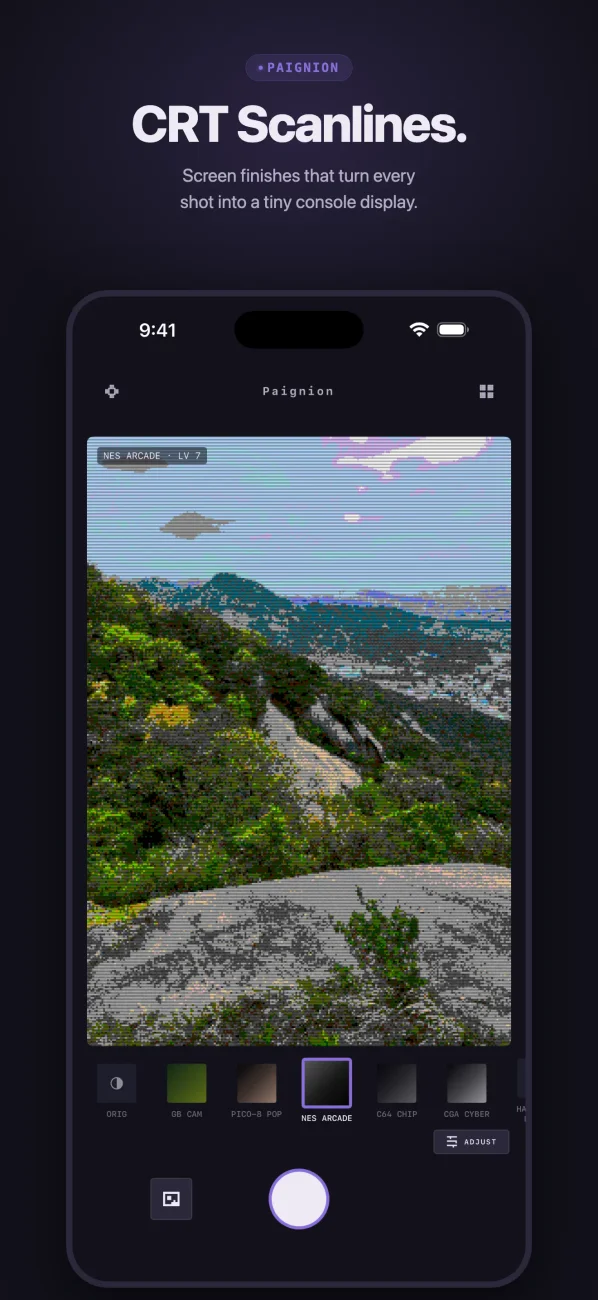
Two screen finishes that turn the viewfinder into a tiny console
display: CRT-style scanlines, and an LCD pixel-grid bezel overlay.
YOUR LIBRARY, TOO
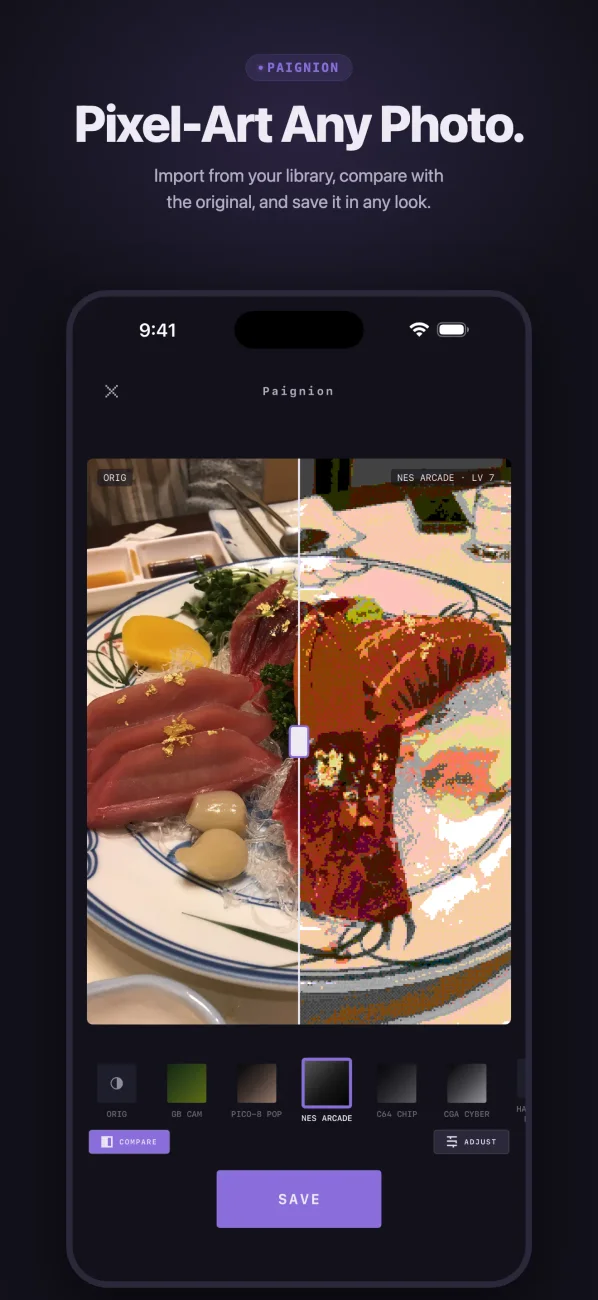
Import any photo from your library and give it the same treatment —
same presets, same Adjust panel, same live preview, plus a
before/after slider to compare with the original. The result is
saved as a new photo; your original stays untouched.
FREE TO START
Shoot or import with the Original (no filter), Game Boy Cam, and
Mosaic Only presets at no cost — Bayer dithering is included free with every
palette, always. Full Unlock adds the NES, PICO-8, C64, CGA, and
Master System palettes, the Dot Screen, Halftone, and Blocks patterns, and both
Screen FX finishes — a single one-time purchase, not a subscription.
EVERYTHING ELSE YOU'D EXPECT
* Pinch to zoom, tap to focus
* HEIF capture, saved straight to a dedicated "Paignion" album in
your Photos library — no separate account, no cloud
* In-app gallery to browse, share, and delete your shots
* The preset you shot with is written into every photo's own EXIF
No ads. No tracking.
What’s new
Version 1.5.0 · Nov 18, 2026
Try every look before you buy.
• Every palette, pattern and screen effect is now free to preview and
adjust — live in the viewfinder and on imported photos
• Unlock only when you want to save: a paid look shows "INSERT COIN"
and a lock on the shutter, and one tap opens the unlock — no
subscription, ever
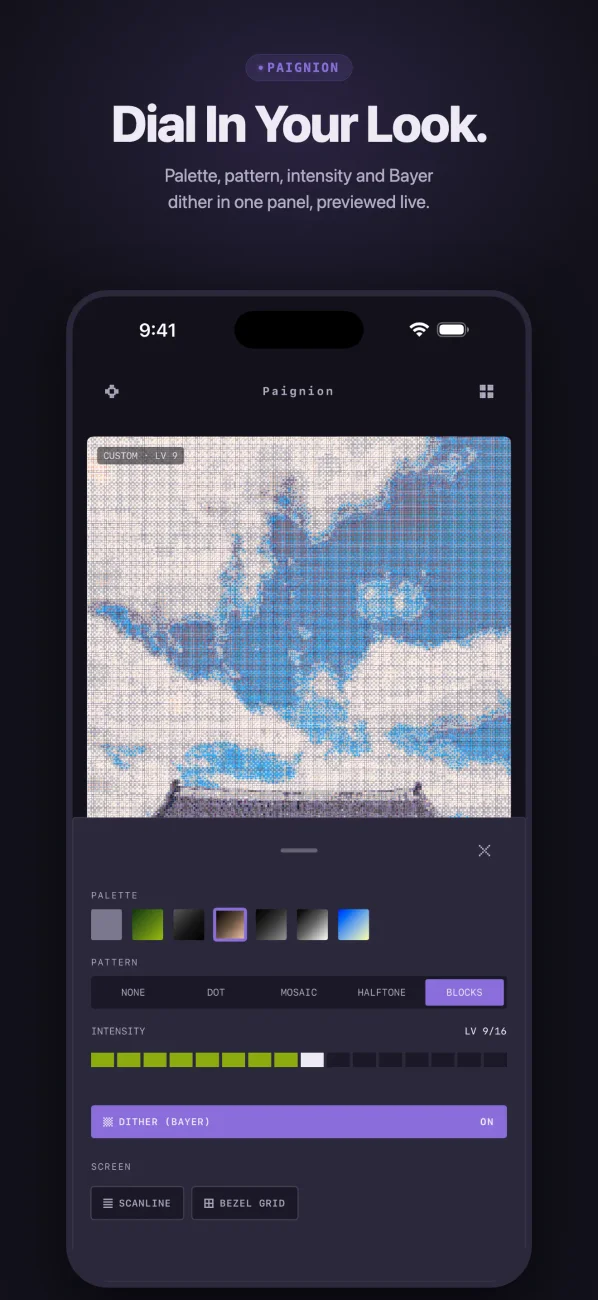
• A new pixel-style Adjust panel: chunky on/off chips for dither,
scanlines and bezel grid
• Intensity is now a 16-step block bar, shown as LV 1–16 — every step
is one pixel of block size, so presets land exactly on a level
App privacy
What Jaehoon Lee declares on the App Store about how this app handles data.
-
Data linked to you
May be collected and linked to your identity.
- Purchases
- Identifiers
- Usage data
- Diagnostics
Privacy practices may vary, for example with the features you use or your age.
Information
- Seller
- Jaehoon Lee
- Category
- Photo & Video
- Version
- 1.5.0
- Updated
- Nov 18, 2026
- Released
- Sep 15, 2026
- Size
- 4.2 MB
- Requires
- iOS 18.6 or later
- Age rating
- 4+
- In-app purchases
- Yes
- Languages
- English, Korean, Japanese
- Copyright
- © 2026 Paignion
You might also like
-
 InkCamDraw the world in ink.
-
 PointillizeTurn Photos into Dot Art
-
 re:see: Through Another LensPixel, Mosaic & Video Effects
-
 Bitsy Cam: Art CameraLive sketch and painting
-
 Pixca: Pixel CameraSeeing the World Through Pixel
-
 Grainera: Retro Film CameraVintage film looks, 1839–now
-
 Echoroll: Sound Film CameraPhotos that remember sound
-
 Retro Pixel Camera - PixeladoDither, Halftone & 8-Bit Art
-
 Paper Cam - Toy CameraYour photos, drawn on paper
-
 Pixelize MePhoto to 8-Bit Pixel Art Maker