
- Altersfreigabe4+
- KategorieProduktivität
- SprachenEnglisch+ 3 weitere
- Größe11,5 MB
Verlinkt auf die offizielle App Store-Seite
Download.org hostet keine Datei von Paperle. Die Schaltfläche öffnet die App-Seite bei App Store, wo die App veröffentlicht. Eintrag zuletzt geprüft am 12.11.2026.
Screenshots
Info
Der Entwickler hat diesen Text nicht in Ihrer Sprache bereitgestellt.
Paperle is a quiet notes app. Open it, write, and your to-dos, reminders and quick notes stay neatly in place.
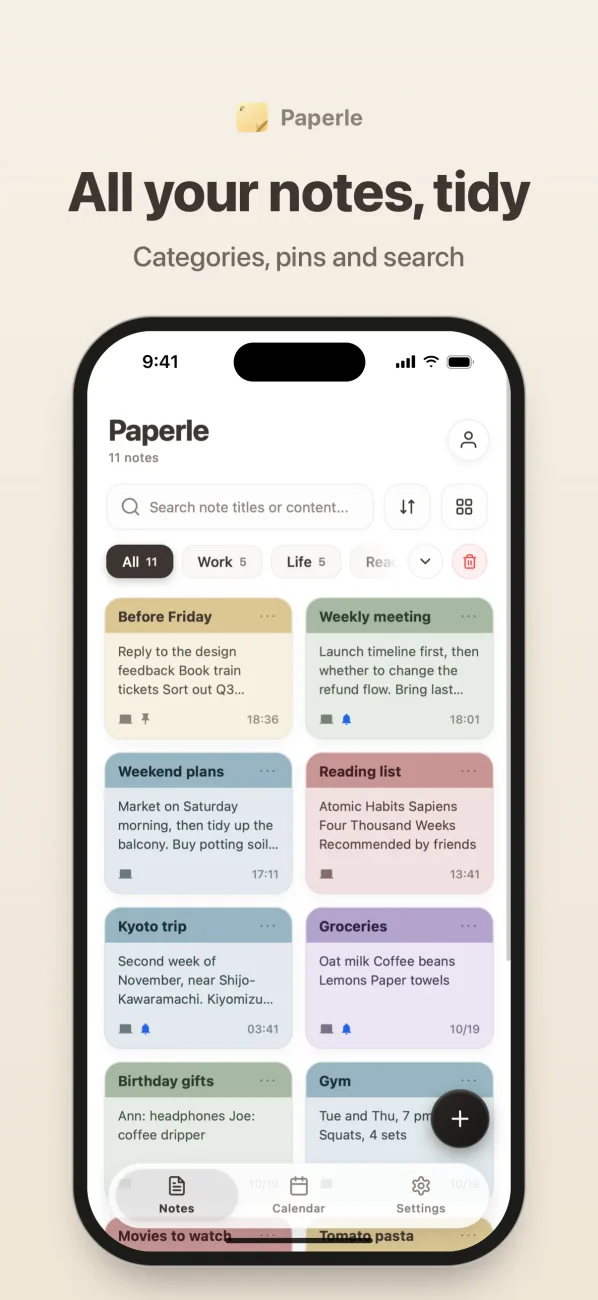
ALL YOUR NOTES, TIDY
• Organize notes with colors and categories, pin the important ones
• Search titles and content
• Checklists, bold, italics and the other formats you use every day
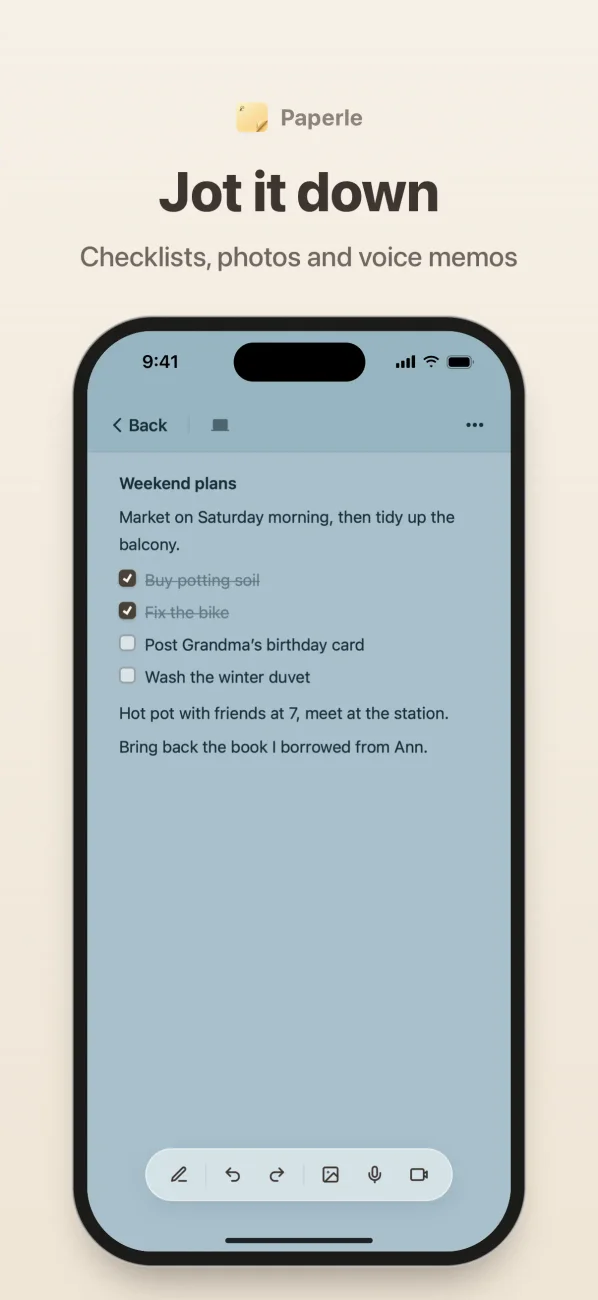
JOT IT DOWN
• Text, checklists, photos and voice memos in one note
• Home screen widgets show your to-dos and notes without opening the app
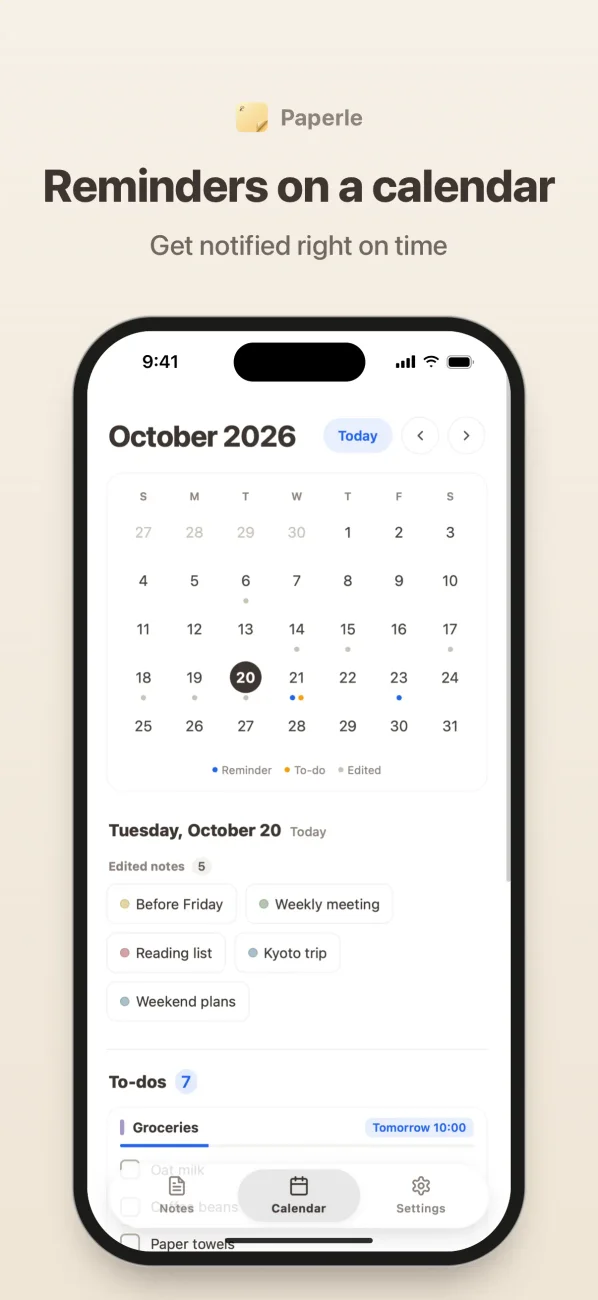
REMINDERS ON A CALENDAR
• Set a reminder on a note and get notified on time
• See each day's reminders, to-dos and edited notes on the calendar
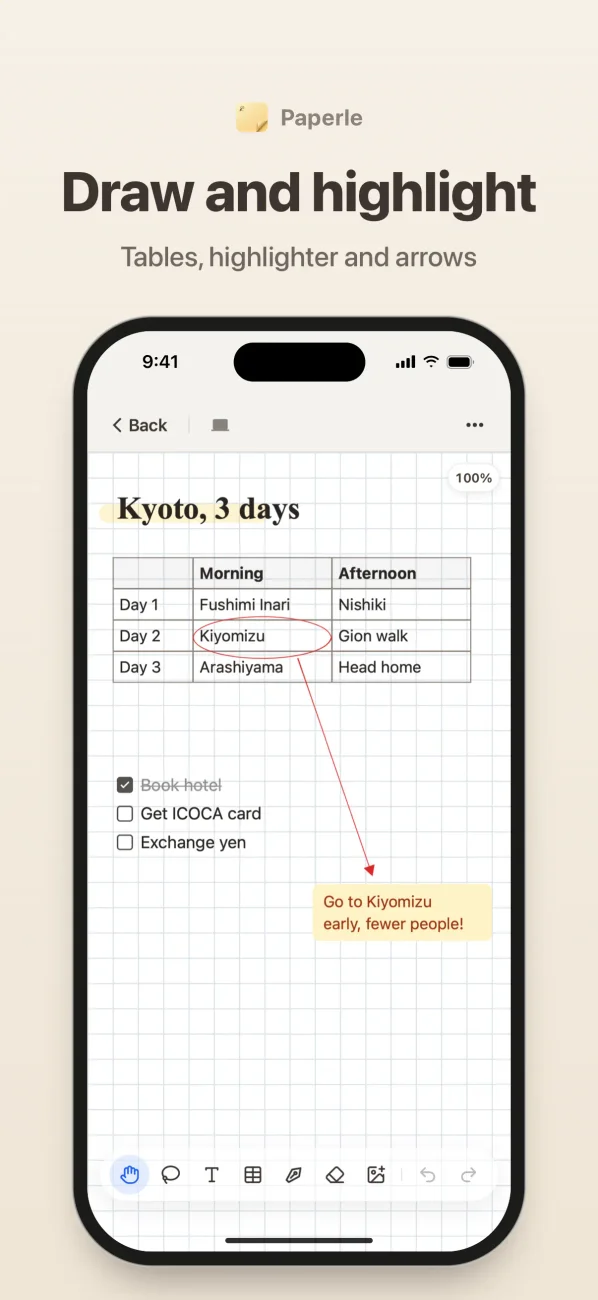
CANVAS NOTES: DRAW AND HIGHLIGHT
• Turn a note into a whole canvas: place text, tables, images and handwriting anywhere
• Fountain pen, ballpoint and highlighter; lines and shapes straighten when you pause
• Four papers: blank, dotted, grid, lined; export to PNG or PDF
PRIVATE BY DESIGN
• Notes are stored on your device first, and work without an account
• With sync on, notes go to Paperle's own folder in your Google Drive
• Privacy lock: hide private notes behind a 4-digit PIN
EDIT TOGETHER
• Share a note with family or colleagues and edit it together in real time
ON YOUR COMPUTER
• The Windows app has desktop sticky notes that tuck into the screen edge, synced with your phone
Free: unlimited local notes, cloud sync for 3 notes, 3 canvas notes, calendar, to-dos and widgets.
PRO (monthly or yearly, first month free): unlimited cloud sync and canvas notes, start sharing, reminders and alarms, privacy lock, voice memos and video, gradients and custom colors.
Subscriptions renew automatically and can be canceled anytime in your App Store account settings. Cancel during the trial and you won't be charged.
Terms of Use: https://www.apple.com/legal/internet-services/itunes/dev/stdeula/
Privacy Policy: https://paperle.site/en/privacy-policy.html
Neue Funktionen
Version 2.0.1 · 01.11.2026
Canvas notes
- New paged mode: switch between endless and pages in the paper menu. Choose A4, A5, B5, Letter, 16:9, square or a custom size, in portrait or landscape
- Add, insert and delete pages; PDF export puts each page on its own sheet
- Text boxes line up with lined and grid paper, with each line sitting between the rules
Apple Pencil
- Better palm rejection
- Scribble back and forth over a stroke to erase it
- Hover preview, and the squeeze palette on Apple Pencil Pro
Calendar and to-dos
- Today now shows overdue and undated to-dos; move overdue items to today in one tap
- The home screen shows today's to-dos and how many are overdue
- Select numbers to see their total
Also
- Dates read as "Yesterday" or "3 days ago"
- Consistent wording throughout the app, plus various fixes
App-Datenschutz
Was im App Store zum Umgang dieser App mit Daten angibt.
-
Mit Ihnen verknüpfte Daten
Können erfasst und mit Ihrer Identität verknüpft werden.
- Käufe
- Kontaktinformationen
- Benutzerinhalte
- Kennungen
Die Datenschutzpraktiken können variieren, zum Beispiel je nach den von Ihnen verwendeten Funktionen oder Ihrem Alter.
Informationen
- Anbieter
- MengXuan Cai
- Kategorie
- Produktivität
- Version
- 2.0.1
- Aktualisiert
- 01.11.2026
- Veröffentlicht
- 30.10.2026
- Größe
- 11,5 MB
- Erfordert
- iOS 17.0 oder neuer
- Altersfreigabe
- 4+
- Preis
- Kostenlos
- In-App-Käufe
- Ja
- Sprachen
- Englisch, Japanisch, Vereinf. Chinesisch, Tradit. Chinesisch
- Copyright
- © 2026 MengXuan
Das könnte Ihnen auch gefallen
-
 Goalio: Monthly GoalsProduktivität
-
 CC Do - Aufgaben & KalenderNotizen und Tagesplaner
-
 Spark Note: Ideas & NotesProduktivität
-
 Readicorn: Save & Read LaterProduktivität
-
 Verly: Save LinksProduktivität
-
 ペタメモProduktivität
-
 BrainBox: Daily PlannerProduktivität
-
 GoAnywhereProduktivität
-
 BRISEBRISE
-
 KeepNest: Screenshots ordnenLinks & Videos für später