- Age rating4+
- CategoryProductivity
- LanguagesEnglish+ 3 more
- Size11.5 MB
Links to the official App Store page
Download.org hosts no file of Paperle. The button opens its official App Store page, published by . Listing last checked on Nov 12, 2026.
Screenshots
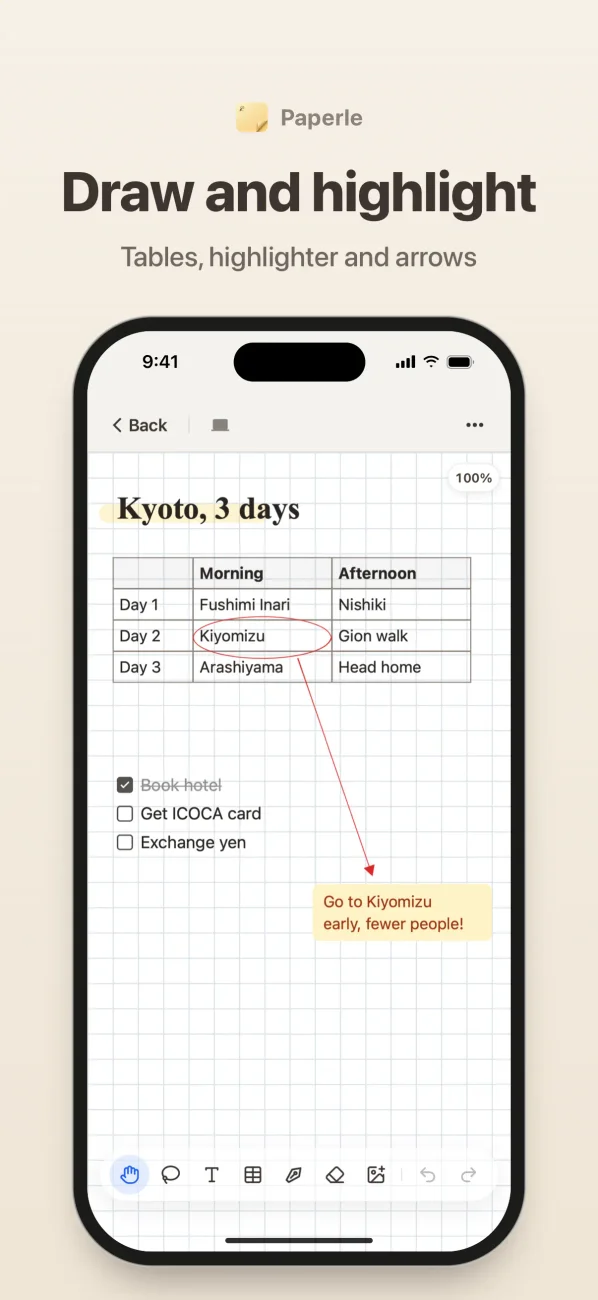
About
Paperle is a quiet notes app. Open it, write, and your to-dos, reminders and quick notes stay neatly in place.
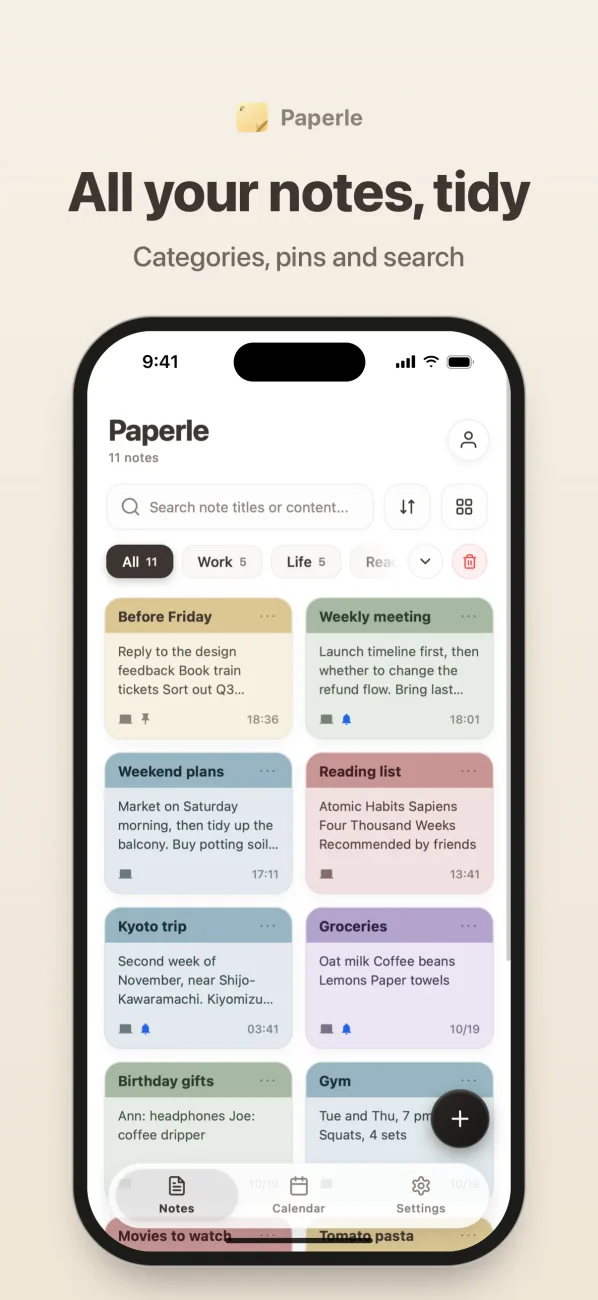
ALL YOUR NOTES, TIDY
• Organize notes with colors and categories, pin the important ones
• Search titles and content
• Checklists, bold, italics and the other formats you use every day
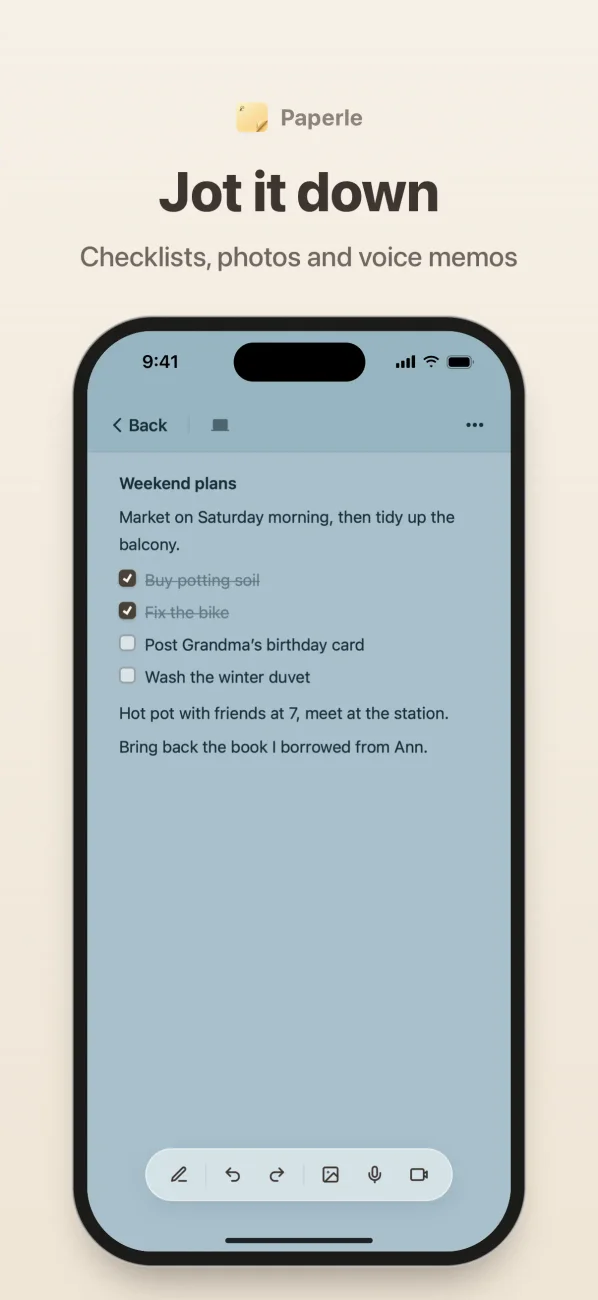
JOT IT DOWN
• Text, checklists, photos and voice memos in one note
• Home screen widgets show your to-dos and notes without opening the app
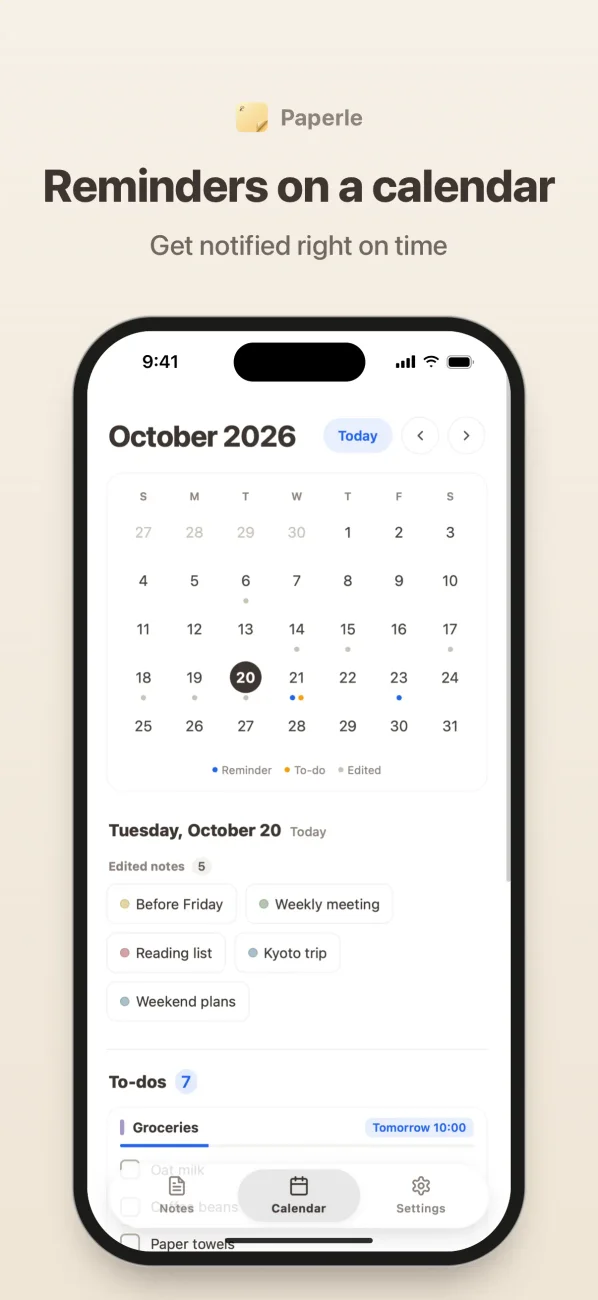
REMINDERS ON A CALENDAR
• Set a reminder on a note and get notified on time
• See each day's reminders, to-dos and edited notes on the calendar
CANVAS NOTES: DRAW AND HIGHLIGHT
• Turn a note into a whole canvas: place text, tables, images and handwriting anywhere
• Fountain pen, ballpoint and highlighter; lines and shapes straighten when you pause
• Four papers: blank, dotted, grid, lined; export to PNG or PDF
PRIVATE BY DESIGN
• Notes are stored on your device first, and work without an account
• With sync on, notes go to Paperle's own folder in your Google Drive
• Privacy lock: hide private notes behind a 4-digit PIN
EDIT TOGETHER
• Share a note with family or colleagues and edit it together in real time
ON YOUR COMPUTER
• The Windows app has desktop sticky notes that tuck into the screen edge, synced with your phone
Free: unlimited local notes, cloud sync for 3 notes, 3 canvas notes, calendar, to-dos and widgets.
PRO (monthly or yearly, first month free): unlimited cloud sync and canvas notes, start sharing, reminders and alarms, privacy lock, voice memos and video, gradients and custom colors.
Subscriptions renew automatically and can be canceled anytime in your App Store account settings. Cancel during the trial and you won't be charged.
Terms of Use: https://www.apple.com/legal/internet-services/itunes/dev/stdeula/
Privacy Policy: https://paperle.site/en/privacy-policy.html
What’s new
Version 2.0.1 · Nov 1, 2026
Canvas notes
- New paged mode: switch between endless and pages in the paper menu. Choose A4, A5, B5, Letter, 16:9, square or a custom size, in portrait or landscape
- Add, insert and delete pages; PDF export puts each page on its own sheet
- Text boxes line up with lined and grid paper, with each line sitting between the rules
Apple Pencil
- Better palm rejection
- Scribble back and forth over a stroke to erase it
- Hover preview, and the squeeze palette on Apple Pencil Pro
Calendar and to-dos
- Today now shows overdue and undated to-dos; move overdue items to today in one tap
- The home screen shows today's to-dos and how many are overdue
- Select numbers to see their total
Also
- Dates read as "Yesterday" or "3 days ago"
- Consistent wording throughout the app, plus various fixes
App privacy
What declares on the App Store about how this app handles data.
-
Data linked to you
May be collected and linked to your identity.
- Purchases
- Contact info
- User content
- Identifiers
Privacy practices may vary, for example with the features you use or your age.
Information
- Seller
- MengXuan Cai
- Category
- Productivity
- Version
- 2.0.1
- Updated
- Nov 1, 2026
- Released
- Oct 30, 2026
- Size
- 11.5 MB
- Requires
- iOS 17.0 or later
- Age rating
- 4+
- Price
- Free
- In-app purchases
- Yes
- Languages
- English, Japanese, Simplified Chinese, Traditional Chinese
- Copyright
- © 2026 MengXuan
You might also like
-
 Goalio: Monthly GoalsTrack Monthly Goals
-
 CC Do - Tasks Notes CalendarDaily planner with reminders
-
 Spark Note: Ideas & NotesCapture thoughts, spark ideas
-
 Readicorn: Save & Read LaterSave Social Posts & Web Links
-
 Verly: Save LinksProductivity
-
 ペタメモProductivity
-
 BrainBox: Daily PlannerADHD Task Manager & To-Do List
-
 GoAnywhereProductivity
-
 BRISEBRISE
-
 KeepNest: Screenshot OrganizerAI Sorts Your Links & Notes