Paperlogix - Document Scanner
Scan and Automate
Entwickelt für iPhone, iPad
Kostenlos · In-App-Käufe
- Altersfreigabe4+
- KategorieProduktivität
- EntwicklerOnloft Software LLC
- SprachenEnglisch
- Größe28,1 MB
Verlinkt auf die offizielle App Store-Seite
Download.org hostet keine Datei von Paperlogix - Document Scanner. Die Schaltfläche öffnet die App-Seite bei App Store, wo Onloft Software LLC die App veröffentlicht. Eintrag zuletzt geprüft am 25.11.2026.
Screenshots


Info
Der Entwickler hat diesen Text nicht in Ihrer Sprache bereitgestellt.
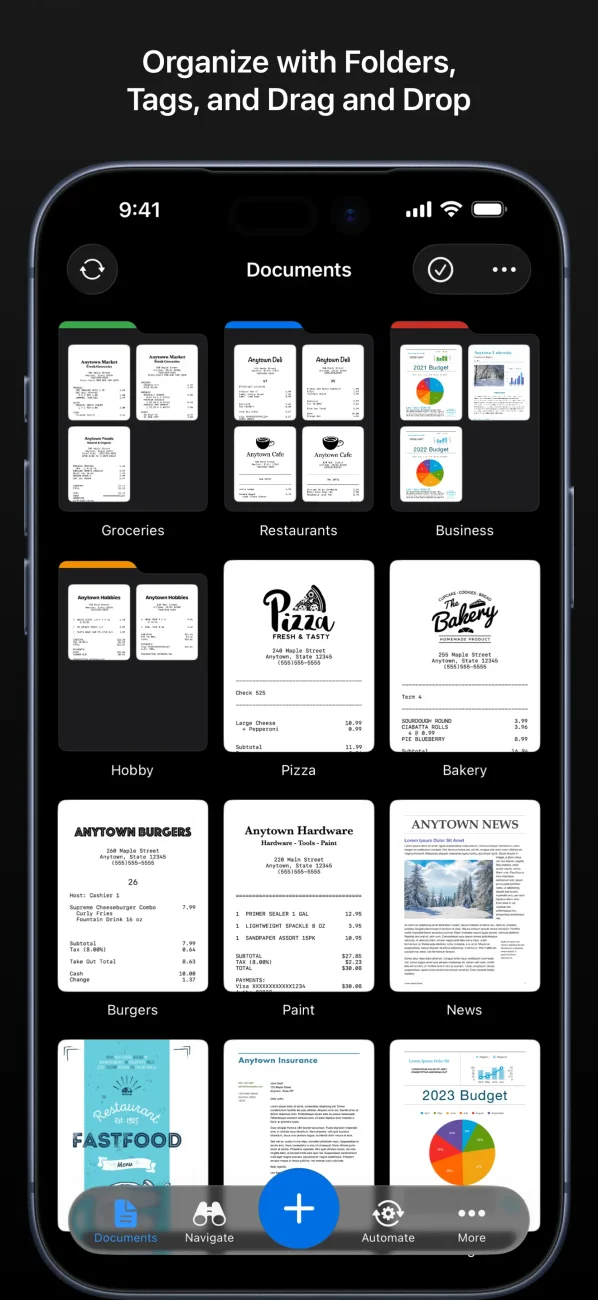
Get organized with Paperlogix Document Scanner. Capture beautiful, high quality scans of your receipts and documents. Easily organize your scans with folders, tags, and convenient drag and drop.
Upgrade to Paperlogix Pro to enable automation, text recognition (OCR), cloud upload, capture presets, customizable color themes, and more. Powerful automation workflows and rules let you automatically sort, organize, and archive your scans.
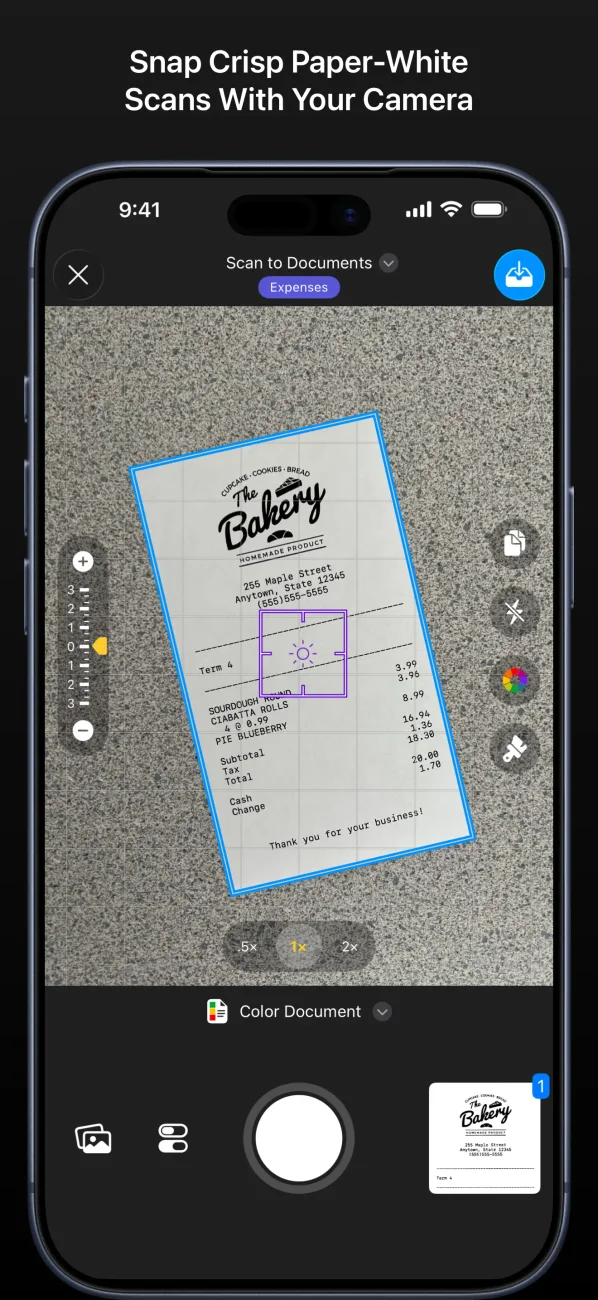
Capture Scans with Your Camera
• Automatic cropping detects document edges
• Correction for skew and perspective distortion
• Background whitening for clean, paper-white scans
• Fine tune camera exposure
• Scan using any of your device's back cameras
• Scan in color, grayscale, or black & white
• Scan multi-page documents
• Snap scans automatically with Auto Capture
• Easily change scanning configuration with Capture Presets
• Edit and create your own Capture Presets (Pro)
Organize Scans
• Organize with nested folders (Basic or Pro)
• Create tags to quickly access your documents or folders (Basic or Pro)
• Move or tag items with iOS drag and drop
View and Edit Scans
• Browse multi-page scans
• Adjust colors, brightness, contrast, and rotation
• Whiten backgrounds
• Precision crop tool with magnifier
• Instantly revert back to your original camera images
• Peek into scans with 3D or Haptic Touch
• Merge scans
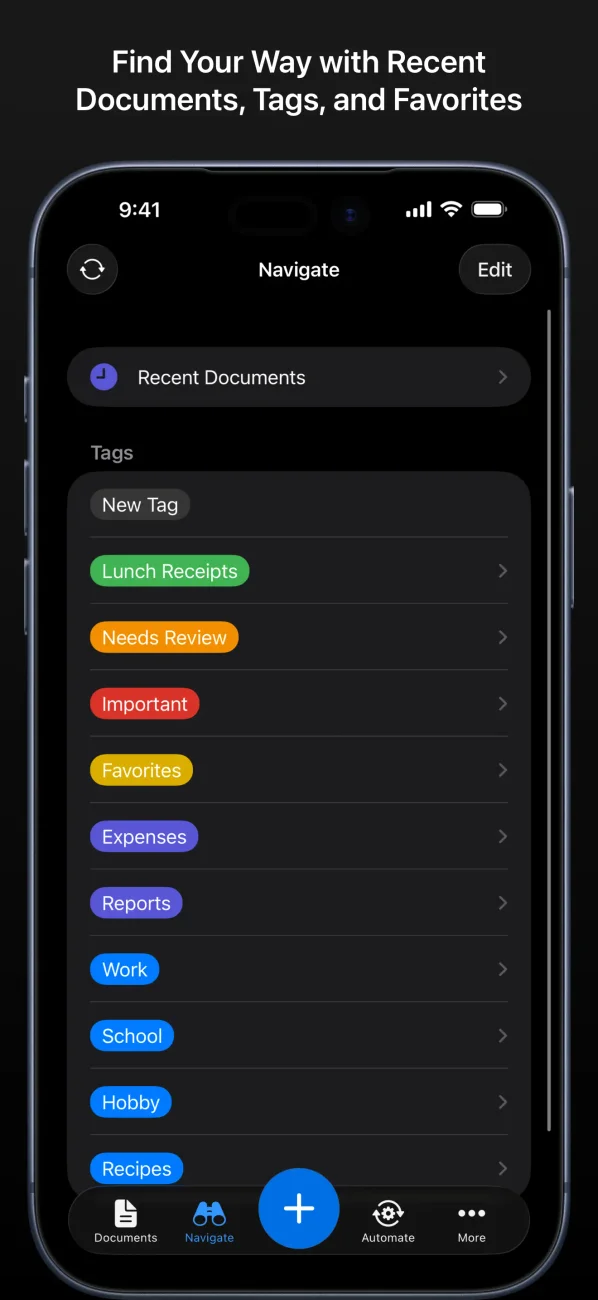
Navigate
• Instantly access recent documents
• Instantly access tagged items and favorites
• Find documents and folders with pull down search bar
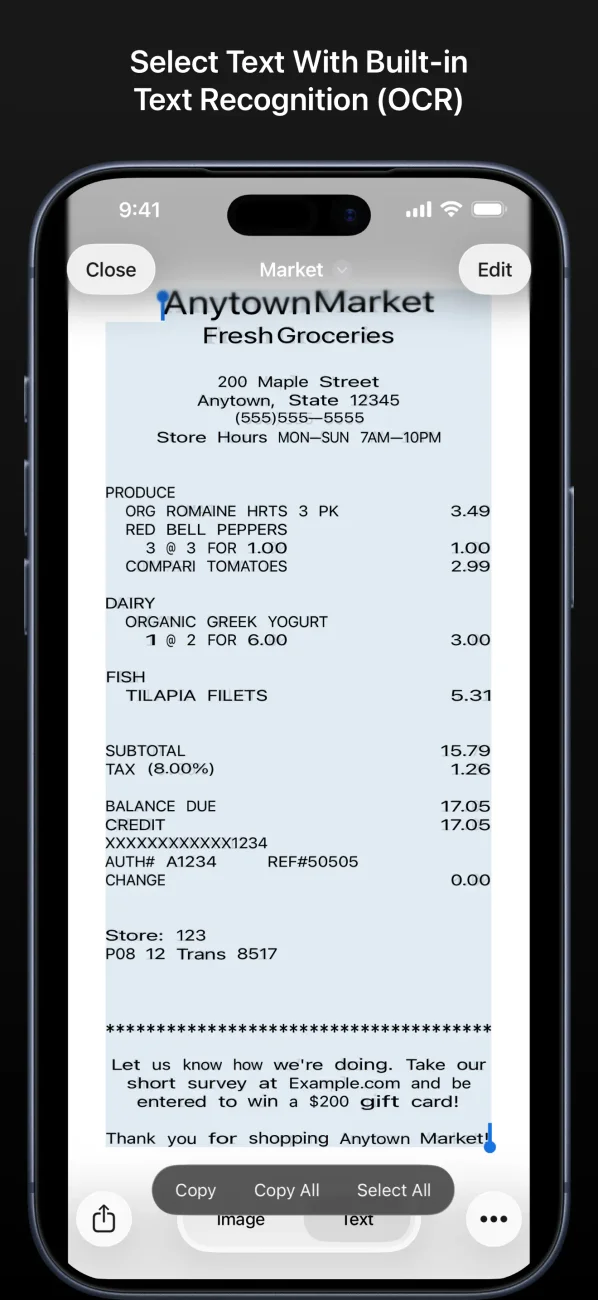
Text Recognition (Pro)
• Convert documents to selectable text
• Built-in text recognition executes directly on your device
Cloud Services (Pro)
• Share to Dropbox, Google Drive, Box, Evernote, or OneDrive
• Upload to cloud services from workflows and rules
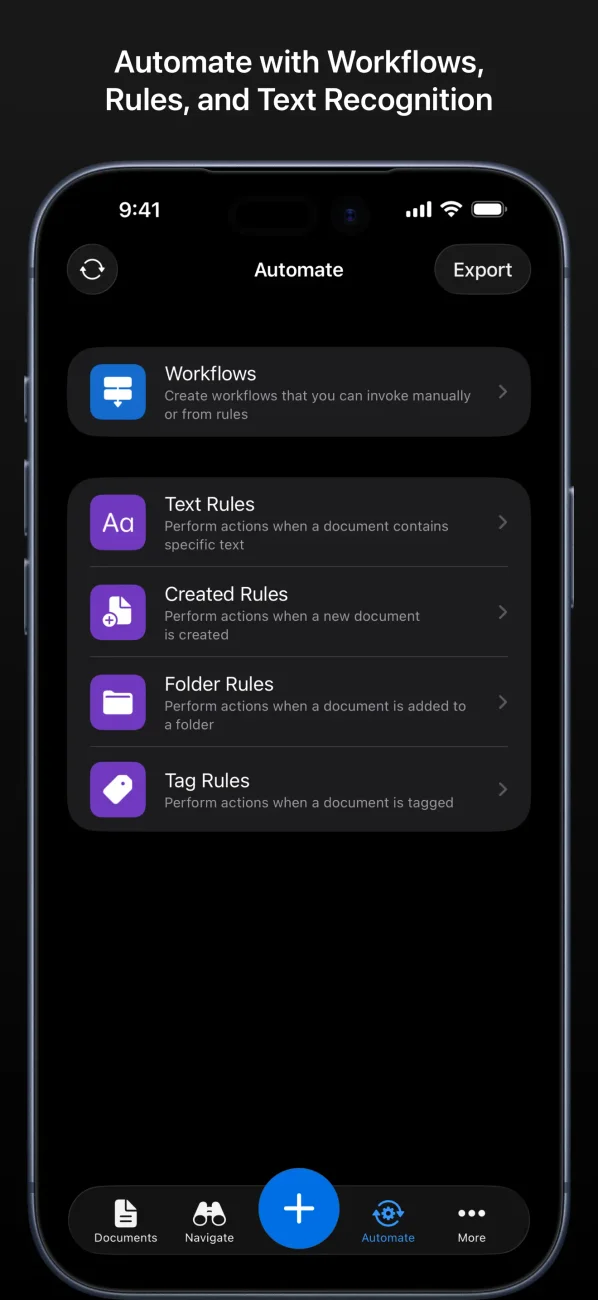
Automation (Pro)
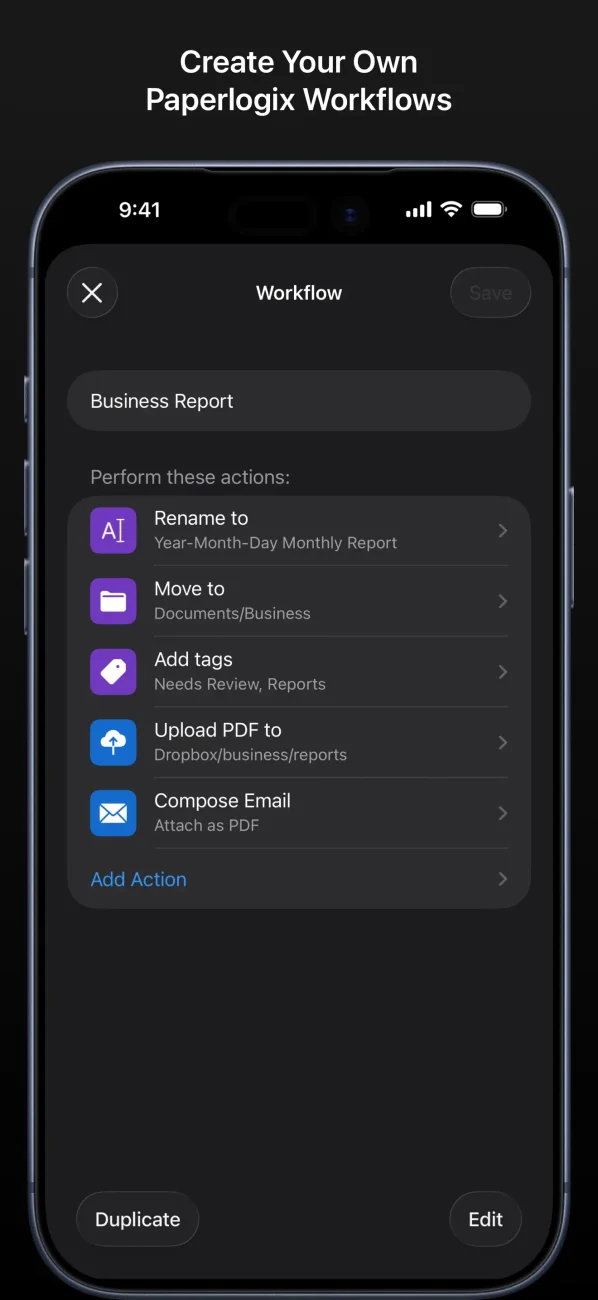
• Create workflows to automate common actions such as renaming, moving, or uploading documents
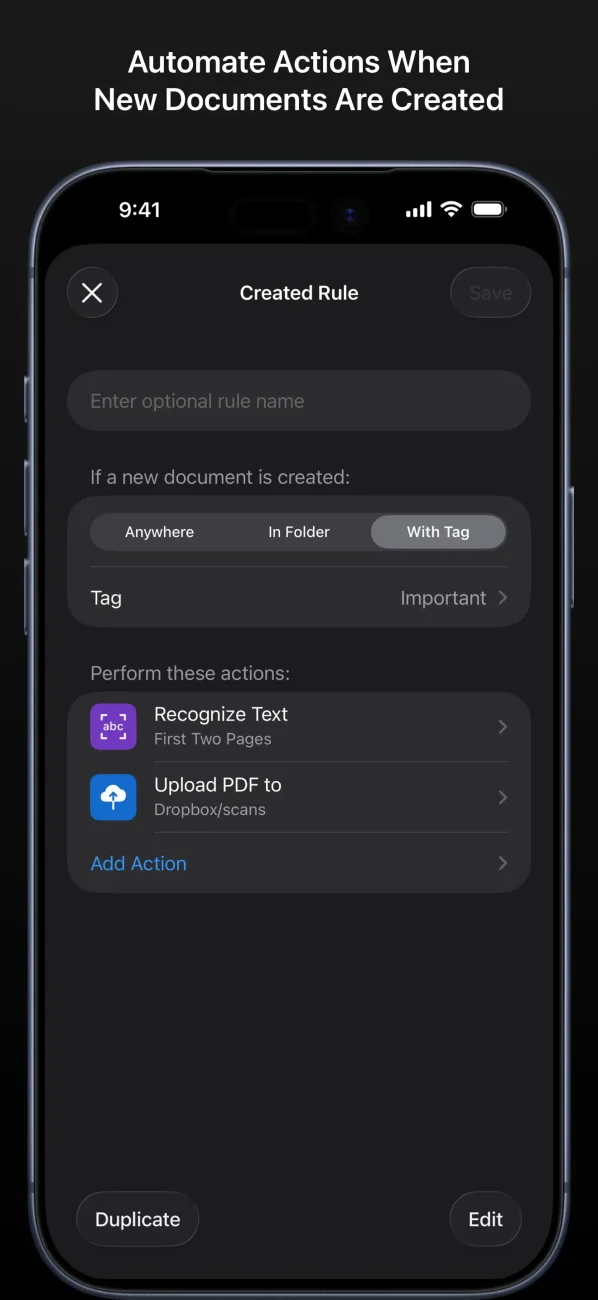
• Create rules to perform actions automatically
• Automatic text recognition for processing text rules
• View the status of all your automation actions
• Export and Import your workflows and rules
Automation Rules (Pro)
• Perform actions when documents contain specific text
• Perform actions when documents are created
• Perform actions when documents are added to a folder
• Perform actions when documents are tagged
Automation Actions (Pro)
• Rename document
• Move to folder
• Tag document
• Recognize Text
• Upload to Dropbox, Google Drive, Box, Evernote, or OneDrive cloud services
• Save to Photos
• Compose Email
• Compose Message
Share Your Scans
• Export scans as JPEG images
• Export scans as PDF documents (Basic or Pro)
• Encrypt exported PDF documents (Basic or Pro)
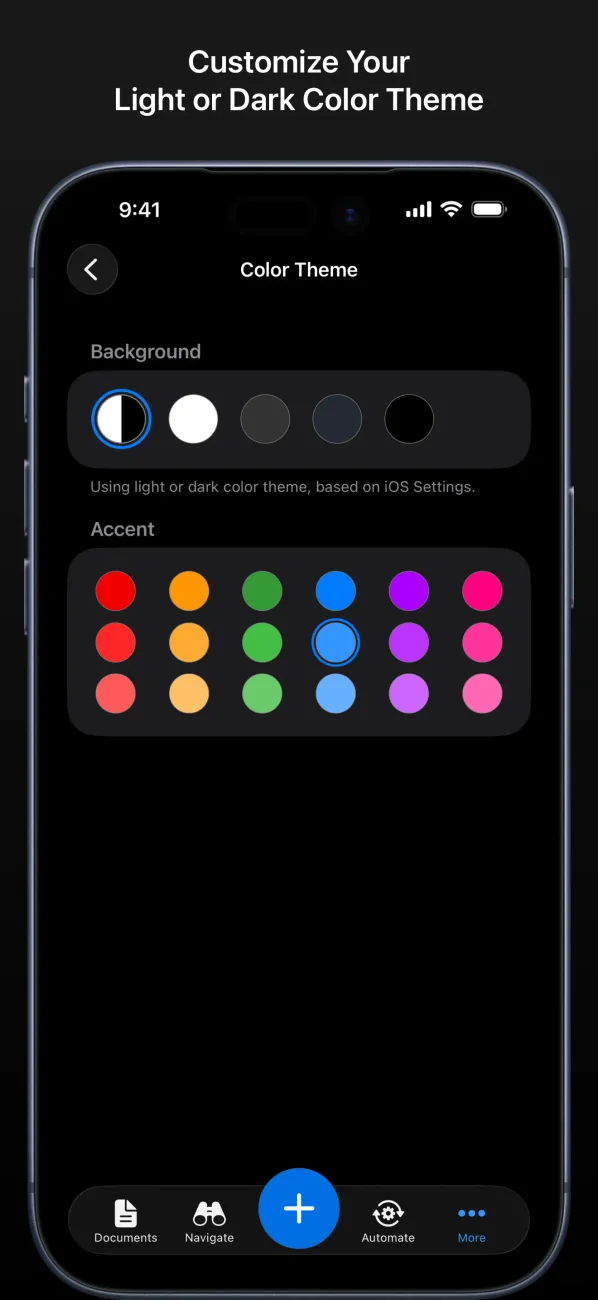
Color Themes
• Support for dark mode
• Customizable color themes (Basic or Pro)
Neue Funktionen
Version 1.17.1 · 21.02.2026
Paperlogix 1.17.1 fixes a login issue with OneDrive and Box cloud services that appeared in our recent 1.17 update.
App-Datenschutz
Was Onloft Software LLC im App Store zum Umgang dieser App mit Daten angibt.
-
Keine Daten erfasst
Der Entwickler erfasst keine Daten von dieser App.
Die Datenschutzpraktiken können variieren, zum Beispiel je nach den von Ihnen verwendeten Funktionen oder Ihrem Alter.
Informationen
- Anbieter
- Onloft Software LLC
- Kategorie
- Produktivität
- Version
- 1.17.1
- Aktualisiert
- 21.02.2026
- Veröffentlicht
- 12.10.2017
- Größe
- 28,1 MB
- Erfordert
- iOS 18.0 oder neuer
- Altersfreigabe
- 4+
- Preis
- Kostenlos
- In-App-Käufe
- Ja
- Sprachen
- Englisch
- Copyright
- © 2017-2026 Onloft Software LLC
Das könnte Ihnen auch gefallen
-
 XPZProduktivität
-
 Document Scanner · Save ImageProduktivität
-
 Fathom: By ImmersionProduktivität
-
 CardShelf - Business card TrayProduktivität
-
 Sternzy : DocScanProduktivität
-
 ExpandNoteProduktivität
-
 Lorqa - Lokale KI-ÜbersetzungKI-Übersetzungs-App
-
 QuietScan: PDF ScannerProduktivität
-
 DeskJoin ScreenProduktivität
-
 Helio 11AR Solarplanung & Analyse