
Paso: Timeline Planner
Flexible tasks & notes planner
Entwickelt für iPhone, iPad, Mac, iPod touch
Kostenlos · In-App-Käufe
- Altersfreigabe4+
- KategorieProduktivität
- EntwicklerMACIEJ BRZEZINSKI
- SprachenEnglisch
- Größe70,9 MB
Verlinkt auf die offizielle App Store-Seite
Download.org hostet keine Datei von Paso: Timeline Planner. Die Schaltfläche öffnet die App-Seite bei App Store, wo MACIEJ BRZEZINSKI die App veröffentlicht. Eintrag zuletzt geprüft am 20.11.2026.
Screenshots
Info
Der Entwickler hat diesen Text nicht in Ihrer Sprache bereitgestellt.
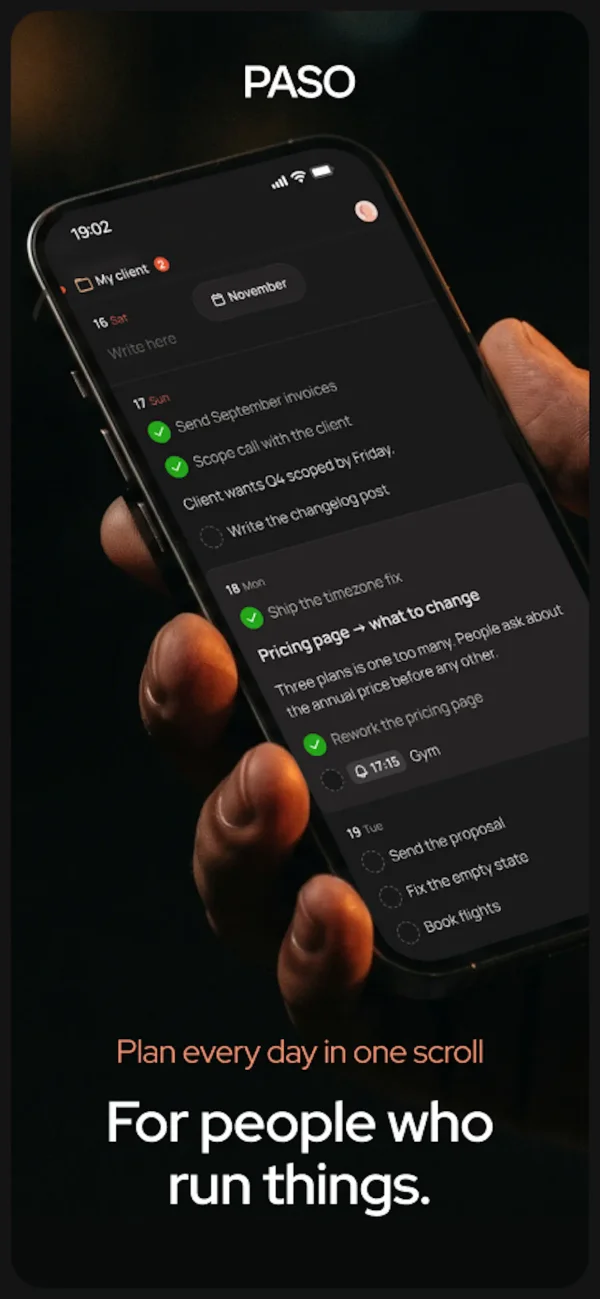
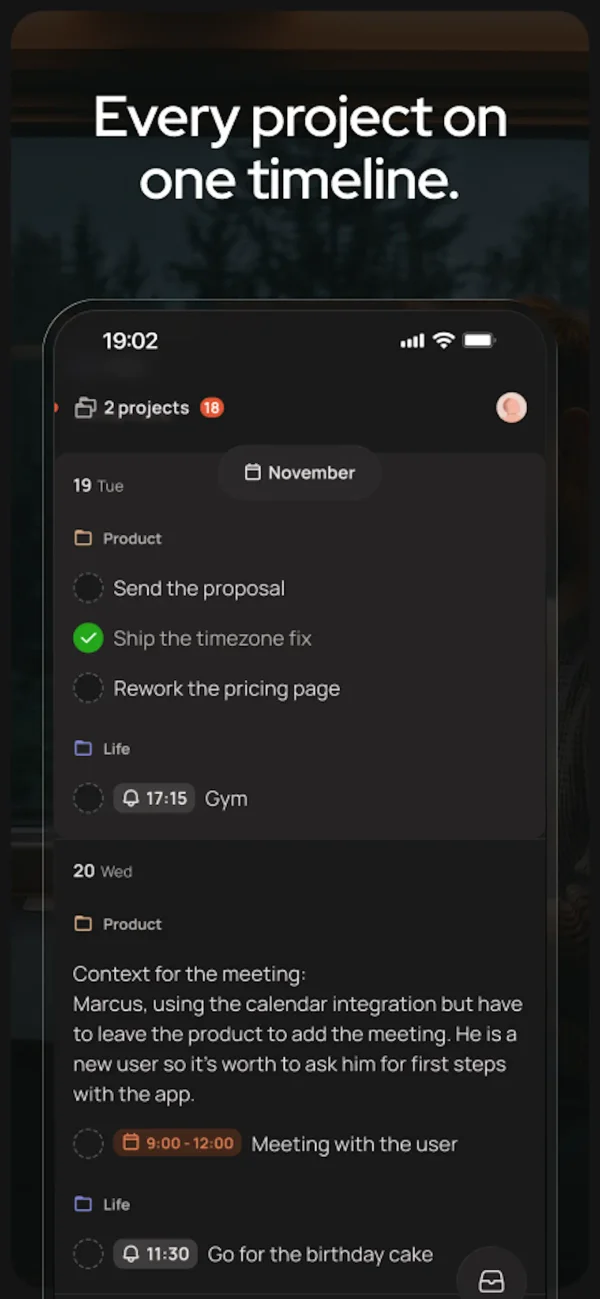
Paso is a minimalist planner that puts tasks and notes on a timeline.
See your week clearly. Plan calmly. Make steady progress without overwhelm.
Most productivity apps push you into endless lists. Paso shows your life as a continuous timeline, where notes, tasks and reflections live together in context.
Plan on a timeline
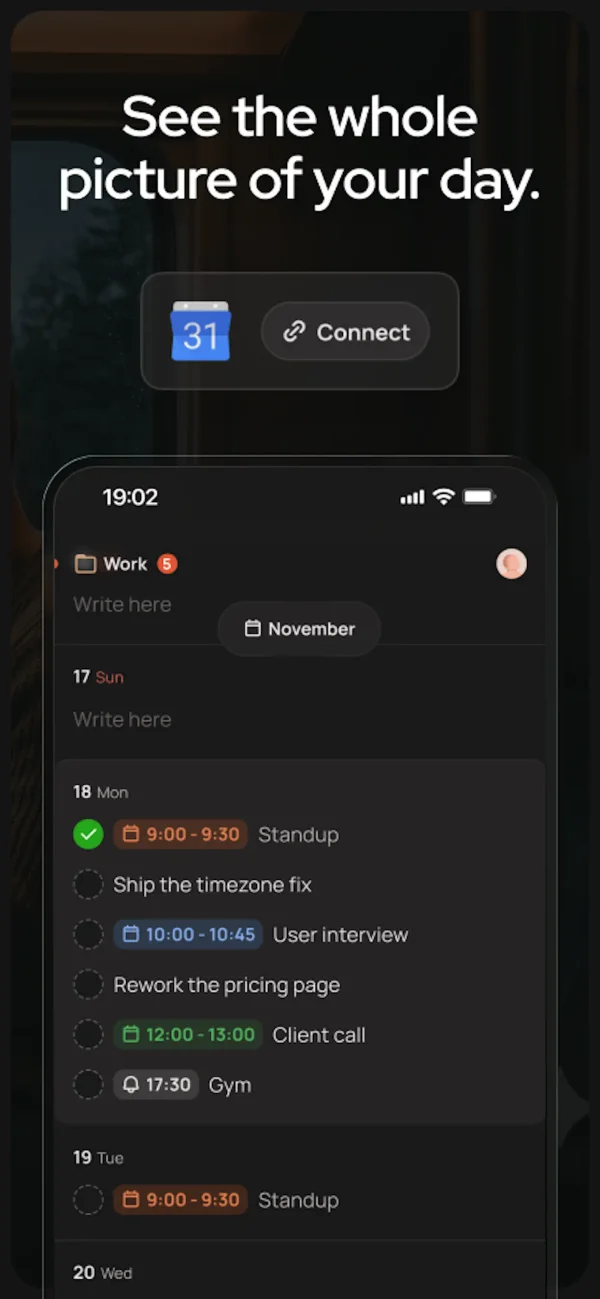
Schedule tasks across days and weeks. See how your work connects over time instead of jumping between isolated to-do lists.
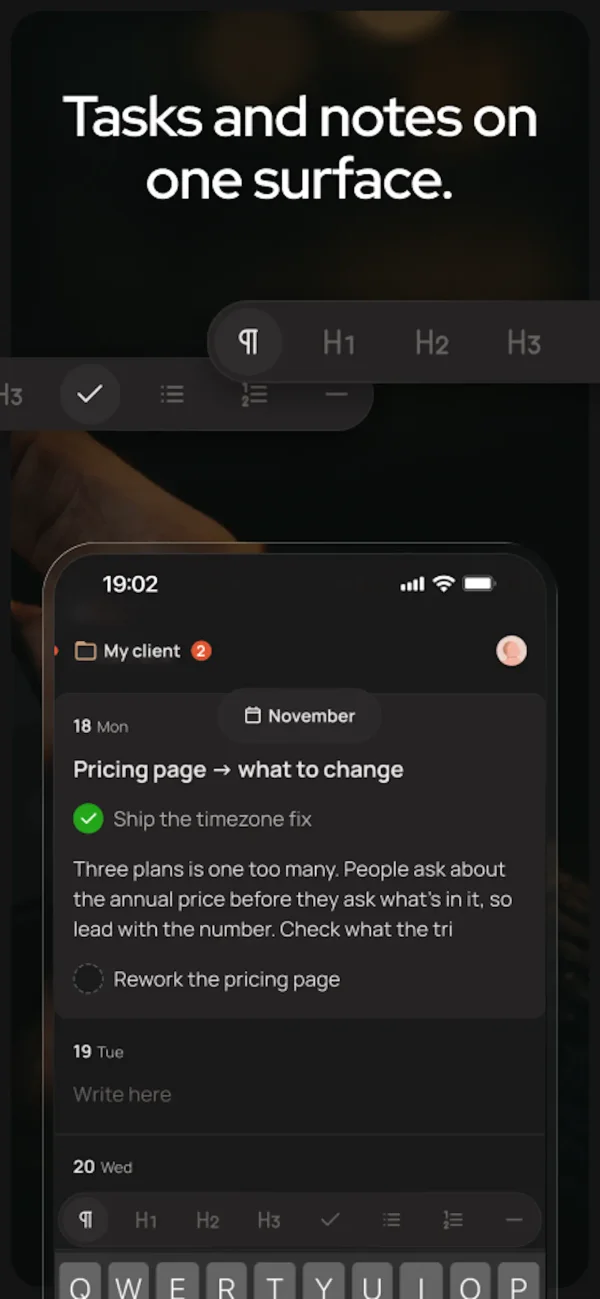
Notes and journal in one place
Capture ideas, write reflections, and connect them directly to your plans. No switching between apps.
Simple task management
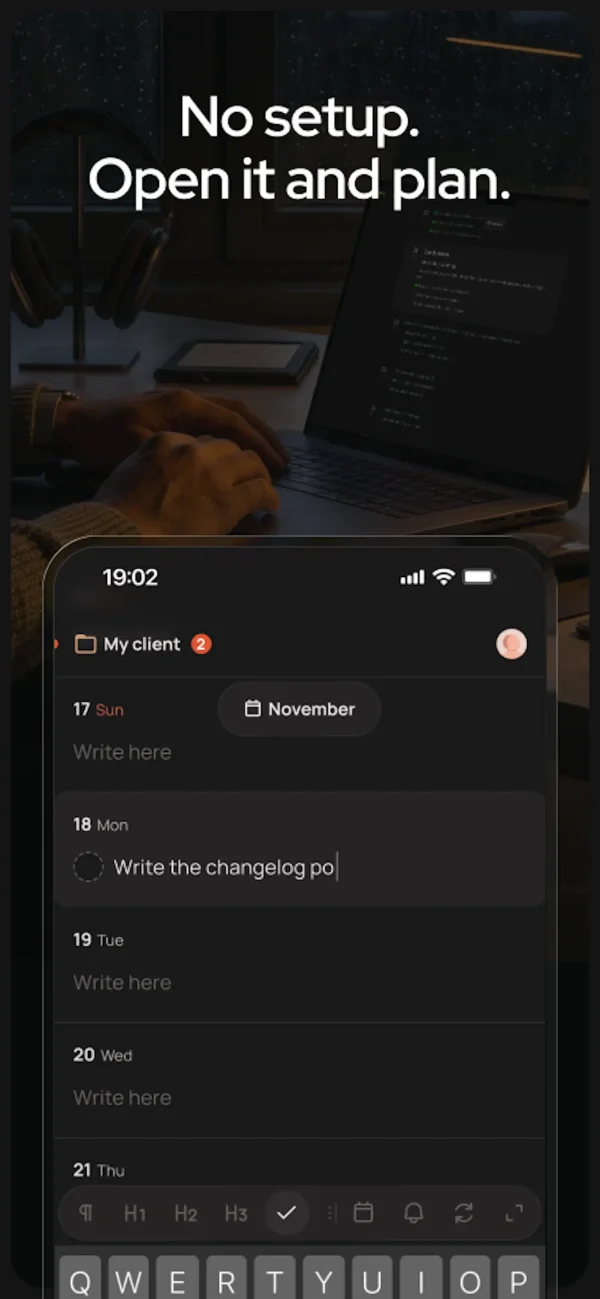
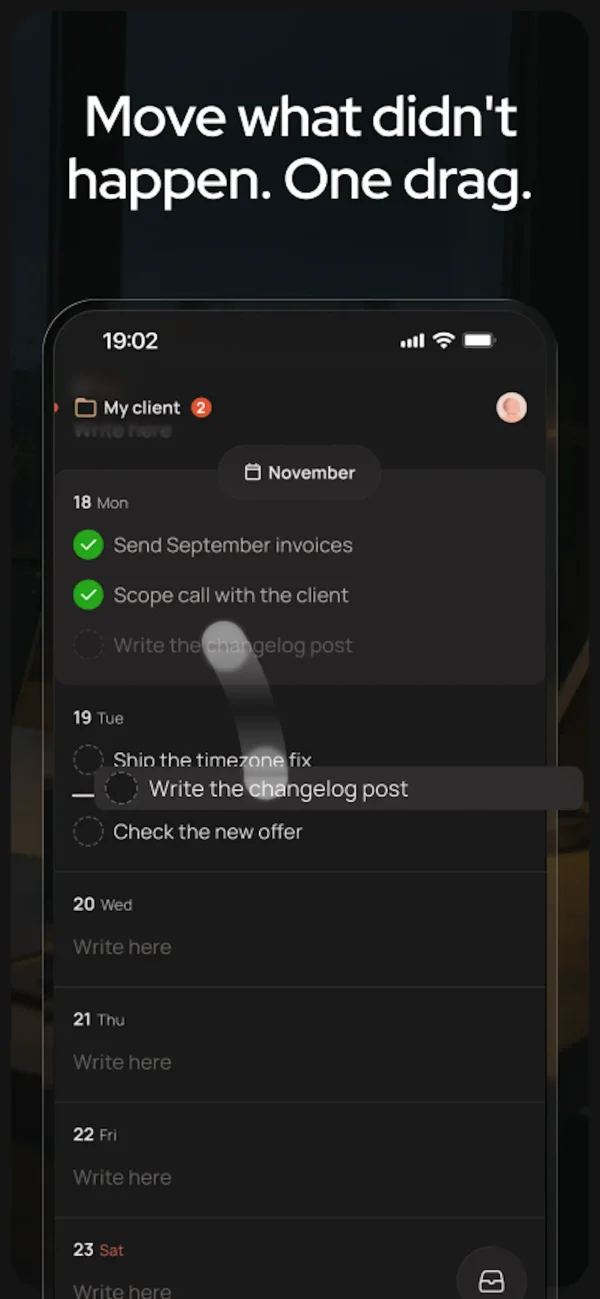
Create tasks, organize projects, and move items freely on your timeline. No complex systems. No noise.
Built for long-term builders
Paso is designed for founders, creators and professionals who work on projects that never really “end”.
It helps you focus on direction, not just daily output.
If you want:
– a clear weekly overview
– flexible notes connected to real work
– calm productivity without pressure
– a simple planner you’ll actually use
Paso is for you.
Think clearly. Plan calmly. Build consistently.
Terms of Use
https://www.apple.com/legal/internet-services/itunes/dev/stdeula/
Neue Funktionen
Version 2.0.36 · 16.11.2026
• New phone navigation: swipe left on the timeline or tap the inbox to open your backlog. The assistant now sits at the bottom.
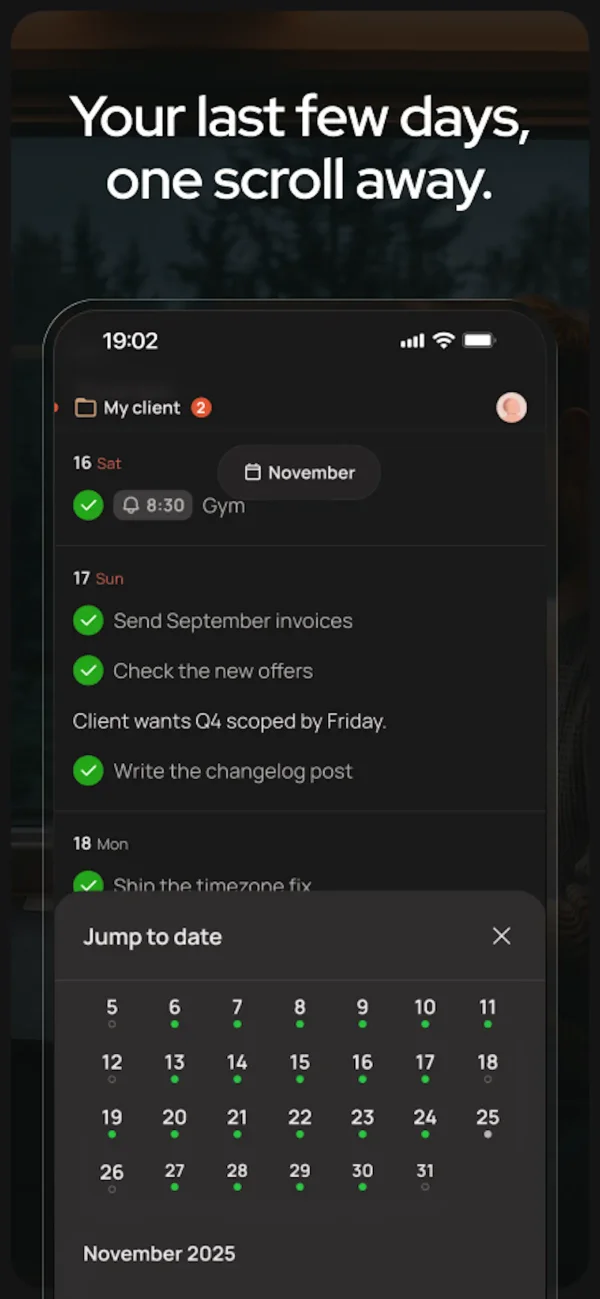
• Go to date and Move to date open in a new floating sheet.
• Task reminders use the same sheet, with clearer states and no times in the past.
• Full-screen settings, opened from your profile.
• Refreshed timeline layout on phones.
• Mac: a cleaner window without the title bar.
• Bug fixes and improvements.
App-Datenschutz
Was MACIEJ BRZEZINSKI im App Store zum Umgang dieser App mit Daten angibt.
-
Daten, die zum Tracking Ihrer Person verwendet werden
Können verwendet werden, um Sie über Apps und Websites anderer Unternehmen hinweg zu verfolgen.
- Nutzungsdaten
-
Mit Ihnen verknüpfte Daten
Können erfasst und mit Ihrer Identität verknüpft werden.
- Kontaktinformationen
- Kennungen
- Nutzungsdaten
- Sonstige Daten
-
Nicht mit Ihnen verknüpfte Daten
Können erfasst werden, sind aber nicht mit Ihrer Identität verknüpft.
- Diagnose
Die Datenschutzpraktiken können variieren, zum Beispiel je nach den von Ihnen verwendeten Funktionen oder Ihrem Alter.
Informationen
- Anbieter
- MACIEJ BRZEZINSKI
- Kategorie
- Produktivität
- Version
- 2.0.36
- Aktualisiert
- 16.11.2026
- Veröffentlicht
- 27.11.2025
- Größe
- 70,9 MB
- Erfordert
- iOS 15.0 oder neuer
- Altersfreigabe
- 4+
- Preis
- Kostenlos
- In-App-Käufe
- Ja
- Sprachen
- Englisch
- Copyright
- © Paso Maciej Brzeziński
Das könnte Ihnen auch gefallen
-
 DayMapDeine Projekte und dein Tag
-
 Flipnotes - Digital NotebookProduktivität
-
 Emery: TagesplanerPlanen ohne Schuldgefühl
-
 StrideFlow AI: WochenplanZiele passend zum Alltag
-
 Kaizen - Aufgaben & KalenderKI-Planer, Zeitblöcke & Todos
-
 Prism NotesProduktivität
-
 Tovo – Kanban, Tasks & PlannerProduktivität
-
 To Do MachineProduktivität
-
 ACTIS: KI To-do-PlanerAufgaben, Kalender, Ziele
-
 nocal - calendar reinventedProduktivität