
Passmaster Password Manager
Protected passwords and logins
Entwickelt für iPhone, iPad, Mac
Kostenlos · In-App-Käufe
- Altersfreigabe4+
- KategorieDienstprogramme
- EntwicklerSalim Hafid
- SprachenEnglisch
- Größe12,9 MB
Verlinkt auf die offizielle App Store-Seite
Download.org hostet keine Datei von Passmaster Password Manager. Die Schaltfläche öffnet die App-Seite bei App Store, wo Salim Hafid die App veröffentlicht. Eintrag zuletzt geprüft am 20.11.2026.
Screenshots
Info
Der Entwickler hat diesen Text nicht in Ihrer Sprache bereitgestellt.
OmniVault is a password manager with nothing between you and your data: no account to create, no company servers, and nothing of yours in our hands. Everything is encrypted on your device with a key derived from your passphrase, then stored in your own iCloud. There is no server of ours to breach, because there is no server of ours at all.
YOUR PASSPHRASE IS THE ONLY KEY
OmniVault has no recovery backdoor — deliberately. A password manager that can reset your passphrase is a password manager someone else can open. We cannot open your vault for you, because we do not have the key. Write your passphrase down and keep it somewhere safe; it is the one key that exists.
ON YOUR IPHONE
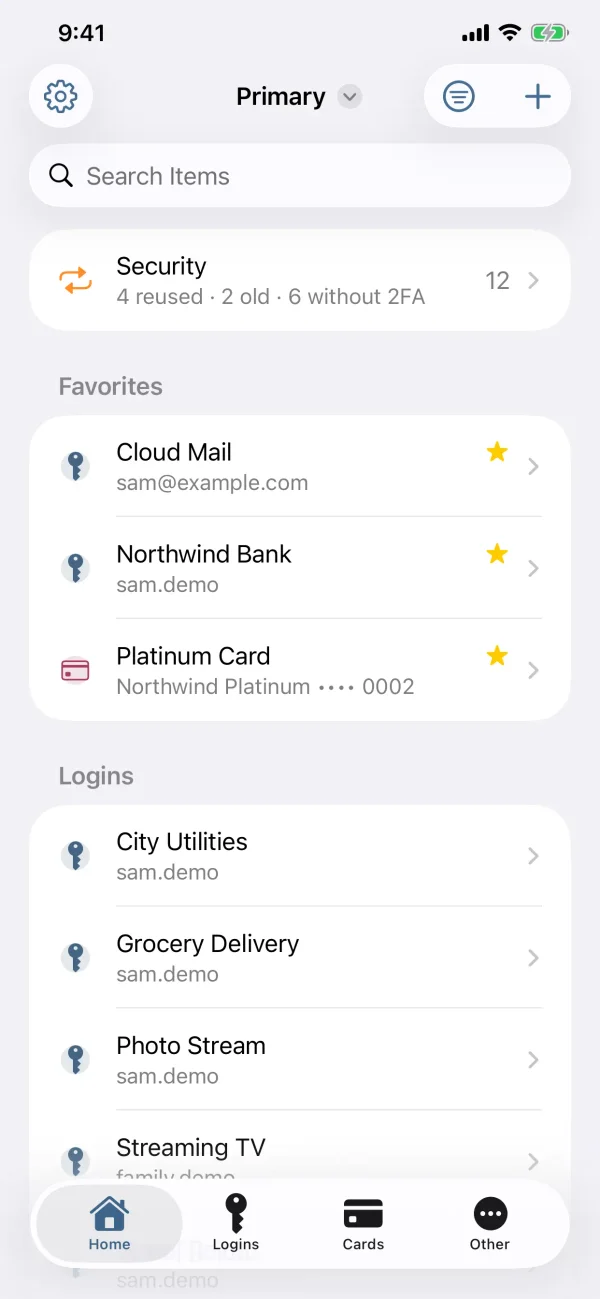
• Home puts your favorites first, then the logins and cards you reach for most
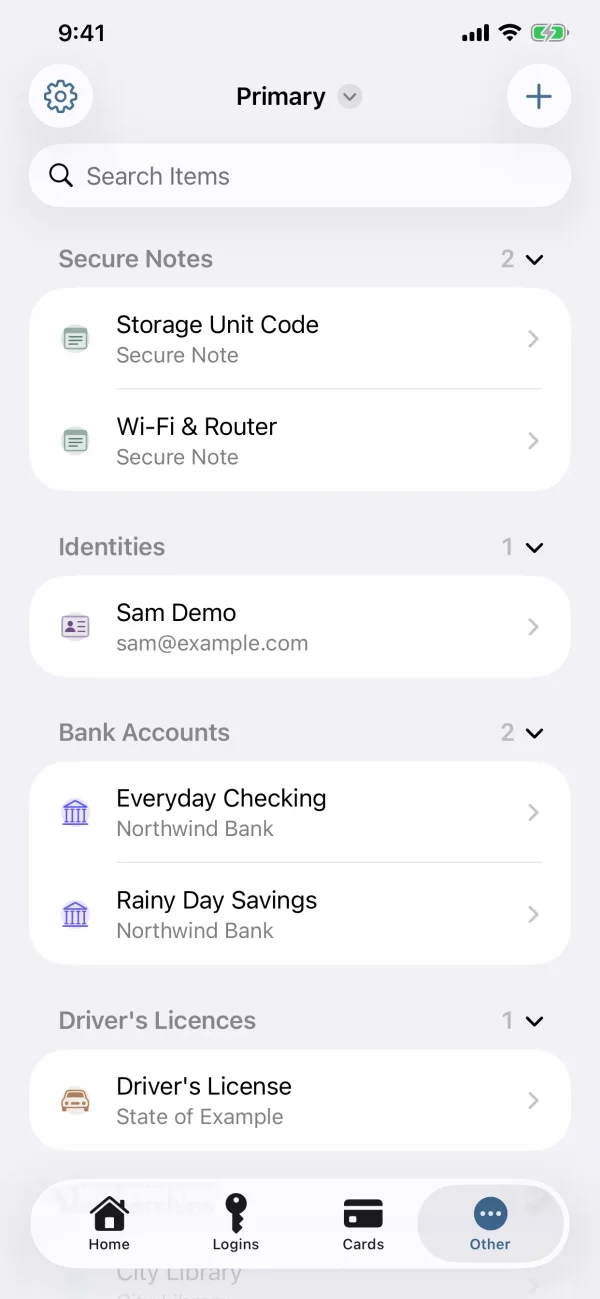
• Logins, cards, and everything else — notes, identities, passports, bank accounts — gathered into sections by category
• Face ID unlocks when you come back, and the app switcher shows a locked cover, never a password field
• Pull down on Home to switch to your other vault
EVERYWHERE YOU SIGN IN
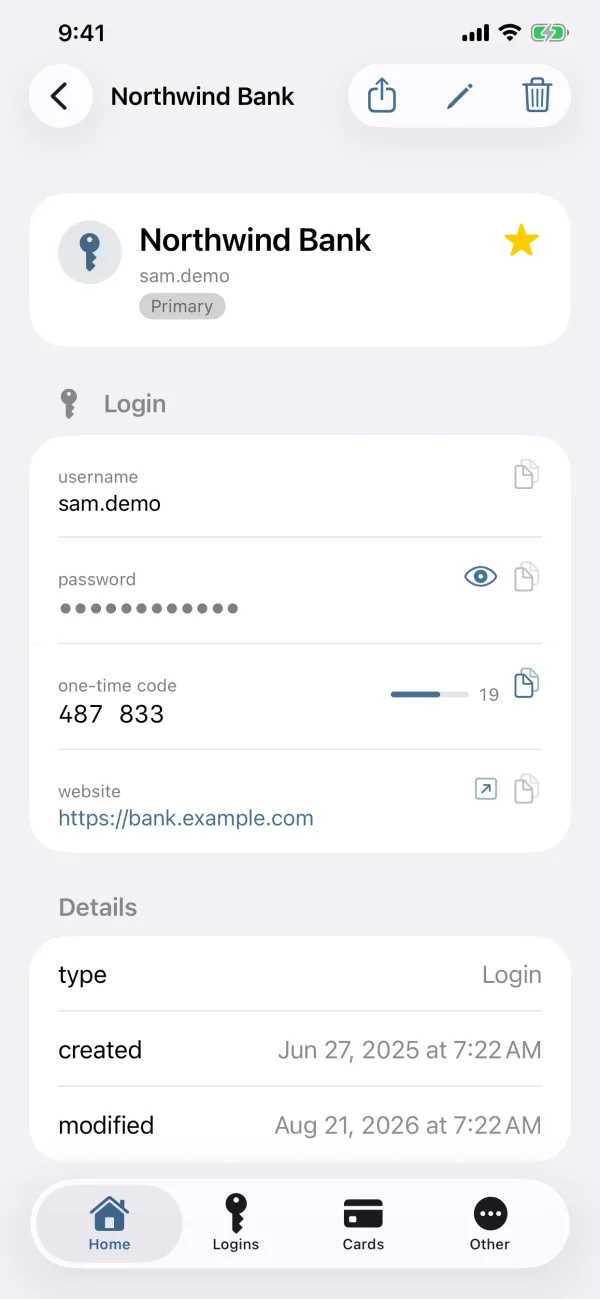
• AutoFill passwords, one-time codes, and passkeys in Safari and your apps
• Create and use passkeys with Face ID or Touch ID
• The Mac app is included, with a menu bar panel and a Chrome extension that fills logins right on the page
EVERYTHING WORTH PROTECTING
• Logins with one-time codes, security questions, and recovery codes
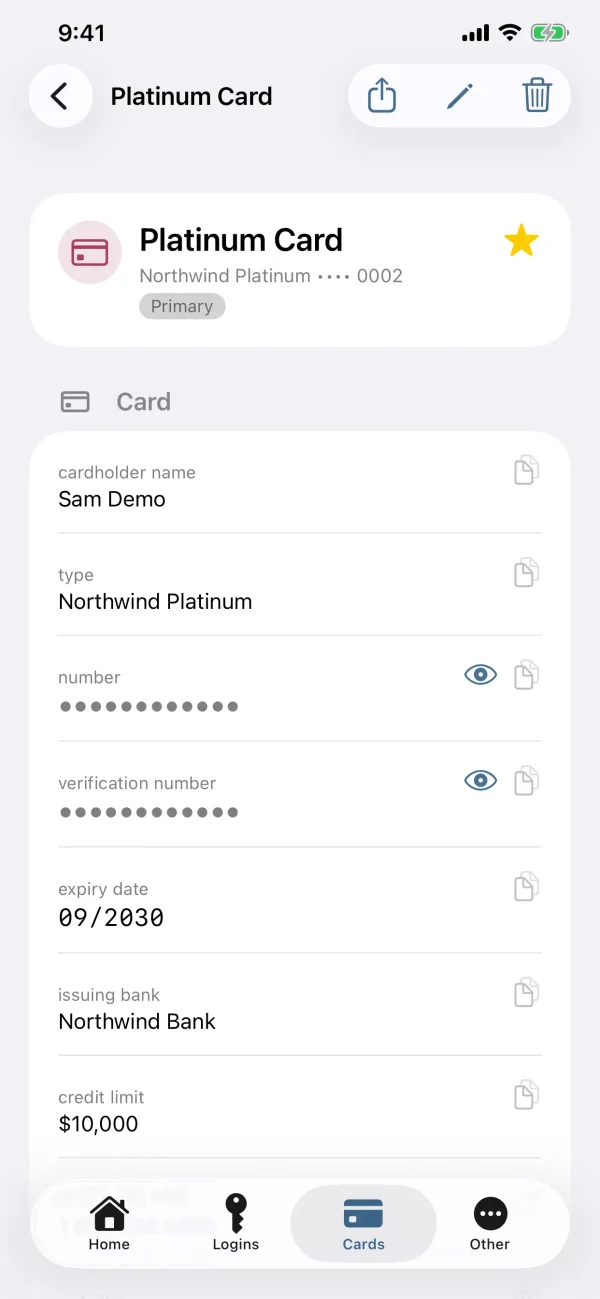
• Credit cards with every field — cardholder, number, verification number, expiry, issuing bank, limits
• Bank accounts, identities, passports, driver's licenses, memberships, and secure notes
• Site icons on your logins, asked once and fetched straight from each site — never through a tracking service
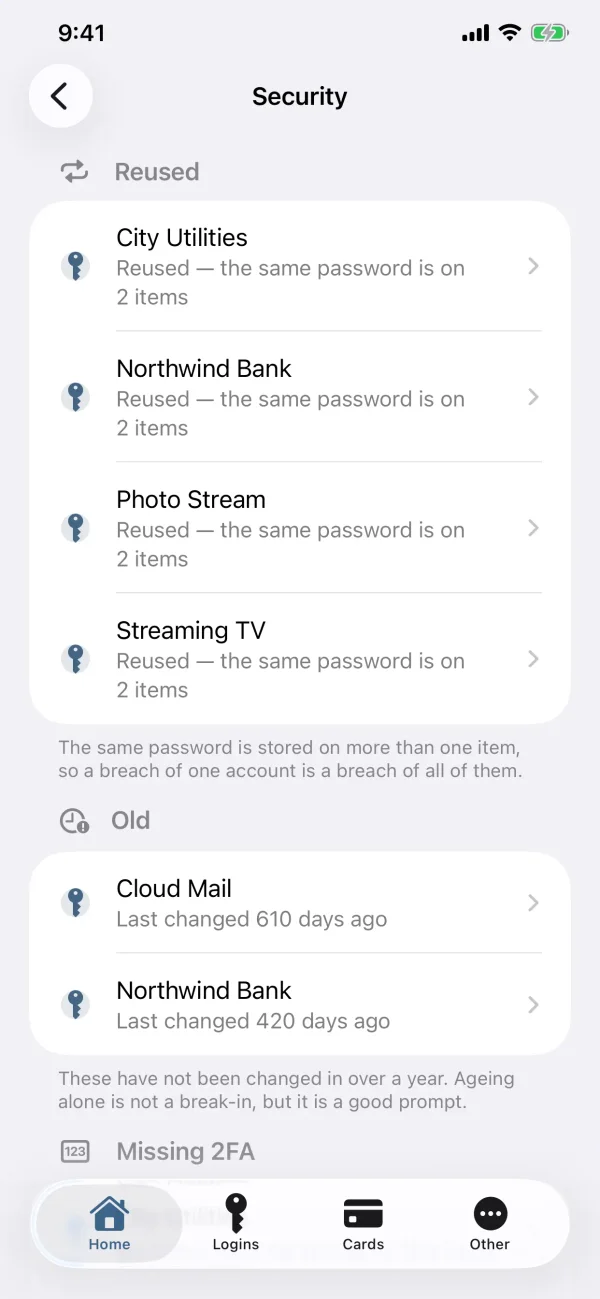
• A built-in security review: reused passwords, old passwords, logins missing 2FA
• Archive and Trash, so deleting is never a heart attack
• Password, passphrase, and username generators
SWITCHING IS PAINLESS
• Import from 1Password, Bitwarden, Apple Passwords, Chrome, or any CSV
• Fields arrive as real fields — cards, bank accounts, and logins keep their proper structure, not a pile of "custom fields"
• Your original created and modified dates survive the move
BUILT LIKE IT MATTERS
• AES-GCM encryption with Apple CryptoKit; Argon2id key derivation
• Face ID and Touch ID unlock backed by the Secure Enclave
• Auto-lock on your schedule, and copied secrets clear from the clipboard automatically
• No analytics and no tracking
• Fully native Swift on every platform — no web wrappers
Your passwords are yours. OmniVault just keeps them that way.
App-Datenschutz
Was Salim Hafid im App Store zum Umgang dieser App mit Daten angibt.
-
Keine Daten erfasst
Der Entwickler erfasst keine Daten von dieser App.
Die Datenschutzpraktiken können variieren, zum Beispiel je nach den von Ihnen verwendeten Funktionen oder Ihrem Alter.
Informationen
- Anbieter
- Salim Hafid
- Kategorie
- Dienstprogramme
- Version
- 1.4
- Aktualisiert
- 21.09.2026
- Veröffentlicht
- 18.08.2026
- Größe
- 12,9 MB
- Erfordert
- iOS 18.0 oder neuer
- Altersfreigabe
- 4+
- Preis
- Kostenlos
- In-App-Käufe
- Ja
- Sprachen
- Englisch
- Copyright
- © 2026 Salim Hafid
Das könnte Ihnen auch gefallen
-
 LumenPass Password ManagerDienstprogramme
-
 XPasswordSSDienstprogramme
-
 PassmasterDienstprogramme
-
 KeyMate – Password ManagerDienstprogramme
-
 Kakuremi – Passwort-ManagerKeePass, YubiKey-NFC ohne Abo
-
 UpSignOn by SepteoDienstprogramme
-
 Password Manager - SicherSichere Passwörter verwalten
-
 New Password GeneratorStark, sicher, offline.
-
 Passbook - Password ProtectionDienstprogramme
-
 Cards plus – Ausweis WalletFührerschein & Docs offline