
Passmaster Password Manager
Protected passwords and logins
Diseñada para iPhone, iPad, Mac
Gratis · Compras en la aplicación
- Clasificación por edad4+
- CategoríaUtilidades
- DesarrolladorSalim Hafid
- IdiomasInglés
- Tamaño12,9 MB
Enlaza a la página oficial de App Store
Download.org no aloja ningún archivo de Passmaster Password Manager. El botón abre la página de la aplicación en App Store, donde la publica Salim Hafid. Ficha comprobada por última vez el 20/11/2026.
Capturas de pantalla
Acerca de
El desarrollador no ha proporcionado este texto en tu idioma.
OmniVault is a password manager with nothing between you and your data: no account to create, no company servers, and nothing of yours in our hands. Everything is encrypted on your device with a key derived from your passphrase, then stored in your own iCloud. There is no server of ours to breach, because there is no server of ours at all.
YOUR PASSPHRASE IS THE ONLY KEY
OmniVault has no recovery backdoor — deliberately. A password manager that can reset your passphrase is a password manager someone else can open. We cannot open your vault for you, because we do not have the key. Write your passphrase down and keep it somewhere safe; it is the one key that exists.
ON YOUR IPHONE
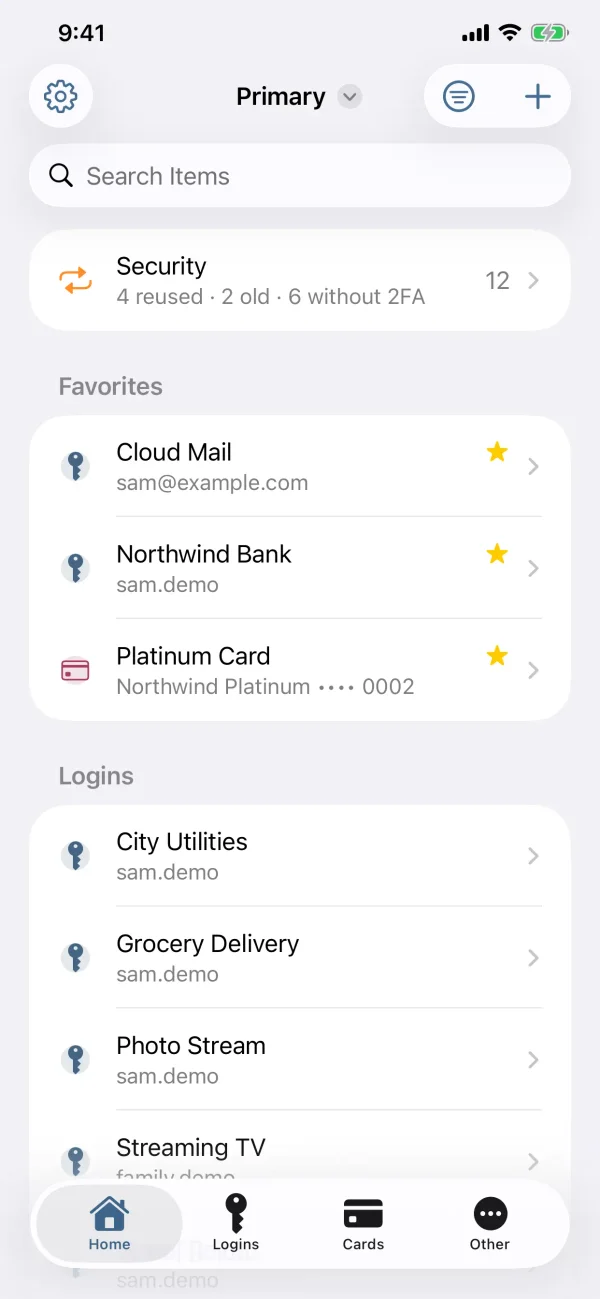
• Home puts your favorites first, then the logins and cards you reach for most
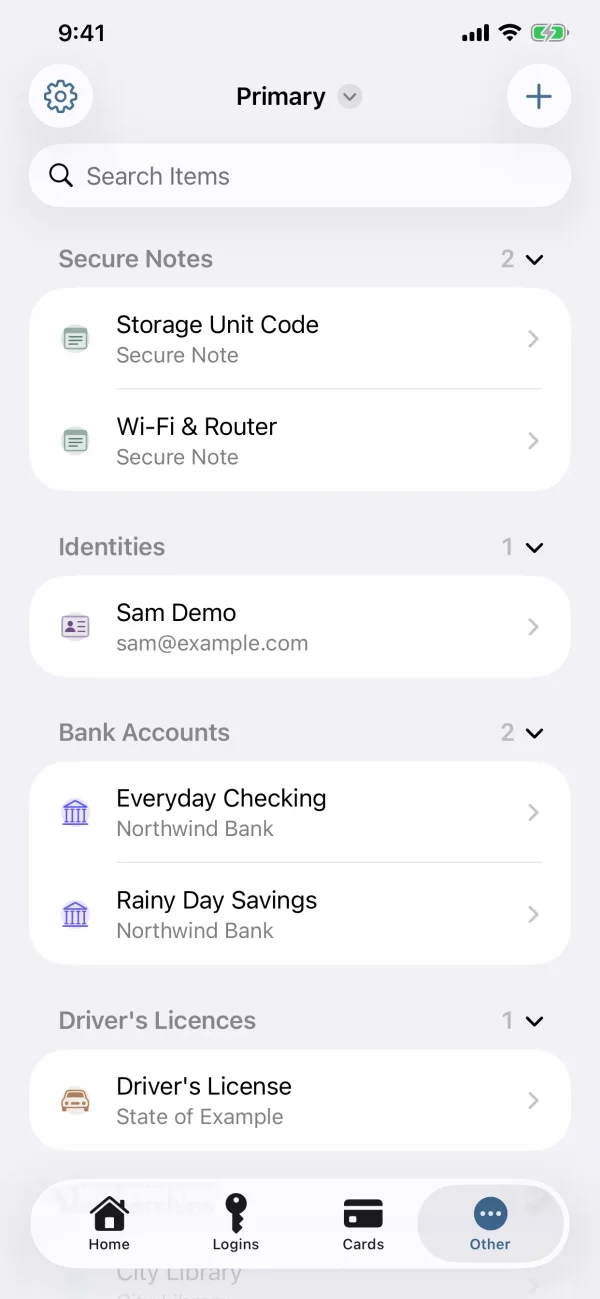
• Logins, cards, and everything else — notes, identities, passports, bank accounts — gathered into sections by category
• Face ID unlocks when you come back, and the app switcher shows a locked cover, never a password field
• Pull down on Home to switch to your other vault
EVERYWHERE YOU SIGN IN
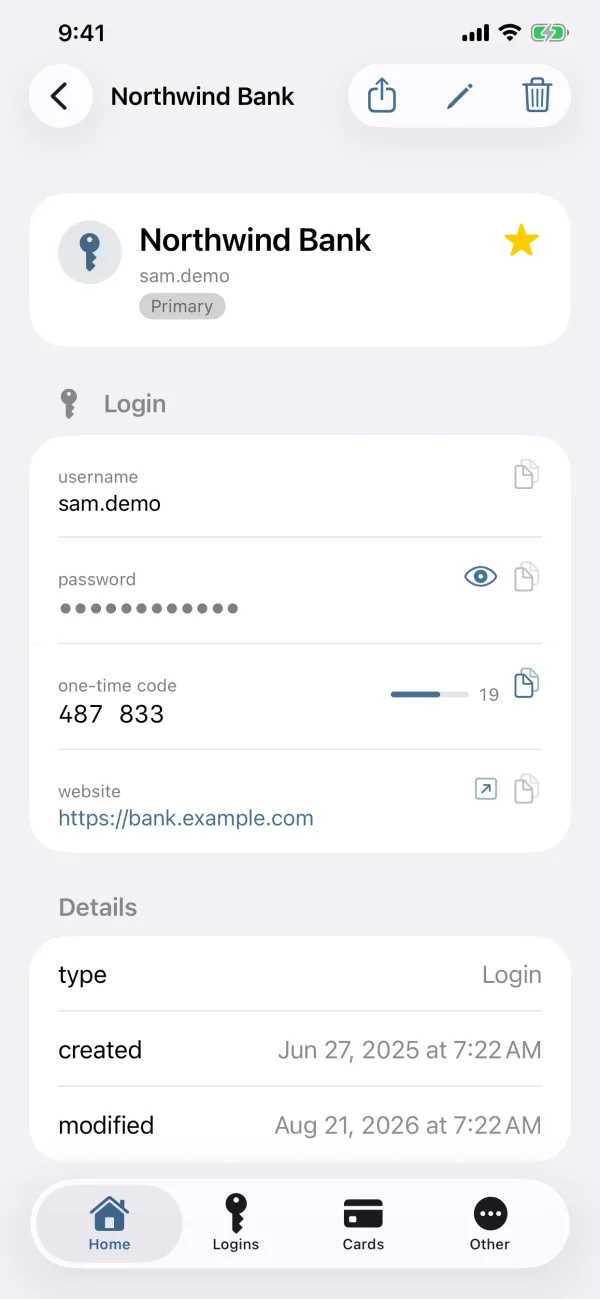
• AutoFill passwords, one-time codes, and passkeys in Safari and your apps
• Create and use passkeys with Face ID or Touch ID
• The Mac app is included, with a menu bar panel and a Chrome extension that fills logins right on the page
EVERYTHING WORTH PROTECTING
• Logins with one-time codes, security questions, and recovery codes
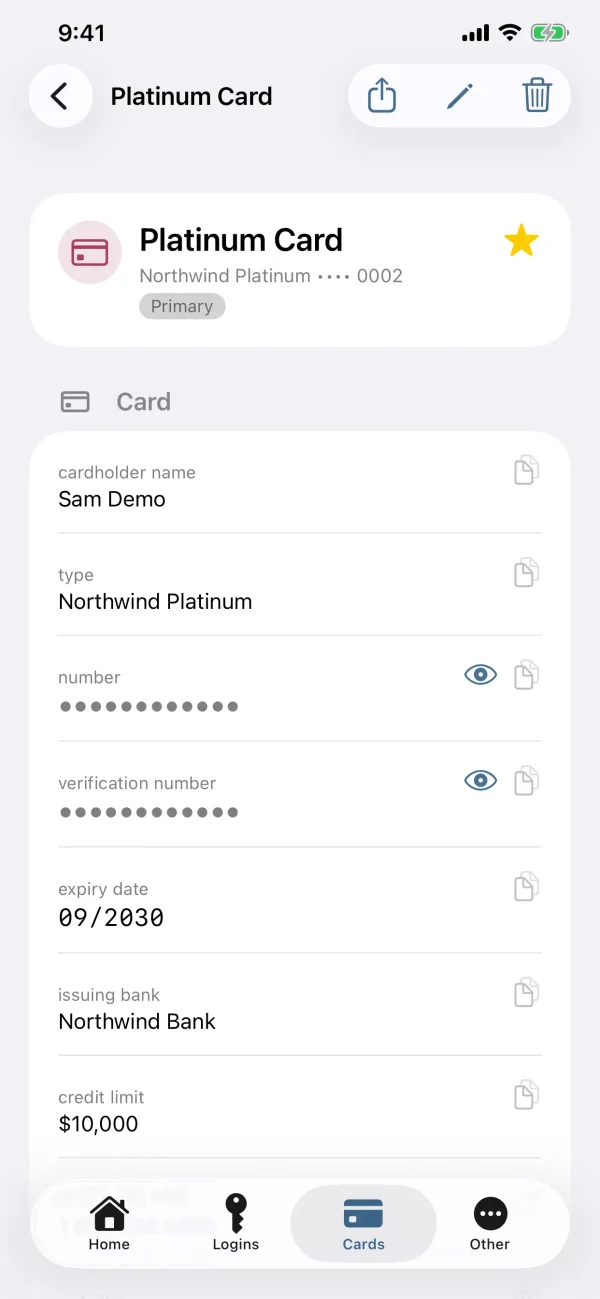
• Credit cards with every field — cardholder, number, verification number, expiry, issuing bank, limits
• Bank accounts, identities, passports, driver's licenses, memberships, and secure notes
• Site icons on your logins, asked once and fetched straight from each site — never through a tracking service
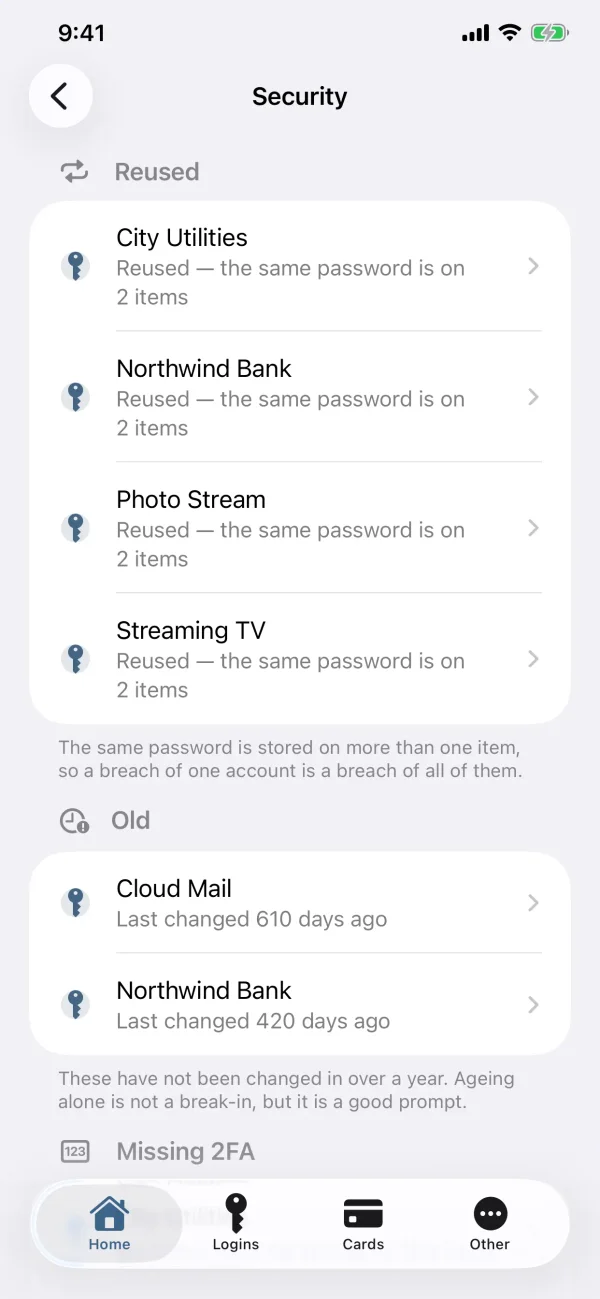
• A built-in security review: reused passwords, old passwords, logins missing 2FA
• Archive and Trash, so deleting is never a heart attack
• Password, passphrase, and username generators
SWITCHING IS PAINLESS
• Import from 1Password, Bitwarden, Apple Passwords, Chrome, or any CSV
• Fields arrive as real fields — cards, bank accounts, and logins keep their proper structure, not a pile of "custom fields"
• Your original created and modified dates survive the move
BUILT LIKE IT MATTERS
• AES-GCM encryption with Apple CryptoKit; Argon2id key derivation
• Face ID and Touch ID unlock backed by the Secure Enclave
• Auto-lock on your schedule, and copied secrets clear from the clipboard automatically
• No analytics and no tracking
• Fully native Swift on every platform — no web wrappers
Your passwords are yours. OmniVault just keeps them that way.
Privacidad de la aplicación
Lo que Salim Hafid declara en App Store sobre cómo esta aplicación gestiona los datos.
-
No se recopilan datos
El desarrollador no recopila ningún dato de esta aplicación.
Las prácticas de privacidad pueden variar, por ejemplo, según las funciones que uses o tu edad.
Información
- Vendedor
- Salim Hafid
- Categoría
- Utilidades
- Versión
- 1.4
- Actualizado
- 21/9/2026
- Publicado
- 18/8/2026
- Tamaño
- 12,9 MB
- Requiere
- iOS 18.0 o posterior
- Clasificación por edad
- 4+
- Precio
- Gratis
- Compras en la aplicación
- Sí
- Idiomas
- Inglés
- Copyright
- © 2026 Salim Hafid
Quizá también te guste
-
 LumenPass Password ManagerUtilidades
-
 XPasswordSSUtilidades
-
 PassmasterUtilidades
-
 KeyMate – Password ManagerUtilidades
-
 Kakuremi - KeePass ManagerUtilidades
-
 UpSignOn by SepteoUtilidades
-
 Password Manager - SeguroGestiona contraseñas seguras
-
 New Password GeneratorFuerte, segura, sin red.
-
 Passbook - Password ProtectionUtilidades
-
 Cards plus Cartera DocumentosCarnet de conducir, DNI y más