- Altersfreigabe4+
- KategorieMusik
- EntwicklerMarco Passerai
- SprachenEnglisch
- Größe7,9 MB
Verlinkt auf die offizielle App Store-Seite
Download.org hostet keine Datei von PocketSongbook. Die Schaltfläche öffnet die App-Seite bei App Store, wo Marco Passerai die App veröffentlicht. Eintrag zuletzt geprüft am 23.11.2026.
Screenshots

Info
Der Entwickler hat diesen Text nicht in Ihrer Sprache bereitgestellt.
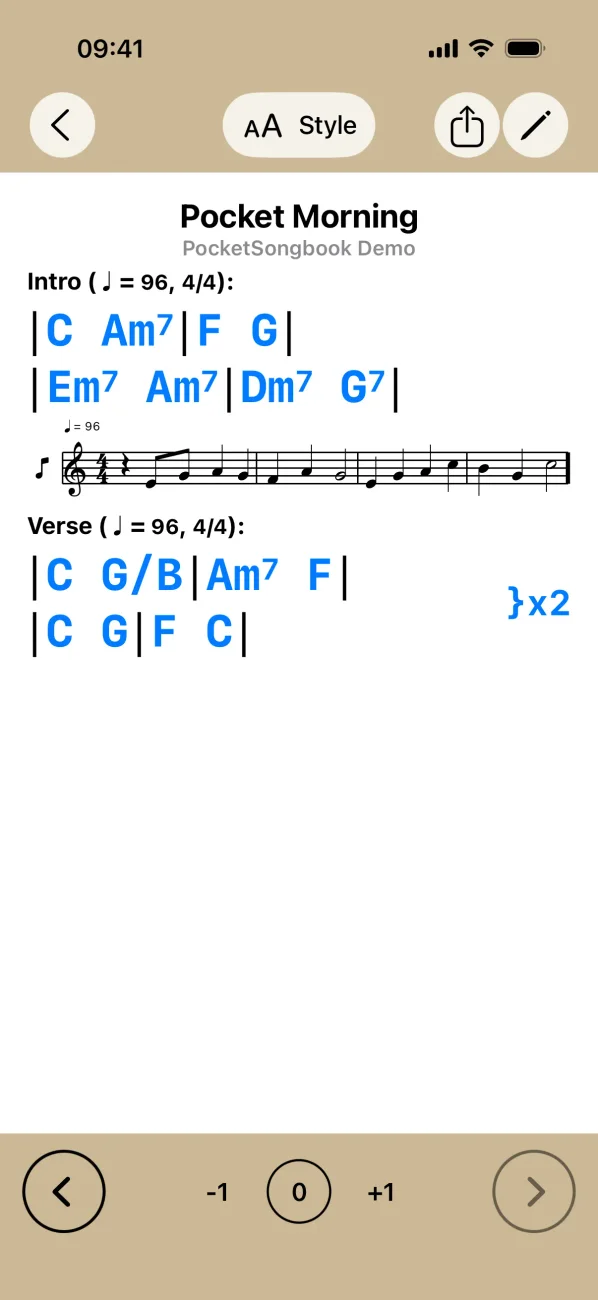
Build your own repertoire on iPhone and iPad. Write chord charts quickly, keep scores alongside your chords, and put together a setlist for rehearsals or your next gig.
WRITE CHORDS FASTER
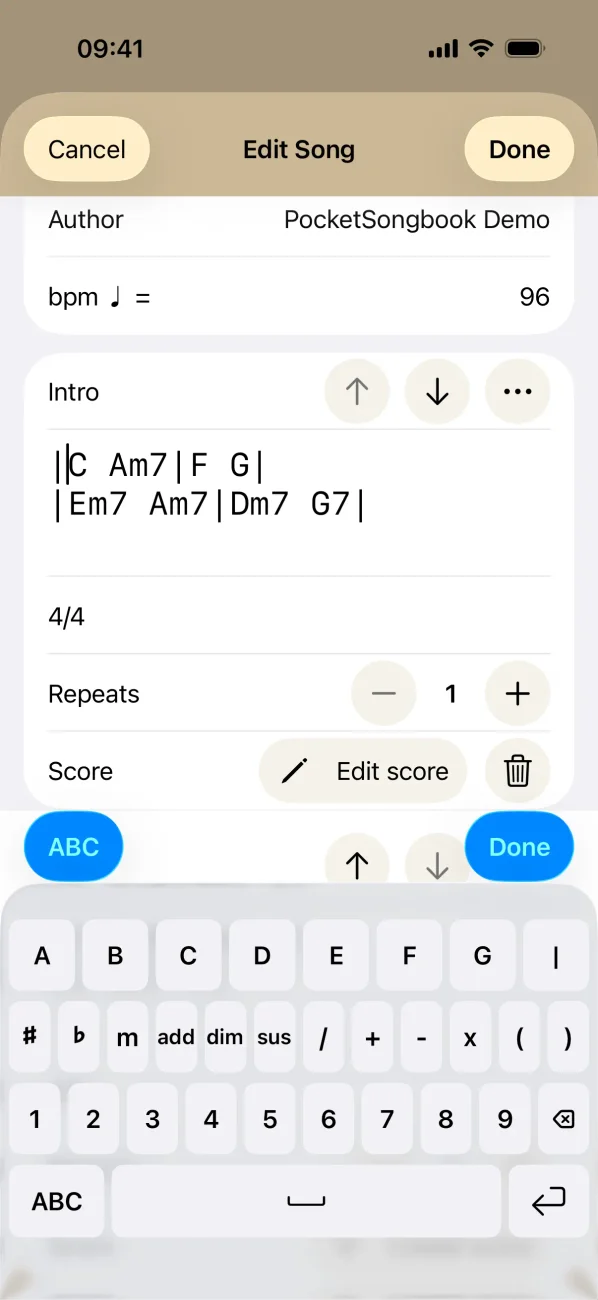
Enter roots, accidentals, chord qualities and extensions, numbers, slash notation, bar lines, spaces, and line breaks using a keyboard designed specifically for chords.
BUILD CLEAR CHORD CHARTS
Organize each song into sections and choose between Bar Grid View and No Grid View. Add time signatures and repeats where needed.
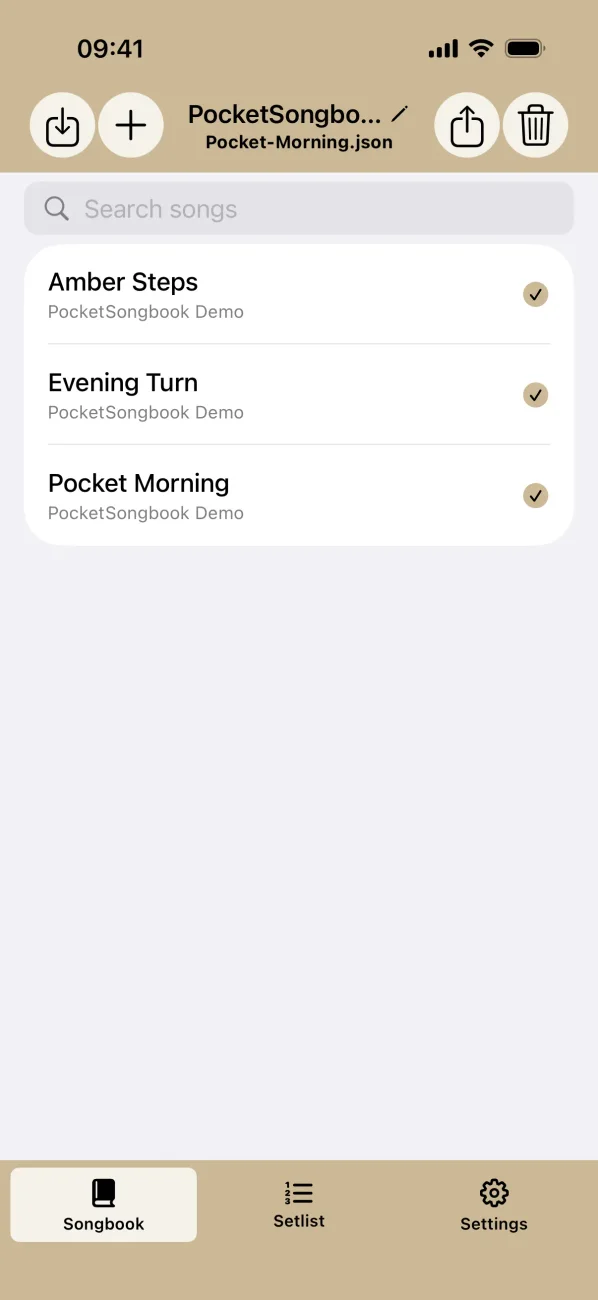
ORGANIZE YOUR SONGBOOK
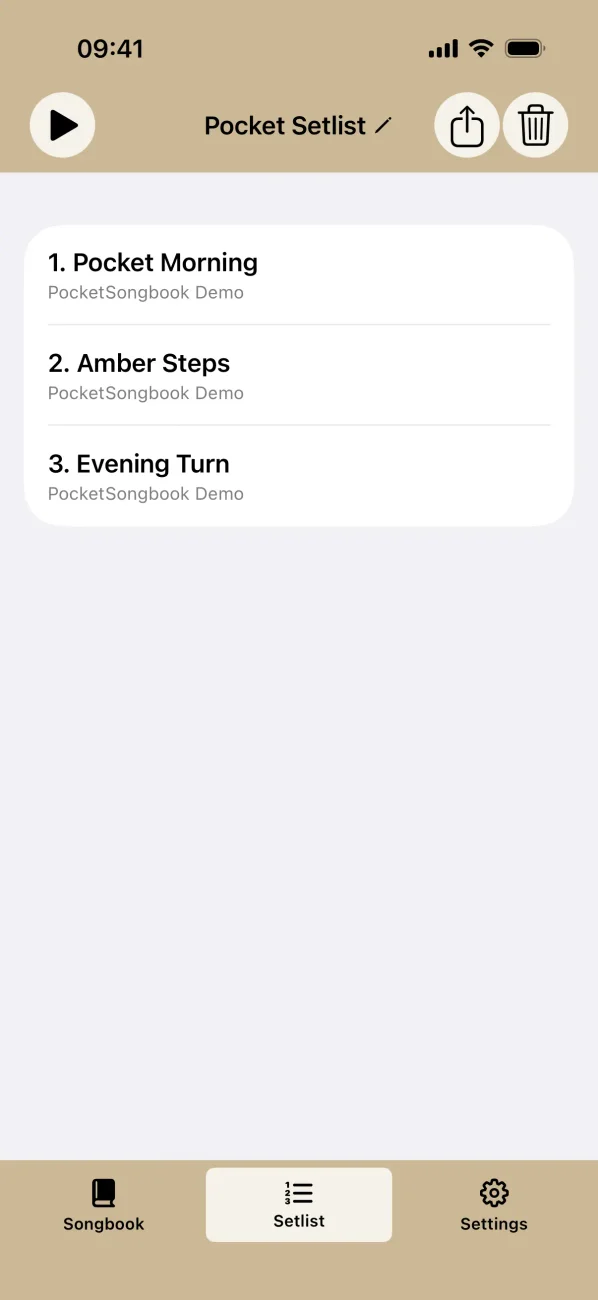
Find songs quickly with search and arrange them in the order you want to play them. PocketSongbook saves your active songbook and setlist automatically and restores them when you reopen the app.
ADD SCORES ALONGSIDE YOUR CHORDS
Add a score to any song section to keep an intro, a riff, or a written part with the rest of the song. Enter notes and rests with the musical keyboard, copy and paste passages, and zoom in while editing. Import compatible MIDI files or export your scores as MIDI.
AT REHEARSAL AND ON STAGE
Transpose chords and scores together, adjust text sizes and colors, and move quickly from one song to the next.
MORE ROOM ON IPAD
View your songbook or setlist alongside the selected song in portrait or landscape. Adjust the column widths or hide the list to give the song more room.
IMPORT, EXPORT AND BACK UP
Import an entire songbook or selected songs from compatible JSON files. Export your songbook, setlist, or a single song as JSON for backups and sharing, or as an A4 PDF for printing. PDFs include scores when you choose to show them alongside chords.
FOCUSED AND PRIVATE
PocketSongbook is free and works offline without an account. Songs and settings are stored on each device. You choose when to export a backup or share a file.
Available in English and Italian.
Neue Funktionen
Version 2.0 · 21.11.2026
Add scores to song sections to keep intros, riffs, and written parts alongside your chords.
• Enter notes and rests with the musical keyboard. Copy and paste passages into empty cells, and spread two fingers to enlarge the area you want to edit.
• Import compatible MIDI files and export your scores as MIDI.
• Choose which tracks to show, reorder them, and use one or two staves per track.
• Transpose chords and scores together, including songs in your setlist.
• Export a single song as JSON or PDF. PDFs use A4 pages and include scores when the selected display mode shows them.
App-Datenschutz
Was Marco Passerai im App Store zum Umgang dieser App mit Daten angibt.
-
Keine Daten erfasst
Der Entwickler erfasst keine Daten von dieser App.
Die Datenschutzpraktiken können variieren, zum Beispiel je nach den von Ihnen verwendeten Funktionen oder Ihrem Alter.
Informationen
- Anbieter
- Marco Passerai
- Kategorie
- Musik
- Version
- 2.0
- Aktualisiert
- 21.11.2026
- Veröffentlicht
- 30.08.2026
- Größe
- 7,9 MB
- Erfordert
- iOS 17.0 oder neuer
- Altersfreigabe
- 4+
- Preis
- Kostenlos
- Sprachen
- Englisch
- Copyright
- © 2026 Marco Passerai