- 対象年齢4+
- カテゴリミュージック
- 開発元Marco Passerai
- 言語英語
- サイズ7.9 MB
App Storeの公式ページにリンクしています
Download.orgはPocketSongbookのファイルを一切ホストしていません。ボタンを押すと、Marco Passeraiが公開しているApp Storeのアプリページが開きます。ページの最終確認:2026/11/23。
スクリーンショット

概要
開発元はこのテキストをお使いの言語で提供していません。
Build your own repertoire on iPhone and iPad. Write chord charts quickly, keep scores alongside your chords, and put together a setlist for rehearsals or your next gig.
WRITE CHORDS FASTER
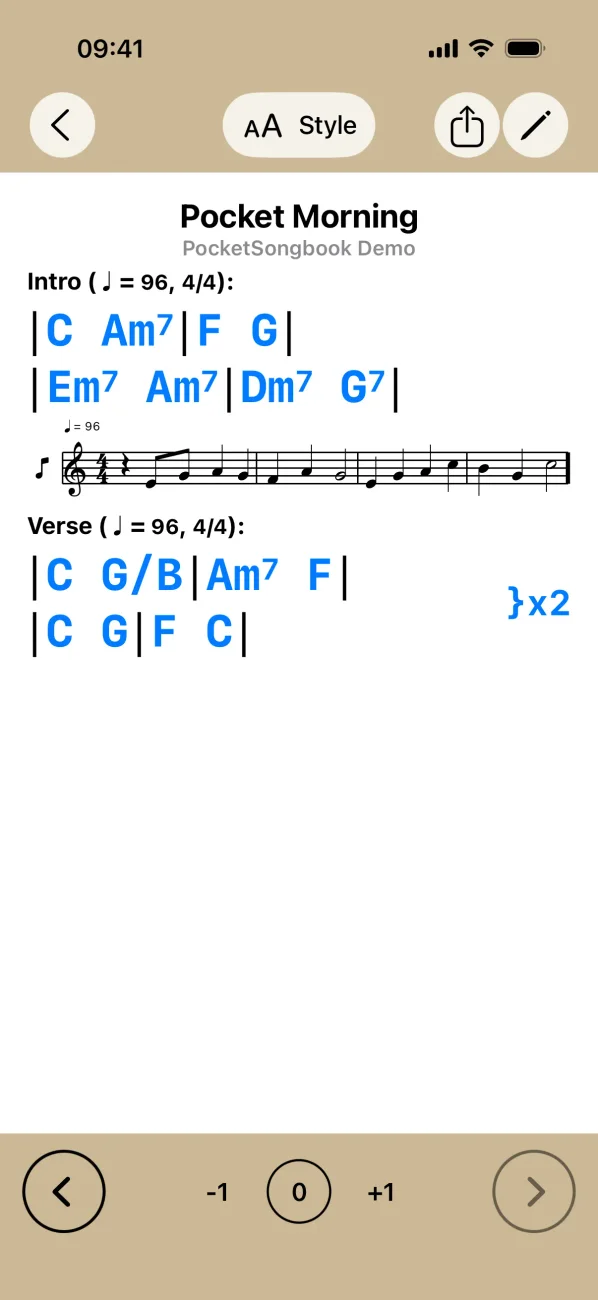
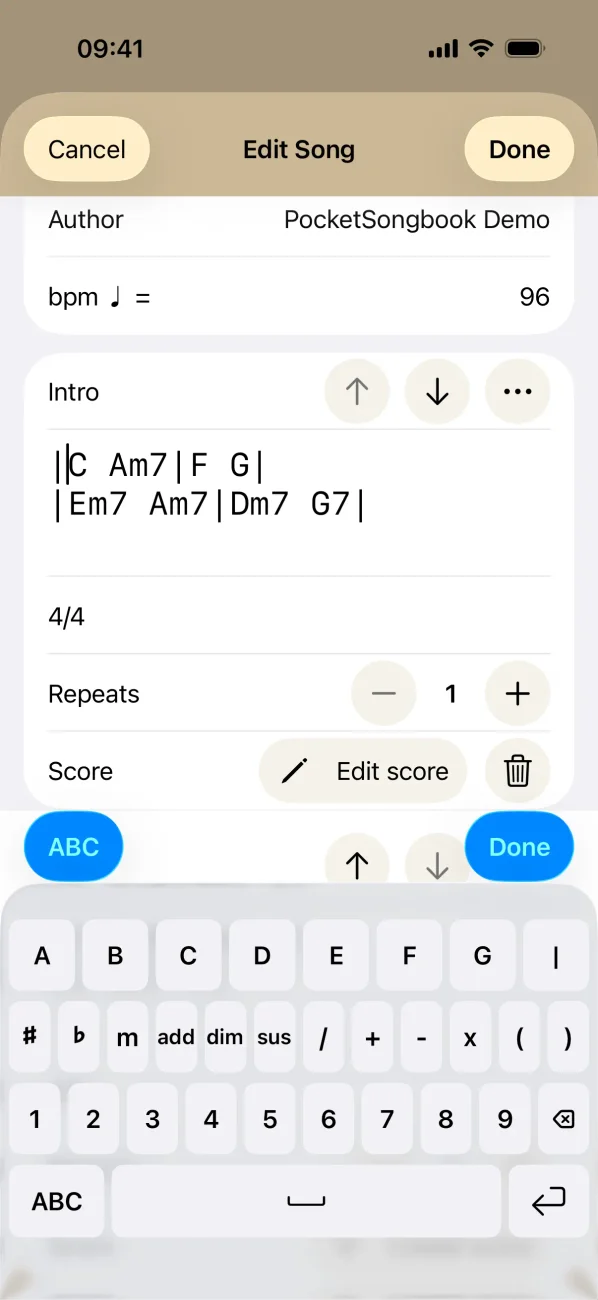
Enter roots, accidentals, chord qualities and extensions, numbers, slash notation, bar lines, spaces, and line breaks using a keyboard designed specifically for chords.
BUILD CLEAR CHORD CHARTS
Organize each song into sections and choose between Bar Grid View and No Grid View. Add time signatures and repeats where needed.
ORGANIZE YOUR SONGBOOK
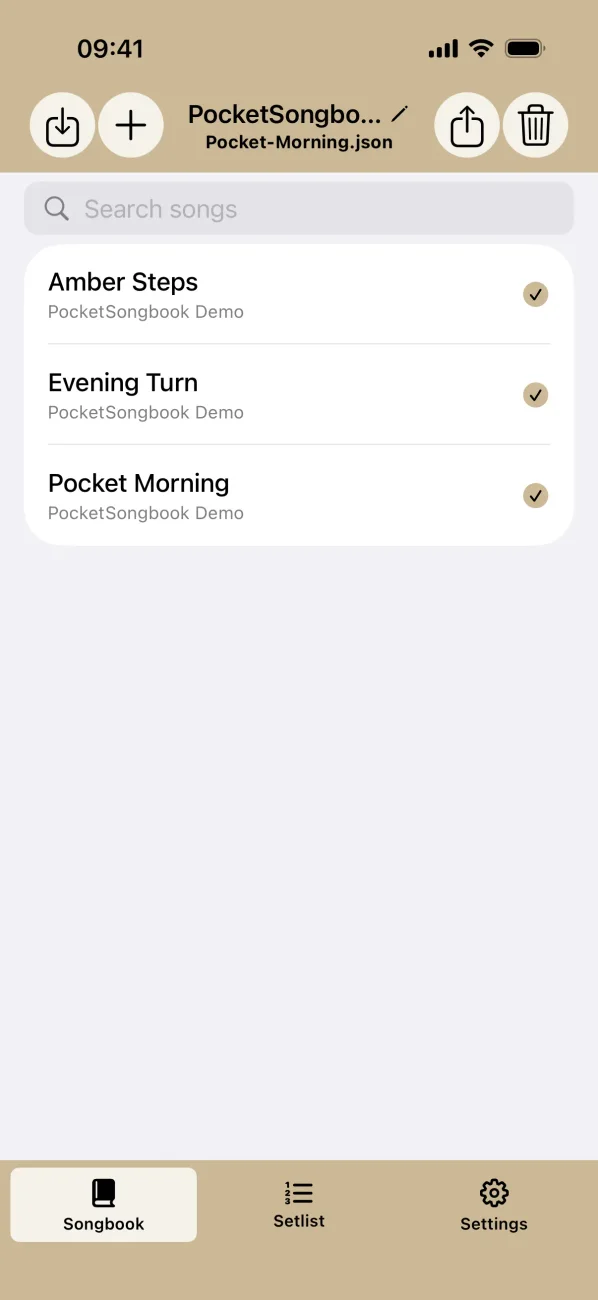
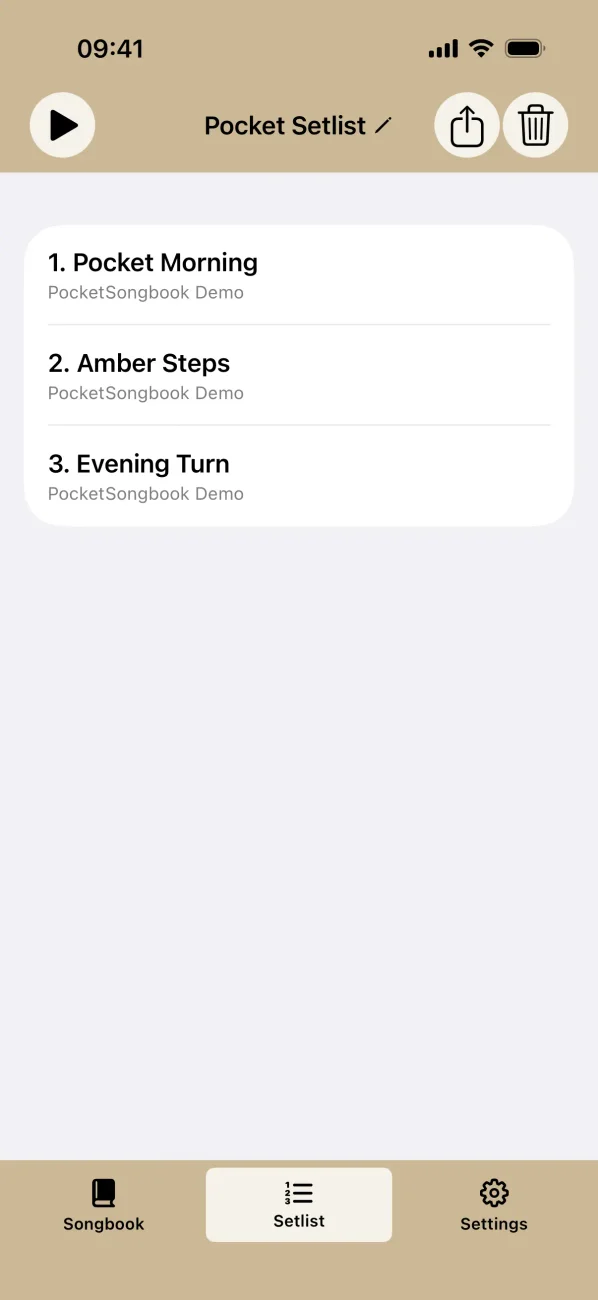
Find songs quickly with search and arrange them in the order you want to play them. PocketSongbook saves your active songbook and setlist automatically and restores them when you reopen the app.
ADD SCORES ALONGSIDE YOUR CHORDS
Add a score to any song section to keep an intro, a riff, or a written part with the rest of the song. Enter notes and rests with the musical keyboard, copy and paste passages, and zoom in while editing. Import compatible MIDI files or export your scores as MIDI.
AT REHEARSAL AND ON STAGE
Transpose chords and scores together, adjust text sizes and colors, and move quickly from one song to the next.
MORE ROOM ON IPAD
View your songbook or setlist alongside the selected song in portrait or landscape. Adjust the column widths or hide the list to give the song more room.
IMPORT, EXPORT AND BACK UP
Import an entire songbook or selected songs from compatible JSON files. Export your songbook, setlist, or a single song as JSON for backups and sharing, or as an A4 PDF for printing. PDFs include scores when you choose to show them alongside chords.
FOCUSED AND PRIVATE
PocketSongbook is free and works offline without an account. Songs and settings are stored on each device. You choose when to export a backup or share a file.
Available in English and Italian.
新機能
バージョン 2.0 · 2026/11/21
Add scores to song sections to keep intros, riffs, and written parts alongside your chords.
• Enter notes and rests with the musical keyboard. Copy and paste passages into empty cells, and spread two fingers to enlarge the area you want to edit.
• Import compatible MIDI files and export your scores as MIDI.
• Choose which tracks to show, reorder them, and use one or two staves per track.
• Transpose chords and scores together, including songs in your setlist.
• Export a single song as JSON or PDF. PDFs use A4 pages and include scores when the selected display mode shows them.
アプリのプライバシー
このアプリのデータの取り扱いについて、Marco PasseraiがApp Storeで申告している内容です。
-
データの収集なし
開発元はこのアプリからデータを収集しません。
プライバシーの取り扱いは、ご利用の機能やお客様の年齢などに応じて異なる場合があります。
情報
- 販売元
- Marco Passerai
- カテゴリ
- ミュージック
- バージョン
- 2.0
- 更新日
- 2026/11/21
- リリース
- 2026/8/30
- サイズ
- 7.9 MB
- 必要条件
- iOS 17.0以降
- 対象年齢
- 4+
- 価格
- 無料
- 言語
- 英語
- 著作権
- © 2026 Marco Passerai