- Altersfreigabe4+
- KategorieBildung
- EntwicklerKai Chen
- SprachenEnglisch+ 7 weitere
- Größe9,9 MB
Verlinkt auf die offizielle App Store-Seite
Download.org hostet keine Datei von PrintPaper. Die Schaltfläche öffnet die App-Seite bei App Store, wo Kai Chen die App veröffentlicht. Eintrag zuletzt geprüft am 18.11.2026.
Screenshots


Info
Der Entwickler hat diesen Text nicht in Ihrer Sprache bereitgestellt.
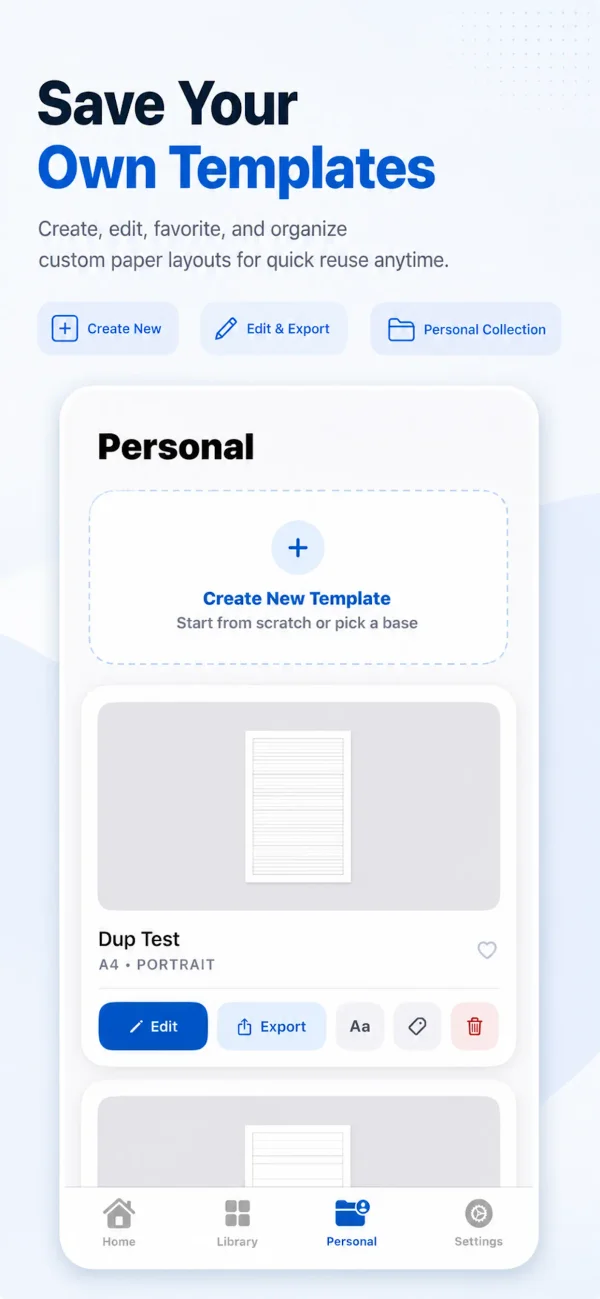
PrintPaper is a highly customizable printable paper template maker designed for handwriting notes, study practice, drawing, planning, music writing and language learning.
Start with a built-in paper template or create your own by adjusting paper size, margins, line spacing, colors, background, watermark, headers and footers. When your template is ready, export it as PDF, PNG or JSON, or print it directly with AirPrint.
【Built-in Paper Templates】
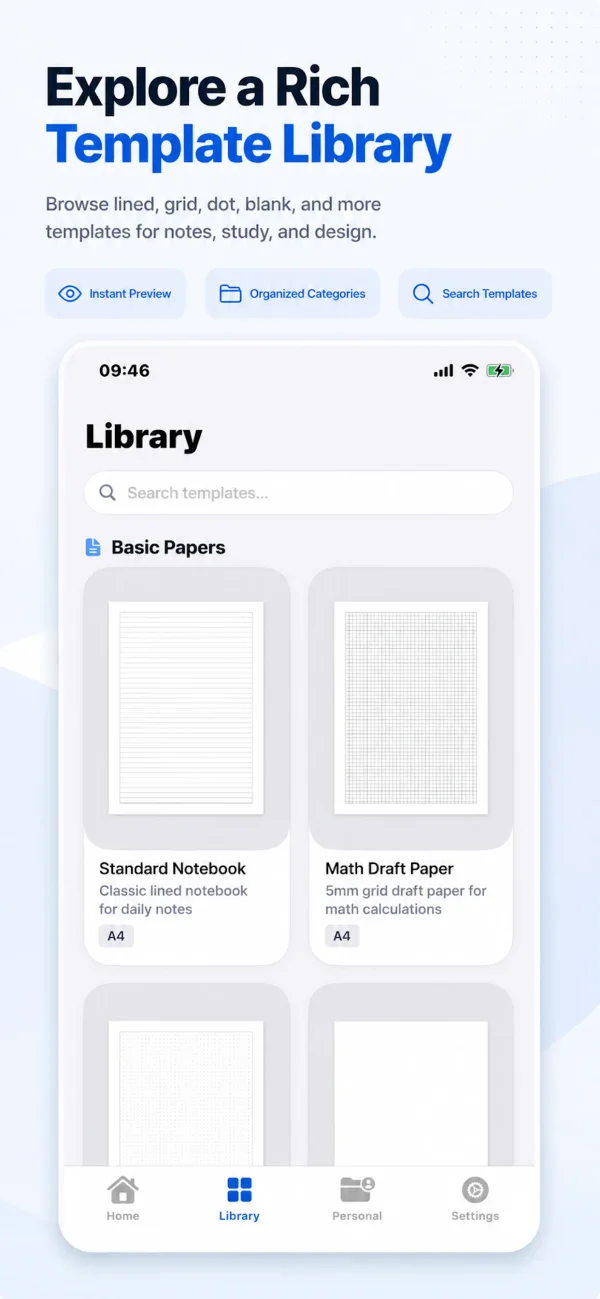
PrintPaper includes a wide range of practical and professional paper templates:
Basic Paper: lined paper, grid paper, dot paper, blank paper and vertical line paper.
Study Templates: Cornell notes, handwriting practice sheets and student note paper.
Design & Drafting: isometric grid paper, perspective grid paper, hexagon grid paper and storyboard paper.
Calligraphy & Languages: Chinese character grids, Tian Zi grid, Mi Zi grid, nine-square grid, Genkoyoushi paper and other writing practice layouts.
Planner Templates: daily planning pages with priority, task list, shopping list and goal sections.
Music Paper: music staff paper for practice, notation and composition.
【Advanced Custom Editor】
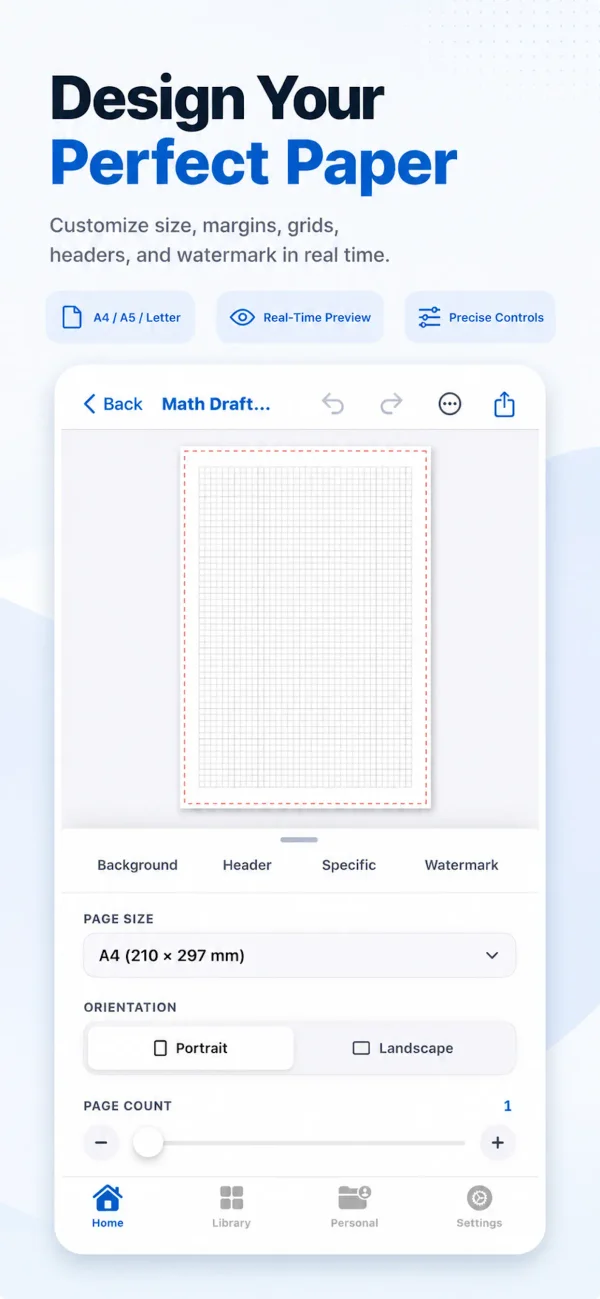
Customize every detail with real-time preview:
Choose A4, A5, Letter and other paper sizes.
Create custom paper width and height in millimeters.
Switch between portrait and landscape layout.
Adjust top, bottom, left and right margins.
Reserve binding or hole-punch margins.
Choose solid, dashed or dotted line styles.
Customize line color, opacity, width and spacing.
Add major grid lines every N cells.
Set background color, pattern and opacity.
Add title, name, date and class fields.
Configure page numbers and their position.
Add custom watermark text with adjustable opacity and placement.
【My Templates & Tags】
Save frequently used settings as your own templates.
Add templates to favorites.
Access recently used templates.
Organize templates with custom tags.
Rename, edit and delete saved templates.
Export and import JSON template files.
【Export & Print】
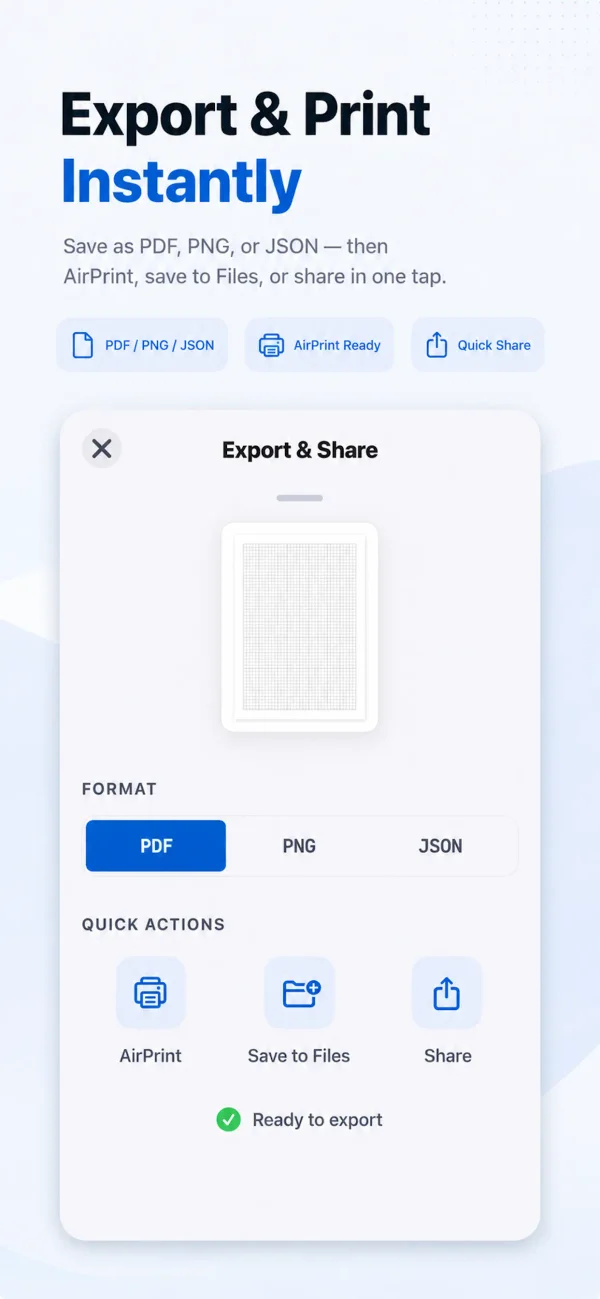
PrintPaper supports multiple output options:
Export high-quality PDF files.
Export high-resolution PNG images.
Export JSON template settings.
Print wirelessly with AirPrint.
Share to Files, Mail, cloud drives or note-taking apps.
【Print Safe Area & Hardware Margin】
Different printers may have physical non-printable margins. PrintPaper lets you configure hardware margins and preview the print safe area in the editor, helping you avoid clipped or misaligned output.
【Perfect For】
Students taking notes.
Parents printing handwriting sheets for kids.
Teachers creating worksheets.
Designers sketching layouts and perspective drawings.
Music learners printing staff paper.
Planner users creating custom planning pages.
Language learners practicing English, Chinese, Japanese or other handwriting systems.
PrintPaper helps you create, save, share and print paper templates exactly the way you need them.
What’s New
PrintPaper is now available.
Create customizable printable paper templates with built-in templates, real-time editing, PDF export, PNG export, JSON import and export, AirPrint support, hardware margin settings and print safe area preview.
App-Datenschutz
Was Kai Chen im App Store zum Umgang dieser App mit Daten angibt.
-
Keine Daten erfasst
Der Entwickler erfasst keine Daten von dieser App.
Die Datenschutzpraktiken können variieren, zum Beispiel je nach den von Ihnen verwendeten Funktionen oder Ihrem Alter.
Informationen
- Anbieter
- Kai Chen
- Kategorie
- Bildung
- Version
- 1.0
- Aktualisiert
- 23.06.2026
- Veröffentlicht
- 23.06.2026
- Größe
- 9,9 MB
- Erfordert
- iOS 18.6 oder neuer
- Altersfreigabe
- 4+
- Preis
- 9,99 €
- Sprachen
- Englisch, Französisch, Deutsch, Japanisch, Koreanisch, Portugiesisch, Vereinf. Chinesisch, Spanisch
- Copyright
- © CXY Studio
Das könnte Ihnen auch gefallen
-
 Zenkhi FlashCardsBildung
-
 GroundfallBildung
-
 Abnormaler ÜbersetzerKeine Roboter-Übersetzung
-
 Potager BIOBio-Garten, KI und Mond
-
 IGCSE Chemistry 0620: AI TutorBildung
-
 Pill Identifier - PillenceNachschlagewerke
-
 E-Feld ExplorerElektrische Felder verstehen
-
 School Attendance RegisterBildung
-
 Manage My DojoBildung
-
 Dyslexia BrowserThe Web Browser for Dyslexics