Prism Ping
Ping, Traceroute & Packet Loss
Entwickelt für iPhone, iPad
Kostenlos · In-App-Käufe
- Altersfreigabe4+
- KategorieDienstprogramme
- EntwicklerGeorge Field
- SprachenEnglisch
- Größe3,4 MB
Verlinkt auf die offizielle App Store-Seite
Download.org hostet keine Datei von Prism Ping. Die Schaltfläche öffnet die App-Seite bei App Store, wo George Field die App veröffentlicht. Eintrag zuletzt geprüft am 23.11.2026.
Screenshots

Info
Der Entwickler hat diesen Text nicht in Ihrer Sprache bereitgestellt.
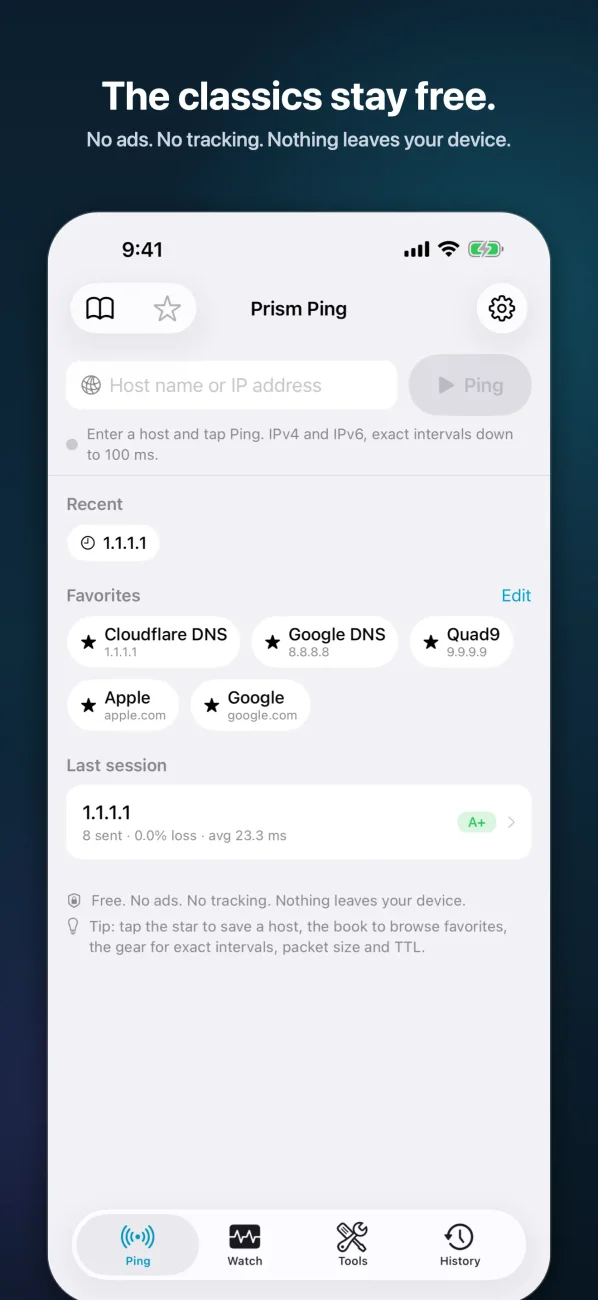
Prism Ping is the ping app, reimagined: one field, one button — and underneath, everything a technician, gamer or remote worker actually wants to know about a connection. No ads. No account. No tracking. Everything listed under the first six headings is free.
PING, DONE PROPERLY
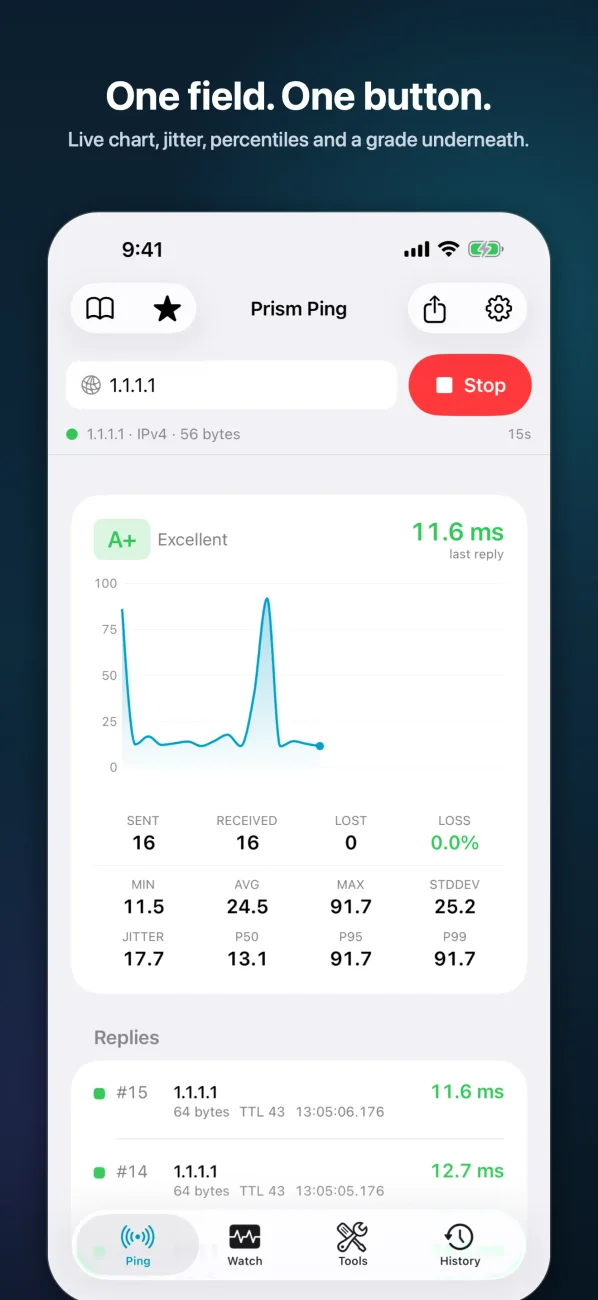
• ICMP ping over IPv4 and IPv6 to any host name or IP address
• The resolved address is always shown — even on timeouts, when you need it most
• Live latency chart with lost packets marked in red
• Every reply timestamped, with sequence, bytes, TTL and round-trip time
• Sent / received / lost / loss %, min / avg / max / stddev
• Jitter, p50 / p95 / p99 percentiles and an A+ to F quality grade
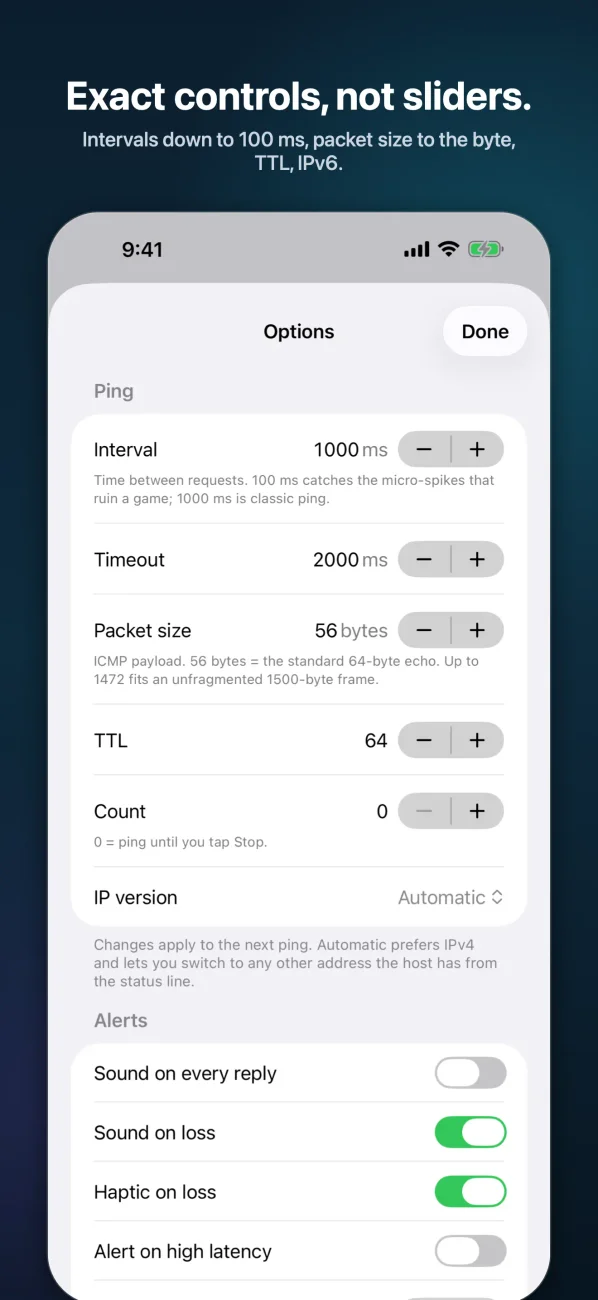
• Exact controls, not sliders: interval from 100 ms to 60 s, timeout, packet size 0–1472 bytes, TTL, count or continuous
• Switch to any other address the host resolves to with one tap
HEAR IT
• Audible ping: a tick for every reply, a low buzz when a packet is lost
• Haptics on loss and on latency spikes above a threshold you set
• Walk a site and listen instead of watching the screen
WATCH SEVERAL HOSTS AT ONCE
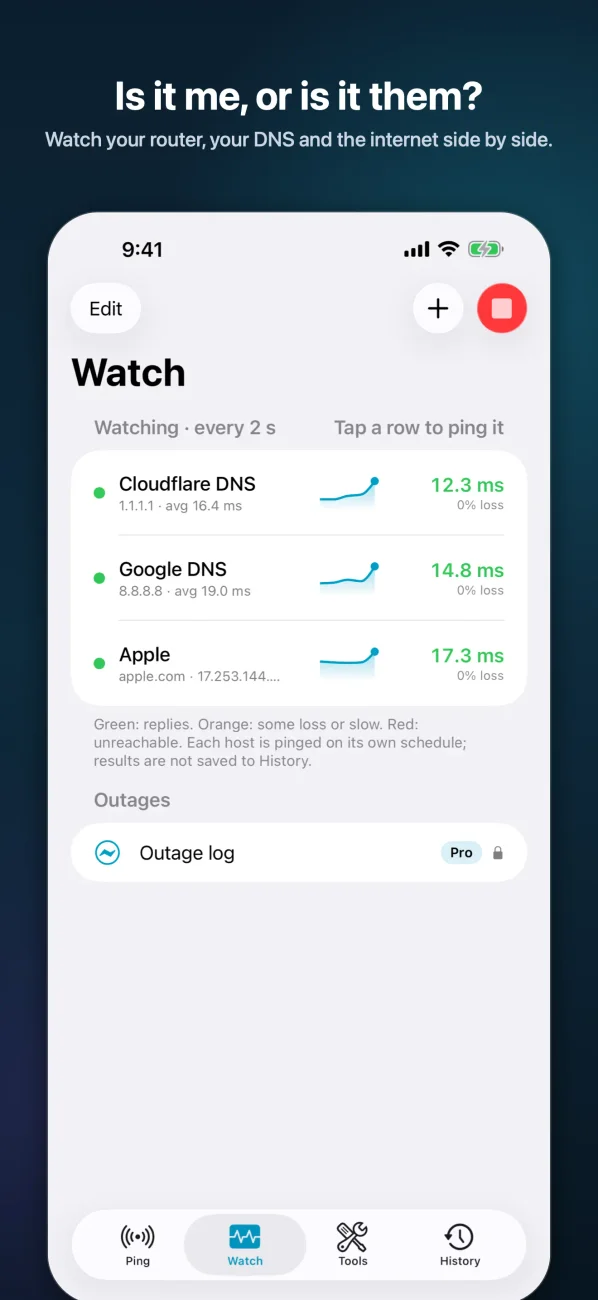
• Put your router, your DNS resolver and a public site side by side
• Status colour, last round-trip, loss % and a sparkline for each
• "Is it me or is it them?" answered at a glance
FAVORITES THAT STAY PUT
• Save hosts with a name and a group; reorder, edit, one-tap ping
• Recents remembered; both survive restarts and updates
HISTORY YOU CAN KEEP
• Every finished session saved on the device with its chart, statistics and full log
• Share as text (ping-command style) or CSV
• Search by host or address; delete anything, any time
TOOLS
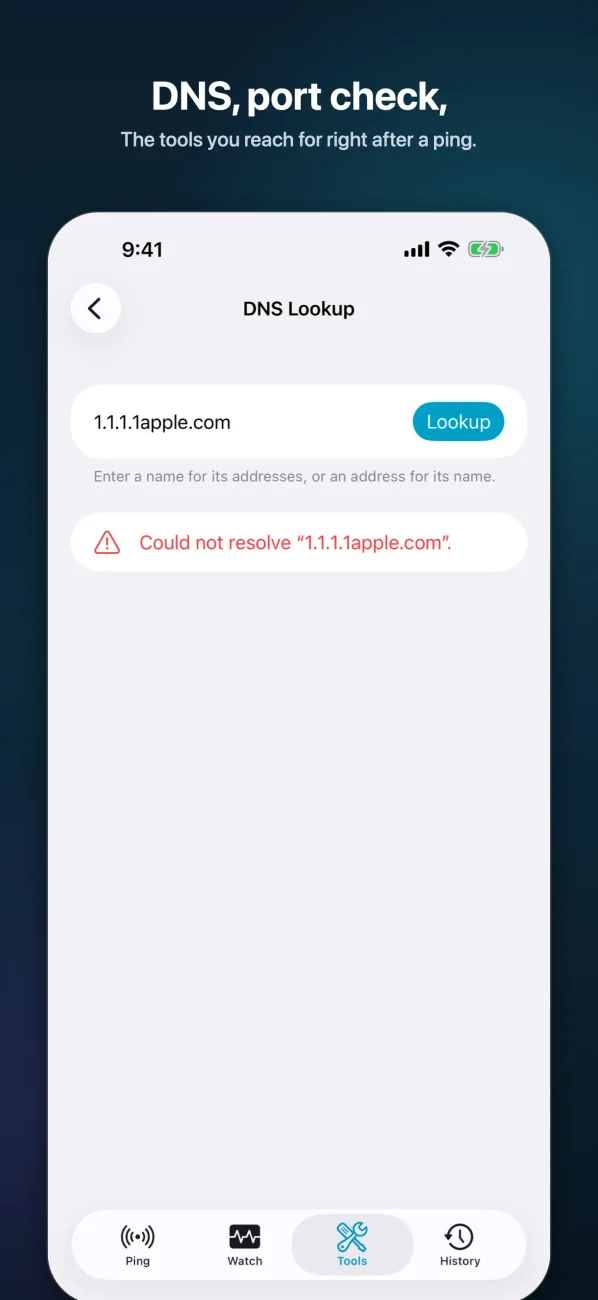
• DNS lookup — A, AAAA, CNAME and reverse (PTR)
• Port check — TCP connect to one port or the common set, with timings
• My Network — interfaces and local addresses; public IP only when you ask
PRO
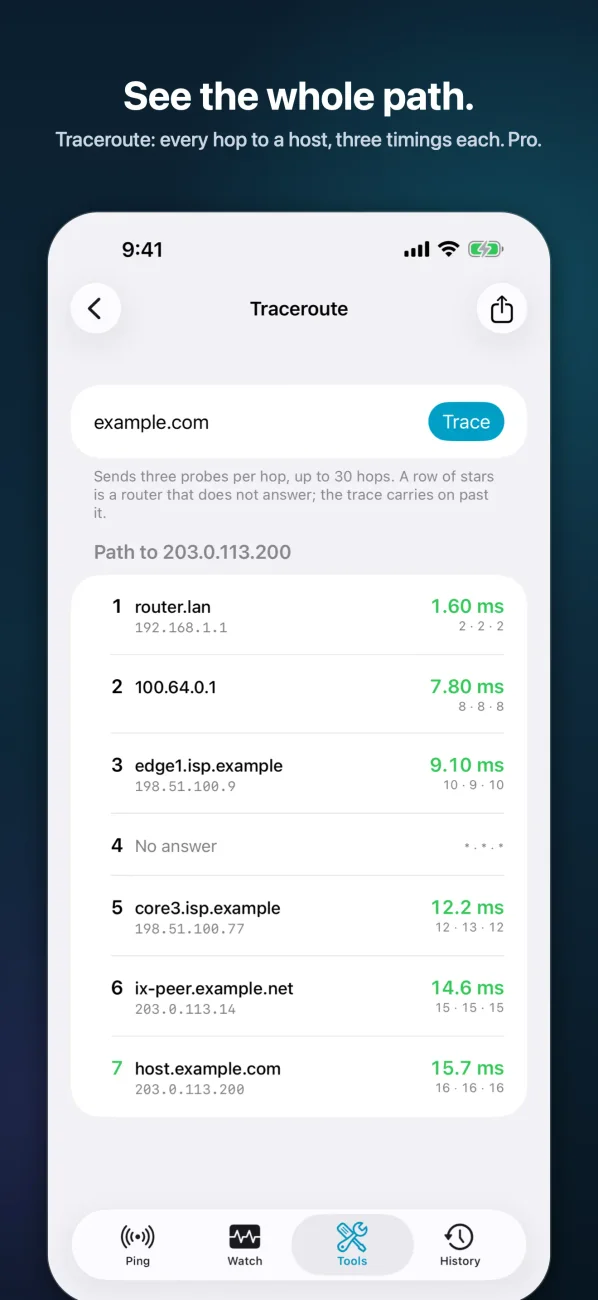
• Traceroute: every hop between you and a host, three timings each, with the router's name when it has one
• PDF report of any saved session, with the chart, statistics and quality grade, ready to send to a client or an ISP
• Outage log on the Watch tab: while Prism Ping is open and watching, it records when each host went down, when it came back, and for how long, with a sound and a haptic when it happens. The log is saved on your device and exports as CSV. iOS pauses apps shortly after they leave the screen, so this is not a background monitor
UNLIMITED
• Everything in Pro
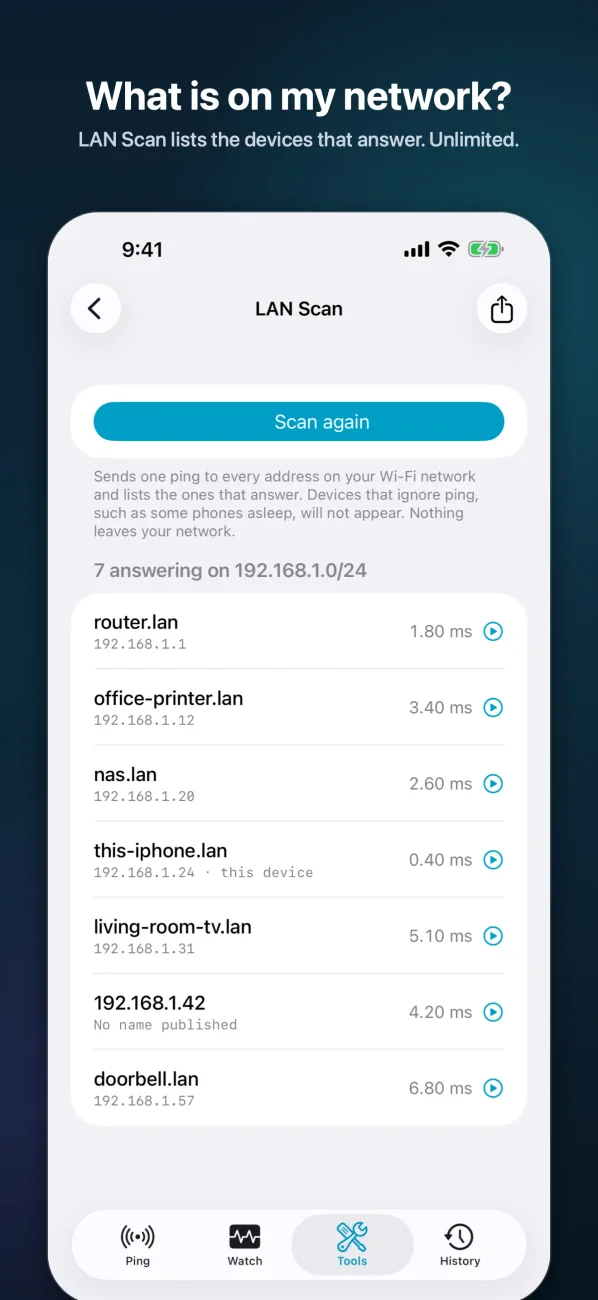
• LAN Scan: the devices answering on your Wi-Fi network, by address and name
• Watch runs saved to History, with the full log for every host
BUILT LIKE AN APPLE APP
• Native SwiftUI on iPhone and iPad, light and dark, Dynamic Type, VoiceOver labels
• A few megabytes, no third-party frameworks
• iOS suspends apps in the background after about 30 seconds — Prism Ping stops the run cleanly and tells you, instead of freezing and leaving a gap in the log
PRIVACY
Prism Ping collects nothing. Favorites, recents and history live in the app's own folder on your device. The only network traffic it makes is the traffic you ask for: pings to the hosts you enter, DNS through the device's resolver, TCP connects for port checks. The optional public-IP button asks a lookup service, and only when you tap it.
PLANS
• Free: everything Prism Ping has done since version 1.0
• Pro: $2.99 monthly or $29.99 yearly
• Unlimited: $4.99 monthly or $47.99 yearly
Pro and Unlimited are auto-renewing subscriptions billed through the App Store. They renew at the price shown unless cancelled at least 24 hours before the period ends, and can be managed or cancelled any time in your Apple Account settings.
Support: https://prismdatagroup.com/prismping/support
Privacy: https://prismdatagroup.com/prismping/privacy
Terms of Use: https://prismdatagroup.com/prismping/termsofuse
Neue Funktionen
Version 1.1 · 18.11.2026
New tools, and everything you already use stays free.
PRO
• Traceroute: every hop to a host, with three timings each and the router's name when it has one
• PDF report: turn any saved session into a one-page report with the chart, statistics and grade
• Outage log: while Prism Ping is open, the Watch tab records when each host went down, when it came back, and for how long. The log is saved on your device and can be exported
UNLIMITED
• LAN Scan: list the devices answering on your Wi-Fi network
• Watch runs saved to History, with the full log for every host
ALSO NEW
• Report a Bug and Contact Prism Data Group, under About
• Plans screen with monthly and yearly options
App-Datenschutz
Was George Field im App Store zum Umgang dieser App mit Daten angibt.
-
Keine Daten erfasst
Der Entwickler erfasst keine Daten von dieser App.
Die Datenschutzpraktiken können variieren, zum Beispiel je nach den von Ihnen verwendeten Funktionen oder Ihrem Alter.
Informationen
- Anbieter
- George Field
- Kategorie
- Dienstprogramme
- Version
- 1.1
- Aktualisiert
- 18.11.2026
- Veröffentlicht
- 03.09.2026
- Größe
- 3,4 MB
- Erfordert
- iOS 17.0 oder neuer
- Altersfreigabe
- 4+
- Preis
- Kostenlos
- In-App-Käufe
- Ja
- Sprachen
- Englisch
- Copyright
- © 2026 Prism Data Group
Das könnte Ihnen auch gefallen
-
 Better Ping: Network MonitorGratis bis 10 Monitore
-
 Flux Remote: Mac ManagementDienstprogramme
-
 ComDeckDienstprogramme
-
 MathAlarm – Wake to SolveDienstprogramme
-
 OSTerm — SSH TerminalDienstprogramme
-
 PingyDingyDienstprogramme
-
 Pingly - Ping Network UtilityDienstprogramme
-
 NetBeatDienstprogramme
-
 Wifi Speed Test Periodical LogDienstprogramme