
PS File Viewer
View & Convert PS Files.
Entwickelt für iPhone, iPad
Kostenlos · In-App-Käufe
- Altersfreigabe4+
- KategorieProduktivität
- EntwicklerVaibhav Singhal
- SprachenEnglisch+ 16 weitere
- Größe34,9 MB
Verlinkt auf die offizielle App Store-Seite
Download.org hostet keine Datei von PS File Viewer. Die Schaltfläche öffnet die App-Seite bei App Store, wo Vaibhav Singhal die App veröffentlicht. Eintrag zuletzt geprüft am 14.11.2026.
Screenshots



Info
Der Entwickler hat diesen Text nicht in Ihrer Sprache bereitgestellt.
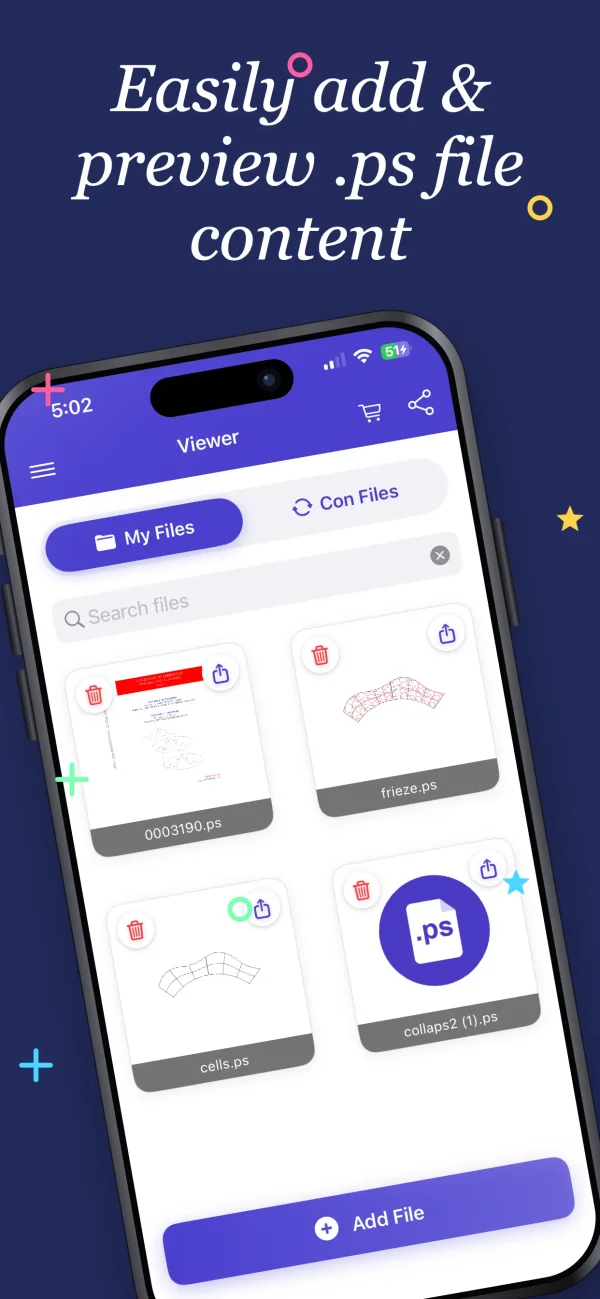
Viewer for PS Files is the simplest way to open, view, and convert PostScript (.ps) files right from your iPhone or iPad — no desktop software required.
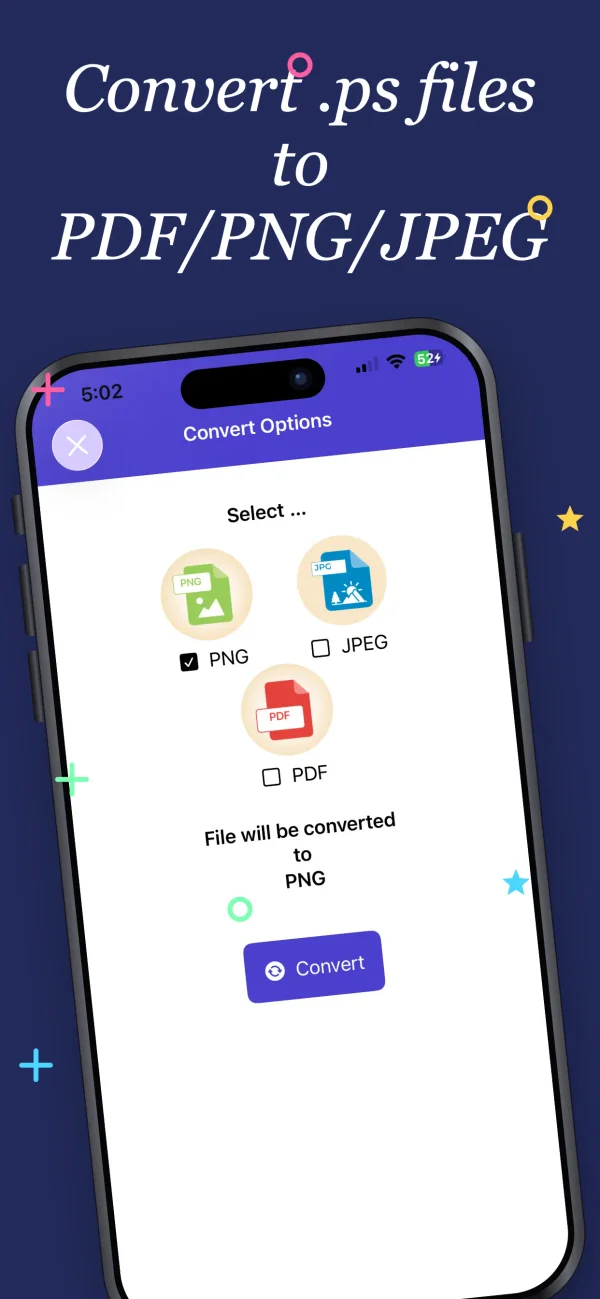
PostScript files are notoriously hard to open on mobile devices. Viewer for PS Files solves that problem by letting you import a .ps file and instantly convert it into PDF, PNG, or JPEG — whichever format you need.
KEY FEATURES
• Open .ps files directly from Files, Mail, AirDrop, or any app that supports the Share Sheet
• Convert PostScript files to PDF, PNG, or JPEG
• Fast, reliable online conversion
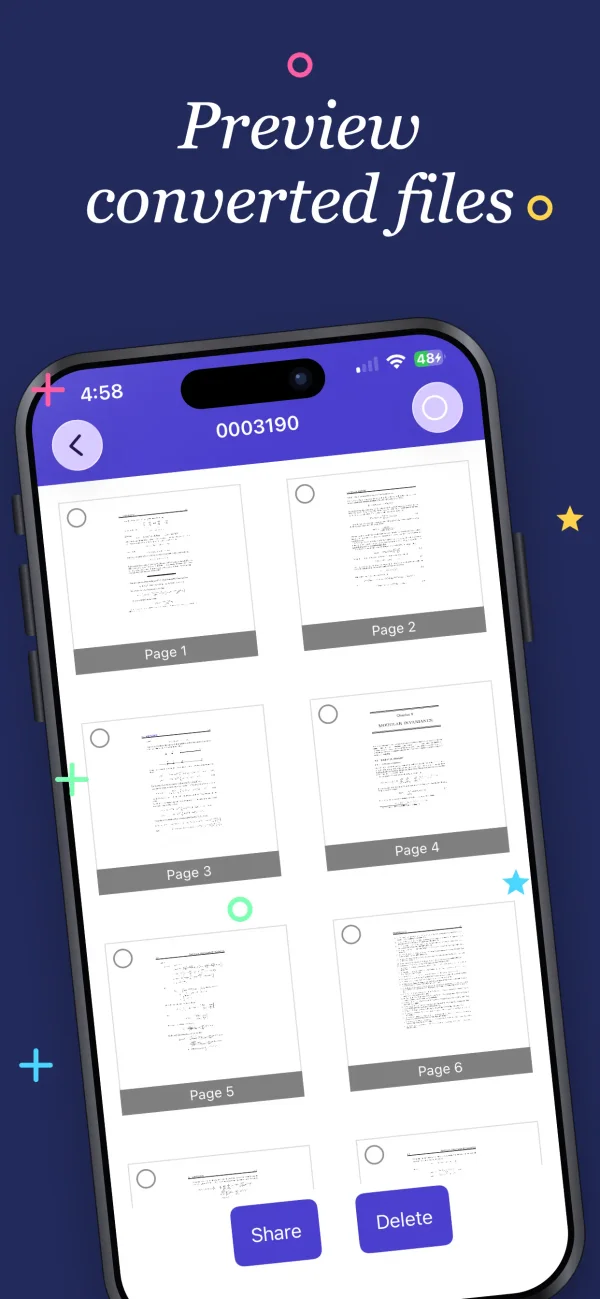
• Clean, distraction-free viewer for your converted files with smooth scrolling and zoom
• Save converted files locally so you can access them anytime, even offline
• Share converted files via Mail, Messages, AirDrop, or any installed app
• Simple, intuitive interface designed for quick, on-the-go use
• Automatic retry handling for a smooth conversion experience, even on slower connections
HOW IT WORKS
1. Open a .ps file from the Files app or share it into Viewer for PS Files
2. The app securely process and converts your file to PDF, PNG, or JPEG
3. View your converted file instantly inside the app
4. Save or share it wherever you need it
WHO IT'S FOR
Viewer for PS Files is built for anyone who receives PostScript files from printers, publishers, engineering tools, or legacy software and needs a fast way to view or convert them on iOS — students, engineers, print professionals, and everyday users alike.
PRIVACY & RELIABILITY
Your files are processed securely and only used to generate your converted file. We don't require an account to get started, and the app is designed to be lightweight and fast.
SUBSCRIPTION
Viewer for PS Files offers an optional subscription that removes ads and unlocks unlimited conversions for a smoother, uninterrupted experience. Subscriptions are billed through your Apple ID account and can be managed or cancelled anytime in your device Settings.
Download Viewer for PS Files today and turn any PostScript file into a viewable, shareable PDF, PNG, or JPEG in seconds.
Terms of use(EULA) : https://www.apple.com/legal/internet-services/itunes/dev/stdeula/
Neue Funktionen
Version 1.8 · 30.10.2026
Viewer for PS Files is the simplest way to open, view, and convert PostScript (.ps) files right from your iPhone or iPad — no desktop software required. Convert PostScript files to PDF, PNG, or JPEG.
App-Datenschutz
Was Vaibhav Singhal im App Store zum Umgang dieser App mit Daten angibt.
-
Daten, die zum Tracking Ihrer Person verwendet werden
Können verwendet werden, um Sie über Apps und Websites anderer Unternehmen hinweg zu verfolgen.
- Standort
- Kennungen
-
Nicht mit Ihnen verknüpfte Daten
Können erfasst werden, sind aber nicht mit Ihrer Identität verknüpft.
- Standort
- Kennungen
- Diagnose
Die Datenschutzpraktiken können variieren, zum Beispiel je nach den von Ihnen verwendeten Funktionen oder Ihrem Alter.
Informationen
- Anbieter
- Vaibhav Singhal
- Kategorie
- Produktivität
- Version
- 1.8
- Aktualisiert
- 30.10.2026
- Veröffentlicht
- 18.07.2026
- Größe
- 34,9 MB
- Erfordert
- iOS 16.0 oder neuer
- Altersfreigabe
- 4+
- Preis
- Kostenlos
- In-App-Käufe
- Ja
- Sprachen
- Englisch, Arabisch, Bengalisch, Französisch, Deutsch, Hindi, Indonesisch, Italienisch, Japanisch, Koreanisch, Portugiesisch, Russisch + 5 weitere
- Copyright
- © 2026, MagicApps
Das könnte Ihnen auch gefallen
-
 EPS Viewer: Open & View FilesEPS-Dateien öffnen & anzeigen
-
 Apps blockieren: RelockBildschirmzeit & App-Blocker
-
 FlightLog – Pilot LogbookProduktivität
-
 Deplan - Expense SharingProduktivität
-
 QR Code & Barcode Label MakerProduktivität
-
 Unplugged - BildschirmzeitApps sperren & Digital Detox
-
 Just2Done: AI Note TakerProduktivität
-
 OpenFile - Jede Datei ansehen100+ Dateiformate ansehen
-
 KI-Text humanisieren: AkmonKI-Detektoren umgehen
-
 wasep.meProduktivität