
PureOpen — Markdown Editor
Per-block RTL, AI file to Word
Entwickelt für iPhone, iPad, Mac, iPod touch
Kostenlos
- Altersfreigabe4+
- KategorieProduktivität
- EntwicklerYechiel Ben David
- SprachenEnglisch+ 2 weitere
- Größe8,1 MB
Verlinkt auf die offizielle App Store-Seite
Download.org hostet keine Datei von PureOpen — Markdown Editor. Die Schaltfläche öffnet die App-Seite bei App Store, wo Yechiel Ben David die App veröffentlicht. Eintrag zuletzt geprüft am 16.11.2026.
Screenshots
Info
Der Entwickler hat diesen Text nicht in Ihrer Sprache bereitgestellt.
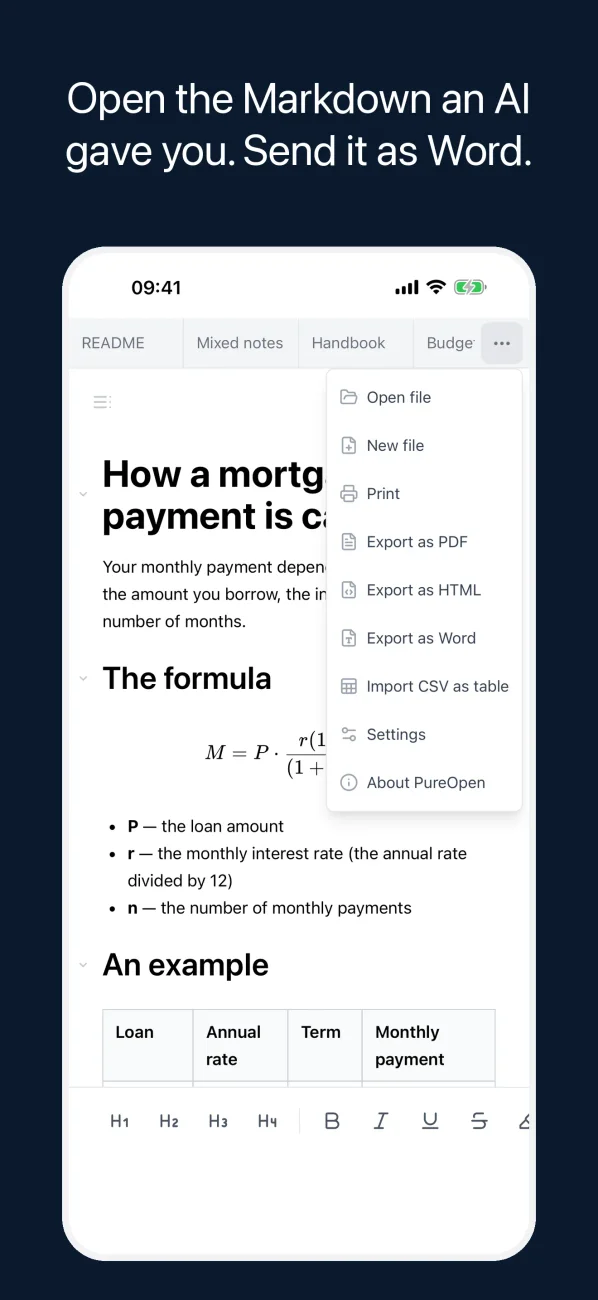
PureOpen opens a Markdown file as a document, gets every paragraph's direction right in Hebrew, Arabic and English, and sends it on as Word, PDF or a web page. It leaves every line you didn't touch exactly as it was.
THE MARKDOWN FILE AN AI GAVE YOU
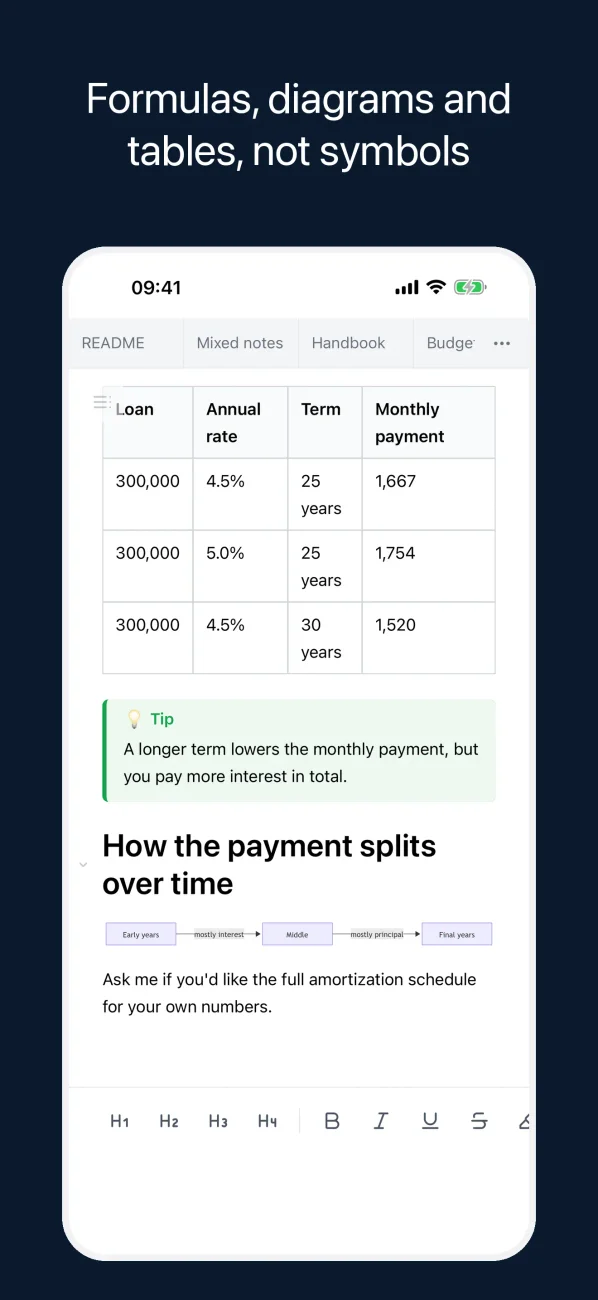
AI tools hand people .md files that open as a wall of symbols, and pasting them into Word keeps the symbols. PureOpen shows the file formatted: headings, tables, task lists, footnotes, formulas, Mermaid diagrams and callouts, the way the writer meant them.
• Export as Word: formulas become Word equations you can edit, footnotes become real Word footnotes, a diagram becomes a picture. Hebrew and mixed-direction text keep their direction.
• Export as one self-contained web page, or as a PDF of exactly what is on screen.
• It all happens on the device. Nothing is uploaded to a converter.
HEBREW, ARABIC AND ENGLISH IN ONE FILE
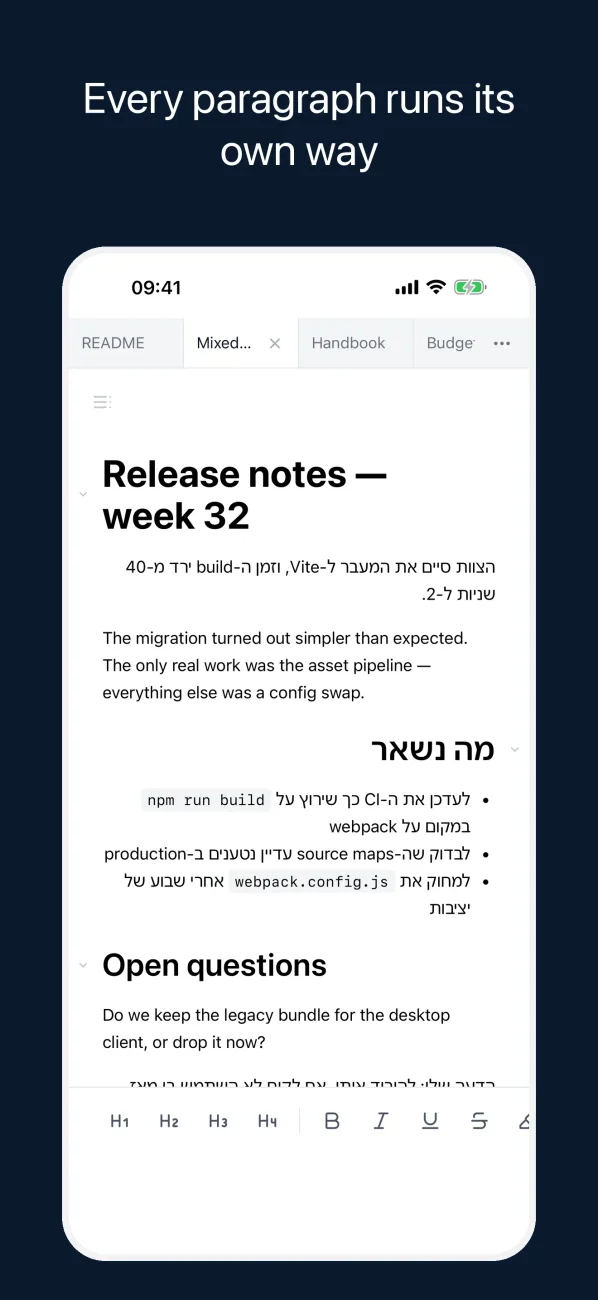
Most editors treat right-to-left as a switch for the whole document, which breaks the moment a Hebrew or Arabic sentence contains an English term. PureOpen decides direction per block: every paragraph, heading and list item takes its direction from its own first strong character.
• A Hebrew paragraph aligns right, the English one under it aligns left, and each stays that way as you edit.
• English words, code and links inside an RTL sentence sit where they belong.
• Nothing is written into your Markdown to make this work. No direction marks, no wrapper tags.
IT DOES NOT REWRITE YOUR FILE
Many editors reformat the whole file on save: list markers, escapes, blank lines. PureOpen writes back only what you changed, in the file's own spelling. A one-line edit shows as a one-line diff in Git. In our tests, 95 of 95 real Markdown files came back byte-identical.
• If saving from the formatted view would lose a single word, the file opens as text with an explanation instead.
• Autosave 600ms after you stop typing. If another app changes the file, it reloads and keeps your place.
OPEN IT FROM THE FILE
• Right-click a Markdown file in Finder, or long-press it in Files, and PureOpen is at the top of Open With. It opens in a tab in the window you already have. No library, no import.
• Files from an Obsidian vault or a repository are edited in place, and nothing is written beside them.
LONG DOCUMENTS AND TABLES
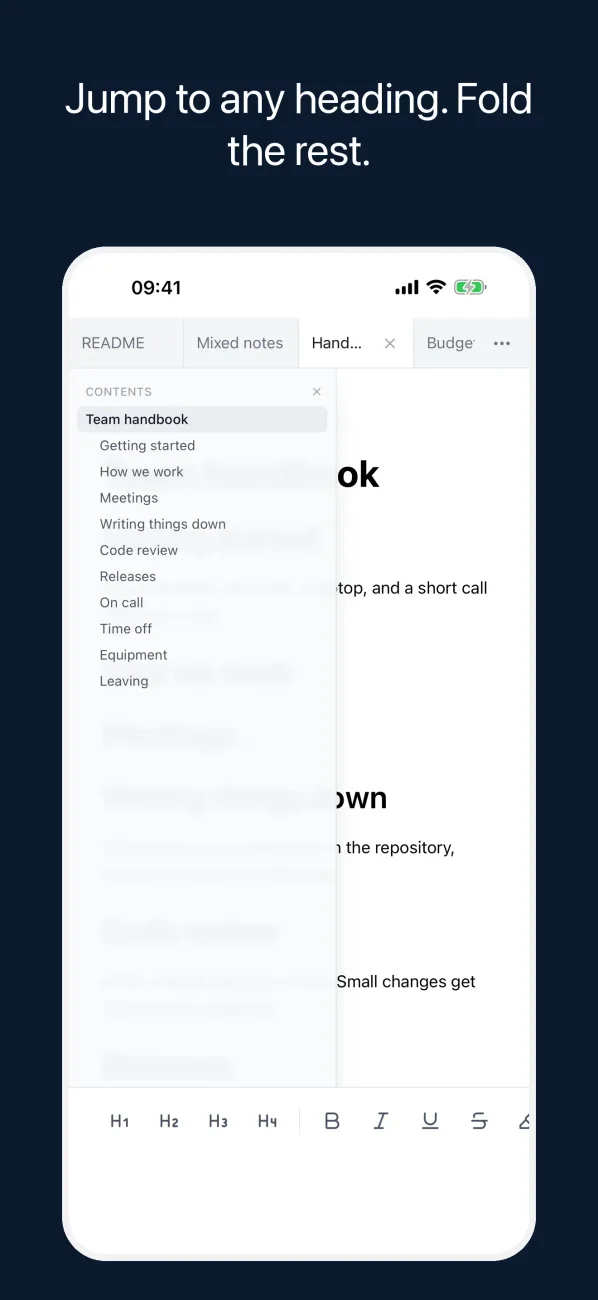
• A table of contents beside the document marks the heading you are reading. Click to jump.
• Fold any section under its heading. Folding is never written to the file.
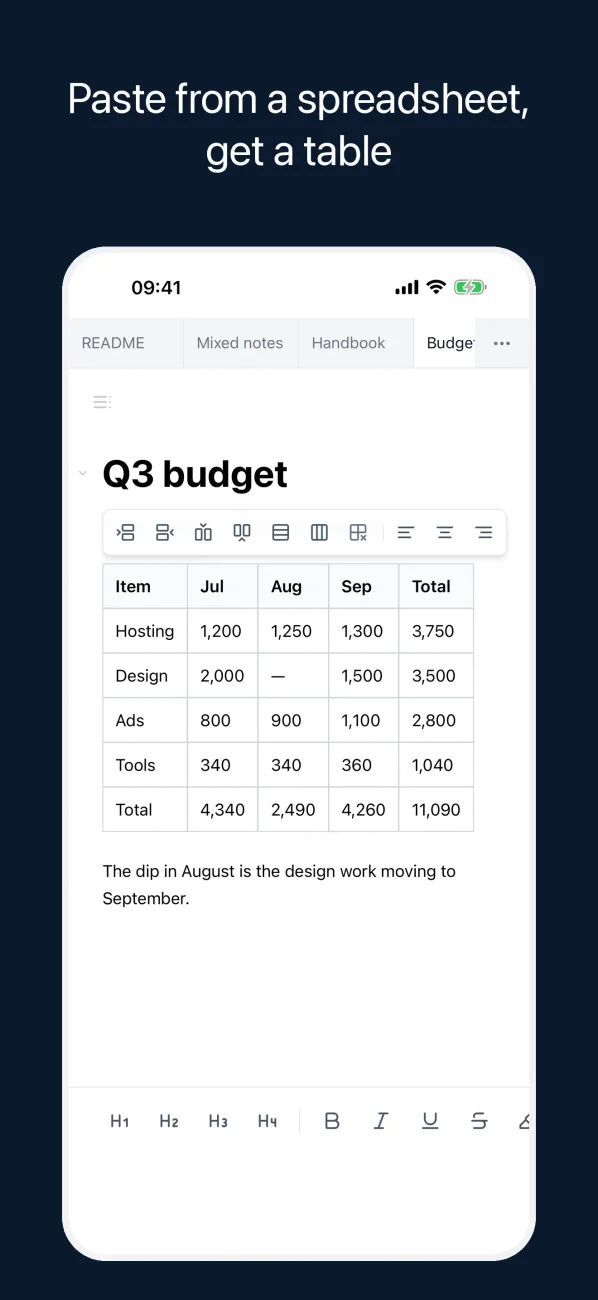
• Paste a range from Excel, Numbers or a web page and it becomes a Markdown table. Import a CSV as a table. Edit cell by cell, with a toolbar for rows, columns and alignment.
ALSO
• Browser-style tabs: ⌘1–⌘9, Ctrl+Tab, ⌘W closes the tab. Your tabs come back next time.
• Source mode (⌘/) shows the file as text, each line in its own direction.
• Find and replace, links (⌘K), footnotes edited in place, text size, dark mode.
• Interface in English, Hebrew and Arabic.
• No network, no account, no telemetry. Your files stay on your device.
PureOpen is free, with no in-app purchases and no subscription.
Neue Funktionen
Version 2.2 · 14.11.2026
Open the Markdown an AI gave you, send it as Word.
• Export as Word. Formulas become equations you can edit in Word, footnotes become real footnotes, Mermaid diagrams become pictures, and Hebrew and Arabic keep their direction.
• Export as one self-contained web page, alongside PDF.
• Formulas, Mermaid diagrams, callouts, footnotes and images are now shown formatted. A diagram shows its code only while you edit it.
• A table of contents beside the document, and folding under every heading.
• Tables: edit cell by cell with a table toolbar, paste a range from Excel or Numbers, or import a CSV.
• Your file keeps its own spelling. Lines you didn't edit are written back exactly as they were, and a save that would lose a word opens the file as text instead.
• Source mode shows the file as text, with every formatting command still working.
• Find and replace, links, footnotes edited in place, and text size in Settings.
• The interface is now in Arabic as well as English and Hebrew.
• On iPhone: one ⋯ menu beside the tabs, larger buttons, and a button to hide the keyboard. Tabs and recent files no longer disappear after an update.
Free, offline, no account.
App-Datenschutz
Was Yechiel Ben David im App Store zum Umgang dieser App mit Daten angibt.
-
Keine Daten erfasst
Der Entwickler erfasst keine Daten von dieser App.
Die Datenschutzpraktiken können variieren, zum Beispiel je nach den von Ihnen verwendeten Funktionen oder Ihrem Alter.
Informationen
- Anbieter
- Yechiel Ben David
- Kategorie
- Produktivität
- Version
- 2.2
- Aktualisiert
- 14.11.2026
- Veröffentlicht
- 19.08.2026
- Größe
- 8,1 MB
- Erfordert
- iOS 15.0 oder neuer
- Altersfreigabe
- 4+
- Preis
- Kostenlos
- Sprachen
- Englisch, Arabisch, Hebräisch
- Copyright
- © 2026 Y. Ben David
Das könnte Ihnen auch gefallen
-
 OkojoProduktivität
-
 Inkstone: AI Knowledge BaseProduktivität
-
 Folio: Notes, PDFs & CanvasProduktivität
-
 Kasten - Zettelkasten CardsProduktivität
-
 Rootkeep: Personal CRMProduktivität
-
 PDFDockProduktivität
-
 Markdown Viewer: Copy for AIProduktivität
-
 Nook: Read, Write, OwnProduktivität
-
 Narratives: Private AI NotesProduktivität
-
 Relay Shortcut TriggerProduktivität